

Proof Beats Promises —See How We Saved Millions
From Fortune 500 giants to fast-growing innovators, TNG has helped clients save 20% – 40%+ on enterprise software contracts — even when they thought it was impossible

Built for Teams with Renewals
You’ve dreaded renewals before—now let’s make this one quick, painless, and a win for your organization.

Understanding how Salesforce Negotiates in 2026
The key to properly negotiating with Salesforce is understanding how the organization works. Salesforce has a brilliantly designed sales system that is set up to maximize revenue from every account.
Many of the tactics used in its sales process and organization design are borrowed from other big players such as Microsoft, Oracle, SAP, etc. Our goal with this article is to give you a strong understanding of the Salesforce machine so that you can prepare accordingly.
Understanding how your sales rep fits into the machine
Maybe you like your rep, maybe you don’t. We see clients all across the spectrum in terms of the relationship they have with their rep. Regardless of what your relationship is, it’s important that you understand how your rep fits into the actual Salesforce machine.
The first thing you must understand is that your rep is at the bottom of the totem pole in Salesforce. They are the “in-the-weeds Salesperson” who is put out to handle tactical sales and execution.
By design, your rep is given limited information. They actually are never fully educated on what the rates should be or what discounts they can even provide.
Let me repeat that: Your rep does not even know what rates other companies of your size are getting other than those within their own portfolio.
Salesforce limits the amount of discretionary information it shares with its sales organization intentionally. The company does this many reasons, one of which is so that your rep can sell to you in a genuine and authentic way. If your rep knew that other companies were paying 30% less than you, they might feel guilty for charging you 30% more and/or fight harder for you to get a lower rate in the interest of closing the deal.
Think about this; if your rep doesn’t know that you are paying 30% above the most competitive rates, and instead actually believes you are getting a great deal, then they are going to explain this to you in an authentic way. They may tell you something like: “This is the best rate I have ever given a customer of your size.” This may very well be the truth, but that doesn’t mean it's the best rate that Salesforce can provide for a company of your size, etc.
Instead of thinking about your rep as the opponent in this negotiation, it’s important to understand how they fit into the organization.
Our goal in our 4-step negotiation process is to coach your rep in a way that organically sends the most effective messages up the totem pole (aka the "business desk") at Salesforce to ensure you get the best deal.
Understanding the “business desk"
In order to drive the largest positive impact in any negotiation with Salesforce, we need to work with the “business desk." The “business desk” is a somewhat secretive sales management team inside of the company that is intended to purely support your sales rep. Remember, sales reps are given very little decision-making authority. All official decisions that have any material impact on a client's rates are developed and approved by the business desk.
The concept of a business desk is not new nor unique in highly complex/profitable sales organizations. It was originally developed by companies like McKinsey and originally tested, validated, and further refined in firms like Microsoft. At its most basic and original function it was intended to as act as a quality/price control organization before the concept of Software as a Service (SaaS) was even conceptualized. Fast forward many years and it has developed into an elusive organization that ultimately acts as the "bad guy." In other words, it holds the rights to any decision making but will never officially interface directly with the customer leaving your sales rep to pass messages back and forth.
As a result, your goal in a negotiation is to train your sales rep on how to best communicate and send messages to his business desk that are going to help you achieve more out of the negotiation. Yes, you heard that right. Your job in this negotiation will be to indirectly train your sales rep on how to work with their own organization to get you the best possible deal. That is, of course, assuming they actually want you to get a good deal…
Our goal is to empower you to send the right messages, at the right time, to the business desk in order to meet and/or exceed your desired objectives.
Your sales rep’s emotions
Sometimes your rep may get somewhat heated during the negotiation and say something like “I am doing everything I can to get this deal through for you but I just can’t go any lower.”
When your rep says something like this to you it’s important you keep a facts based demeanor and keep any emotional response in check. The company’s goal here is to humanize the sales organization and make you feel empathetic during the negotiation. Their emotional response will naturally distract you from the actual facts of the deal.
Please remember your rep may actually be a very honest person. Subsequently, their emotional response to any negativity within the negotiation is designed as part of the sales system. In other words, when your rep gets emotional about fighting for your discounts, that is Salesforce winning…a clear indication of the sales system producing the exact desired result.
This is why we call it the Salesforce machine. The dynamic between the client, sales rep, and business desk is brilliantly designed. The key here is to understand and identify these dynamics.
Divide and Conquer Tactics
Whenever we describe this tactic to our customers, we almost always hear; “Yep, that is exactly what they did.”
Divide and conquer is a brilliant, yet traditional, sales tactic that Salesforce has perfected over the years. The larger the client organization the more important and effective these tactics become for Salesforce.
The concept is simple: Build as many stakeholder relationships as possible at various levels inside the client organization with the overall objective of obtaining as much information as possible. Use this information to extract conflicting stories of the organization’s wants and needs so that the client may potentially buy more than they need.
If you are a smaller account under $300k per year, you may not see this happen. But as your annual spend reaches $500k or $1M+, these tactics will most certainly be used as a way to grow your account.
Understanding Divide and Conquer Tactics
Let’s explore a simple example of how this routinely plays out in a client organization…
Imagine you are in IT Procurement and hold the responsibility of negotiating your company’s Salesforce contract renewal.
As your renewal starts to get closer, you may suddenly experience that Salesforce has, without your direct knowledge;
- Invited your C-Suite to a basketball game with courtside tickets;
- Reached out to IT Department heads to discuss their 1-3 year growth objectives;
- Initiated a direct connection with your VP of Sales;
- Identify and reach out to your top Sales Representatives to explore how they could further use the tool;
- Invite your colleagues to a “wine and dine” evening for relationship building purposes, etc.
Best of all is that those taking the above actions may not actually be your direct sales rep but rather their superiors who have the sole purpose of gathering as much intelligence about your organization as possible.
With this momentum, Salesforce will commonly know more about the needs and wants of its client organization more than their client contact (aka you!). They will use this information to their advantage and create organized chaos and confusion in your organization.
Further expanding upon our original example, let’s explore the output of these tactics:
CEO - Your CEO is taken out to a basketball game where the higher ups at Salesforce paint a picture of what your organization could look like with added functionality and full adoption of Salesforce. They gain his buy-in and suddenly your organization has pressure coming down from the top to roll out Salesforce to the entire organization.
CFO - With this new pressure coming down, your CFO is left scrambling to figure out how to create budget for these additional Salesforce expenses which were not in the original budget. Your CFO talks directly with Salesforce and they start getting creative on cash flow. They offer to move your renewal to January, instead of September, to utilize multiple fiscal year budgets.
CIO - Your CIO is furious because the CFO is now going to pull funds from his operational budget. Your CIO had planned to use these funds for other business critical initiatives that need to be completed this year. Subsequently, he’s also upset that Salesforce is talking with his colleagues and keeping him in the dark. This creates and emotional response and your CIO reaches out directly to Salesforce. Salesforce then begins meeting with your CIO directly and discusses their overall IT roadmap.
VP of Sales - When your VP of Sales speaks to Salesforce, he shares his ideal vision and requests more functionality and training for his team to increase adoption.
Sales Reps – When a few of your top performing Sales Reps are contacted by Salesforce, they further explain how it would be great if they received deeper support, had additional customizations, and more functionality.
Salesforce Admin - Your Salesforce Admin is the primary business stakeholder providing requirements to IT Procurement and also responsible for the outcome of the negotiation. They now have conflicting messages coming from every stakeholder in the organization…
- The CEO wants to implement the full vision;
- The CFO doesn’t have the budget;
- The CIO is pissed off because his IT budget is getting pulled and Salesforce still doesn’t integrate properly with their ERP;
- Your VP of Sales wants more functionality and training;
- Your Sales reps wants more customization and new functionality.
What does your Salesforce Admin do in this situation? They ask Salesforce: What do you think I should do?
As a result, Salesforce is now running the negotiation. They are telling you what to buy and when to buy it. At this point, you have lost control of the negotiation and Salesforce has essentially “won the game.”
If you let Salesforce divide and conquer without the proper planning and communication strategies, you will lose significant value creation opportunity.
An Aligned Organization is a Rarity
The situation we just described to you is extremely common in both large and small organizations. Most organizations suffer from what many of us know as “initiative overload” and simply do not commit the time or resources to align on forward looking business (not just IT) plans for leveraging strategic platforms such as Salesforce.
Salesforce knows this and leverages this lack of alignment to create growth opportunities.
It is exceptionally rare to find an organization that is: 1) actually aligned; 2) has a plan for how they will use Salesforce over the next three to five years (aligned to its business objectives).
As part of negotiation preparation, we drive clients to curate this planning and alignment so that you know what you need before even starting the negotiation.
Our proprietary tool for doing this is something we call the Salesforce Roadmap (catchy right!? ?). At a high level, this is simply a detailed list of “what you need” and “when you need it.” Again, you need to be clear on the “what” and the “when.”
If you don’t create your own Salesforce Roadmap, then Saleforce’s Divide and Conquer techniques previously discussed will likely create an over-inflated roadmap for you. Subsequently, if Salesforce creates the roadmap for you, then you are left on your heels saying “Wait a second….is this what we actually need or is this just what they are telling us that we need?”
The Salesforce Fiscal Year
Another very important thing to understand about Salesforce is that their Fiscal year ends on January 31st. Now at first you may say, “That’s kind of odd…why would anyone make their fiscal year end January 31st?”
Once again, this is done by brilliant design.
Salesforce is an expert at working with Corporate America. It knows that most companies operate on a standard calendar fiscal year (January-December). Subsequently, most budgets are solidified sometime between October – January which opens up a new (potentially larger) budget.
By moving your renewal to January, Salesforce is now able to…
- Influence your fiscal year budgeting conversations through proposals;
- Be flexible with payment terms enabling the ability for clients to use two fiscal budgets for a single subscription year; and,
- Have increased control over its own fiscal year budgeting, forward looking market statements, and investor relations.
Think about this…by placing their fiscal year end at January 31st, Salesforce now has a great excuse to say “Let’s renew early because we will be able to provide the greatest discount right before our fiscal year ends.”
In most cases, Salesforce will naturally incentivize you to renew early with a January effective date. While this may seem like a no-brainer, we regularly advise all our clients to take advantage of this offer only when you forecast significant growth/decline in your account.
The Difference Between a New and an Existing Salesforce Customer
It’s very important to understand that Salesforce treats new and existing customers very differently. Unsurprisingly, sales performance incentives are very different for both segments.
New Customers
When you are negotiating your first purchase with Salesforce your rep is incentivized to sell you as much as possible. While this may seem like common sense it’s important to know that this particular incentive is extremely high. Since selling a new customer is always harder than a renewal, Salesforce designs its compensation structure so that reps see a significantly higher sales commission from new customer accounts.
- Watch out: Initial Footprint - Naturally, the larger initial footprint a software supplier has in your organization the harder it is for you (the client) to leave. No matter whether you hire an external advisor or conduct the negotiation by yourself please be cognizant of the fact there is a natural tendency to overbuy in the 1st year in the interest of capturing the “greatest discount.”
- Note: Based on customer demand, we will be writing a separate article specifically focusing on New Agreement Customers titled “Top 5 Tips When Negotiating a New Salesforce Agreement.”
Existing Customers
The Salesforce machine has been developed in a way that promotes and incentivizes year-over-year growth in your account. This may be common sense to some, however, what you may not expect or realize is that prior to any renewal discussions from even occurring, Salesforce has already booked (planned for) a 10% increase in your account.
- What this Means - While you may be going into the negotiation wanting to keep the same rates or even reduce them, Salesforce has established a negotiation baseline that is 10% above your current budget. As we will discuss further in future articles, this increase may come in many different forms…some obvious and others not.
- Note: Based on customer demand, we will be writing a separate article specifically focusing on New Agreement Customers titled “Top 5 Tips When Negotiating a Salesforce Renewal Agreement.”
This is how Salesforce operates and is a standard expectation across all of its business lines. In other words, if Salesforce were to maintain the status quo on current rates and license counts (aka 0% increase), then your sales rep’s performance metrics would be negatively impacted.
Subsequently, one of the worst scenarios for Salesforce is if your contract is reduced in anyway at renewal…even by one dollar. (Yes, we actually have a funny client story about this…)
Even if you’re dropping a service like Pardot or Premier Support, Salesforce will automatically fight to get those funds reallocated to other licenses or add-ons (“lift and shift”). Salesforce incentivizes its sales reps to identify and execute these budget “lift and shift” opportunities at renewal time in underutilized accounts with nearly as much intensity as net new revenue.
Understanding Salesforce’s Products and Services
Forgive our play on words here but what you must understand about Salesforce’s different products and services is that they are hard to understand.
Many of our customers who have now been with Salesforce for 3, 5, 10+ years often complain “It seems like they keep changing the license tiers or product names. It’s just confusing and I don’t really understand why I am paying more for what seems like the same thing.”
Once again, this is by design and taken right out of the Microsoft playbook.
Think about it like this…Imagine your renewal comes up and you have been purchasing X product or service for the past 3 years. Your rep now conveniently informs you that “We have actually discontinued that specific product and it has now been rolled into product Y. You will maintain the capabilities of our legacy product X but with enhancements that will help you get more from the platform. As a result of these new enhancements your license cost has increased, the new price is Z.”
Sound familiar?
You were just thrown a curveball and suddenly are unable to compare apple-to-apples. Instead of focusing on the price of that new product, you are focused on what it is, and if this is a right fit. This is revenue generating distraction impacts both large and small customers.
Salesforce sales incentives vary by product and service
It’s important to understand that sales incentives vary across Salesforce’s different products and services. This is done for a variety of reasons but the most common example being new product/service introductions are typically incentivized with higher commissions. As a result, it is natural for sales reps to push new products to renewal customers.
In addition to new products, high commissions are paid for “land grab” product/service lines. When we say “land grab” we mean a product or service that breaks Salesforce into a new department inside of your organization. A few common examples are:
- Pardot is a land grab into your marketing department; and
- Service desk is a land grab into your customer service department.
Salesforce fights hard to make these land grabs for a few key reasons:
- It makes them stickier within your organization;
- It gives them more contacts which creates further opportunities for their divide and conquer approach; and,
- It gives them an entirely new department where they can land and expand organically.
Whenever you are considering offering up a “land grab” to Salesforce (expanding into different product lines, departments, etc.) please know you have a great negotiation opportunity. This leverage can be used to lower your overall total cost of ownership if navigated correctly.
The Bottom Line
The “Salesforce machine” is a brilliantly designed sales system. The first step to understanding how you can reduce your rates is to know what you are up against. A few key takeaways:
- Your reps do not know the true rates for comparable companies;
- The “Business Desk” is the only decision-making authority;
- The “Divide and Conquer” approach is the most commonly used, and most successful, sales tactic by Salesforce to drive sales growth;
- The Salesforce fiscal year ends January 31st. This enables the use of multiple fiscal year client budgets to fund growth;
- New and existing (renewal) customers are treated very differently and should use a completely different negotiation approach;
- Sales incentives vary by product and service. “Land Grab” products often carry a higher incentive as it expands their footprint in your organization.
Our goal with this article has been to educate you on the key points of how the Salesforce machine operates. Based on significant current and prospective customer requests, we will be writing additional articles that do a deep dive into the many facets of successfully negotiating with Salesforce.
Explore other TNG Resource Articles, Follow The Negotiator Guru on LinkedIn, Follow Dan Kelly on LinkedIn and learn more about What We Do.
© Kelly Consulting Group, LLC. dba "The Negotiator Guru", 2026. Unauthorized use and/or duplication of this material without express and written permission from this site’s author and/or owner is strictly prohibited.

Negotiating with AWS: How Enterprise Teams Cut Cloud Costs Before They Compound
AWS is one of the most under-negotiated enterprise vendors in the market.
That sounds surprising. AWS is often one of the largest technology suppliers in an enterprise portfolio, with annual spend measured in millions, or tens of millions. Yet many organizations approach AWS as if the only available levers are architectural optimization, Savings Plans, and Reserved Instances.
Those tools matter. They are not the whole negotiation.
AWS spend grows organically through consumption rather than seats. New accounts appear. Workloads move into production. Data volumes increase. Development environments multiply. Business units adopt services independently. By the time finance sees the full picture, the organization may already have a substantial AWS run rate, and limited visibility into the commitments supporting it.
That is precisely when a large cloud bill becomes a negotiation opportunity.
The goal is not simply to obtain a larger headline discount. It is to build a commercial structure that aligns with actual consumption, protects flexibility, reduces commitment risk, and preserves leverage for the next renewal.
Why AWS negotiations work differently from SaaS negotiations
Seat-based SaaS contracts usually have a visible commercial unit: users, licenses, modules, or transactions. AWS is different. The bill is a portfolio of variable consumption lines.
AWS pricing can include:
- On-Demand usage
- Savings Plans
- Reserved Instances
- Data transfer and egress
- Storage and requests
- Managed database consumption
- Support fees
- AWS Marketplace purchases
- Promotional credits
- Migration funding
- Enterprise-level private pricing
That creates two common mistakes.
First, teams benchmark the wrong number. They compare the total invoice to public list price without normalizing usage, regions, service mix, pricing model, and credits.
Second, teams negotiate the wrong commitment. They accept a spend target based on an optimistic cloud roadmap rather than a defensible forecast of eligible consumption.
In a seat-based negotiation, unused licenses are visible. In AWS, unused commitment can be buried inside a complicated consumption model and discovered only after the organization has already signed.
The AWS commercial landscape: what can actually be negotiated?
On-Demand pricing
On-Demand is the most flexible AWS pricing model, but generally the least economical for stable workloads. It is also the baseline against which many other discounts are presented.
On-Demand pricing is useful as a reference point, not as a complete benchmark. The real question is:
What effective rate is the enterprise paying for its actual service mix after all discounts, credits, commitments, and exclusions?
Savings Plans
Savings Plans provide discounted rates in exchange for a one- or three-year commitment to a consistent level of eligible compute spend.
Depending on the type, they may apply across services such as:
- Amazon EC2
- AWS Fargate
- AWS Lambda
- Selected database workloads
The tradeoff is flexibility versus discount depth. A Compute Savings Plan can provide broader portability across eligible compute, while an EC2 Instance Savings Plan may offer stronger economics with more constrained coverage.
AWS provides public documentation on how Savings Plans work, but the discount is not automatically a substitute for enterprise negotiation. Savings Plans typically do not address:
- Data transfer out
- AWS Support fees
- Most Marketplace software fees
- Broader enterprise commitment risk
- Contractual protections around future services
Review the official AWS Savings Plans documentation before modeling a proposal.
Reserved Instances
Reserved Instances can reduce the cost of predictable EC2 and database usage, usually in exchange for a defined configuration and term.
They can be attractive when workloads are stable. They can also create avoidable lock-in when a business is changing instance families, regions, operating systems, or deployment patterns.
The right question is not “What is the maximum discount?” It is:
How much of this workload can the business confidently call stable for the full commitment term?
AWS explains the mechanics of Reserved Instances here. Your negotiation should go further by testing whether the commitment is operationally realistic.
EDPs and Private Pricing Agreements
Large AWS customers may negotiate an Enterprise Discount Program, often referred to in current market discussions as a Private Pricing Agreement or PPA.
The basic structure is straightforward:
- The customer commits to a minimum level of eligible AWS consumption.
- AWS provides a negotiated discount across defined eligible usage.
- The agreement runs for a set term, commonly one to five years.
- The customer must manage its usage carefully to avoid falling short.
AWS does not publish a universal public discount schedule for EDPs or PPAs. Rates depend on factors such as:
- Annual committed spend
- Total term value
- Current run rate
- Forecast growth
- Service mix
- Region and account structure
- Competitive alternatives
- Migration or modernization plans
- AWS Marketplace participation
- Timing and internal AWS priorities
Industry-observed ranges are directional rather than official. As a rough negotiating reference, enterprise proposals may fall into bands such as:
| Annual commitment | Directional observed discount range* |
|---|---|
| $1M–$5M | 5%–8% |
| $5M–$10M | 8%–12% |
| $10M–$25M | 10%–15% |
| $25M–$50M | 14%–19% |
| $50M+ | 17%–23% |
*These are market observations, not AWS-published tiers or guaranteed outcomes. A discount is meaningful only when you understand exactly which services, charges, accounts, and commitment calculations it covers.
Do not negotiate on the headline percentage alone. Ask AWS to define:
- Eligible services
- Excluded services
- Treatment of new AWS services
- Treatment of Marketplace spend
- Treatment of support charges
- Credit application order
- Account and region portability
- Ramp mechanics
- Shortfall consequences
- True-up and true-forward provisions
- Renewal and repricing rights

The growth commitment trap
The most dangerous AWS commitment is not necessarily the one with the lowest discount. It is the one based on a forecast that the business cannot reliably achieve.
AWS teams may present a larger commitment as a way to unlock better economics. The logic can be compelling:
- The business is migrating workloads.
- AI and analytics usage will grow.
- New regions are planned.
- More business units will consolidate onto AWS.
- A modernization program will increase consumption.
Some of those assumptions may be correct. The problem is that a forecast is not the same as committed usage.
If actual consumption falls below the commitment, several outcomes are possible depending on the agreement:
- The customer receives less economic value than expected.
- Unused commitment may expire.
- The customer may need to accelerate migrations or shift workloads.
- Finance may face a true-up or shortfall obligation.
- The customer may have less leverage at renewal because it appears to have underperformed against its promise.
A strong AWS negotiation separates three numbers:
- Current run rate: what the company is consuming today.
- Committed base: what the company can defend with high confidence.
- Strategic upside: what may happen if planned migrations and growth materialize.
Only the first two should form the foundation of a hard commitment. Strategic upside should be rewarded through ramps, expansion rights, reopener clauses, or incremental discounts, not automatically converted into a fixed liability.
Committed spend, true-ups, and unused commitment liability
Before signing, model the agreement month by month.
At a minimum, calculate:
- Expected AWS usage by service
- Eligible versus excluded spend
- Existing Savings Plans and Reserved Instances
- Marketplace spend
- Credits and expiration dates
- Support fees
- Migration-related costs
- Seasonality
- Business-unit allocations
- Downside and upside scenarios
Then test three cases:
Base case
The organization follows its current migration and growth plan.
Downside case
Migration is delayed, a major workload remains on-premises, or optimization reduces consumption.
Upside case
AI, data, or application workloads grow faster than expected.
The agreement should not be economically attractive only in the upside case.
Ask for mechanisms that reduce unused commitment liability, including:
- A lower first-year commitment
- Annual ramps rather than a flat commitment
- Carry-forward rights
- Reallocation across accounts and regions
- Broader eligible-service coverage
- The ability to apply certain Marketplace purchases
- A formal review if consumption falls materially
- No automatic conversion of a shortfall into a new long-term commitment
- Clear treatment of credits when calculating commitment attainment

Use AWS Marketplace, credits, and MAP as negotiation levers
AWS Marketplace can be commercially important in two ways.
First, Marketplace may be part of the broader enterprise cloud commitment. If your organization already purchases significant third-party software through AWS Marketplace, ask whether that spend can contribute to commitment attainment. Do not assume it qualifies. Get the treatment documented.
Second, Marketplace can provide a procurement path for third-party software, including negotiated private offers. AWS explains the mechanics of Marketplace private offers.
Credits are another lever, but they should never be treated as equivalent to a permanent price reduction.
Separate:
- AWS promotional credits
- Migration credits
- Marketplace-related credits
- Partner-funded incentives
- MAP funding
- Service-specific discounts
- Contractual PPA discounts
For migration programs, AWS’s Migration Acceleration Program terms should be reviewed carefully. MAP may support migration and modernization activities through funding or credits, but eligibility, included services, timing, and exclusions matter. For example, credits may not cover all data transfer costs or third-party software charges.
Negotiate the value of credits as part of the total economic package, while keeping the underlying price and commitment structure transparent.
Data egress: negotiate it before you need it
Data egress is often treated as an unavoidable technical cost. In a negotiation, it is also a portability and concentration-risk issue.
Your AWS analysis should distinguish between:
- Routine operational egress
- Cross-region replication
- Internet delivery
- Data movement during migration
- Exit-related data transfer
The EU Data Act is changing the discussion. The European Commission states that switching charges, including switching-related data egress, must be eliminated from 12 January 2027, with a transitional cost-based approach before then. The official European Commission explanation of the Data Act provides the relevant context.
That does not mean all ordinary AWS outbound data transfer becomes free. Day-to-day operational egress remains a separate commercial issue.
For a multinational enterprise, negotiate:
- A clear definition of switching-related egress
- Data export assistance
- Migration support obligations
- Advance notice requirements
- Portability of data and metadata
- Treatment of egress outside the EU
- No contractual language that defeats applicable regulatory rights
Support fees are negotiable too
AWS Enterprise Support is generally calculated as a percentage of monthly AWS charges, subject to minimum fees and tiered rates. At large spend levels, even a modest reduction in the effective support rate can produce meaningful savings.
Ask AWS to clarify:
- The exact fee base
- Whether credits reduce the support calculation
- Whether Marketplace charges are included
- Whether support fees increase automatically as usage grows
- Minimum monthly charges
- Enterprise Support versus other support tiers
- Technical Account Manager coverage
- Service-level commitments
- Response-time remedies
Do not accept support as an automatic percentage of every dollar on the invoice without testing the calculation. Support is a distinct commercial line and should be benchmarked separately. Review AWS’s current Support pricing directly, then negotiate the enterprise-specific application.
How to benchmark AWS spend properly
You cannot benchmark AWS effectively by asking whether you received “20% off list price.”
That number may exclude the services where your spend is concentrated. It may also combine different pricing mechanisms and obscure the cost of commitment risk.
A useful AWS benchmark normalizes:
- Service and SKU
- Region
- Usage volume
- Instance family
- Operating system
- Pricing model
- On-Demand equivalent
- Effective unit rate
- Discount off On-Demand
- Savings Plan or Reserved Instance coverage
- PPA/EDP discount
- Credits
- Support fees
- Data transfer
- Marketplace charges
- Term length and commitment
Track at least three measures:
Effective discount rate
The total discount against the relevant On-Demand baseline.
Effective unit rate
The actual price paid per unit of compute, storage, request, transfer, or database capacity.
Net economic rate
The cost after credits, funding, support, and commitment liabilities are included.
This is where Right Price Benchmarking™ adds value. Benchmarking should reveal not just whether the discount looks attractive, but whether the total structure is commercially fair.
The AWS negotiation playbook
1. Start early
Begin at least six to nine months before a major renewal, PPA, or commitment decision. AWS has more flexibility when the customer has time to create alternatives and does not appear trapped by an expiration date.
2. Build an internal fact base
Bring together:
- CIO or CTO
- CFO or finance leader
- Procurement
- Cloud economics or FinOps
- Enterprise architecture
- Legal
- Business-unit owners
Agree on the target architecture, migration timetable, acceptable commitment, walk-away position, and priority terms before engaging AWS.
3. Build competitive pressure
Azure and Google Cloud do not need to replace AWS entirely to create leverage. A credible alternative may include:
- A workload migration
- A regional deployment
- A data and analytics platform
- A disaster recovery environment
- A new AI workload
- A dual-cloud architecture
- A competitive benchmark
The objective is not to threaten a migration the company cannot execute. It is to demonstrate that AWS is competing for future workload allocation.
4. Use timing deliberately
AWS’s fiscal calendar, quarter-end priorities, renewal windows, migration milestones, and internal account planning cycles can affect responsiveness.
Do not wait until AWS presents its final proposal. Establish your economic requirements early, then create a structured process with multiple proposal rounds.
5. Negotiate the complete package
Ask for more than a discount:
- Better PPA or EDP economics
- A defensible ramp
- Carry-forward rights
- Broader eligible spend
- Marketplace treatment
- Credits and MAP funding
- Reduced support fees
- Egress protections
- New-service coverage
- Renewal caps
- Exit and portability language
- Governance and reporting rights
AWS contract traps to review
Before signing, specifically test for:
- Auto-renewal: Does the agreement renew automatically, and how much notice is required to prevent it?
- Term escalators: Can the commitment or support fee increase during the term?
- Service-level carve-outs: Are critical services excluded from meaningful remedies?
- True-forward language: Can a shortfall or added usage create a higher future commitment?
- Repricing risk: Can AWS reprice new services or move them outside the negotiated discount?
- Credit expiration: Do credits expire before planned workloads go live?
- Account restrictions: Can spend move between accounts, regions, and subsidiaries?
- Marketplace exclusions: Does Marketplace spend count toward the commitment?
- Support calculation: Are support fees calculated on gross or discounted usage?
- Change-in-control language: What happens after a merger, divestiture, or acquisition?
- Exit costs: What data, assistance, and egress obligations apply when workloads move?
Key takeaways for CIOs, CFOs, and procurement teams
- AWS is not simply a usage bill. It is a portfolio of pricing models, commitments, credits, support charges, and contractual risks.
- The largest discount is not always the best deal if it requires an unrealistic commitment.
- EDPs and PPAs should be negotiated around eligible spend, flexibility, shortfall protection, and future-service treatment, not just the headline percentage.
- Savings Plans and Reserved Instances optimize specific workloads. They do not replace enterprise-level negotiation.
- Marketplace, MAP, credits, support fees, and egress can materially change the total economics.
- Benchmark effective unit rates and net cost, not just “discount off list.”
- Competitive pressure from Azure and Google Cloud is useful only when it is credible.
- Contract language determines whether savings survive after the signature.
Frequently asked questions
How much discount can an enterprise get from AWS?
There is no universal public AWS discount table. Directional market ranges may vary from single digits for smaller commitments to the high teens or low twenties for very large, well-structured commitments. The actual result depends on spend, term, service mix, growth, competition, and negotiation timing.
Should we commit to all projected AWS growth?
Usually not. Separate current run rate, defensible committed spend, and strategic upside. Use ramps, expansion rights, and review mechanisms to capture upside without turning an uncertain forecast into a fixed liability.
Do Savings Plans replace an AWS EDP or PPA?
No. Savings Plans address eligible compute consumption. An EDP or PPA may provide broader enterprise pricing, but its scope and exclusions must be negotiated. The two mechanisms can coexist.
Can AWS Marketplace spend count toward an enterprise commitment?
Sometimes, depending on the agreement and eligible products. Never rely on a verbal assurance. Require the treatment of Marketplace spend to be stated clearly in the commercial documents.
Is AWS egress now free?
Not generally. Ordinary operational egress remains a cost category. Switching-related charges are subject to evolving regulatory requirements, including the EU Data Act, and AWS has separate policies and eligibility conditions for migration-related transfers.
When should we begin an AWS negotiation?
For a major renewal or enterprise commitment, begin six to nine months ahead where possible. Earlier preparation creates room for benchmarking, competitive pressure, internal alignment, and contract review.
Negotiate AWS before the commitment becomes the constraint
AWS spend compounds quietly. A small pricing gap across thousands of usage lines becomes a major financial issue when consumption grows every month.
The answer is not to avoid cloud commitments altogether. It is to make commitments that reflect reality, reward growth without overpaying for it, and preserve options when the roadmap changes.
The Negotiator Guru is an impartial negotiation firm. We do not accept vendor referral fees, and we operate discreetly as an extension of your team. We have delivered $1.05 billion in total cost impact globally, with average savings of 37% per deal. If we cannot identify at least 10% savings, we do not take the deal.
For a pending AWS negotiation, we can help with:
- Full Negotiation Support: Build the strategy, manage the negotiation, and support your team through every counter.
- Right Price Benchmarking™: Normalize AWS pricing, usage, discounts, credits, and effective rates.
- Contract Risk Review: Identify commitment traps, repricing risk, auto-renewal exposure, and missing protections before you sign.
AWS may control the pricing model. Your team can still control the negotiation.

Workday Benchmark: How to Know If You're Overpaying Before Your Next Renewal (2026 Data)
Workday renewals rarely become expensive because of one obviously unreasonable line item. Overpayment usually accumulates through a combination of inflated headcount assumptions, unused modules, unclear discount structures, automatic escalators, and contract terms that remove flexibility.
That makes one question critical before your next renewal:
Is your Workday agreement priced within a defensible market range: or are you paying a premium because the vendor set the anchor first?
A credible Workday benchmark can answer that question. But benchmarking is not simply comparing your total annual contract value with a number found online. You need to normalize the data, examine your licensing structure, and connect pricing to the terms that determine your future cost.
This guide explains how to diagnose overpayment using 2026 benchmark data, what to measure, and where negotiation leverage is most likely to exist.
Important: Workday does not publish a universal price list. The ranges below are directional benchmarks from independent market research and reported enterprise transactions. Your appropriate target depends on employee count, modules, geography, deployment scope, term, and contract structure.
What a Workday benchmark should measure
A useful benchmark should answer more than “What discount did we receive?”
It should measure your effective cost across several dimensions:
- Per employee per year (PEPY) for workforce-based products
- Per user per month or year for named-user products
- Annual contract value (ACV) by module
- Discount from the relevant commercial baseline
- Annual price escalator
- Headcount commitments and true-up rules
- Unused or underused modules
- Flexibility to reduce, add, or reallocate licenses
- Fees outside the headline subscription price
This matters because a large discount can still produce a poor deal. For example, a 40% discount paired with a 5% annual escalator, fixed headcount commitments, and unused modules may cost more over three years than a smaller discount with better protections.
The right question is not “How much did Workday discount the proposal?”
It is:
What will we pay for the functionality we actually use, over the full term, under realistic workforce conditions?
The 5 diagnostic checks that reveal overpayment
1. Calculate your effective unit price
Start with the simplest calculation:
Effective PEPY = Annual module cost ÷ contracted employee count
For named-user products:
Effective annual user price = Annual module cost ÷ contracted named users
Do this separately for each major component rather than dividing total ACV by total employees. A blended number can hide expensive modules inside a bundle.
One 2026 benchmark set reports the following enterprise-level directional ranges:
| Workday component | Indicative enterprise benchmark |
|---|---|
| Core HCM | $14–$22 per employee per year |
| Payroll | $11–$18 per employee per year |
| Recruiting | $7–$12 per employee per year |
| Talent Management | $6–$10 per employee per year |
| Learning | $4–$8 per employee per year |
| Financial Management | $8–$14 per employee per year |
| Adaptive Planning | $1,400–$2,200 per finance user per year |
These figures come from published 2026 renewal research by WorkdayNegotiations. Other market studies report higher delivered pricing when they measure broader bundles, monthly rates, implementation scope, or more complex enterprise footprints.
That difference is not a contradiction. It demonstrates why benchmark comparisons must be like-for-like.
If your effective rate sits materially above the appropriate range after accounting for scope and complexity, you may have a pricing gap worth pursuing.
2. Separate deployed functionality from purchased functionality
Workday bundles can make unused functionality difficult to see. Review each module against four categories:
- Live and business-critical
- Live but underused
- Purchased but not deployed
- No longer required
Pay particular attention to products bought against future plans. A module that was “planned for phase two” three years ago may still be generating subscription cost without delivering value.
This is especially important for planning products and workflow-based packages. Recent Workday pricing research from Redress Compliance found that customers without documented model and workflow counts can overpay materially because the vendor’s estimate becomes the default sizing assumption.
Before renewal, ask:
- How many users are active?
- How many users are provisioned but inactive?
- Which workflows are live?
- Which modules have not passed deployment milestones?
- Which features are being handled outside Workday?
- What percentage of the purchased footprint is likely to be used in the next 12 months?

3. Challenge the headcount forecast
Workday pricing is often tied to employee or worker populations. That creates a major risk: paying today for growth that may not occur.
Your renewal analysis should distinguish between:
- Employees
- Full-time equivalents
- Part-time employees
- Contractors
- Seasonal workers
- Contingent workers
- Acquired employees
- Divested employees
- Regional populations excluded from the agreement
Then compare your contracted count with actual historical averages and your approved workforce plan.
If you are close to a volume breakpoint, the answer may not be to accept Workday’s proposed band. You may be able to negotiate favorable pricing based on a documented forecast: or negotiate a more flexible true-up structure that adjusts in both directions.
An upward-only true-up means Workday benefits when your workforce grows, while you continue paying for capacity when it shrinks. A stronger position includes:
- Bidirectional true-up rights
- Downward adjustment at renewal
- Protection against automatic band resets
- Credits for material workforce reductions
- Clear treatment of mergers, divestitures, and restructurings
4. Audit the escalator, not just the discount
The annual escalator is one of the most overlooked sources of renewal overpayment.
Published 2026 research indicates that Workday proposals may open with annual increases in the 3%–7% range, while benchmark-informed buyers often target a cap between 0% and 3%, depending on leverage and deal structure. Another independent SaaS benchmark found that Workday increases can reach 10%–16% without effective benchmarking, compared with approximately 0%–5% when customers negotiate from market data.
The exact outcome will vary. The principle does not:
A discount is a one-time reduction. An escalator compounds.
Review whether the cap applies to:
- Subscription fees
- Support fees
- Platform fees
- New or renamed SKUs
- Additional modules
- Services that become mandatory
- Any “then-current pricing” language
The strongest language is an all-in cap that prevents Workday from applying the limit only to one portion of the agreement while increasing other charges outside the cap.
This is where a Contract Risk Review can expose cost increases that are not obvious from the order form.
5. Compare your term against your flexibility needs
A longer term can create pricing leverage, but it can also lock in overpayment.
Some 2026 benchmark data reports additional discounts for three-, five-, and longer-term commitments. That may be attractive if Workday is deeply embedded in your operating model and your workforce is stable.
But a longer term is dangerous when:
- Your organization is restructuring
- Headcount is falling
- A merger or divestiture is likely
- Certain modules have not been deployed
- Your transformation roadmap is uncertain
- You lack true-down rights
- Escalators are not capped
Do not trade flexibility for a headline discount without modeling the total cost under multiple scenarios.
How to build a defensible 2026 Workday benchmark
A credible benchmark has four stages.
Stage 1: Normalize the commercial data
Collect the current agreement, order forms, amendments, invoices, usage data, employee counts, and renewal proposal.
Normalize:
- Currency
- Contract term
- Billing frequency
- Employee or user definitions
- Module scope
- Included services
- Implementation or support charges
- One-time credits
- Renewal escalators
Stage 2: Benchmark at the SKU and module level
Compare each component against relevant market data: not just the total contract value.
The Right Price Benchmarking™ service from The Negotiator Guru triangulates pricing using factors such as industry, annual contract value, company revenue, and license footprint. That produces a more useful view than a generic “average Workday customer” number.
Stage 3: Model the full-term cost
Create at least three scenarios:
- Vendor proposal: the renewal as presented
- Defensible target: benchmark-aligned pricing and terms
- Downside case: headcount decline, delayed deployment, or module reduction
Model the impact over the full term, including escalators and true-up mechanics. A $500,000 annual improvement is not the same as a $500,000 one-time credit if the recurring baseline remains inflated.

Stage 4: Translate the data into negotiation asks
Benchmark data is valuable only when it changes your position.
Your asks may include:
- Lower effective PEPY
- Removal of unused modules
- Reallocation rights
- Bidirectional true-up
- A lower annual escalator
- An all-in price cap
- Protection for renamed or replaced SKUs
- Credits for delayed deployment
- Fixed pricing for future roadmap modules
- Renewal flexibility after a merger or divestiture
Use the data internally to set targets, reservation points, and walk-away conditions. In the negotiation, lead with specific commercial requests rather than handing over a generic benchmark report.
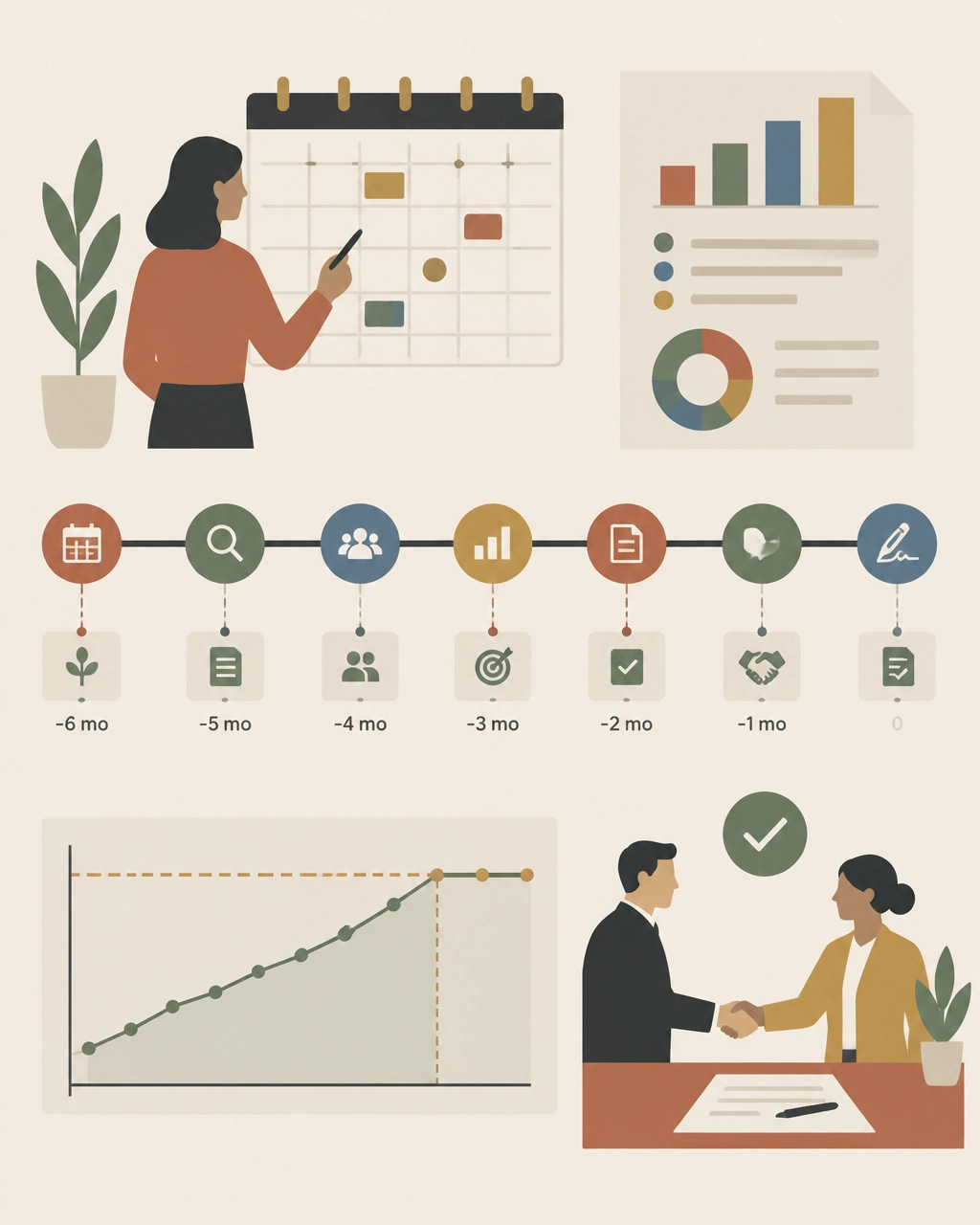
When to start planning for a Workday renewal
Begin at least six months before renewal. Earlier is better when the agreement is complex or the annual spend is significant.
A practical timeline:
- 9–12 months out: collect contract, usage, headcount, and invoice data
- 6–9 months out: complete the benchmark and identify scope changes
- 4–6 months out: set targets, prepare alternatives, and begin formal discussions
- 2–4 months out: negotiate pricing, escalators, true-ups, and risk terms
- 30–60 days out: finalize redlines and verify the commercial model
By the time the vendor presents a renewal quote, your internal target should already be set.
What 2026 buyers should watch closely
Three issues deserve special attention in the next renewal cycle:
AI and new product add-ons
New AI capabilities may be introduced as separate paid products, premium tiers, or expanded bundles. Benchmark them independently. Do not allow “new functionality” to obscure an increase in the effective cost of your existing deployment.
Phased roadmaps
If you plan to add modules later, negotiate future pricing now. Otherwise, you may lose the consolidation economics available when multiple modules are purchased together.
Contract flexibility
Workforce volatility, M&A, and budget pressure make true-down rights and reallocation provisions more valuable than ever. The cheapest contract is not always the one with the largest initial discount. It is the one that remains financially defensible when business conditions change.
Find out whether your Workday deal is above market
You do not need to wait for Workday’s renewal proposal to discover overpayment.
The Negotiator Guru helps enterprise teams benchmark every relevant SKU, expose unused or inflated scope, review contract risk, and build a negotiation strategy before the vendor sets the anchor. Our Workday negotiation specialists operate discreetly as an extension of your team.
With Right Price Benchmarking™, we identify what your agreement should cost and where the savings opportunity exists. If the contract warrants broader support, our Full Negotiation Support team can help plan, pressure, and execute the renewal.
We have delivered $1.05 billion in total cost impact globally, with average savings of 37% per deal. And if we cannot identify at least 10% savings, we do not take the deal.
Before your next Workday renewal, benchmark the agreement you have: not the proposal you are given. Start your assessment with The Negotiator Guru.

How to Negotiate with Salesforce: A Step-by-Step Playbook for Enterprise Leaders
For enterprise leaders managing multi-million-dollar technology budgets, few vendor renewals carry the complexity, pressure, and financial weight of a Salesforce Enterprise License Agreement (SELA) or Master Subscription Agreement (MSA). Whether you lead an IT organization as a CIO, oversee financial strategy as a CFO, or direct sourcing operations as a Procurement Leader, approaching a Salesforce renewal without a rigorous playbook is a recipe for inflated costs and rigid contract terms.
At The Negotiator Guru, we have helped global enterprises navigate high-stakes enterprise contract renewals, achieving a cumulative $1.05 billion in total cost impact globally with an average savings of 37% per deal. Unlike traditional brokerages or vendor referral partners, we operate with absolute impartiality. We sit strictly on your side of the table, backed by our 10% savings guarantee: if we don't secure at least 10% in hard savings, we don't take the fee.
This comprehensive, step-by-step playbook is designed for Fortune 500 decision-makers looking to master salesforce contract negotiation, eliminate shelfware, leverage precise market intelligence, and execute a winning renewal strategy.
Step 1: Pre-Renewal Groundwork : Timing and Internal Data Gathering
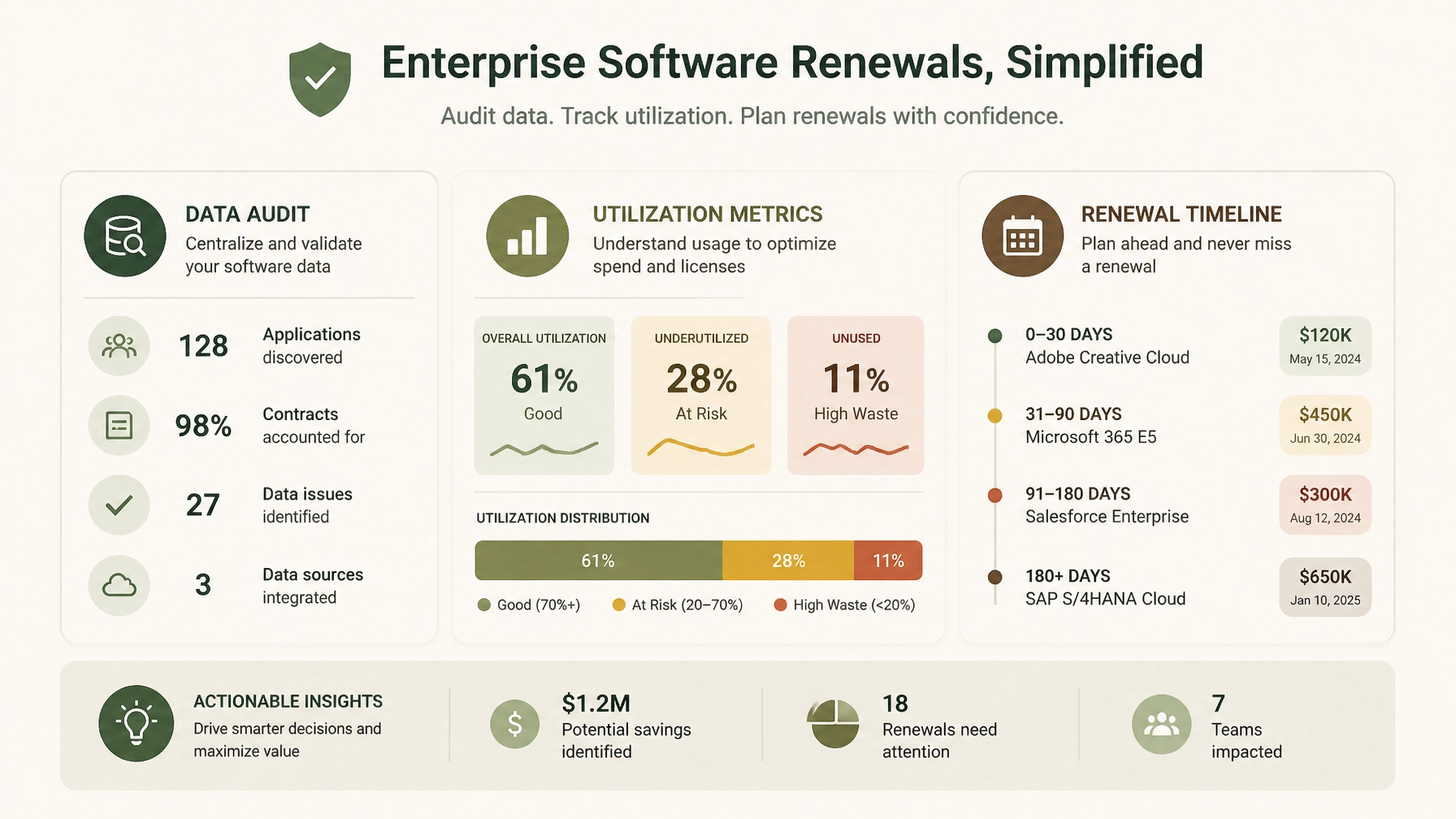
Successful salesforce renewal negotiations are won long before you ever step into a meeting room with your Salesforce account executive. In enterprise vendor negotiations, 75% of your success is determined during preparation, while only 25% occurs at the bargaining table.
Establish the Right Timeline
Salesforce sales teams operate on strict quarterly and annual fiscal cycles (typically ending January 31st). They rely on urgency to push enterprise buyers into rushed decisions. To neutralize this pressure:
- Start 6 months out: For SELA-scale agreements ($5M to $15M+ annual spend), your internal preparation must begin at least 6 months before expiration.
- Review notice periods: Check your contract for required non-renewal notice windows. Timely notification preserves your right to walk away or renegotiate from a position of strength, preventing automatic rollovers into unfavorable terms.
Conduct a Rigorous Utilization Audit
Salesforce will push you to expand your user counts and add-on suites based on historical licensing rather than actual consumption. Ninety days prior to renewal, execute a comprehensive internal audit across all clouds (Sales Cloud, Service Cloud, Marketing Cloud, Data Cloud, Einstein/AI add-ons, and MuleSoft):
- Active vs. Licensed Users: Compare active logins against provisioned licenses. Identify dormant, departed, or under-utilized users (shelfware).
- Feature Adoption: Audit which specialized features and add-ons are actively driving business outcomes versus those gathering digital dust.
- Departmental Silos: Consolidate usage data across business units. Fragmented buying often hides enterprise-wide redundancy.
By aligning with CIOs & IT Leaders and CFOs & Finance Leaders, you can eliminate waste before Salesforce ever evaluates your baseline.
Step 2: Mastering Salesforce SKU and License Benchmarking
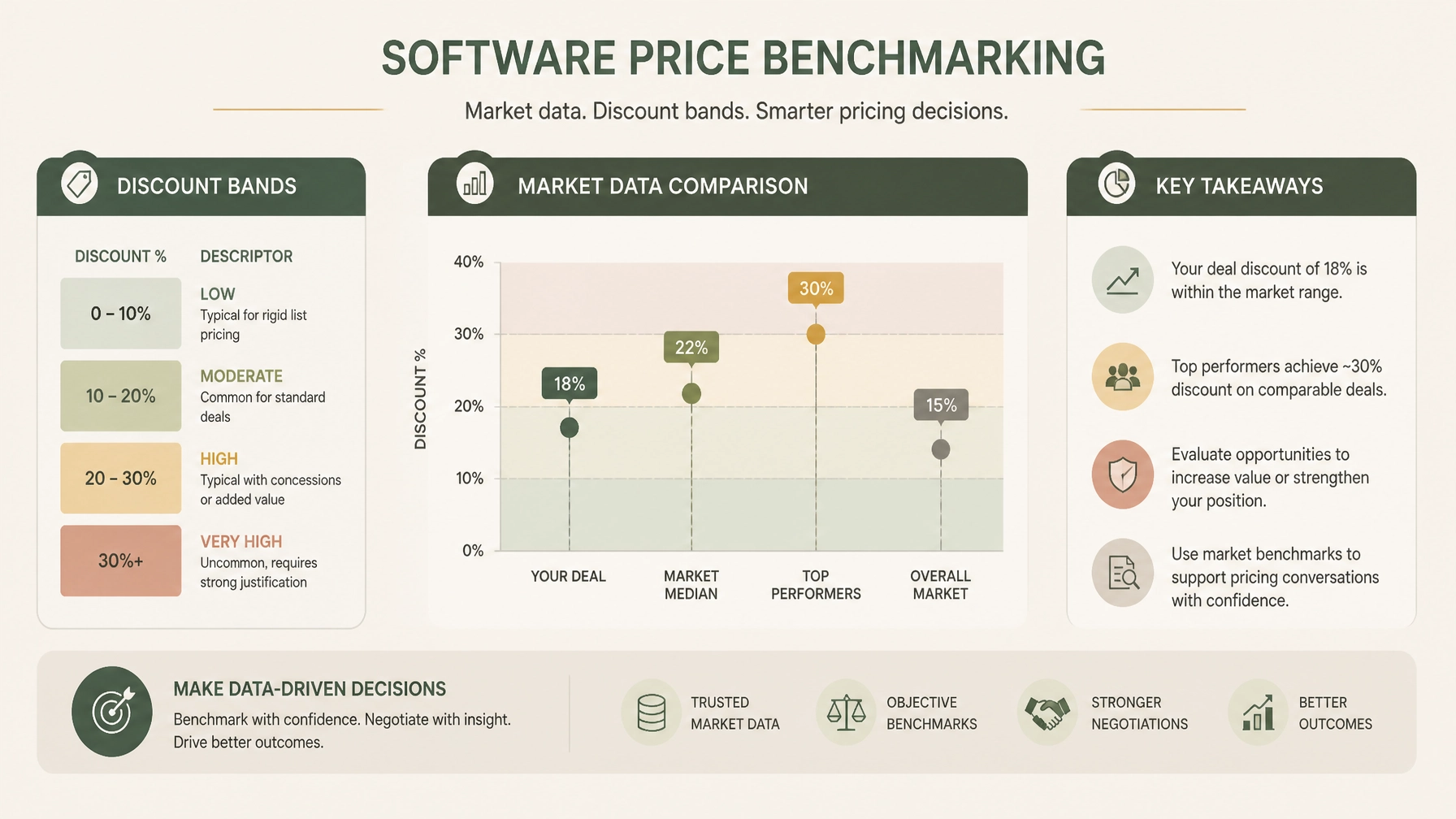
Salesforce’s list prices are designed to act as artificial anchors. Vendor sales reps will often present a proposed discount that looks generous on paper, but when compared against actual enterprise market data, you may still be paying significantly above peer averages. This is where salesforce benchmarking becomes your primary lever.
Moving Beyond List Price
Enterprise buyers must replace Salesforce list prices with empirical market data. Through our specialized Right Price Benchmarking™ service, we map every SKU, license tier, and volume break against recent Fortune 500 deal points:
- Discount Bands by Annual Contract Value (ACV): Enterprise discount percentages scale with ACV. For instance, at $1.5M–$5M ACV, robust negotiations typically yield 26–38% on Sales Cloud and 28–40% on Service Cloud, while $5M–$15M ACV deals command even deeper tiering.
- Net Price per User: Break down the cost per active user by product rather than accepting bundled pricing obfuscation.
- Add-On Unit Economics: Scrutinize high-margin add-ons such as Data Cloud data volume consumption, Marketing Cloud contact tiers, and API call allowances.
When you present data showing that your net pricing sits outside upper-quartile peer benchmarks, you dismantle Salesforce's narrative that "this is our best possible price."
Step 3: Recognizing and Countering Salesforce Negotiating Tactics
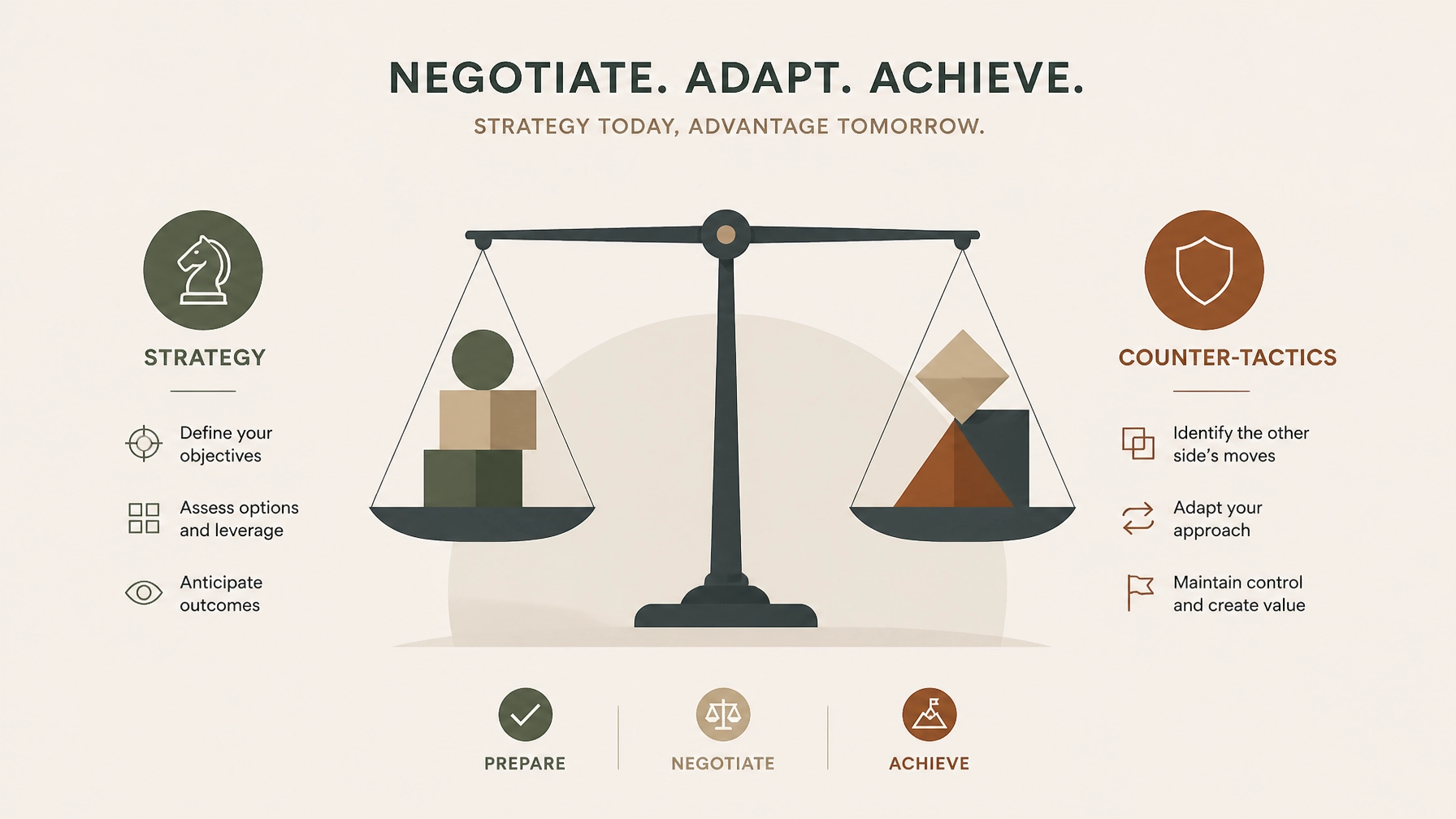
Salesforce employs sophisticated, highly rehearsed enterprise negotiation playbooks. Recognizing these plays in real-time allows Procurement Teams to counter them effectively.
1. The "Good Cop / Bad Cop" Play
- The Play: Your Account Executive acts as your collaborative friend who desperately wants to help you get internal executive approval, while their Sales Director or VP steps in later as the immovable authority figure who claims, "My hands are tied; corporate won't approve this discount without a multi-year expansion."
- The Counter: Maintain strict organizational escalation discipline. Do not let emotional rapport dictate commercial terms. Respond to the escalation with in-kind escalation and formal objective data: "We appreciate leadership review, but our benchmark data indicates this net pricing does not reflect current enterprise market realities. Let's focus on what aligns with peer valuations."
2. The "Use It or Lose It" Budget & Quota Pressure
- The Play: Salesforce reps create artificial scarcity as fiscal year-ends approach, warning that special discounting, free pilots, or promotional credits will evaporate at midnight on January 31st.
- The Counter: Recognize that software vendors have quarterly quotas every 90 days. Rushed deals invariably contain hidden liabilities and missed cost-reduction opportunities. True enterprise leverage stems from your willingness to maintain your current run-rate or evaluate alternative architectures if terms are unacceptable.
3. The "New SKU" and Bundle Confusion
- The Play: As Salesforce expands into Data Cloud, AI (Einstein 1), and industry-specific clouds, reps bundle legacy essentials with expensive new SKUs, making it difficult to audit individual product pricing or discount transparency.
- The Counter: Demand unbundled pricing transparency. Insist that every new SKU be evaluated on its own standalone ROI and market benchmark before inclusion in any enterprise agreement.
Step 4: Navigating Key Contract Traps in Salesforce Enterprise License Agreements (SELA)
A successful salesforce enterprise license agreement is defined just as much by its protective clauses as its headline pricing. Through our Contract Risk Review & Mitigation service, we routinely expose dangerous contract traps embedded in legacy agreements:
- Uncapped Annual Price Escalators: Standard Salesforce agreement templates often include automatic annual price uplifts (frequently 5% to 7%). Enterprise buyers must negotiate hard caps limiting annual renewals to 0% to 4%, protecting long-term budget predictability.
- Restrictive Co-Terming and Cross-Penalties: Beware of clauses that penalize you for reducing user counts mid-term or bundling unrelated business units under restrictive cross-default conditions.
- Audit and True-Up Vulnerabilities: Vague language around license deployment and environment tracking can expose your organization to aggressive compliance audits. Ensure clear definitions of authorized use, non-production environments, and notification windows.
Step 5: Structuring the Deal for Long-Term Value and Flexibility
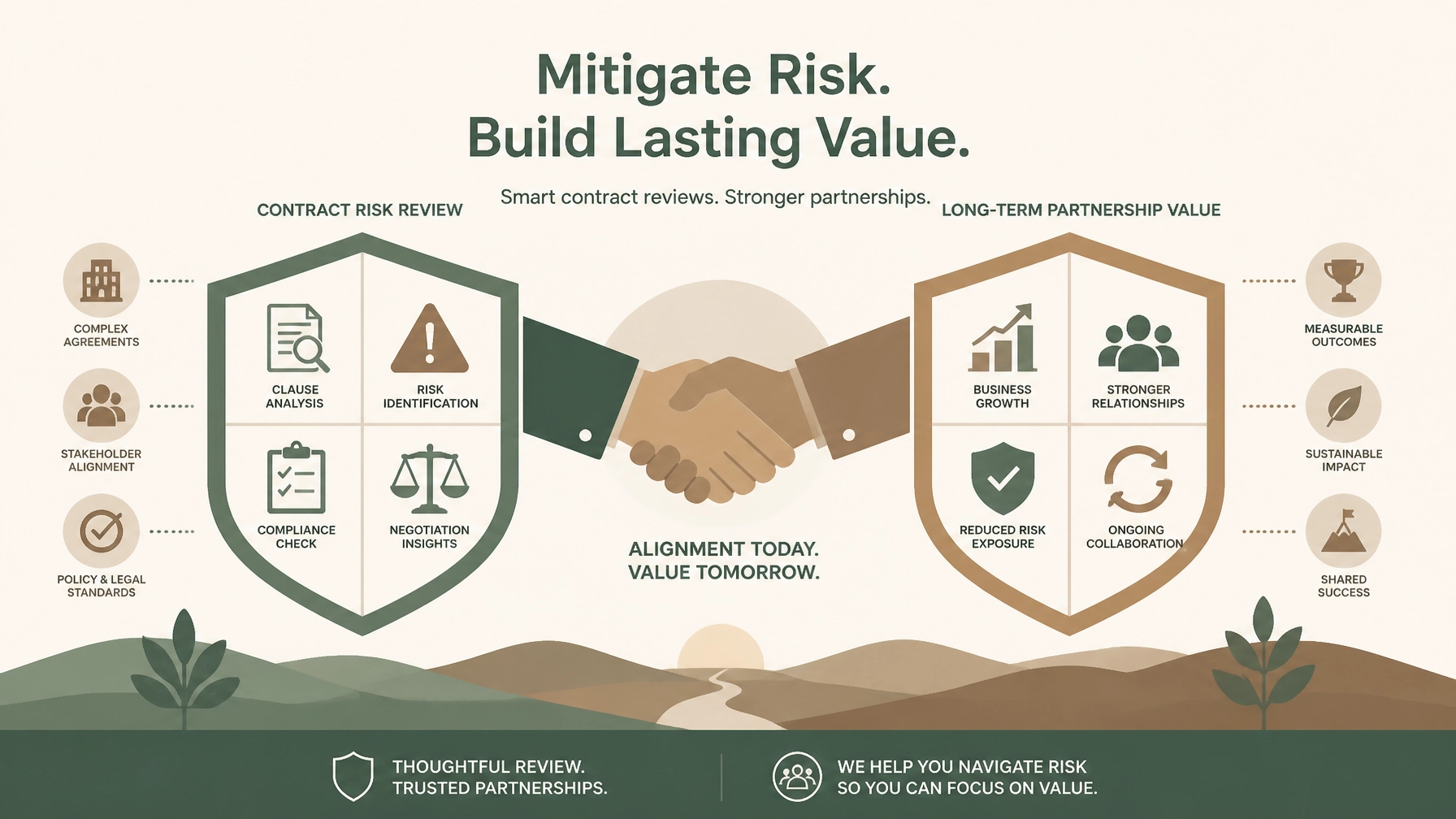
Enterprise negotiations should not merely solve this year's budget shortfall; they must establish a sustainable, flexible commercial framework for the future.
- Ramp-Up Structures: Instead of paying for peak projected license counts on day one, negotiate a staged ramp schedule that aligns financial commitments with actual adoption milestones.
- License Swap and Flex Rights: Secure contractual rights to reallocate license types (e.g., swapping Sales Cloud Enterprise seats for Service Cloud or Platform licenses) as your operational priorities shift.
- Performance and Adoption Protections: Tie future expansions to verified business value realization rather than blanket vendor commitments.
Secure Your Enterprise Savings with Full Negotiation Support
Navigating a complex Salesforce renewal while managing day-to-day IT operations and financial governance is a formidable challenge. Salesforce has thousands of negotiations under its belt; your team likely handles this cycle once every few years.
That is why leading Fortune 500 enterprises partner with The Negotiator Guru.
Our Full Negotiation Support service provides end-to-end guidance: from roadmap planning and right-price benchmarking to real-time counter-tactics at the bargaining table. Because we operate with complete impartiality and back our work with a 10% savings guarantee, your success is our sole priority.
Contact our team today to schedule a confidential consultation and discover how we can secure superior pricing, watertight terms, and lasting value for your next Salesforce enterprise negotiation.
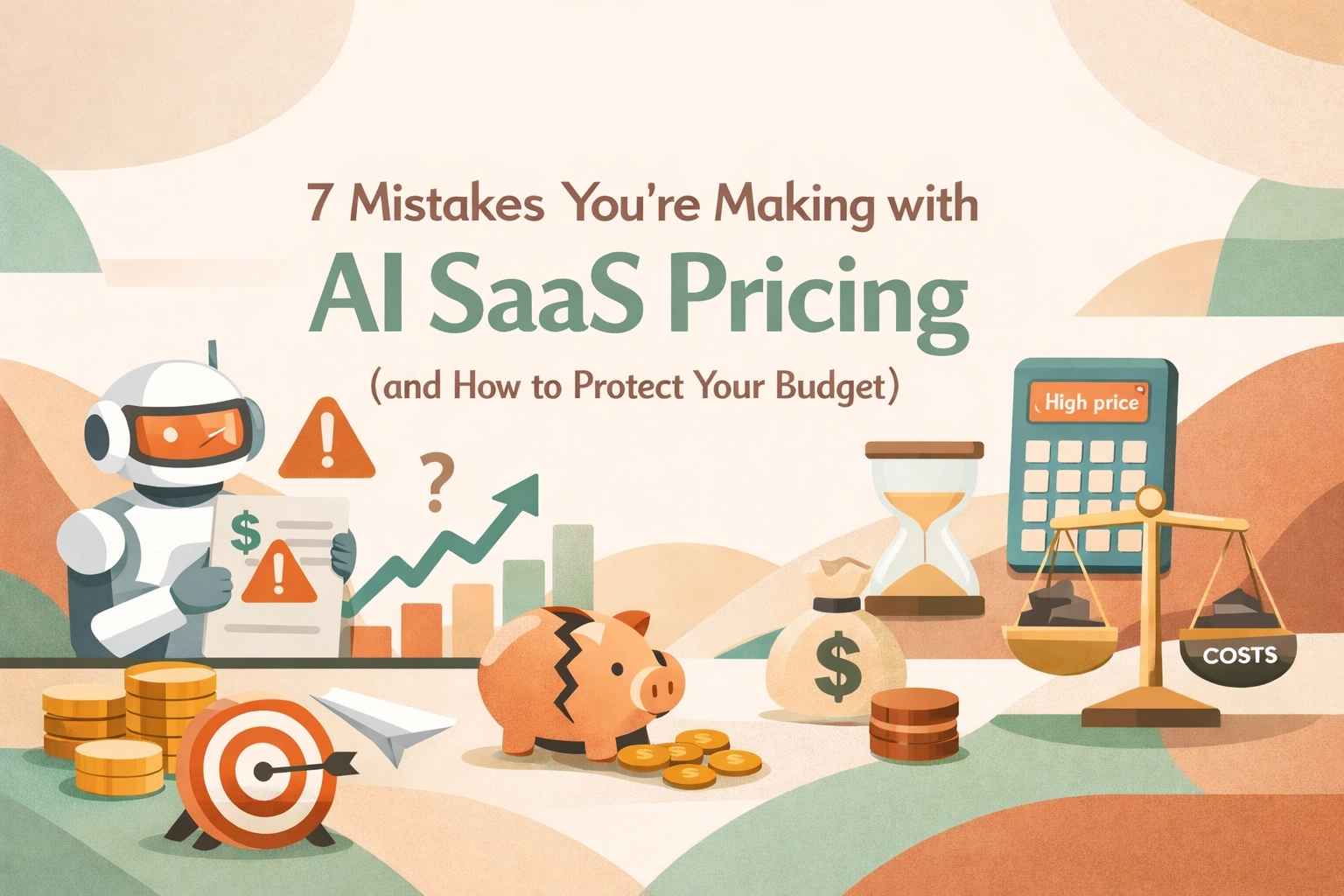
7 Mistakes You’re Making with AI SaaS Pricing (and How to Protect Your Budget)
Look, we all know AI is the shiny new toy in every C-suite's budget right now. Every vendor from Salesforce to Microsoft is slapping an "AI-powered" label on their modules and telling you it’s going to revolutionize your workflow. And maybe it will. But here’s the reality from the trenches: most enterprise leaders are walking into these AI negotiations blindfolded.
In the world of SaaS Negotiation Consulting, we’re seeing a massive shift. The old days of simple per-user pricing are dying. In their place, we have "tokens," "credits," "agentic steps," and "compute-based tiers." If you try to negotiate a 2026 AI contract using a 2018 playbook, you’re going to get crushed.
At The Negotiator Guru (TNG), we’ve been deep in the weeds of these renewals. If you want to protect your budget, stop making these seven common mistakes.
1. Buying the "Credit Pile" Before You Have the Proof
The most common mistake we see right now? Overcommitting on AI credits. Vendors love this because it locks in revenue for them while you take all the risk. They’ll tell you, "Buy 1,000,000 Agentforce credits now at a 40% discount, or pay retail later."
CIOs often bite because they don’t want to be the bottleneck for innovation. But here’s the kicker: most AI initiatives start slow. You might only use 10% of those credits in the first year. Since these credits rarely roll over, you’re essentially donating money to the vendor. Before you sign off on a massive credit commitment, you need a contract risk review to ensure you have clawback provisions or the ability to scale up: not just scale down.
2. Ignoring "Meter Anxiety" and Its Impact on ROI
When you move to usage-based pricing, your employees start acting differently. This is what we call "meter anxiety." If your team knows that every time they ask an AI agent to summarize a meeting it costs the company $0.50, they might stop using it.
The mistake here is choosing a pricing model that punishes experimentation. If you're negotiating for Microsoft Copilot or a similar tool, you need to understand how the pricing affects user behavior. If your goal is broad adoption, a pure usage-based model is your worst enemy. You’re better off fighting for a flat-fee "innovation sandbox" period where usage is uncapped until you establish a baseline.

3. Failing to Benchmark AI SKUs (Because You Think You Can’t)
"It’s a new product, there is no benchmark data yet."
That’s what the sales reps will tell you. Don't believe them. While AI SKUs are evolving rapidly, we are already seeing patterns in the market. Whether it’s Salesforce Agentforce or AI-add-ons for ServiceNow, there is always a baseline.
If you aren't using right-price benchmarking, you’re essentially letting the vendor set the market price based on your perceived "willingness to pay." We’ve seen price variations of over 50% for the exact same AI capabilities across different enterprise accounts. Don't be the one paying the "pioneer tax."
4. Treating AI Pricing as a Marketing Decision, Not System Architecture
This is a technical trap that Procurement leaders often miss. AI costs aren't static. The cost to a vendor for running a simple GPT-3.5 query is vastly different than a complex, multi-step "agentic" workflow using a high-reasoning model.
If you don't know the top two variance drivers of your AI tool: is it the number of steps? The volume of data processed? The frequency of real-time requests?: you aren't ready to sign the contract. A mistake here means that as your data grows or your workflows get more complex, your costs could scale exponentially while your budget stays linear. This is where full negotiation support becomes vital to ensure the technical architecture of the pricing matches your actual use case.
5. Overlooking the "Transparency Gap" in Usage Reporting
How do you know you’re actually using the credits you’re paying for? In many AI contracts, the vendor is the one holding the stopwatch and the measuring tape.
Many enterprise teams sign AI contracts without demanding a seat at the dashboard. You need real-time, granular visibility into how AI credits are being consumed. If the vendor can't provide a dashboard that shows usage by department, user, or project, walk away. Without transparency, you can’t perform a proper software audit later to see if you're getting a return on your investment.
6. Blind Faith in "Unlimited" Bundles
We’ve seen it before with cloud storage, and we’re seeing it now with AI. A vendor offers an "Unlimited AI" tier to get you to upgrade your entire ELA (Enterprise License Agreement).
Here’s the catch: "Unlimited" almost always has a "Fair Use Policy" buried in the fine print. These policies often give the vendor the right to throttle your performance or move you to a higher tier if your usage becomes "atypical." In the AI world, what is "typical" is changing every month. If you’re a CIO, you need to ensure your enterprise contract renewals explicitly define what "fair use" means in quantifiable terms. Otherwise, "unlimited" is just a marketing term for "we’ll bill you more later."
7. Not Negotiating the "Exit Ramp" for AI
AI is moving fast. The "must-have" tool you’re buying today might be obsolete in 18 months. The biggest mistake is locking yourself into a three-year or five-year deal with no flexibility to swap AI SKUs or reduce spend if the technology doesn't pan out.
Your contract should include "exchange rights." If you commit $500k to an AI module that your team hates, you should have the right to move that spend to other core licenses. Vendors hate this because it hurts their "AI growth" metrics, but for a Procurement leader, it’s the only way to hedge your bets in a volatile market.
How to Protect Your Budget Today
The AI hype train is moving fast, but that doesn't mean you have to jump on without a ticket. If you're facing a renewal or a new AI purchase, here’s your checklist:
Negotiating AI isn't just about getting a discount; it's about mitigating the massive risks that come with unpredictable, usage-based models. If you're worried about your next big AI spend, don't wing it. Reach out for a contract review and let’s make sure you aren’t overpaying for the hype.
The tech is new, but the game is the same. Stay confident, stay skeptical, and always check the meter.
Need help navigating your next AI renewal? At The Negotiator Guru, we specialize in SaaS negotiation consulting that saves enterprises millions. Contact us today to see how we can protect your bottom line.
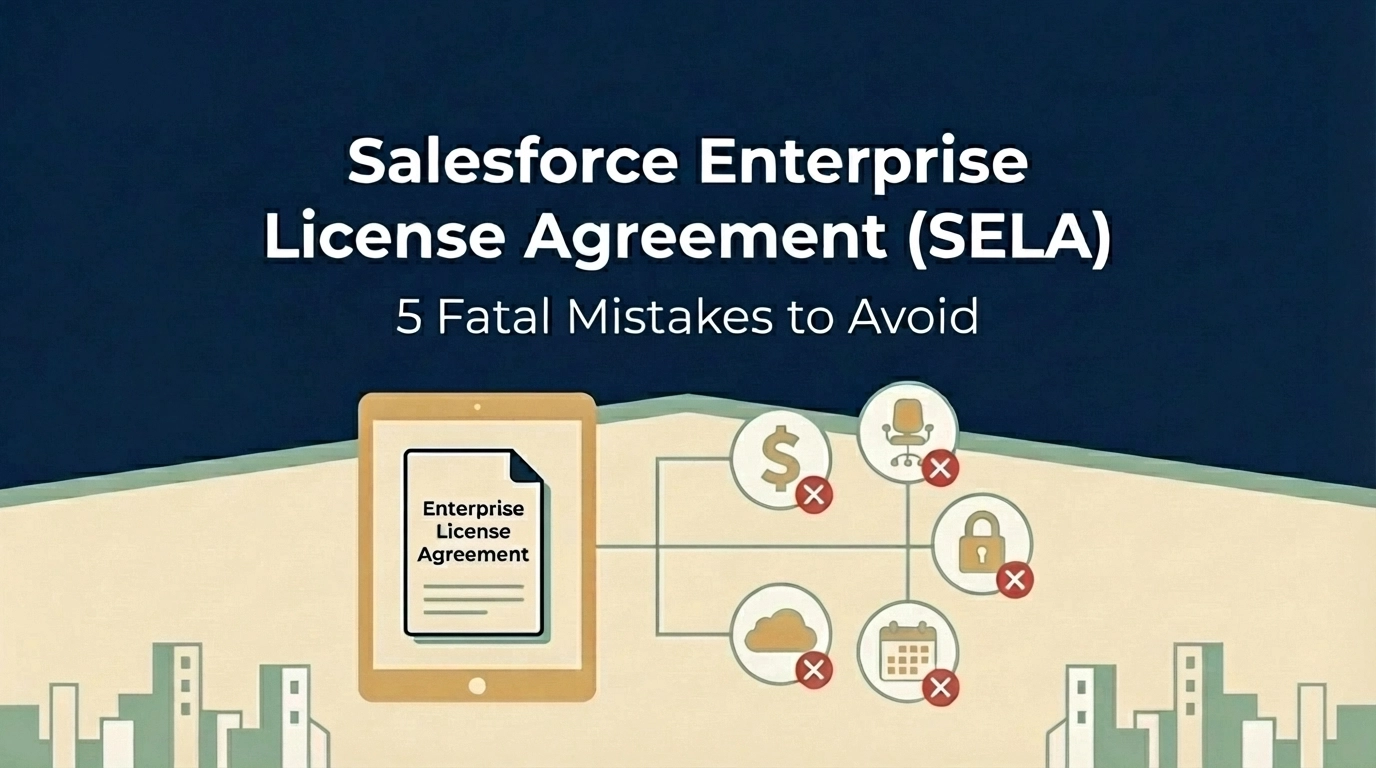
Are You Making These 5 Fatal Mistakes with Your Salesforce Enterprise License Agreement?
Your Salesforce Enterprise License Agreement (SELA) could be costing you millions more than it should. While these multi-year deals promise predictable pricing and enterprise-grade support, they're riddled with traps that can drain your IT budget faster than you can say "CRM transformation."
As someone who's seen countless enterprises stumble through salesforce renewal negotiations, I can tell you that most organizations make the same critical mistakes, and pay dearly for them. Whether you're a CIO planning your next renewal or a CFO trying to control spiraling software costs, these five fatal errors could be sabotaging your bottom line.
Mistake #1: The Baseline Trap, Overcommitting Based on Inflated Projections
Here's how it usually goes: Salesforce looks at your current usage, adds a "growth buffer," and locks you into user counts that seem reasonable today but become millstones tomorrow. This baseline trap is the most expensive mistake you can make in salesforce contract negotiation.
The problem? You're committing to licenses you may never use, and your per-user pricing gets locked at rates based on inflated projections. I've seen companies commit to 2,000 users when they realistically need 1,200, just because their sales rep painted a rosy picture of "inevitable growth."
The Fix: Negotiate growth as an option, not a requirement. Structure your SELA so you commit to baseline usage (say, 1,000 users in Year 1) with optional tiers that trigger only when specific business events occur: like a new subsidiary acquisition or product launch.
For example: "Client commits to 1,000 users in Year 1. If the European expansion launches by Q2, user count increases to 1,200. Otherwise, Year 2 renews at 1,000 users with the same discount structure."

Mistake #2: Ignoring Overage Penalties and Price Escalations
Most executives focus on the upfront discount and completely overlook two budget killers hiding in their SELA: overage fees and automatic price increases.
Salesforce charges overage fees at current retail pricing: often 2-3x your negotiated rates. Exceed your licensed user count by just 10%? You're paying full retail for those extra seats. Meanwhile, most SELAs include automatic 7% annual price increases that compound over multi-year terms.
I recently worked with a Fortune 500 company that discovered they were paying $400,000 annually in overage fees: money that could have funded their entire digital transformation initiative.
The Fix:
Mistake #3: Accepting Zero Transparency in Pricing
Traditional Salesforce agreements show line-item pricing for each product. SELAs? They bundle everything into a fixed-fee structure that makes it nearly impossible to understand what you're actually paying for.
This lack of transparency isn't accidental: it makes price manipulation during renewals much easier. Without clear visibility into per-product costs, your procurement team can't effectively benchmark pricing or negotiate specific components.
The Fix: Demand a comprehensive License Entitlement Matrix upfront that includes:
Don't accept vague product bundles. If Salesforce won't provide transparency, that's a red flag that their pricing isn't competitive.

Mistake #4: Signing Away All Contractual Flexibility
SELAs are rigid by design. Once signed, you cannot scale down user counts, change product mixes, or adjust to business realities. If your company decides mid-contract that you only need 500 licenses instead of 1,000, tough luck: you're paying for all 1,000 until renewal.
This inflexibility becomes especially problematic during economic downturns, restructurings, or strategic pivots. I've watched companies pay for thousands of unused Salesforce licenses while laying off employees.
The Fix:
Mistake #5: Falling Into Product Bundling Traps
Salesforce loves bundling products together to justify bigger discounts, but these bundles create dangerous dependencies. Your contract might stipulate that dropping Tableau causes your Sales Cloud discount to revert from 50% to 30%. Every product becomes intertwined, making optimization nearly impossible.
I've seen companies stuck paying for Marketing Cloud licenses they never use because unbundling would eliminate their discount on Service Cloud: creating a perpetual cycle of waste.
The Fix:

The Documentation Mistake That Costs Millions
Here's a bonus mistake that underlies all the others: relying on verbal promises from Salesforce sales reps.
"We usually don't enforce that clause." "We'll work with you if that situation comes up." "Trust me, we're flexible on overages."
If it's not written in your contract or order form, it doesn't exist. Period.
The Fix: Demand that every concession, promise, and "understanding" be documented in writing. If your sales rep claims flexibility exists, prove it by adding contract language that guarantees it.
Taking Control of Your Salesforce Investment
These mistakes aren't inevitable: they're the result of approaching salesforce enterprise license agreement negotiations without proper preparation and expertise. The key is treating your SELA like the multi-million dollar strategic decision it is, not just another software renewal.
Before your next negotiation:
Remember, Salesforce's sales team negotiates these deals every day. You might do it once every three years. The playing field isn't level unless you have the right strategy and support.
Your SELA should be a strategic enabler, not a financial anchor. By avoiding these five fatal mistakes, you can maintain the predictability and enterprise features you need while protecting your organization from unnecessary costs and inflexible terms.
The stakes are too high to get this wrong. Make sure your next Salesforce negotiation puts your organization in the driver's seat, not the passenger seat.
Need help navigating your Salesforce renewal? Our enterprise contract renewal specialists have saved organizations millions in unnecessary software costs. Learn more about our saas negotiation consulting services.

Why are Companies Hesitant to Engage Outside Consultants?
Why is it that companies are sometimes resistant to engaging with a cost savings firm like The Negotiator Guru (TNG)? Furthermore, why is it that a company refuses to engage with an advisory firm (like TNG) after they know there is a guaranteed ROI? Is there any rational reason for this or is it purely an emotional response?We at TNG find ourselves asking these questions far too often…
We know humans can be complicated (😊), but we wanted to dig deeper into what sometimes appears to be irrational behavior that negates shareholder value creation opportunities. As a result, we conducted ethnographic research on the cause of this behavior with the intent of identifying key trends, by persona. Here are a few of the key insights we discovered:
- IT Leadership (CIO, VP of IT, etc.) fears they will hurt the relationship with the software publisher/service provider leading to service degradation.
- Purchasing/Procurement/Sourcing representatives have huge egos and thrive on taking credit internally. Furthermore, they are worried about their job security if someone else can achieve a greater result.
- CFOs think they only way to achieve such savings is by changing vendors (ex: Salesforce to Microsoft) or by cutting products/services.
- Business leadership think it will take too much time to achieve the prospective savings which will negate the realized ROI.
- Executives at publicly traded companies are generally risk adverse and think it’s safer to use a big 4 consulting firm (that’s already “in the system”) even though they will likely cost more and achieve much less (since they’re a generalist vs. specialist).
We’ve heard different variations of these key objections for years. What makes us most proud is that some of this feedback came from a few of our past clientele who decided to overcome their natural resistance as they knew what was best for their organization. Per the recommendation of these past customer respondents, we've outlined what they experienced (vs. initial perceived resistance):
- Vendor Relationship – While it may be slightly uncomfortable at the beginning (depending on how much Right Sizing and/or Right Pricing opportunities TNG identifies), the vendor relationship and service quality improves at the conclusion of the TNG engagement. The vendor is engaged with the customer in a strategic manner and the customer can now feel confident they are only paying for what they need at a fair price.
- Procurement Job Security – TNG acts like a force multiplier for existing Procurement teams. As such, TNG simply seeks to enable high impact results vs. seek credit.
- Vendor/Product Change – Vendor changes are extremely rare. TNG simply identifies how internal stakeholders use the respective software platform (via their proprietary persona analysis) and identifies cost savings opportunities without sacrificing functionality/service quality.
- Time/Cost to Achieve – Internal business stakeholders are rarely involved in the process after the Discovery phase is complete.
- Niche vs. Generalist – The speed and consistency in which TNG can delivery results is a direct result of their focus and dedication focusing on their core competency, such as Salesforce.
Interestingly, our analysis identified the following key insights regarding business leaders' intention for engaging an outside advisory firm (summarized for brevity):
- IT Leadership sometimes feel uncomfortable being the “tough voice,” so they hire a 3rd party who brings the credentials to speak from an authoritative position.
- C-Suite Executives simply want to motivate (prove to) their Procurement/Business Teams that the “great deal on the table” is not so great after all.
- Procurement leadership wants to be armed with accurate price benchmarking or contract term knowledge. They recognize they can’t be experts in everything and value niche expertise from specialists vs. generalists.
- Board members want to do anything possible to reinforce their fiduciary duty to their shareholders…this includes identifying, and executing on, every available cost savings opportunity.
- Contract negotiators want to understand the software publisher’s sales playbook and internal incentive process…not just general market intelligence.
We hope that you find these key insights helpful as you contemplate and reflect on your own personal resistance to engaging an outside advisory firm. TNG prides itself to make every engagement as risk-free as possible for our clients. Furthermore, TNG will only accept a client if we know there is a major impact opportunity…if not, we will simply give you some free advice. Ready to explore joining the TNG family? Contact us today to set-up a client intake assessment where we identify your cost savings opportunity for free!

Why Salesforce Commerce Cloud Negotiations are Different
What is Commerce Cloud
The Salesforce Commerce Cloud is one of the fastest growing segments within the Salesforce ecosystem of products and services. The Commerce Cloud provides an enterprise grade e-commerce solution that which is a direct competitor to e-commerce heavyweights including, but not limited to; Shopify, Magento (Adobe), SAP, Oracle, just to name a few.
Since about 2018, Salesforce has highlighted the e-commerce cloud as a strategic growth channel for its existing customers. In other words, Salesforce has focused on deploying their “land and expand” sales strategies to deploy the e-commerce platform amongst its Sales and Service Cloud customers. There are clearly significant customer experience opportunities that can be enabled when e-commerce is connected directly to your CRM. Ironically, the TNG team is engaged by both new and existing Salesforce customers to assist with commercial negotiations related to the on-ramp and off-ramp of Commerce Cloud. Our clients seem to either love or hate the Salesforce Commerce Cloud depending on their specific use case. No matter where you land on the love/hate spectrum, it’s important to understand key negotiation opportunities/risks that are specific to the Salesforce Commerce Cloud.
History of SF Commerce Cloud
Salesforce acquired Demandware on June 1st, 2016 for $2.8 Billion USD. Some say that Salesforce was “forced” into the acquisition based on a synergistic customer portfolio (with Demandware), a lackluster homegrown solution filled with development challenges, and a competitor landscape (including Oracle, Adobe, etc.) who were making significant strides in the space.

In our opinion, Salesforce acquired Demandware primarily to purchase a pre-existing retail customer base that can be cross-sold Salesforce native functionality like Sales and Service Cloud. Salesforce had historically been lacking both North American and European retail customer penetration so this allowed an easy on-ramp. Fast forward to 2021 and Salesforce is still lagging (compared to their normal market penetration) in retail customer acquisition globally. Furthermore, we have seen many legacy Demandware customers transition away from the Salesforce Commerce Cloud and migrate over to easier-to-use platforms like Shopify. Having the e-commerce competitive landscape in mind is important when exploring/negotiation a commercial relationship with Salesforce either as a new or existing customer.
Why these negotiations are different
Salesforce typically organizes their sales team by industry, region, and product line (cloud). Their sales team incentives are consistently changing but are largely established by industry and product line. Furthermore, customer pricing is influenced based on industry, annual contract value, and customer revenue.
To be most effective at any commercial negotiation it’s important to have as much data as possible. This includes identifying the supplier’s interests and best-in-class rates on a product-by-product basis based on your unique footprint. We call this our Right Price Benchmarking service which is included as part of our Full Negotiation Service or also offered as a standalone product for those that just want the data.
Salesforce, and for that matter all e-commerce solution providers, are fully aware that switching costs from one e-commerce platform to another is an undesirable expense. They know that once they get you onto their platform that you will need to be really upset to create a reason to leave.
The fact of the matter is that plenty of customers do leave Salesforce’s Commerce Cloud for one or multiple reasons. Our research, and real client experiences, have identified one consistent trend amongst those looking to leave: Out of control run costs.
No matter whether you’re a new or existing customer to Salesforce it’s important to be as prepared as possible when engaging Salesforce. Take a look at the section below for some key insights specifically related to negotiating a Salesforce Commerce Cloud contract.
Key Insights/Tips
Now that you understand the history and key motivations related to Salesforce’s Commerce Cloud you should be able to apply the below key insights most effectively.
- Salesforce is heavily focused on capture net new retail customers. Your Salesforce sales team is heavily incentivized to find and convert customers on existing e-commerce platforms.
- If you are a current Salesforce customer and exploring the Commerce Cloud, be focused on “lift and shift” credits from Salesforce that help mitigate any change costs. Depending on your situation, you can negotiate credits to be applied immediately, over the contract term, via discounts on other products, etc.
- It’s very important you conduct a thorough assessment of your options and the overall total cost of ownership impact of your potential options. For example, a one-time credit on the Commerce Cloud license fees may produce far lass benefit to your organization than a % discount on your existing license footprint with Salesforce.
- It’s important to understand who has decision-making authority inside of Salesforce. It largely depends on what you’re asking for, the overall relationship impact, and the attractiveness of you the customer. The only way to successful navigate the Salesforce ecosystem is to hire a firm that deals with Salesforce everyday and has ex-Salesforce employees (excuse the shameful TNG plug).
- Literally 90% of current Salesforce customers that engage TNG are paying for more digital capability than they need. Those same customers are also overpaying for licenses that that they don’t even need. It’s very important you conduct a Right Sizing assessment to ensure you’re only procuring what you need.
- Specific to Commerce Cloud, this includes forecasting your Gross Merchandise Value (GMV) projections for each contract year.
- Similar to the above point, our research empirically proved that 100% of our customers (no matter new or existing Salesforce customers) have committed to higher revenue targets than needed in the interest of “getting the best deal” without TNG support;
- This creates a material risk to the Salesforce customer when they don’t hit those targets.
- Generally speaking, a longer contract term will drive a lower GMV price point;
- Even if you feel very confident in your GMV projections, focus on usage and price-point flexibility within your Commerce Cloud contract to eliminate surprises and capture cost savings if revenue actuals exceed projections.
- Note: If you are in an industry that is undergoing significant industry consolidation (M&A activity) then you should provide yourself the flexibility to acquire and/or divest mid-contract with Salesforce.
Negotiating with Salesforce is more of an art than a science. It’s important that you understand all of the facts before negotiating with Salesforce. Please feel free to contact us for some additional helpful tips as you start to explore the Salesforce Commerce Cloud. (And yes, we’re happy to help even if you’re in the 19th hour of negotiations 😊)

How Much Does a Salesforce Implementation Cost?
The Salesforce implementation phase can make or break a SaaS platform’s adoption rate and effective use for months and years to come.
Resistance to change is to be expected, but companies need their employees to go all-in on understanding the tech, establishing new processes, and eliminating workarounds and legacy behaviors.
Salesforce implementation costs vary widely depending on the size of the implementation partner (if you choose one), your total Salesforce spend, and how many custom features and processes are required. Implementation costs also vary based on whether you are migrating from an existing platform(s) or starting fresh. If you plan to implement an off-the-shelf instance with few customizations, average costs range from 10-30% of your total annual spend. On the other hand, a large company with extensive customization could pay as much as 50% of their annual spend. Integrating multiple disparate systems after a merger or acquisition can drive the price even higher.
Start with Your Salesforce Roadmap
We recommend our clients begin building out a Salesforce roadmap six to nine months before negotiations. This process helps document necessary functionality, gain buy-in from internal stakeholders, and control the direction of negotiations from the beginning.
The Salesforce roadmap can also serve as a guide during the implementation process. It represents the project’s top priorities in terms of users, functionalities, and expectations; it sets the stage for a successful rollout.
What if we are an existing company migrating to Salesforce from one or more platforms?
If you are implementing Salesforce to replace existing technology (“lift-and-shift”), the roadmap is more defined at the outset. Many processes are already in place, users have certain expectations about how their work should be done, and stakeholders know what outcomes to expect from these efforts.
A successful implementation should do more than replicate existing processes. Users should expect to adapt processes and habits to fit the new platform and achieve the desired outcomes more efficiently. (If not, why did we switch platforms at all?)
“Lift-and-shift” implementations almost always cost the most, take the longest, and have the most risks involved. Implementation partners must be experts on Salesforce and any legacy platforms.
What if we are a new company or startup with no CRM?
New companies are challenged to build a roadmap with more limited information. Depending on the age and history of the company, it can take weeks or months to really understand what it needs from a technological standpoint. Strategies fluctuate; in many startups, marketing and IT departments do not exist as standalone functions yet.
These companies must define critical needs quickly, but they have one cost-saving advantage—they can build out business processes based on existing Salesforce functionality. There are no “bad habits” to accommodate that require custom development.
Regardless of whether you are implementing Salesforce for the first time or as a replacement, there are five important ways to keep implementation costs down.
5 Steps to Reducing Salesforce Implementation Costs
1. Build your Salesforce Roadmap
Your Salesforce roadmap contains two basic pieces of information: what you plan to buy and when you plan to buy it. It is your guide for negotiating and will become your guide for implementation as well.
In many organizations, one individual serves as the Salesforce “project manager” leading this effort. This person could have any role in the organization, from Salesforce admin to CIO, but is the primary point of contact for the Salesforce rep. This does not stop the rep from reaching out to the C-Suite and VP-level leaders to build better relationships.
The roadmap helps project managers achieve the internal alignment necessary to fend off Salesforce reps who contact multiple organizational stakeholders in hopes of influencing buying decisions. It empowers the Salesforce project manager and stakeholders to present a united front regarding what to buy right now, keeping negotiations focused on costs and business value rather than product.
2. Your Introductory Rates Matter
Your initial negotiations with Salesforce will determine your rates forever. The rate you start with will be the benchmark for all future negotiations, a boon for sales reps who will jump at the chance to sell seats and modules you do not need yet.
Without a clear roadmap that identifies the types of platforms your company needs (Sales Cloud, Marketing Cloud, industry-specific clouds, etc.), the sales rep will take the opportunity to build a roadmap for you that best serves their sales and revenue objectives. To drive first-year revenue as high as possible, it will likely include many features and benefits you need, along with quite a few that you do not.
Features and benefits that are not business-critical as defined in the roadmap inflate your base price, affecting future negotiations. They will also inflate third-party implementation costs, regardless of whether you plan to use all the functionality at the time of implementation or not. Unnecessary features still take time and resources to implement, potentially deterring those resources from more important projects. Many Salesforce implementation firms bill by the hour, so every hour they spend on non-critical functionality is money wasted.
3. Avoid Buying “Shelfware”
“Shelfware” is a term that describes software or licenses a company purchases but never uses. Software becomes shelfware in several ways. Perhaps someone saw a “cool” platform at a trade show, bought it, but never adopted or used it. Some companies buy software licenses at a volume discount rather than for an actual number of users. It is an outcome of classic price psychology—if you buy one, you get one more at 50% off. If you do not need two, is the half-off price as valuable as it looks? Rarely.
Salesforce account reps know how appealing a discount is, especially when they know their points of contact must get buy-in from multiple stakeholders. As mentioned above, Salesforce reps are highly motivated to maximize first-year revenue from new clients. They may drive the conversation by offering a bundled selection of platforms at some discounted rate. There is no rhyme or reason behind these discounts. They can be invented on the spot.
New companies are especially susceptible to paying for shelfware. When business processes are still evolving and companies are still working out best practices, it might make sense to license another platform or add a few more user seats in anticipation of future growth. It is certainly easier to do so in a room with an account rep; project managers must be proactive in sticking to the roadmap and focusing on immediate, defined technological needs. Companies must be intentional and specific when negotiating quantities, types of licenses, and the associated costs to keep initial spends reasonable, weed out upselling, and avoid wasting resources implementing unnecessary technologies. At the same time, Salesforce customers should take advantage of free trials, proofs of concept, and demonstrations to explore new technologies before buying.
4. Require Clarity on Pricing Structures
Bundled pricing leads to shelfware which leads to wasted time and money. Salesforce has several tricks up its sleeve to create highly variable pricing structures across industries and company sizes. Your company’s annual revenue and annual Salesforce spend also influence pricing, but there is no way of knowing to what degree. There are no “best in class” rates; sales reps are trained to rebut these inquiries.
To avoid unnecessary costs, companies must require itemized pricing. Recently, we are seeing more and more deals that boil down to Salesforce offering X, Y, and Z for one discounted fee. This number does not necessarily represent anything; Salesforce uses a value-based pricing model where prices are set based on your perceived value of the solution.
Third-party rate data can help you better understand whether your rates are comparable to similar companies. Some Salesforce consulting firms have price calculators on their websites, but they are generally built on base rates as listed on the Salesforce website. Firms like TNG compile this data based on years of experience negotiating contracts.
5. Keep it Simple
All SaaS implementation efforts have one thing in common—customizations equal cost.
This simple fact requires stakeholders to think carefully and critically about existing business processes and expected outcomes. The more your business can align processes with Salesforce capabilities out of the box, the lower implementation costs will be.
In many cases, companies fall into the trap of extensive customization. They create technical debt; more custom features require more internal and external resources to support Customization is not necessarily a bad thing, but many small- to mid-sized organizations do not need as much custom development as they believe. A thorough business process analysis in the beginning stages can help avoid costly customizations in the future.
Stakeholders and project managers must also take into consideration the employees working with these systems daily, how changes might impact the workflow, and how human elements of change management factor in. End users must be on board with the change; stakeholders must be sure that customization requests solve a business problem rather than accommodating a user’s (or department’s) preferences.
Do I need a third-party Salesforce implementation consultant?
Organizations must decide whether they want to launch the platform themselves, add Salesforce’s implementation and customer success services to their deal, or hire a third-party consultancy. All have pros and cons.
A typical Salesforce implementation process includes business process analysis, data transfer from previous systems, custom development (if applicable), user testing and quality assurance, deployment, and ongoing user training and support. It is a heavy lift, even for large organizations.
If you choose to partner with a vendor, it is critical to find the right vendor for your needs. Large vendors may not provide small companies with the level of service or talent necessary to get the job done. While it makes sense for large companies to evaluate the big-name firms, they should prepare for higher costs with no relative increase in quality.
If you already have a consulting partner like Accenture or Deloitte working with your organization, they are strong choices for Salesforce implementation as well—they understand your business and already have strong relationships with stakeholders. Levering these existing relationships can ease the change management process.
Beyond technical proficiency, third-party firms help you manage the human element. They can help secure buy-in, speed up adoption rates and time to proficiency, and help you design workflows that optimize the use of the platform. They also optimize the use of human resources, allowing internal employees to engage with the process as needed without affecting day-to-day responsibilities.
For those who want to partner with a third party, we advocate for mid-sized implementation firms. They are large enough to provide the critical talent necessary for a successful deployment but small enough to prioritize the client-partner relationship and drive mutual success.
You can search Salesforce’s database of implementation specialists here. Brief pricing information is available below.
Conclusion
Numerous variables affect Salesforce implementation costs. At TNG, we believe companies need a clearly defined roadmap that aligns stakeholder needs and expectations before ever opening discussions with a Salesforce rep. The roadmap drives the negotiation process which ultimately drives implementation costs and time frames.

Negotiating with Salesforce - Seven things you need to know about how Salesforce looks at a deal
Salesforce is good at negotiating. So your chances of getting a good deal are enhanced by understanding how they look at a deal and their goals. Your Salesforce Account Executive will lead the team you are negotiating with, in close coordination with his or her manager. This team is your path to getting the best overall deal. And while they are trained to maximize Salesforce revenue, they won’t get paid unless you make a purchase. So if you ask the right questions, and provide information that can help them get to a discount level you are comfortable with, this is the win-win situation all are striving for.
The remainder of this article provides some guidelines and background that will help you to get there.
1. Salesforce sales teams earn commissions on incremental revenue
Account Executives (also called “reps”) and their management are paid based on incremental revenue, not total revenue. If you don't buy additional licenses (or spend additional money), they don't earn commissions. More specifically, if your total spend this year is not more than last year’s, they don’t earn commissions this year. They are indifferent to whether you purchase licenses for more users, add-ons licenses for existing users, or you swap out one type of license for another, as long as the total spend is more. This is actually a good thing for the customer because it gives you more leverage and allows you to adjust your purchasing to your needs.
2. Salesforce AE’s are paid when the deal is signed
SF reps and management are paid in advance for the 12-month value of whatever you are deploying now. While they will ask for a longer contract such as three or five years, they are open to a shorter term, since most, if not all of their commissions are based on first-year revenue only. This varies from year to year, but the first year is always more important.
3. Timing matters
Salesforce's fiscal year ends in January. While this may seem strange, it is actually quite intentional. They can work with a customer the entire year to justify a new purchase, and wait until that customer's new fiscal year starts in January when the budget becomes available. And since the sales team gets paid on an annual quota they are quite happy with January deals. This often leads to very large February commission checks!
But it's not only the end of the year that matters, as management and reps are often encouraged through bonus payments to close deals at the end of a quarter.
Customers can take advantage of this quarter and year-end effect by asking for and often getting discounts that would otherwise not be available.
4. Discount authority is distributed
There are many articles in the public realm indicating that the rep has no power, and all of the decision-making lies with a special team that has the authority. This is not quite correct. Your rep has access to a discount/approval matrix indicating what level of discount is available, by license and quantity, and what organizational level is needed to approve it. They know how much of a discount they can get approval for, and whom they need to get that approval from.
In general, each level of management has a specific level of discount they can approve. So for example, for a given size deal, your rep may be able to offer you a 10% discount without additional approval. His manager may be able to approve an additional 5%, and each level of management above can offer some additional discounting. The special approvals team is involved only when a deal requires additional discounting, beyond what a given size of deal and management level can approve. A good rep knows how to work this structure, and will do so to get you the best deal they believe they need to have to get your signature.
So while the rep doesn't necessarily have the authority to grant you the discount you might want, they are your advocate and absolutely control the path to get you a better deal. So keep pushing and asking for more - as you get closer to year-end or quarter-end, more of the management will be interested in helping your rep get you a bigger discount. And it is highly likely that your rep’s manager (Salesforce calls the first-line sales manager a “Regional Vice President”, or “RVP”) is fully knowledgeable about every deal, so going above the rep does not necessarily get you better discounts.
5. Discounts depend on both deal size and customer size
Larger deals and larger customers generally get larger discounts. The combination of order size and customer spend leads to the discount they might offer you for a particular purchase. For example, a $100k purchase from a customer spending $2M annually will likely get a larger discount than that same $100k purchase from a customer spending $500k annually.
Conversely, a $2M customer making a $10k purchase may get a larger discount than a $100K purchase made by a new customer.
While deal size determines the discount level, customer size determines where the discount level for the deal starts.
6. Consolidating purchases increase your discount
Salesforce loves it when you make lots of little purchases. Each one is considered as if it were the only purchase you are making, and thus separate individual purchases lead to higher overall spend (see #5). When you are about to make a purchase, be sure to consider if any other groups in your organization are doing the same, as well as purchases you might be making in the short term future. If you can consolidate the orders into a single request, your deal size goes up, and your discount level will likely improve.
7. Consider near term future demand in your current purchase
As an extension to the previous point to consolidate your purchases, this can be extended to include purchases that will likely be made in the next few months or even the next year. Providing this to the account team will allow them to provide several options to you, and you will be able to see larger discount levels that might be available to you. This will likely include making the full year’s purchase upfront, which will lower your cost per license, but potentially increase your short-term spend.
The downside of advancing purchases before you need them is that there will be licenses that are unused for part of the contract term. You can then compare which is better for you, both in the short term and the long term, since your renewals will start from a lower price per user. You may find that even though some licenses are unused for a time, your overall cost is lower, especially when you consider the cost of several years in the future. Most good account teams will be able to provide you sufficiently better deals to make this worthwhile for you to make the purchase up front. And since you have already paid for the licenses, the faster you can deploy them, the more you will benefit, without incurring additional costs.
Bonus - Not all licenses need to be activated concurrently
Let's say you are planning on deploying 900 licenses in the next 12 months, with a schedule of 300 in month 1, 300 in month 4, and 300 in month 7.
You will almost always get a better price if you purchase all 900 at once, rather than 3 purchases of 300, but you will end up with licenses that you are paying for and not using for some of this time. Conversely, if you make three purchases, you are not paying for anything prior to actually deploying them, but the cost per license will be higher.
A better option is often available that combines the best of both. You can agree to purchase the 900 licenses in a single order but delay the activation dates for the licenses you will not be activating in the next few months. Your order form will have three line items, one for each activation date. But since your discount will be based on the full 900 license purchase, they will all be less expensive, and you are not paying prior to when you need them! Salesforce calls this a “staggered deal” structure.
Ready to explore joining the TNG family? Contact us today to set-up a client intake assessment where we identify your cost savings opportunity for free!
.jpg)
Guide to Salesforce Pricing: How Much should Salesforce Cost in 2021?
Yes, you can negotiate your contract with Salesforce.
Much like other large IT and SaaS vendors, Salesforce expects you to negotiate. Most customers do not know they can negotiate IT contracts or are hesitant to do so out of fear of compromising the business relationship. Some customers do attempt to negotiate but are largely unsuccessful because they do not know how to navigate the complicated process.
It is possible to achieve a margin of reduction anywhere from 15% to 50% in your Salesforce contracts. In our experience, the most successful negotiations focus on mutual value rather than a lower price.
Salesforce, by design, has developed its sales organization so that the customer-facing account representatives do not fully understand where rates should be per client. These individuals are the clients’ day-to-day contacts and have some local knowledge from their book of business, but they do not always have the full picture.
The sales system runs through a “business desk” or “deal desk.” The business desk is Salesforce’s decision-maker, with the account representative serving as something of a middle-man on your behalf. Read more about the business desk system.
How does Salesforce determine pricing?
First, it is important to clear up misconceptions about seasonal pricing. Many of our clients have been conditioned to believe that you must negotiate with software vendors at the end of the vendor’s fiscal year. They are operating under the assumption that the vendor is hustling to meet its annual or quarterly sales goals and is highly motivated to offer deals. This is an expensive and erroneous assumption. Salesforce, for example, has monthly targets as well; they change depending on how well certain sales verticals are performing and which products are selling.
In general, Salesforce pricing is consistent with most SaaS organizations in that the more volume you have, the lower your price will be. However, there is no standard pricing for Salesforce. There is no “best in class” rate across industries; if another company is paying less than you, that means nothing at face value. In fact, sales teams at Salesforce are trained to rebut those concerns.
In addition to the number of users, Salesforce pricing varies wildly based on three primary variables: industry, annual contract value (the amount of money you pay to Salesforce each year), and the customer’s (your) annual revenue.
Other factors that can lead to additional fees is the number of custom objects, permissions, profiles, developer support, integrations with Outlook or Gmail, dashboard creation, customizable reports, custom objects, external apps, lead scoring, and other additional features.
Consider this example: Two companies, one in manufacturing and one in life sciences, have roughly the same annual revenue and roughly the same annual contract value. The main differentiator is the industry; this could mean price points vary as much as 30% to 40%. Why? Salesforce operates using a type of value-based pricing model, where prices are set based on a customer’s perceived value of the solution. Industries like manufacturing and consumer goods with relatively small profit margins tend to see lower Salesforce costs. It is unlikely an individual sales rep would see this, being siloed into his or her own industry vertical.
What are Salesforce’s prices?
For the most part, Salesforce products are priced on a per user/per month or per digital capability /per month basis, billed annually. Customers who need additional Sandboxes, Shield, Platform Encryption, etc. will also experience variable pricing which is calculated on a percentage basis against a set of core SF products (like Sales/Service Cloud licenses). Salesforce calls this “derived pricing” and, contrary to what your account team will tell you, it’s highly negotiable as it delivers a high commission incentive. Publicly, Salesforce will tell you these products are 30% of net contract value. The “should cost” percentage of these derived products are reliant on the 3 variables described above with a specific emphasis on your product mix and annual contract value with Salesforce.
Below you will find the “list pricing” for Salesforce. On average, through proper negotiation you can save 15-75% off of these list prices.
Salesforce CRM Pricing (See also: add-ons)
Work.com
- Workplace Command Center: $5/user/month. Manage the complex process of opening your business and getting employees back to work safely in the COVID-19 environment
- Emergency Response Management for Public Sector: $300/user/month. Prioritize and mobilize emergency resources
- Emergency Response Management for Public Health: $450/user/month. Protect communities and provide personalized patient care at scale
- Contact Tracing: $200/user/month. Protect your employees and customers from the risk of infection
Small Business Solutions
- Essentials: $25/user/month. All-in-one sales and support app
- Sales/Service Professional: $75/user/month. Complete sales/service solution for any size team
- Pardot Growth: $1,250/org/month. Suite of marketing automation tools for any size team
Salesforce Sales Cloud Pricing
- Salesforce Essentials: $25/user/month billed annually. All-in-one sales and support app
- Lightning Professional Edition: $75/user/month. Complete CRM for any team size
- Lightning Enterprise: $150/user/month. Deeply customizable sales CRM
- Lightning Unlimited: $300/user/month. Unlimited CRM power and support
Salesforce Service Cloud Pricing
- Essentials Edition: $25/user/month billed annually. All-in-one sales and support app
- Professional: $75/user/month. Complete service CRM for any team size
- Enterprise: $150/user/month. Customizable CRM for comprehensive service
- Unlimited: $300/user/month. Unlimited CRM power
Marketing Cloud
- Customer 360 Audiences
- Corporate: $12,500/org/month. Give mid-sized businesses tools to unify and grow data assets
- Enterprise: $50,000/org/month. Help large-scale organizations unify, segment, and activate all data
- Enterprise Plus: $65,000/org/month. Enterprise edition plus Premier Support
- Loyalty Management
- B2B: $30,000/org/month. Incentivize channel partners and distributors with a B2B loyalty program
- B2C: $35,000/org/month. Launch and manage more dynamic and personalized B2C loyalty experiences
- B2C Loyalty Plus: $45,000/org/month. Run multiple loyalty programs on a single platform
- Pardot (up to 10,000 contacts)
- Growth: $1,250/org/month. Fuel growth with marketing automation
- Plus: $2,500/org/month. Dive deeper with marketing automation and analytics
- Advanced: $4,000/org/month. Power innovation with advanced marketing automation and analytics
- Premium: $15,000/org/month. Enterprise-ready features with predictive analytics and support
Email, Mobile, Web Marketing
- Basic: $400+/org/month. Personalized promotional email marketing
- Pro: $1,250+/org/month. Personalized marketing automation with email solutions
- Corporate: $3,750+/org/month. Personalized cross-channel strategic marketing solutions
- Enterprise: Ask for a quote. Sophisticated journeys across channels, brands, and geographies
Social Studio
- Basic: $1,000/org/month. Start your social media marketing journey with listening and engagement
- Pro: $4,000/org/month. Listen, publish, and engage across social networks
- Corporate: $12,000/org/month. Social marketing and social customer service for companies with multiple brands or products
- Enterprise: $40,000/org/month. Maximize results at scale across teams, brands, and geographies
Advertising Studio
- Professional: $2,000+/mo. Power audiences across digital advertising with CRM
Datorama
- Starter: $3,000+/org/month. Begin your marketing intelligence journey and unify, visualize, and activate your marketing data
- Growth: $10,000+/org/month. Grow your marketing intelligence platform across all campaigns, channels, and platforms
- Plus: Ask for a quote. Complete marketing intelligence across regions, brands, and business units
Google Marketing Platform
- Google Analytics 360: $12,500+/org/month. Turn insights into action with Google Analytics 360
- Google Analytics 360 + Optimize 360: $17,500+/month. Test, adapt, and personalize with Optimize 360
Salesforce CMS: $10,000/org/month. Build connected content and digital experiences at scale
Commerce Cloud
- B2B Commerce: Quote request
- B2C Commerce: Quote request
Platform
- Starter: $25/user/month. Build custom apps that fuel sales, service, and marketing productivity
- Platform Plus: $100/user/month. Extend Salesforce to every employee, every department, and transform app dev for your entire organization
How much does a Salesforce implementation cost?
A Salesforce implementation will cost on average 10-30% of your annual spend with Salesforce for a standard implementation. The primary factors that will cause the cost of your Salesforce implementation fees to vary is the amount of custom integrations, configuration services, and custom objects required by your organization.
To learn more read our article about How much does a Salesforce implementation cost?
How do we get a Salesforce discount?
Discounts through organizational growth:
Organizational growth is the greatest leverage a company can have when negotiating discounts. Whether a company grows organically by adding more employees or capabilities, or inorganically through mergers or acquisitions, the need for more user licenses is an excellent starting point for negotiations. When company growth leads to both new users and new products, the opportunity for more extensive discounts increases.
Discounts through product expansion:
Companies that do not have planned organic or inorganic growth can build leverage by opting for some new or trending products.
If you are just purchasing a basic CRM platform for lead, contact, & opportunity management, then you will likely struggle to receive a large discount. Although Salesforce routinely offers discounts on cross-industry platforms such as Einstein for analytics. It is discounted because it has not been widely adopted and few implementations have been successful. When Salesforce is actively pushing Einstein or another specific product, there are massive sales incentives and greater discounts. These discounts can be leveraged to negotiate further discounts in core licenses.
While Einstein is promoted across industries regularly, other industry-specific platforms may be incentivized at different times of the year. Without inside knowledge, it is impossible to predict or know what products will be incentivized at what time. Because we work with Salesforce constantly, The Negotiator Guru has a much clearer picture of the Salesforce landscape. Our active client engagements and professional relationships with former Salesforce employees allow us to work on your behalf to move through the negotiation process.
How do we manage Salesforce cost over time?
Once you have successfully worked with TNG to negotiate your first contract, what happens when renewal time comes around? Clear, established ownership of Salesforce within an organization plays a critical role in managing costs moving forward.
Salesforce’s ideal customer is one with multiple business units where needs and goals are not aligned across functions. No one is leveraging spend or standardizing rates/terms. Salesforce sales reps plan for an annual 10% increase in revenue from every customer, so customers should expect to be presented with the latest and greatest tool or app when sales conversations begin. When each business unit works independently with Salesforce, it is far more likely a company will pay for more software than it needs.
TNG recommends a centralized authority that manages the overall relationship with Salesforce but particularly the tactical management of licenses. An internal Center of Excellence that can manage the entire Salesforce instance from an enterprise perspective, move licenses around as necessary, ensure products are being used appropriately, and continue refining and adjusting the Salesforce roadmap along the way.
Conclusion
Our negotiation process is driven by a simple concept: right size, right price. Similar clients should pay the same price for the same product, know what rates they should be paying in comparison to their peers, and know what to look for in software contracts to eliminate potential issues before they arise. Salesforce has hidden much of this process in the shadows, making it challenging for companies to make informed investments in technologies.

Understanding Microsoft’s Negotiation Strategies
Most companies are paying 20-50% more than they should be on their Microsoft contracts. In this article, we are going to walk through what you need to know about negotiating with Microsoft, as well as specific tactical levers you can use to reduce your Microsoft contract by up to 50%.
8 Important things to note when it comes to negotiating your Microsoft contracts:
- Your sales rep has two key drivers: to get your company to adopt Azure and to sell you an E5 license.
- The Business Desk makes all of the final decisions regarding price, etc.
- The Divide and Conquer approach is still the most common tactic to drive sales.
- Microsoft’s fiscal year strategically ends on June 30th so they can capture multi-year budgets from their enterprise clients.
- Putting a price cap on a specific product does nothing to ensure your company’s rates because Microsoft changes product SKUs so regularly that your price cap will be null and void the next time you go to negotiate.
- Make sure that you have the appropriate affiliate language to ensure your entire company can use the products the right way.
- Consider whether your company would benefit from a Microsoft Products and Services Agreement (MPSA)
- If you’re switching from a Perpetual Agreement to an Office 365 contract, you have the opportunity to capture the lowest price you’ll ever receive from Microsoft.
Is this article we'll cover all those points in depth so you can understand Microsoft's negotiation strategy.
What you need to know when negotiating with Microsoft
Microsoft has a footprint in nearly every established company in the world. The Microsoft Office Suite revolutionized the way we work since nearly the beginning of the internet.
While the company has experienced both successes and challenges in its history, Microsoft has profited as a result of two primary factors: 1) a good product, and (equally as important) 2) a great enterprise sales team.
We’ll spare you a history lesson about Microsoft here but it’s important to recognize and respect the strength of their first mover advantage and subsequent (now legacy) footprint. This history has allowed Microsoft to be a fast follower with adjacent technologies within the marketplace. In other words, Microsoft monitors new concepts and technologies in the marketplace prior to investing their own resources. This strategy has largely worked over the last two decades as Microsoft will simply build or buy a proven technology stack that has proven successful and plug and play into their existing customer base.
Fast forward to present day, Microsoft Entreprise continues to be a fast follower within the marketplace. Their legacy footprint has allowed for continuous introductions of new technologies to their existing client base. Software as a Service (SaaS) solutions has significantly lowered the barrier to entry for new technologies to be introduced to their client base. This has created a new dynamic for Microsoft as it now employs tactics to eliminate competing technologies within its legacy client base. We will discuss these tactics in further detail within this article.
How Microsoft's pricing model has evolved
Up until 2011, Microsoft’s primary revenue stream originated from 1) net new technology sales and 2) maintenance fees. The new technology sales were largely on-premise meaning the software would be installed within a customer’s server environment. For those existing customers, Microsoft earned an 18% maintenance fee (calculated from the original purchase price) simply by pushing technology upgrades to the customer. This maintenance fee was largely recession proof as companies largely paid for upgrades thinking they were required but rarely ever installing the actual upgrade. As the market evolved into a SaaS based consumption model, Microsoft introduced Office 365 to drive predictable monthly revenue from their customers.
This new pricing model has transformed its business and propelled its revenue. This evolution has allowed them to push adjacent SaaS services to their clients such as cloud storage, security services, etc.
Because they are now training their clients to purchase software on a subscription model, it’s easier for Microsoft sales representatives to upsell other products. Knowing how a sales rep is incentivized and how they think will allow you to make the best decisions for your company and negotiate effectively.
Through our active Microsoft negotiations across a wide variety of companies, we have a constant pulse on which products Microsoft is currently incentivizing. This can help you gain significant leverage in your negotiation.
What is your sales representative's role in a Microsoft Negotiation?
Your Microsoft sales representative’s primary job is to gather as much intelligence as possible from your organization’s stakeholders in the interest of finding new products and services to push into your organization. On the contrary, your goal is often to control and/or reduce expenditures for your company. This means your intentions are automatically at odds.
Based on the new dynamic landscape within the marketplace, Microsoft Entreprise is now focused on eliminating any competing solutions from their customer’s technology stack. As discussed previously, Microsoft’s acquisition strategy has largely been focused on those technologies which have developed a large footprint within their customers. Your Microsoft sales representative is highly incentivized to eliminate competing software from your environment and will make the case that you are able to achieve cost savings by simply eliminating these competing solutions. At face value this sound nice but in practice it’s rarely ever true without proper negotiation support.
While there are some benefits to centralizing your technology through a single source, rarely is cost-savings one of those benefits. The cost savings presentation sounds well and good, but it often doesn’t lead to any actual value-capture benefits for companies. Instead, Microsoft gains a larger share of your technology stack and, with it, more negotiating power.
We’re seeing this increasingly with the promotion of Azure, their cloud solution, Power BI, their analytics tool, and anything machine learning and/or artificial intelligence related. These priorities will change as new products are developed but the principles are the same.
Within the last 2 years, Microsoft (like Google and their G-Drive) has started to build technologies that are reliant on the Azure platform to work properly. This forces companies that were not originally interested in Microsoft Azure to introduce the capability into their environment. Microsoft is hoping that your storage requirements grows both organically and inorganically.
Based on polling, we find that 87% of Microsoft customers expand their utilization of Azure within 2 years after the technology is introduced into their organization. This is complemented by the fact Microsoft, Amazon, and Google have made purchasing storage so simple and commoditized that anyone with the organization can do it. This is literally the ideal situation for Microsoft.
From an Office 365 perspective, your sales rep will want to push you toward an E5 license. This is their highest tier license for enterprise customers. Naturally, this is also their most expensive product which drives the greatest sales incentive for your sales representative.
To summarize, your sales representative’s top 2 priorities are:
- Get your company to adopt Azure.
- Get your company to purchase an E5 license.
What is the Microsoft ‘Business Desk’?
While your sales rep (i.e. “Account Executive”) and their management (i.e. “Vice President of xyz”) will be your primary point of contact, they have very little decision authority once it comes to rate adjustments..
That’s where the “business desk’ comes in. Microsoft has been testing, validating, and refining this concept for years and they’ve got it down to a science.
The ‘business desk’ is the Bad Cop to your seemingly accommodating sales rep’s role of Good Cop. The sales rep portrays a helpful, eager personality but they can’t finalize any decisions that actually affect your rates. The business desk contemplates their options, makes decisions, develops the basic communication plan, and informs the sales reps next actions with you, the client.
If you want to get the best rates possible for your company, you need to train your sales rep on how to interact with and communicate with the business desk on your behalf. With the right combination of messages and timing you can meet or exceed your negotiation goals.
They Will Try to Divide and Conquer
The Divide and Conquer tactic is widely known as one of the oldest plays in every enterprise sales playbook. The tactic has been used for years across all industries as it continually proves to be successful in driving more revenue.
Your Microsoft sales team will build relationships at multiple levels of your organization to learn more about the potential software needs of your organization than you do. They will use this information to introduce products and services to different levels of the organization to create buy-in and acceptance prior to any negotiation officially starting.
If you are a sizable account with Microsoft ($1M+ per year) you will also have some executive attention within Microsoft. This team will naturally want to engage with your (the customer) executive team to “gain alignment.” While executive relationships between your two organizations is not always a bad thing, it’s important expectations are carefully managed so that your executive team doesn’t agree to products or services you may not actually need. It’s best to create a negotiation plan that includes how and when your executives will communicate with Microsoft (if at all).
We have found that the large majority of our executive clients have an interest in participating in the negotiation. It’s important you include them in your communication planning so that they too can be empowered to participate within the guidelines you establish for them.
As for the rest of the organization, drive alignment across all your stakeholders within your organization early and often. Make sure everyone is on the same page about your needs, your budget, and your forward-looking initiatives and business plans.
You need to get clear on what you need and when you need it. If Microsoft is successful in their Divide and Conquer technique, they’ll tell you the answers to these questions and their answers will be an over-inflated version of what you would develop internally.
Microsoft Contract Language Risk Mitigation
What is Microsoft's Fiscal Year?
Like Salesforce, Microsoft does not follow the typical calendar year in the interest of accessing two corporate budgets. Microsoft’s fiscal year ends on June 30th of each year.
They do this in order to split their software expense across two corporate budget years to capture 1) end of year funds and 2) new budgets from their clients before they spend it.
Quick Win: How to properly negotiate Price Caps
Often we find clients have negotiated a price cap on specific products rather than on the total spend of the contract.
While price caps are well intended by the client, the problem is that Microsoft literally invented the concept of price caps in the early days of enterprise agreements to overcome buyer reservations. Microsoft subsequently defeats these protections by simply changing product names and SKU numbers on a frequent basis. In other words, if you put a price cap on a specific product during your negotiation, that product will almost certainly have changed at the time of your renewal in 1, 3, or 5 years which effectively negates any protection intended by the customer. Instead of placing a price cap directly on defined products, we recommend you establish protection based on the total spend of your contract.
Affiliate Language
Ensure that you have proper affiliate language in your contract. This means that multiple different subsidiaries of a company can use the same license versus having to have their own separate contracts. We’ve seen this trap laid in a few different M&A situations, specifically.
License Floors
In the world of business, it’s common for software companies to acquire or divest business units on a regular basis. Especially with our private equity clients, adding or removing thousands of employees each month is not uncommon.
Frequently, the contract will state that a certain amount of licenses allows for specific price reductions. With companies changing size and needing different licenses so frequently, this can be a problem. It’s important to create the lowest floor possible so that you aren’t hit with any penalties and avoid renegotiation triggers.
Areas of Opportunity
As with our Salesforce negotiations, we help our clients determine both the Right Size and Right Price approach for their specific needs. While companies like Gartner provide a wealth of information with tactics and general rate benchmarking, we recommend narrowing down the data to determine which companies are your closest peers in terms of industry, size, AND annual spend.
Obtain Net New Products at Very Reasonable (or Free) Prices
Showing interest in the incentivized products we mentioned earlier can reap huge rewards for your company. Use these products to drive cost savings within your core product baseline costs as well as to add new digital capabilities for little to no cost.
Don’t Over-License
In order to know what software license type you require, you need to have a clear understanding of how different stakeholders within your company are going to use your various Microsoft products. Develop no more than five personas for your organization based on how you’re going to use the platform. These personas will inform your license strategy.
Within our Right Size process we start by isolating the core functionality utilized by each persona and then matching that to the capabilities available within the various products. Using the Microsoft Office 365 Suite as an example, your Microsoft sales team will almost always recommend purchasing the E5 license for your organization as it offers the greatest capability, protection, etc (blah, blah, blah).
Rarely do our clients ever need the E5 license (only 5% to be exact). In fact, most organizations don’t even use the full capability offered within E3. This is why it’s so important to develop specific personas based on utilization within your organization. In a perfect world, you would be able to assign different license types based on the unique demands from each of your personas. In other words, it’s very common for the output of our Right Size assessment to suggest E3, E1, and K1 (yes, there is such a thing) within a client’s environment in the interest of driving the lowest total cost of ownership (TCO) with the greatest digital capability.
The simple act of selecting a lower license than the E5 (if appropriate) can save your company 60% or more.
Another example of successful Right Sizing is the isolation of shared computers. Within the manufacturing and healthcare industries, there are often shared computers that are available and used by multiple employees. Microsoft’s standard approach is to license each individual person in the company with an individual license. If you have shared computers, instead of licensing each individual you simply need to license each shared device. You can purchase a restricted use license with a desktop version for Windows and Office. For example, Instead of five employees being assigned five individual E5 licenses, you now have a single low priced license that meets their needs.
Another restricted-use license includes having an “email only” license for those that don’t need a computer but just want access to work email from their own devices.
In other cases, we’ve helped some clients realize they don’t need Office 365 at all and they can simply stay with their perpetual license. License types truly depend on the client and their individual needs.
Get an MPSA
During your renewal you should take an inventory of your multiple agreements (servers, office products, etc.) and explore the benefits and risks of combining under one agreement called the Microsoft Products and Services Agreement (MPSA). The MPSA acts as a parent to the child agreements for your individual products and services and makes for an easier and more streamlined contracting experience down the road for all involved.
Historically, your Office products are on an Enterprise Agreement while the infrastructure products are on a Server & Cloud Enrollment (SCE) Agreement.
The more you can consolidate and co-term your agreements, the more leverage you’ll have. You’ll be able to negotiate the entire consolidated contract with the “business desk” versus two or more separate, and distinct contracts.
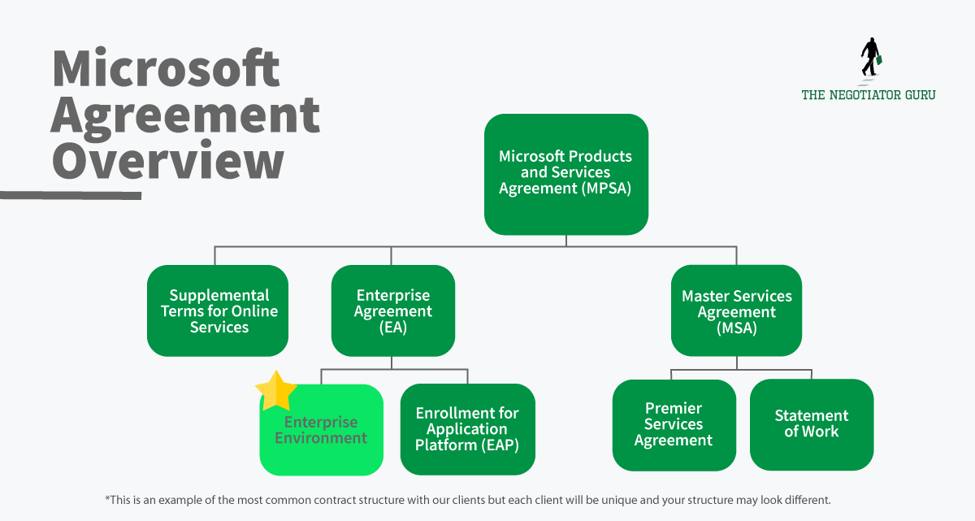
What you need to know about converting from a perpetual license to a subscription based license (Office 365)
If you’re converting from a perpetual license to an Office 365 contract, you have a huge opportunity to capture the lowest price point you’re ever going to get from Microsoft.
This conversion is its own license - it has its own SKU. The reason for this is that you’ve already paid for a part of that license through your original perpetual license purchase. If properly negotiated, the cost for this conversion license should only be the difference between the upgrade cost (current version to new) and your original cost.
Most Microsoft customers don’t know about this opportunity and let this massive cost avoidance opportunity slip through the cracks never to be seen again.
For context, the price difference is about 50% and it will be realized year-over-year. If properly negotiated, you'll reap continuous benefits from this opportunity.
FAQ's
What is the difference between Microsoft E1, E3, E5 licenses?
The difference between a Microsoft E1, E3, E5, and K1 license is in capability. The primary differences are:
- The number of Microsoft apps you can access;
- If you have download rights; and,
- If you can download the application (desktop version) versus online only (web browser access).
Microsoft Office 365 E1 is your “lowest” level license for the Microsoft Office Suite via web browser access.
Microsoft 365 E3 is your basic mid-level license which includes additional applications and allows users to download desktop applications. This by far the most common license for all enterprises. Microsoft 365 E5 is your highest level license which includes your core apps, download rights, and specialized apps like Advanced Threat Protection (ATP), etc. There are several other core licenses (suck K1, F1, Desktop Only, etc.) which can, and should, be used to lower your Microsoft spend. For most organizations, an E1 or E3 license will satisfy most of your end-users requirements. Can I mix E1, E3, and E5 licenses within a Microsoft contract?
Microsoft 365 E5 is your highest level license which includes your core apps, download rights, and specialized apps like Advanced Threat Protection (ATP), etc. There are several other core licenses (suck K1, F1, Desktop Only, etc.) which can, and should, be used to lower your Microsoft spend. For most organizations, an E1 or E3 license will satisfy most of your end-users requirements.
Can I mix E1, E3, and E5 licenses within a Microsoft contract?
While most companies who are longtime Microsoft users understand that you can mix several different products and services within an Enterprise Agreement, many aren’t aware of the fact that you can mix and match different license types for your core licenses as well.
In a well negotiated (and proactively managed) Microsoft contract, it’s very common for different persona groups to leverage different core licenses in the interest of Right Sizing™ your environment.
For example, a persona group in your company may use an E1 license, and then a different persona group (such as your IT department) may use an E5 license, depending on their use case.
If you are not mixing licenses at the moment, then you are likely paying for capability you don’t need for a subset of users who do not need the fully upgraded licenses.
How do you know what Microsoft license you need?
The easiest way to figure out what you need from a Microsoft license perspective is to hire an outside advisor to help you with that analysis.
It is much faster to hire someone who looks at licenses all day and can match up your needed capabilities with the ideal license type.
If you are going to do this yourself, the best way is to dive deep into the spec sheets on the license pages for each license on Microsoft’s website.
It is also very important to conduct a persona analysis inside of your organization if you have not already done so. This is a simple process.
- Identify 1-5 personas within your organization who use Microsoft products. These would be different individuals who use Microsoft in different ways.
- Identify the specific needs and wants of each persona group as it relates to Microsoft.
- Match each persona’s needs and wants to the best fitting license type for that persona group.
This is part of our Right Size™ secret sauce at The Negotiator Guru and how we help our clients reduce their spend with Microsoft.
What does the Microsoft contract structure look like?
The Microsoft contract structure is a constantly changing evolution. Historically, Microsoft has had Enterprise Agreements, Master Service Agreements, and supplemental terms and conditions that are unique to a specific product set. Historically, these have all acted as individual contracts. What Microsoft has done over the last 3-5 years is rolled all of their contracts into the Microsoft Products and Service Agreement (MPSA). It is a contractual container for these existing MSA’s, EA’s, and supplemental terms and conditions.What you want to do is be very careful when Microsoft is asking you to sign brand new agreements. More often than not, you are actually in a better contractual position by using your existing MSA’s, EA’s, and Supplemental Terms and then attaching that to the MPSA.
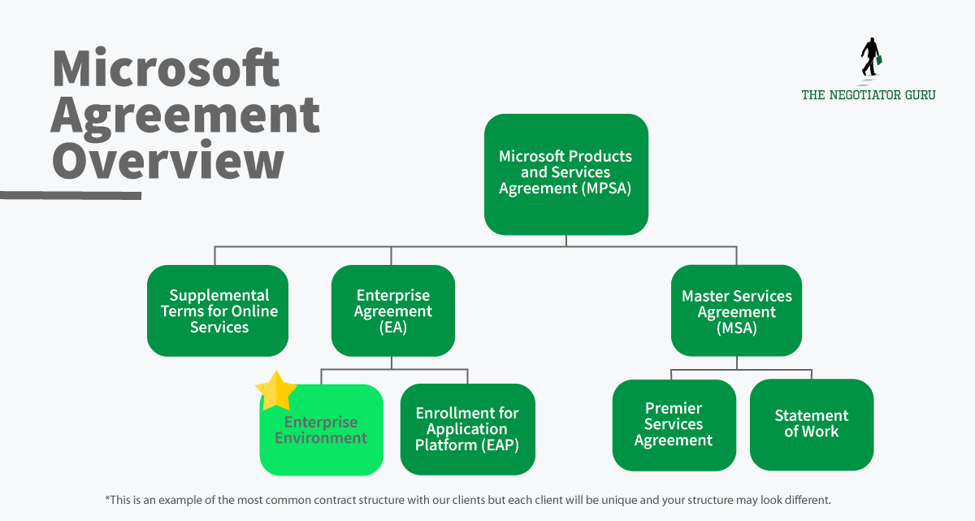
This is especially important because Microsoft is trying to move users to accepting online terms and conditions. While that may seem like a convenient aspect to contract management, with almost all of these online terms and conditions, there is a clause that allows them to change those terms and conditions at their will.
If this is not actively managed, changes within online terms and conditions can lead to unknown legal and/or commercial risk. We have many clients that engage us after they discover (either voluntarily or involuntarily) that they are out of compliance with their contract. The result can come in the form of an unbudgeted expense, lawsuit, and/or customer loss.
This is why it is extremely important to memorialize your specific contracts with Microsoft as much as possible...you can still do so within the new MPSA structure.
As you can see, contracts with Microsoft can quickly become complex which is why it is helpful to hire an outside advisor like The Negotiator Guru. Contact us today to discuss your Microsoft agreement.
What Microsoft products give me leverage in my negotiation?
There are certain Microsoft products that give you leverage in a negotiation with Microsoft. The short answer is that any product or service they have recently introduced to the marketplace (generally within the last 6 months) will provide amazing leverage for you.
The Microsoft sales team is highly incentivized to sell new products into existing accounts at renewals.
What is the typical term of a Microsoft contract?
A typical term of a Microsoft contract ranges anywhere from 3-7 years. The most common is 5 years with multinational enterprise customers.
For companies ranging from $5B-$15B in annual revenue, Microsoft will often do a lot of 1-3 year agreements.
For companies under $1B, Microsoft will often structure annual or month-to-month contracts.
Can you renegotiate a Microsoft contract early?
Yes. When you renegotiate early it is called an “early commit.” That being said, it’s important to note that not every early commit contract will provide value for the end customer. It’s very important that you hire an advisor like The Negotiator Guru to help you analyze the cost/benefit analysis of a new deal.
What are key risks of a Microsoft contract?
There are numerous risks that Microsoft customers can experience depending on what their environment looks like both in size, scope, and geographic footprint. One of the most common risks for all customers is the ability for Microsoft to audit customers. This is very similar to other software providers such as Oracle, SAP, Salesforce, etc. For a specific assessment of your contractual and/or technical architecture risk you’ll need to leverage an advisory firm like The Negotiator Guru.
To be clear, The Negotiator Guru does not provide 3rd party maintenance services like that of a Rimini Street but rather senior expert negotiation services. The two capabilities are very different and distinct.
Understanding Microsoft Audit Rights
Microsoft Audit rights typically emerge when you have any sort of restricted use license or on-premise architectural limitations. Related to the restricted use license, this is generally a custom made license for your company to serve a specific internal use case. These are negotiated licenses with Microsoft and can drive significant cost savings if used, and managed, correctly.
If you as the client don’t have a software asset management team, or the equivalent responsibilities assigned internally, then there is an increased risk that you’ll be audited and fined.
This audit risk typically comes up 6-8 months before your contract renewal. This is done by design by Microsoft to gather leverage for the upcoming renewal negotiation. In general, Microsoft will sometimes let audit compliance fees slip in exchange for new products and/or services within the customer’s renewing contract. Remember, this is largely driven by your account team who are highly incentivized to drive new product/service additions to the existing customer base.
Another typical resolution for compliance risk will be a required license upgrade which in turn satisfies your account team’s desire to increase their revenue of your account as well.
Are payment terms on a Microsoft contract negotiable?
Yes. Payment terms are negotiable.
Several years ago, Microsoft made a partnership with the banking sector to provide bridge financing. This makes it quite easy for a client to leverage payment terms of 180 days instead of the standard 30 days via their value added reseller (VAR).
You have the flexibility on payment terms. Simply ask Microsoft for the flexibility, and they will put you in touch with one of their payment partners like PNC Bank. The Negotiator Guru also has finance partners that allow our clients to extend their payment terms for any software contract including, but not limited to, Microsoft.
Can you change payment terms on a Microsoft contract from annual to quarterly?
Sometimes is the appropriate answer here. Depending on your specific situation, you may be able to change your payment terms from annual to quarterly or monthly.
Who has decision making authority inside of Microsoft and why?
There are multiple levels of decision making authority inside of Microsoft. That is purely by design. The decision making largely depends on the annual contract value of your new and/or prospect contract with Microsoft. Subsequently, the decision making rights change depending on if you are a new customer or a renewal customer.
For the purposes of a renewal, the primary decision maker is the business desk. This is a specific group inside of Microsoft that is meant to handle your renewal from end-to-end.
The business desk is incentivized to keep your revenue flat as their worst case scenario. Your account team is presented with a 10% revenue growth target for each of their accounts. If they are unable to satisfy this target, they will refocus their energy on those accounts where there is growth opportunity. At such time, they will hand off the deal to their renewal team at the “business desk.”
The business desk is essentially a sales enablement team in the background supporting your account team and driving the deal from behind the scenes.
To bypass this, you should aim to incorporate the business desk as part of your negotiation. This helps eliminate the extra step of the business desk being separate from your deals and improves the outcome of your negotiation.
The other thing you can do to improve your negotiation, and achieve better decision making authority, is to require a sales executive sponsor from Microsoft to join in on your negotiation. For example, if you spend $5M+ per year with Microsoft, you should require an SVP from the sales organization within Microsoft to be part of your negotiations.
With that type of connection, you can pass through a lot of back and forth and get to the bottom line much quicker.
When you have a high level sponsor involved in the deal, this enables you to exchange value in different ways with Microsoft such as collaborating on white papers, case studies, or structuring deals to work with Microsoft's innovation team, or test new products. Having a high level sponsor enables all of these additional leverage points to be brought into a negotiation.
The Bottom Line
Microsoft has a deliberately designed sales process and most companies are so entwined in their products that they readily accept new subscription charges and upgrades without digging deeper into their specific needs.
Our goal here is to help educate you on the best practices for negotiating with Microsoft. If you have additional questions or want to see more articles like this - whether for Microsoft or other SaaS companies - let us know so we know where to prioritize our focus for future articles.

The Negotiator Guru Names Chrissy Hudson as New Director of Operations and Corporate Affairs
MINNEAPOLIS, MN. — The Negotiator Guru, a global technology consulting firm specializing in SaaS contract negotiation advisory services, today announced the appointment of Chrissy Hudson as their new Director of Operations and Corporate Affairs.
“Chrissy is a strong communicator who is client focused with deep leadership and business operations capabilities,” says TNG Founder and Senior Partner Dan Kelly.
“She has been a tremendous asset to our organization over the past year, and we're confident that she'll continue to guide us to even greater success in this expanded role. TNG has become a worldwide niche consulting firm due to outstanding talent like her.”
Although women currently account for around 47% of the overall workforce, they remain largely underrepresented in the technology field, making up only 26% of all job roles and less than 10% of tech leadership positions.
“With its deep pool of talent and global client base, TNG is positioned for growth,” said Hudson. “I am excited for the opportunity to help guide the firm into the next stage of its strategic development.”
Hudson brings over 17 years of leadership and business operations experience from both the public and private sectors. She will be responsible for developing new business relationships, promoting products and services, and overseeing the firm’s internal operations to ensure overall client satisfaction. Hudson holds a Bachelor of Arts degree from the University of Louisville and a Master of Arts degree from Concordia University.
About The Negotiator Guru
The Negotiator Guru (TNG) is a global technology consulting firm that provides industry leading IT contract negotiation services to clients around the world. Founded in 2015, TNG is recognized as the world leader in Salesforce contract negotiation services. In 2020, The Negotiator Guru ranked No. 15 on the Inc. 5000: Midwest Series and was recognized as the 2nd fastest-growing private company in the state of Minnesota. TNG is also ranked as one of the largest IT consulting firms in the Twin Cities by the Minneapolis/St. Paul Business Journal. For more information, visit www.thenegotiator.guru.

The truth about Salesforce Enterprise License Agreements (SELA)...is it right for you?
We’ve found that the average savings potential for a company switching from a Salesforce Enterprise License Agreement (SELA) to a standard Salesforce Subscription Agreement is 41.3%.
Yet many large enterprises still honor their SELA agreements simply “because we’ve always had one.” Subsequently, these companies have a difficult time benchmarking the value they’re extracting from a SELA vs any other contracting method.
While Salesforce will present these agreements in a way that may seem extremely advantageous to the customer, the truth is they’re rarely a good fit.In this article we are going to explain:
- What is a SELA Agreement?
- How SELA’s looked in the early days of Salesforce
- How present day SELA’s have changed
- Why SELA Agreements are a bad idea for most companies
- Problem 1: SELA caps are built off of your current needs
- Problem 2: SELA agreements are manipulated by Salesforce’s changing product line
- Problem 3: You are paying 41.3% more than you should be with a SELA Agreement
- When SELA’s work
- When SELA’s don’t work
- Why “you don’t have to manage it” rarely justifies a SELA
- What to do if you have a SELA
What is a SELA Agreement?
A SELA Agreement is a Salesforce Enterprise License Agreement.
What is the difference between a Salesforce Enterprise License Agreement (SELA) and a Salesforce Subscription agreement?
A Salesforce Enterprise License Agreement (SELA) agreement is different from a Salesforce Subscription Agreement in one key way. A SELA is meant to provide “Unlimited Access” to the platform, while a standard Salesforce Subscription Agreement includes set prices for a set number of products.
Yet while SELA began as an “Unlimited Access” promise, that is not quite what SELA agreements look like today.
To understand SELA’s and why your company probably doesn’t need one, it’s helpful to understand the history of SELA’s and how they may have looked when your company originally signed one.
How SELA’s looked in the early days of Salesforce
In the early days of Salesforce, there was a massive focus on market penetration. Like any typical SaaS company, all they cared about was volume.
In the early days of Salesforce, the CRM market was extremely fragmented with small players and disparate homegrown solutions. Arguably, at the beginning, the largest competitor to Salesforce was Microsoft Excel. As a result, Salesforce hit the market precisely at the right time and acquired new customers relatively easily.
But given that Salesforce was in such a high-growth mode, they wanted to leverage their existing client base to grow organically both internally and externally at the client organization. In other words, they wanted to pursue any strategy that enabled new endpoints whenever, and wherever, possible.
Under this premise, they created the first SELA which conceptually provided unlimited access to the platform. This would ensure that Salesforce could land and expand as fast as possible within a new account without any barriers, paperwork, governance, or red tape.
The MO of an early SELA deal summarized would be:
Your contract with Salesforce is $10M per year over a 5 year contract term. It is a $50M relationship, and you can use the entire Salesforce platform however you see fit, no restrictions. Use our support as you need it. Our goal is to help you grow.
This unlimited access approach was the foundation for Salesforce’s growth by 100x in the early years. By signing one of these deals, and then expanding into a large enterprise organization, they were able to show massive growth rates on all of the SaaS growth metrics such as users, retention, growth rate, turnover rate, etc.
Because they were signing customers onto SELA’s, their growth metrics went through the roof which gave all of the signals for additional funding, press, and market share.
The goal of SELA in the early days was simple. Achieve as much penetration as possible into the corporate world.
How present day SELA’s have changed
While SELA’s once provided “Unlimited Access” to the platform, that isn’t always the case today. Present day SELA agreements look quite different.
Today’s SELA Agreements are full of floors and caps on the quantity of specific product sets that you can use. While old agreements were “Unlimited”, the new agreements come with added restrictions, usage ceilings, and massive financial growth commitments.
When your organization grows/declines past the commercially allowed threshold within your specific SELA, there will be significant financial consequences. Subsequently, without the proper legal terms and conditions protecting you from changes within your business, you are setting yourself up for significant financial and legal risk.
Why a SELA is a bad idea for most companies
A floor/cap on your product usage initially may not sound like a large risk for your company, especially if you are comfortably within the allowed threshold at the time of contract execution. That being said, there are 3 major problems that commonly arise from this scenario. Here we are going to dive into the three fundamental problems:
Problem 1: SELA caps are built based on your current needs
A SELA agreement will often be on a 3-5 year term, and the caps are negotiated based on the needs of your organization at the signing of the contract. This may not sound like a major risk, but for high volatility (growth and/or decline) companies, or anyone in an active M&A industry, this can be a major issue.
When you break the caps of your SELA Agreement, it’s not as simple as “buying extra licenses” to make up the gap. Instead, it will trigger an entire sales event with Salesforce that is going to have them coming back to you for more money.
Additionally, you may only trigger your cap in one single product category (Ex. Pardot), but if you break your SELA caps in that space, they can use that as grounds to raise prices across the board.
These caps are dangerous because as soon as you break one, it puts the power of the contract back into Salesforce’s hands.
Problem 2: SELA Agreements are manipulated by Salesforce’s changing product line
The second problem with a modern day SELA is the ever-changing product line from Salesforce.
Salesforce is a master of releasing and repackaging products. They are constantly rolling out new products into the market, as well as repackaging existing products, while retiring old products.
While innovation at Salesforce is great, the new products and services that are organically (or inorganically) created are rarely contemplated as part of your organization’s SELA. If your organization wants to use those new products and/or services, they will likely need to be paid for separately as an additional expense.
Additionally, some products may “retire” or become a “carveout” of an existing product. Continued usage of these products may actually trigger a contractual breach of your SELA.
This sounds ridiculous, but Salesforce does it all of the time, and it’s very expensive for the client. Naturally, most Salesforce clients are not aware of these inherent risks until they’re sent an invoice for this incremental out of compliance usage.
Here is a recent practical example of how they pull this off...
Repackaging Example: Sales & Service Cloud
Up until recently, Sales Cloud & Service Cloud were two separate products from Salesforce.
Sales Cloud was for Sales Reps while Service Cloud was for service department technicians. These two products came at two different price points. Sales Cloud was cheaper, and Service Cloud was more expensive.
Eventually, Salesforce decided to roll these into “Sales and Service Cloud” as a single commercial product even though they technically operate as separate infrastructures (clouds). This provided Salesforce a commercial opportunity to financially uplift those existing clients that had both products (Sales and Service Cloud), historically with two different price points, now as a single price point that matched the more expensive line item as part of Customer 360. The logic being that both clouds are integrated harmoniously whereas the entire client organization is able to review all of its omnichannel touchpoints with their customers. This “additional value” was largely the basis for this product and price convergence.
The targeted outcome is typically around a 30% revenue boost within the existing customer base. This revenue boost was predicated by a simple repackaging of services.
Problem 3: You are likely paying 41.3% more than you should be with SELA
We renegotiate a lot of SELA deals at The Negotiator Guru (TNG), and on average, we identify a 41.3% cost reduction opportunity when switching to a standard Salesforce Subscription Agreement.
The reason behind this is that most SELA’s are priced extremely high (on a price per unit, per month basis) and commit the client to much higher usage (products & quantities) than is actually being used, creating conceptual shelfware.
At TNG, we leverage a proprietary Right Size, Right Price approach to drive efficient and long lasting savings for our clients.
We first understand what your organization actually needs and build a roadmap to support you based on your specific global business. Instead of buying everything through a SELA Agreement, we leverage our Right Size framework to ensure you’re leveraging the appropriate products and services at the Right Price.
We are able to easily identify Right Price information based on our industry leading price benchmarking database that is minimally rationalized based on your Annual Contract Value, Industry, and Company Size. We say “minimally” because there are other factors that determine product pricing such as product mix, your roadmap, Salesforce quarterly interests, etc.
Then, we leverage our unmatched expertise negotiating with Salesforce either as a covert silent advisor, or an overt legal agent, to extract maximum value for you at the lowest possible cost.
Those two simple components alone have generated our SELA Agreement customers 41.3% in savings.
We’ve worked with Fortune 100 companies paying $25M+ per year to Salesforce whose actual contract value should have only been $10M.
The savings potential is real and worth the time to renegotiate.
When a SELA is a good idea
Most of this article is spent sharing why SELA’s are a bad idea for most clients. That being said, there are a few select cases where they may be temporarily beneficial to a client.
Every year, we speak with hundreds of Salesforce Customers. Since the inception of TNG in 2015, we have only had one customer where a SELA was actually a good fit for their needs.
While we always keep our clients confidential, this specific company was a high-growth IT firm with rapid-growth aspirations (500x), large amounts of equity funding, minimal IT resources, and a technical architecture that required Salesforce to act as the backbone for their outreach strategy. They were in a very unique situation.
Here are the required conditions to even consider a SELA:
- High-Growth Environment of 10x-500x per year;
- High-amounts of capital investment;
- A large volume of customers with varying interaction levels across multiple channels; or,
- A clear architectural roadmap from a digital capability and functionality perspective.
When a SELA is a bad idea
99% of the time, a modern day SELA Agreement is a bad idea. In almost all cases, it just doesn’t make sense.
Here are (only some of) the conditions where a SELA does not work:
- You signed a SELA 4+ years ago;
- Your company has predictable needs in both products and quantities;
- Your company is spending less than $10.75M/year on Salesforce;
- You have less than 5,000 API connections per day;
- Your IT department’s strategy is to leverage native (vs. custom) functionality wherever possible;
- You have less than 3,500 Sales and/or Service Cloud licenses; or,
- You’re not sure where your business is going in the next 3-5 years.
Why “you don’t have to manage it” rarely justifies a SELA
Yet, even with everything we shared, many companies still sign up for new, or keep renewing their existing, SELAs. Perhaps that’s because they haven’t read this article!
The most common reason we hear from our clients on why they have a SELA is that “We don’t have to manage it. There are no order forms, compliance, or governance. We just signed the deal and originally, didn’t have to worry about it.”
While that is great in theory, you can achieve nearly the same benefits with a standard Salesforce Subscription Agreement by negotiating specific terms and conditions into your Order Forms. We will share two of these terms below for your awareness and utilization:
M&A Language
Request language be added to your Order Forms that protects you in the event of an extraordinary corporate event like Merger and Acquisition (M&A) Activity. Adding in the appropriate language for M&A activity can provide huge benefits to your organization. Specifically, ensuring that an acquisition or divestiture can be brought in or taken out of your environment without commercial recourse will proactively avoid painful legal headaches and financial synergy slippage.
Product Swap Language
As we discussed, Salesforce likes to change up their product line to create disruption in the marketplace and in your contract. Introducing product swap language that enables you to swap products and services freely as long as you maintain the same annual contract value provides a huge value that is similar to that of a SELA.
FAQ’s
What happens if I exceed the caps on a product in my SELA Agreement?
Salesforce will use this overage as leverage against you in your upcoming negotiation. They will either charge you an overage fee or push a net new product on you in exchange for waving your overage fee. This net new product helps them achieve additional revenue, new products, and a larger footprint inside of your organization.
When you exceed the caps on a product in your SELA Agreement you are naturally placing yourself in a vulnerable position with Salesforce.
Many organizations who have an active SELA Agreement with Salesforce don’t have an internal software asset management (SAM) team. As such, these organizations won’t know they have exceeded their cap limit until Salesforce informs them. Even with an active SAM team inside multinational organizations it can be very easy to exceed your caps.
In general, 6 months prior to your contract renewal, Salesforce will conduct an audit on your account to look for any overages. If your organization is not already aware of these overages you’re naturally going to be on your heels trying to fact check information internally. Either way, Salesforce will use these overages as leverage against you in the upcoming renewal negotiation.
There are two scenarios that commonly play out within this situation:
First, if you notice you have exceeded the cap limit, you can take corrective action to decrease your quantities of specific products so that you are back in compliance. Your organization will technically be obligated to pay overage fees for the time those overages were occurring within your environment. The standard language within Salesforce agreements indicates you will be liable to pay the “published retail rate.” In other words, the rate that Salesforce publicly publishes on their website without your organization’s discount.
Second, if Salesforce notices that you have exceeded the cap limit, then you will be hit with a heavy overage fee in a similar manner as discussed above. However, Salesforce will likely use this opportunity to push new products within your environment in exchange for some of the overage fee. The net outcome, if not properly negotiated, will be a higher total cost of ownership over the term of your new contract than paying the overage fee by itself.
It’s important we state this again: Standard Salesforce MSA and SELA Agreements (aka all agreements) include a standard clause that any license overage will be charged at the then current retail price. That means instead of paying for additional seats at your discounted rate, they will charge you the retail price for the product that is currently listed on their website.
This is a very dangerous situation as the retail price can often be 2 -3x your standard rate.
We recommend negotiating specific contractual language that limits your financial liability to that of your organization’s reduced rate vs. retail.
How do you approach negotiating an existing SELA Agreement?
When renegotiating a SELA Agreement, we leverage our best-in-class and proprietary approach that we always use when Negotiating with Salesforce.
Mastering Your Salesforce Spend: Why Ditching the SELA Can Save You Millions
Create a Salesforce Roadmap
The first step in controlling your Salesforce spend is to build a roadmap of specific products and services you will need from Salesforce over the next 5 years. Create a list of both your needs and your wants.
With a Salesforce Enterprise License Agreement (SELA), it is very important that you build a 5-year game plan instead of a 1-3 year plan. The reason is that the 5-year roadmap will help you decide if a SELA agreement is right for you. If you are forecasting rapid growth or large M&A activity, then a SELA may make sense, assuming the proper legal terms and conditions are in place. But without either of those two components, a SELA rarely provides the differentiated and intrinsic value one would expect from its large price tag.
In most situations, a SELA Agreement will not make sense for most organizations. Putting together a Salesforce Roadmap will help you see this clearly. When you have a clear roadmap of what products you need, in what quantities, then you can use that as a benchmark on price.
Benchmark Your SELA Spend with Right Price Data
Once you have your roadmap, the next step is to gather Right Price Data for what rates you should be paying for each product on your roadmap.
At The Negotiator Guru, we have the largest database of Salesforce rates as a result of reviewing hundreds of Salesforce contracts for organizations that span literally every industry. We can tell you what you should be paying for each product or service.
While firms out there like Gartner can provide directionally correct information, they are not able to provide prescriptive insights for your specific situation. To access our Right Price Data for your account, contact us at info@thenegotiator.guru.
When you take this Right Price Data and line it up against your roadmap, you can see an estimation of what your Salesforce spend should be in a total cost of ownership view. Now simply take that total number and compare it to the annual spend of your SELA Agreement to see just how much of a savings potential is available for your organization.
Based on our real client data, we find there is typically a 41.3% opportunity available when switching from a SELA to a standard MSA & Order Form contract and pricing structure.
Examples of SELA Negotiation Success
Through our work at The Negotiator Guru, we have helped hundreds of organizations reduce their Salesforce expenses. Our firm is the industry-leading expert in negotiating with Salesforce.
Here are two recent examples of SELA negotiations we have completed with, and for, our clients. All company information has been redacted for client confidentiality.
Negotiating a $75M SELA Agreement down to $32M (57% savings)
One of our clients came to us with a 3-year term on a SELA Agreement valued at $25M per year. This was a total contract value of $75M over a 3-year period.
We worked with the client to create a Salesforce Roadmap and shift the organization over to an MSA & Order form contract and pricing structure. This simple shift produced a material reduction of their annual spend down to $10.7M per year for a 3-year term.
That is over 57% in savings and $43M in cost savings over a 3-year period. This example shows just how much SELA Agreements can be overpriced.
$30.5M in savings by negotiating a SELA Agreement that no longer made sense post-M&A
This particular organization was on a 5-year SELA Agreement. The SELA was designed based on the company footprint at the execution of the SELA Agreement.
There was one major problem—this specific organization was in the telecommunication industry which was experiencing heavy disruption. As a result of this disruption, the company divested several business units for financial and regulatory reasons. When these business units were divested, everyone assumed that their Salesforce contract would adjust accordingly… but that was not the case.
The response that came back from Salesforce was essentially, “It won’t be possible to reduce your spend because you have committed to this agreement for a total of 5 years.”
This meant that the telecom organization was now paying for products and services that were used by companies they divested, and they were committed to continuing to pay for those products for an additional 3.5 years. In total, this would be $36M in wasted expense over a 3.5-year period.
Through negotiations with Salesforce, we were able to reduce that down to a $5.5M breakup fee for a total savings of $30.5M over a 3-year period. This example shows just how important it is to structure in proper M&A language into your SELA and all Salesforce Agreements.
SELA Agreement Logistics and Strategy
What is the typical SELA annual spend?
The typical customer on a SELA agreement is a multinational organization doing over $10B in annual revenue with a total spend of $15M+ per year with Salesforce.
How long does the process take to renegotiate a SELA Agreement?
The process to renegotiate a SELA Agreement typically takes 2.5 months. That being said, to properly prepare for the negotiation, we engage our clients a minimum of 6 months prior to your natural renewal date. Remember, 80% of negotiation is done through thoughtful and intentional planning. In a best-case scenario, you want to plan for your SELA renewal 1 year in advance.
Who is involved in a SELA Agreement negotiation?
On your organization’s side, the following individuals should be involved in your core negotiation team:
- Head of IT Sourcing
- IT Leadership in charge of the Salesforce Platform
- IT Finance Representative
- CIO (Optional)
From The Negotiator Guru, the following individuals are involved:
- Lead Negotiator
- IT Architect
- Legal Representative
Do I need to switch off a SELA or just negotiate a lower price?
In most cases, it will make sense for you to switch from a SELA Agreement to a standard MSA & Order form agreement with Salesforce. While you do not have to switch, it is often the most advantageous for you as a customer of Salesforce.
There are several material reasons for this, however, the most prominent being that it’s very difficult to proactively measure the value you’re receiving from Salesforce when everything is bundled into an annual fee. This lack of transparency is by design from Salesforce, allowing your account team to do some creative accounting.
When you convert to an MSA & Order Form contract structure, you can compare your specific needs with Salesforce directly with our Right Price Data to understand exactly what you should be paying.
My company’s workflow is seasonal, and a SELA allows us to adjust licenses as needed. How do we accomplish this with a Salesforce Subscription Agreement?
You can achieve the same flexibility of a SELA by adding in Seasonal Worker Licenses within your subscription agreement. These licenses largely produce the same flexibility as they are intended to be used for seasonal contingent workers that increase and decrease throughout the year. Another common use for these licenses would be for college interns or factory workers.
In some cases, Salesforce will tell their customers that this product option does not exist. This is simply not the truth.
Recently, one of our customers did not believe that a “seasonal worker license” actually existed. Through multiple conversations with Salesforce, he was told this simply was not an option. We pulled up a screenshot of another client’s invoice, redacted all of the confidential information, and shared the invoice with “Seasonal Worker License” as a line item. The client was blown away. You can achieve a Seasonal Worker License... you just have to ask... perhaps more than once.

How to Create a Salesforce Roadmap
In previous articles, we shared with you how the Salesforce machine operates. We shared with you how it structures its organization and the tactics it uses to maximize its revenue from your company.In this article, we are going to dive into your single most important weapon against Salesforce in your negotiation . . . Your Salesforce Roadmap.
What is a Salesforce Roadmap?
Simply put, a Salesforce Roadmap is nothing more than a table outlining:
- What you are going to buy
- When you are going to buy it
This sounds simple, yet most companies don’t go into a negotiation with Salesforce clear on these two points. As a result, Salesforce hijacks the conversation and creates a roadmap for them.
What you are going to buy
This question isn’t always as simple as it sounds.
Do you need Enterprise or Unlimited?
Do you even need premium support? Or would that money be better spent on a 3rd party consulting firm?
Have you run a utilization report to see how many of your licenses are actually being used?
Is marketing actually using that instance of Pardot you purchased three years ago?
The “what you are going to buy” conversation isn’t always easy. One company we worked with ran a utilization report to find that only 63% of their licenses had even been logged into in the past year. This means they were paying for 37% more licenses than they actually needed!
Another customer realized that a large portion of his organization could get by through downgrading to a lower license level. They were only using basic features that didn’t require them to be at the Unlimited License.
It’s easy to think you know exactly what you need going into a negotiation, but sometimes you need to do a bit more digging into understanding how each department actually utilizes the tool.
When you are going to buy it
Another common tactic Salesforce uses is to tell you that you cannot roll out licenses over the course of a three-year contract. Your rep will tell you that you need to buy them all up front now if you want to get a discount.
This ironically always works out in Salesforce’s favor as the added revenue from those dormant licenses makes up for the discount one rates. The truth is you can negotiate to roll out licenses at set periods of time throughout your negotiation.
In order to do this though, you need a clear roadmap and to create confidence with Salesforce that this is what you actually need and when you need it.
Why Is Building a Salesforce Roadmap So Important?
Before we dive into how to create this roadmap, let’s first dive into explaining why this roadmap is so important.
A roadmap is your best defense against divide and conquer
Remember the divide and conquer tactics we described in our guide on negotiating with Salesforce? We shared with you how Salesforce will make contact with multiple individuals and decision-makers throughout your organization.
Its goal with divide and conquer is to create conflicting stories which develop chaos in terms of what you actually need.
Creating your own Salesforce Roadmap helps you prevent against that.
When you create a roadmap and get buy-in from all your key stakeholders on that same roadmap, you create alignment within your organization. In addition to the roadmap, we are also going to give your internal stakeholders key talking points on what to say if Salesforce approaches them. It’s also important to know that timing is everything with regards to these key messages.
As a result of being aligned on talking points and what your organization actually needs, your organization begins to speak from one voice. Instead of having Salesforce gather conflicting stories from each department, they suddenly are left dumbfounded when they receive the same story from all contacts within the organization.
Flip-flopping your wants in the negotiation focuses the discussion on the wrong things
Whenever you don’t have your roadmap aligned, you spend your time in the negotiation with your rep going back and forth on how many licenses you need or what add-ons you do or don’t want.
Every time you go to your rep with a revision on your renewal because you and your team changed your mind, you are wasting a valuable chance to negotiate a key term or reduce your rates.
Without a roadmap, you will end up flip-flopping on what you want during the negotiation and spend your time focused on what licenses you are even going to buy instead of the price point or the terms. The entire negotiation gets focused on just figuring out what you need instead of getting you the best rates.
Your roadmap creates that clarity and alignment and lets you spend your time focused on getting you the best deal.
A lack of alignment undermines the key contact of the negotiation
Imagine for a moment that you are a Salesforce rep. You go into conversation with the Salesforce Admin who is your main point of contact in the negotiation. The Salesforce Admin request a 20% license count increase but is not interested in adding any new products or expanding their Salesforce footprint into any new departments.
Then two days later, your sales management team comes back from a basketball game with the CEO of your client organization. They tell you “we just met with the CEO, he wants to roll Salesforce out to his entire marketing department as well.”
As a Sales rep, you immediately jump to the conclusion that your Salesforce Admin is not the authority or decision-maker on this account. All respect you had for this Salesforce Admin’s decision-making ability has gone out the window.
As a result, that Sales rep treats the Salesforce Admin differently in the negotiation. He starts going around them and maximizing his divide and conquer tactics because he knows the Salesforce Admin is not in charge.
This is what happens when your organization is not aligned.
It undermines the individual who is the face of the negotiation. It doesn’t matter if it is a Salesforce Admin, CIO, or CFO.
Alignment and a roadmap gives power to the negotiator
Let us imagine another scenario for a moment here. Imagine that you are a Salesforce rep. You go into a conversation with your Salesforce Admin who is your main point of contact. The Salesforce Admin tells you they want to increase sales cloud licenses by 20% and consider a demo of Pardot in their marketing department.
Then two days later, your sales management team comes back from a basketball game with the client CEO. They tell you “we just met with the CEO, he wants to grow his licenses by 20% and is considering expanding Pardot into their marketing department.”
As a Sales Rep, you just heard consistency.
You heard that your Salesforce Admin is aligned with the CEO.
You heard that your Salesforce Admin is actually in charge of this negotiation.
When you have organizational alignment on your roadmap, it gives power to whoever is running your Salesforce Negotiation. It doesn’t matter of it is the Director of IT, CIO, or CFO. Whenever you have that alignment of stories, it gives that person in the negotiating seat power to drive the negotiation on their own.
When to Create your Salesforce Roadmap
We typically recommend companies start building their roadmap six to nine months prior to their negotiation. You are going to want at least three months to handle the actual negotiation with Salesforce so a six month runway gives you an additional three months to get that internal alignment.
Each organization is different, but that internal alignment won’t happen overnight. Give yourself some time to meet with all key stakeholders and achieve that internal alignment.
Three Steps to Creating your Salesforce Roadmap
A Salesforce Roadmap is not complicated. It is a simple table of “what you need” and “when you need it” over the next three to five years.
Even though most Salesforce renewals are only three years, it is helpful to plan five years in advance so you can think of a bigger picture of what may be coming down the line. This helps you in creating an aligned story for Salesforce at your renewal.
Step 1) Create a rough draft alone
If you are reading this, chances are you are the one who is driving the Salesforce negotiation. You have extensive knowledge of Salesforce and can probably fill out 80% of the roadmap on your own.
The key in this step is to document all of your ideas for the roadmap on paper.
You don’t want to go to your key stakeholders with a blank slate and build the roadmap from scratch together. That is not a good use of their time, and it is going to create too much debate.
By crystallizing your thoughts about Salesforce into a rough draft of the roadmap, you can share that document with others. It becomes a starting point for the entire roadmap discussion.
Step 2) Take the rough draft to key stakeholders for feedback
This rough draft of the roadmap is purely for internal use. Once you have this rough draft complete you are going to present this document, typically in the form of a PowerPoint presentation, to your key stakeholders within the organization.
This may be your CEO, CFO, CIO, COO, VP of Sales, Director of IT, Salesforce Admin, Sales Management Team, etc.
You are going to take this roadmap to them and say “This is what I believe our 3-5 year Salesforce roadmap looks like...what feedback do you have?”
As you go into these meetings you may find yourself saying, “I have an idea here but I don’t know exactly what X department needs.” This roadmap and these conversations are meant to help you refine the roadmap and clarify those needs with each department in the organization.
What is great about this step of the process is that this allows your team to have internal dialogues about what you need with Salesforce. Without doing this internal roadmap, these contacts would not be brought into the conversation until a contact from Salesforce had reached out to them.
Instead of letting Salesforce guide these conversations, you are getting in front of them and taking charge. This helps you own and drive the conversation.
Step 3) Gather all feedback and refine your roadmap
Once you have gathered alignment from each of your key stakeholders on the roadmap, you are going to want to take some time to sit down and refine that roadmap into a final polished version.
At this point, you are almost ready for entering the negotiation. But before that we need to build a communication strategy and negotiation plan.
Lastly, it's also important to realize that a Salesforce Roadmap is essential for SELA Agreements (Salesforce Enterprise License agreements). Read our guide for more details on how to renegotiate your SELA Agreement.

Confidential Clients: Why We Do It
For those of you wondering why we keep all of our clients confidential, our Founder and Senior Partner Dan Kelly provided a few key insights as part of a recent interview. We hope you appreciate learning why this is such an important guiding principle for TNG.
Moderator: Keeping your clients confidential is a pretty bold and respectable move… Why does TNG do it?
Dan: It’s a great question and one that comes up often during initial conversations with our prospective customers. We find that customers are more curious as to the reasoning versus questioning the legitimacy.
We treat each engagement with a customer as if it were a legal proceeding. We find that our ideal customers really appreciate how sensitive we treat our collaboration with their company and their most senior stakeholders/leaders.
From a logistical standpoint, some customers reach out to us when they are trying to commercially mediate what appears to be a potential legal situation with an external vendor. 95% of the time, we can handle the situation via commercial negotiation. If the situation does require any sort of legal support or litigation, our team is ready to quickly support and collaborate with our customer’s legal team based on our strict confidentiality and document handling standards.
Moderator: Did your background in the FBI contribute to your decision on this approach?
Dan: {Laughing} Yes, I think it probably did. There were two things that I was taught immediately upon entering my FBI career: 1) Before you make any questionable decision, think about how the outcome of your decision would look on CNN the next morning and 2) Classified information is best protected on a compartmented, need-to-know basis.
While our entire team doesn’t come from an Intelligence Community background, everyone is provided training on the importance of confidentiality and the proper procedures for protecting client confidential materials. I can confidently say, without a doubt, that our customer data and processes are more secure than most multinational law firms.
Moderator: When you have prospective clients looking to speak with references, aren’t you afraid of losing potential business if you’re not willing to share your client portfolio?
Dan: You know the business owner in me honestly thinks about this a lot. From an actual data standpoint, we know that if a prospective customer chooses not to work with us, it’s primarily due to cost and not caused from the lack of reference calls.
Another fact that we’ve proven over the years is that 3 out of 4 clients request repeat or ongoing support, so any lost opportunity from this topic is naturally superseded with our repeat customer business. That’s how I would prefer it anyway, as taking on a new customer brings its own inherent risks… it’s a two-way street.
Moderator: How do you make clients feel comfortable working with you if they aren’t able to speak with references?
Dan: My answer on this is simple: Everyone has friends. Do you honestly think any salesperson, no matter what industry, is going to refer you to a client that has had a sub-optimal experience? I am a Strategic Sourcing Expert, and so is the rest of the Service Delivery Team. When we worked for large companies, we often were told to ask for references. However, whenever we received reference contact information, we rarely called them to validate. This reference gathering process is an old school purchasing process for process sake, and we find our best customers find more trust in the fact that we were ranked as the 2nd fastest growing company in Minnesota by Inc Magazine.
Moderator: What are some other benefits that might not be apparently obvious of keeping clients confidential?
Dan: Excellent question... This is a passionate topic of mine of which I could honestly discuss for an hour. In the interest of brevity, a few of the top benefits include:
Ease of Contracting – No Publication
Most of our clients are very large multinational organizations. The Marketing and Legal departments inside of these companies are naturally very protective and risk adverse (for good reason) of their name brand, logo, etc. Since our customer contracts don’t include any language regarding “publication,” it eliminates unnecessary administrative burden, and legal review cycles, on both sides of the transaction.
TNG Client Protection
Most of our clients request that TNG be a covert silent advisor in the background (instead of an overt legal agent of the company). This means that the supplier in which our customer is negotiating with should never have knowledge of our involvement. By keeping all clients confidential, we eliminate any risk of the supplier later discovering our involvement.
Deter Sales Snooping
Without going into too much detail here, just know that large software companies have an incredible amount of financial resources. They employ individuals to be assigned, or even sit in, your organization to learn everything there is to know about your company in the interest of upselling their products and services. This also includes learning as much as they can about what companies are using external advisors to benchmark rates, processes, etc.

7 Most Common Mistakes to Avoid When Negotiating Your Salesforce Agreement
We commonly get the question: “What are the most common mistakes and/or things to avoid when negotiating a Salesforce Agreement?” So much actually that we thought it made sense to write a short article for all to consume.
A Customer Relationship Management (CRM) platform is commonly within the top 5 expenses within every CIO’s annual budget. The day-to-day operations of business serve as a natural distraction for all of us and, if you don’t negotiate contracts all day long, it’s near impossible to know all the information you need in order to successful prepare and execute a negotiation strategy. Negotiating a Salesforce contract is tricky and can be extremely complex. Don’t underestimate the time, effort, or expertise you’ll need, or you’ll quickly lose control of the entire deal.
Here are the 7 most common mistakes we find CIOs and IT Management Teams make when negotiating their Salesforce agreement:
1. Failing to prepare
While this may not come as a surprise, the single most common mistake is failing to allocate enough time, resources, and expertise to properly prepare for the negotiation.
Ask yourself this: Would you ever go to a car dealership and take the first car they offer without first doing your research on price, warranty, etc.?
As a CIO or IT management team, you should not make assumptions or rush through the process of finding and/or negotiating your CRM platform. No matter whether you are searching for a new CRM platform or simply renewing your existing agreement, make sure you take time to understand the business and digital capabilities you are looking to acquire and/or augment. Take time to conduct interviews across the organization and create a business canvas of those needs to create a simple viewpoint of the wants and needs of the entire organization.
We advise our clients to start 6 months prior to any anticipated contract execution date.
2. Failure to look at the bigger picture
We find CIOs, IT Management Teams, and Salesforce administrators are great at thinking about the relatively short-term needs of their organization but commonly forget to keep the big picture in mind. As with any strategic supplier relationship, you need to think about how the pricing, requirements, and relationship with Salesforce will look over the next 3-5 years. Instead of looking at the short term, think strategically about your organization's goals and the relationship you want to build. You need to approach your CRM vendor with a long term mindset. Look at how their services will be beneficial to your organizations in terms of growth and transformation. Make sure you prepare a compelling forward-looking strategy that is deliberate in identifying how the Salesforce relationship will benefit your business. It’s equally as important to understand how Salesforce views its relationship with you. Only after both sides understand the current state of each organization can it build a plan forward.
3. Focusing too much on price
Our clients are almost always surprised when we say this statement. While price is ultimately very important in any commercial agreement, it’s equally as important to validate that you have the proper products and services for your organization.
“Right Size for the Right Price” – Dan Kelly, The Negotiator Guru
If you’re a new customer, make sure you’re not overbuying at the start…remember, adoption always proves to be slower than you will anticipate when introducing a new CRM platform.
Subsequently, it’s all too common for the sales team to overweight your 1st year agreement as they are solely focused on capturing as much revenue as possible from your account.
If you’re an existing customer, conduct an internal audit of your products and services that are currently part of your Salesforce ecosystem. Make sure not only these products and services are being used (the easy part) but also that they’re being used appropriately. Very often we’ll find opportunities for our clients to downgrade while still achieving the same business functionality required.
4. Not considering all your options
It’s important to keep a pulse on the marketplace…there are multiple CRM platforms out there and while Salesforce is the industry leader they may not be the best fit for you.
Subsequently, if you are a current Salesforce user then it’s equally as important to conduct a deep dive assessment on how other peers in your industry are using Salesforce. A properly run CRM platform should not only optimize the sales process but also drive efficiencies in back office operations, etc. If you identify (and you most likely will) new areas where Salesforce can assist your business, carefully bring this up as an opportunity during the negotiation process. Again, we urge the word “carefully.”
5. Not developing Executive Level relationships
As written in previous articles, Salesforce has set-up its very own incredibly effective sales machine. While we won’t reiterate the previously written articles it’s important to call out that most Salesforce customers underestimate the importance of developing and engaging VP level and higher relationships at Salesforce. Only these levels have decision making authority on your account. If these individuals are on your side, and understand your story, you’ll be far more successful in your negotiation.
6. Failure to create a strategic internal communication plan (as part of your negotiation strategy)
Almost everyone fails at developing a bulletproof internal communication plan. While the saying “speak from one voice” is widely used and understood in negotiations, it’s not enough to simply rely on human beings to say exactly the same thing at the same time. Instead, we advise our clients to develop a communication plan that provides key talking points for different levels of the organization. These talking points all align to the same objective but are developing in a way that reinforce message authenticity for that specific stakeholder.
7. Neglecting to include your C-Level Executives in the negotiation
Related to the previous point, we find that the majority of organizations we advise have historically tried to limit and/or eliminate any C-Level interaction with Salesforce. This is naturally understandable (based on common thinking) but actually a serious mistake.
Salesforce takes great pride in, and places great importance on, developing relationships directly with their customer’s executive team.
We advise clients not to fight this point but leverage it. We admit that we used to get this point wrong ourselves. We used to ensure the C-Suite knew not to say anything and only redirect messages to a single point of contact. The big problem with this is that the c-suite really likes to talk! Instead of fighting this natural instinct (and skillset) we advise our clients to leverage it by creating a C-Suite communication and engagement plan that empowers the negotiation plan.

Best Practices for IT Sourcing During Merger & Acquisition Initiatives
When should planning for a merger or acquisition begin?
If your answer is Day 1 - the first day after you close the deal - you’re wrong and you’re behind by at least 6-12 months.
Planning & executing a marriage like this is not something that should be done alone nor should you wait till the contracts are signed to begin the process.
In this article, I’m going to teach you everything you need to know about the appropriate steps IT Sourcing should take before, during, and after the M&A transaction. We are going to discuss best-in-class planning and execution techniques for IT Sourcing during both 1) merger and 2) acquisition initiatives. Foundationally, people will use the same tactical steps for either a merger or acquisition so all the information you find here will apply generally to both.
There are many reasons you should not do this alone:
You need outside help to get the job done successfully.
Every company that we have ever met, or heard about, that has tried to successfully identify and execute on synergy initiatives purely with their own internal resources has completely failed. This failure can come in the form of missing transaction deadlines, cost savings opportunities, or losing key talent due to burnout, just to name a few. In fact, companies that primarily utilize internal resources generally extend the timeline for any synergy recognition by 2-3 years.
This is for multiple reasons ranging from workload overallocation, employee burnout, to employee turnover. We could write an entirely separate article just on the emotional impacts your employees will feel after M&A activities are announced. These emotions are also unique to which side of the acquisition their jobs are located (buyer vs. seller).
If you think about the rationale behind any M&A transaction it really boils down to a desire for higher revenues and lower costs. To ensure your company is able to recognize the benefits of this transaction as quickly as possible, you’re going to need help.
Resource Constraints
This is a full-time job. Managing activities around identifying Day 1 requirements (activities to keep the business operating) and Value Capture Initiatives (activities that are intended to reduce demand, labor, or cost) requires a huge time investment.
Asking your existing resources to oversee these activities in addition to their other responsibilities is unrealistic. It is the equivalent of giving two full-time jobs to one person. Things will naturally slip through the cracks and this is entirely avoidable.
Market Intelligence is another resource constraint that is important to mention. There are market intelligence research firms out there, like Gartner, McKinsey, and Forrester, to name a few, who provide a wide-angle view of market data. Their data is a great starting point for many organizations but it won’t help you get to the finish line without advisors and execution partners.
Value Capture Initiatives
We recommend isolating cost savings initiatives into a minimum of 3 categories. The following three titles are widely used within the industry:
- Quick Wins
- Strategic Sourcing Events
- Business Transformation
Naturally, when we identify Quick Win opportunities we are indicating that the time (and corresponding effort) to value is relatively short. On the other side of the spectrum, when we identify a Business Transformation initiative we recognize a large opportunity exists but it will take significant time/effort to realize.
Every M&A transaction will present different opportunities and challenges. You will be pulled in so many different directions that at times it will feel as if you’re getting nothing done at all. At those moments, it’s important to recognize the planning and analysis efforts that have taken place to make this opportunity come to life.
Speaking from experience, we strongly advise you to “keep things simple” when it comes to identifying, classifying, and tracking your Value Capture Initiatives. The more complexity you add the less time you’ll have achieving synergies that make a material impact for your company.
Quick Wins
Finding efficient, simple ways to reduce IT spend is paramount for any company… especially one which is embarking on an M&A transaction. The easiest and quickest solutions come from simply taking an inventory of each company’s supply base and contracts.
Combining company spend can create natural opportunities to renegotiate agreements - especially in the IT sector. By analyzing contracts to identify areas of overlap and redundancy, you can find multiple cost-saving opportunities including volume discounts and supplier/contract consolidation.
Strategic Sourcing Events
Strategic Sourcing Events are what most people think of when they conceptualize how IT will identify and realize cost savings as a result of combining company spend. Naturally, these initiatives require more effort than Quick Win opportunities of which may not be readily apparent prior to Day 1.
These initiatives will focus on rationalizing the supply base, rates, and services. A smart approach will be to break out these initiatives via a digital capability taxonomy that matches how your organization categorizes IT services to its internal and/or external users. This will proactively align your cost savings initiatives to your internal business units and company objectives.
Sourcing events will most often include the typical procurement steps of conducting RFPs (Requests for Proposal) and negotiating with suppliers to rebid contracts. This step can take anywhere from 3-24 months depending on the size, scale, and complexity of your transactions.
Business Transformation
This last one is the most complex. It involves changing the way the business functions - whether a process change or a platform change or some other foundational alteration. These opportunities take the longest, clocking in around 1 to 3 years to complete.
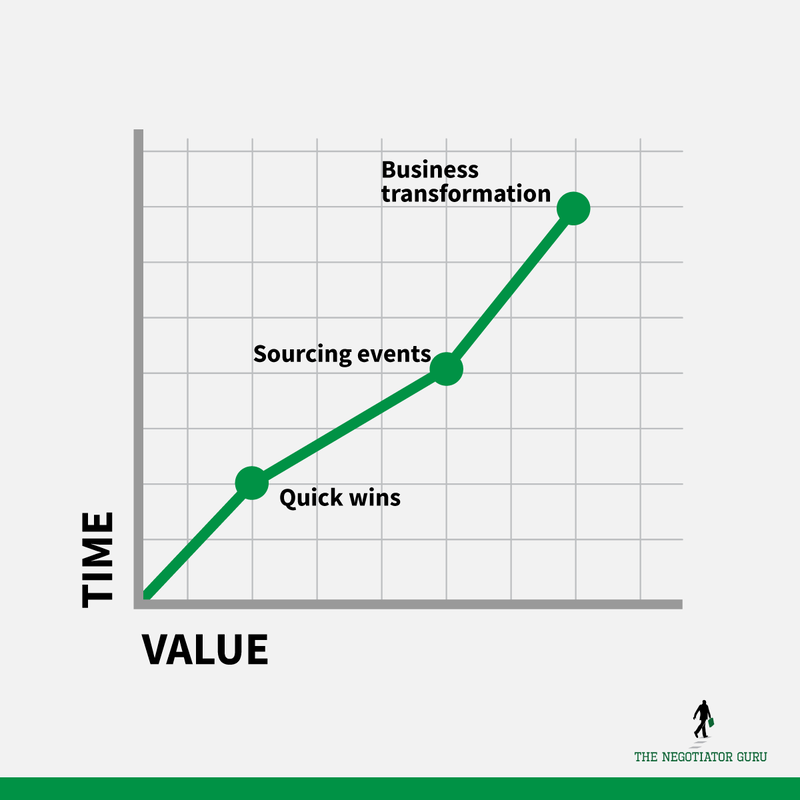
Identifying corporate synergy initiatives is a complex endeavor. You need a team of both internal and external experts dedicated to driving value capture for the NewCo (newly combined company). If your transaction is relatively small, this team can be as simple as one person… the point being there always needs to be someone dedicated to this effort.
Only outside expertise will be able to truly advise you on target market rates, supplier options, service levels, etc. You only know the rates and the companies you’ve worked with - you don’t know what other businesses are paying for the same products, not to mention any new suppliers coming your way through the M&A.
Bringing in outside help is critical to ensuring you are well-positioned to identify, analyze, and execute cost synergies on, and before, Day 1.
Legal Reasons
It's an SEC violation if you act on behalf of another publicly-traded company before you actually own them. This could be viewed as collusion within the marketplace.
To refrain from any violations, it’s advisable for companies to leverage external, independent advisors to ensure the information on the newly combined company is used appropriately and only for value capture initiatives.
You want to bring someone in who can help you do the appropriate analysis so that there’s a distance between your company, your employees, and the company you’re merging with or acquiring.
Process Standardization
No matter whether you are a 100-person company or 100,000, you’ll quickly discover the importance of having standard procedures within any M&A transaction. Program management information needs to be collected, analyzed, and presented in a consistent manner to eliminate ambiguity for senior executives.
Standing up a PMO (Program Management Office) who can standardize the analysis and the presentation of information can, and will, greatly reduce chaos.
You need to start the planning process immediately.
In an ideal world, the minimum amount of time you really need to get this right, for a large transaction of $1 billion or more, is six months prior to close to complete the planning process.
Ideally, you will stand up your Enterprise Integration Management Office (EIMO) once you enter the final due diligence process with your target company. Again, the earlier you can get this planning started, the quicker you’ll be able to realize those profits.
An EIMO is a separate individual business unit and is accountable for all the integration activities including both the identification of synergies as well as Day 1 activities.
The knowledge transfer process from your due diligence team to your EIMO and Integration Management Teams (IMT) will prove to be invaluable.
Experience has taught us that no matter how prepared you think you are, there will always be hiccups along the way. The longer runway you have prior to Day 1, the greater the probability your company will start saving money on, or before, Day 1 rather than in year 2 or 3.
In order to prevent both roadblocks and bottlenecks, you need to empower your people with clear and distinct decision-making authority immediately.
Most organizations fall behind in their execution plans based on a lack of clear decision-making authority when acting on behalf of the newly combined company.
This naturally drives all decisions to the EIMO which turns into a bottleneck for the organization.
We recommend setting clear guiding principles and tactical direction (via examples) early within the planning phase to ensure your key stakeholders are aligned and empowered to act as catalysts for the EIMO. While each organization’s decision-making authority and autonomy is unique to their culture, what remains consistent is the speed in which decisions will need to be made before, during, and after the transaction.
In short, the more authority you can safely push downwards inside of your organization, the better.
The change management process is critical.
Clear communication guidelines need to be created in coordination with your legal team and need to take into consideration internal, external, and regulatory impacts.
Internally, you’ll have employees concerned about their existing roles within the company and how the transaction will affect their lives.
Externally, you’ll need to manage expectations with suppliers of both companies.
Immediately upon announcing any M&A transaction, the phone will start ringing for both organizations. Suppliers will be trying to take advantage of the change to gain more business and/or to increase rates.
Be prepared to immediately publish a message to all your suppliers after an announcement. Doing so will help to avoid a tidal wave of requests within your planning phase. At a minimum, publish a blanket statement on your external facing website for suppliers to read in a self-service manner.
Clear and proactive communication both internally and externally will allow your organization to be ahead of the Q&A frenzy.
Two Key Phases of an M&A Transaction
Planning: Generally, this encompasses all activities between the transaction announcement and Day 1 (first day of the NewCo).
Execution: Generally, this encompasses all activities that take place to realize the operational synergies identified within the planning phase. Most commonly, these activities are post Day 1, however, we will discuss opportunities to start in the planning phase.
It’s critically important to start planning immediately after (or even before) the announcement of the transaction. If you fail to start pre-Day 1, it’s important to understand that you will have already lost a significant amount of potential value capture from the NewCo. As with any cost savings project, you need to prepare as far in advance as possible to ensure your execution teams are well prepared and aligned.
An Opportunity Tracker for Tracking/Reporting in Both Phases
Within both phases, it is extremely important you develop and actively manage an Opportunity Tracker in the interest of identifying 1) initiatives that are business-critical for continuity purposes and 2) those which will identify cost savings for the new company.
Tracking these initiatives in an easy to understand and consistent manner will provide several intrinsic values for your organization and its many stakeholders. Most importantly, it will serve as a single source of truth for reporting and execution purposes.
Your Opportunity Tracker needs to capture two primary areas of work: Operational Requirements for Day 1 and Value Capture Opportunities that contemplate action before, on, or after Day 1.
Example of a Day 1 Operational Requirement:
What happens to the acquired company’s email server after Day 1?
Do the companies merge their email platforms or do they keep them completely separate?
Who will be accountable for the transition plan?
While this action may not be a value capture initiative, keeping email working for the NewCo is arguably critical to business continuity. This is an example of an operational requirement.
Example of a Value Capture Opportunity:
A value capture opportunity is essentially a cost savings synergy that originates from the harmonization of suppliers, contracts, etc.
Expanding upon our email Day 1 requirement above, if your organization makes a decision that the NewCo will migrate to a single email platform (most common), this would create a value capture opportunity based on a contract/rate negotiation event with a new or existing supplier.
Examples of initiatives may include a renegotiation with Microsoft or a sourcing event to identify a new service provider. The objective is that you need to quickly and easily be able to isolate those line items that are Day 1 Requirements vs. Value Capture Opportunities. Within the Opportunity Tracker, each line item will include details about the Cost to Achieve, ROI, resources needed to achieve the goal, etc.
Download my Opportunity Tracker template to see how this information can be laid out.
We also go over the Opportunity Tracker in detail later in this article.
Organizational Design
Whether your business makes $1 million a year or $1 billion, every company needs to create an EIMO (previously explained under “You Need to Start the Planning Process Immediately”) that acts as its own specific business unit. The process is the same, although the size and scope may change.
If you’re going through an acquisition, the acquiring company is responsible for creating the EIMO business unit that reports directly to the CEO. If you’re merging, the company that will be retaining the CEO will be responsible for the EIMO.
Basically, the EIMO business unit needs to be attached to the leadership team of the new company.
Requirements of the EIMO
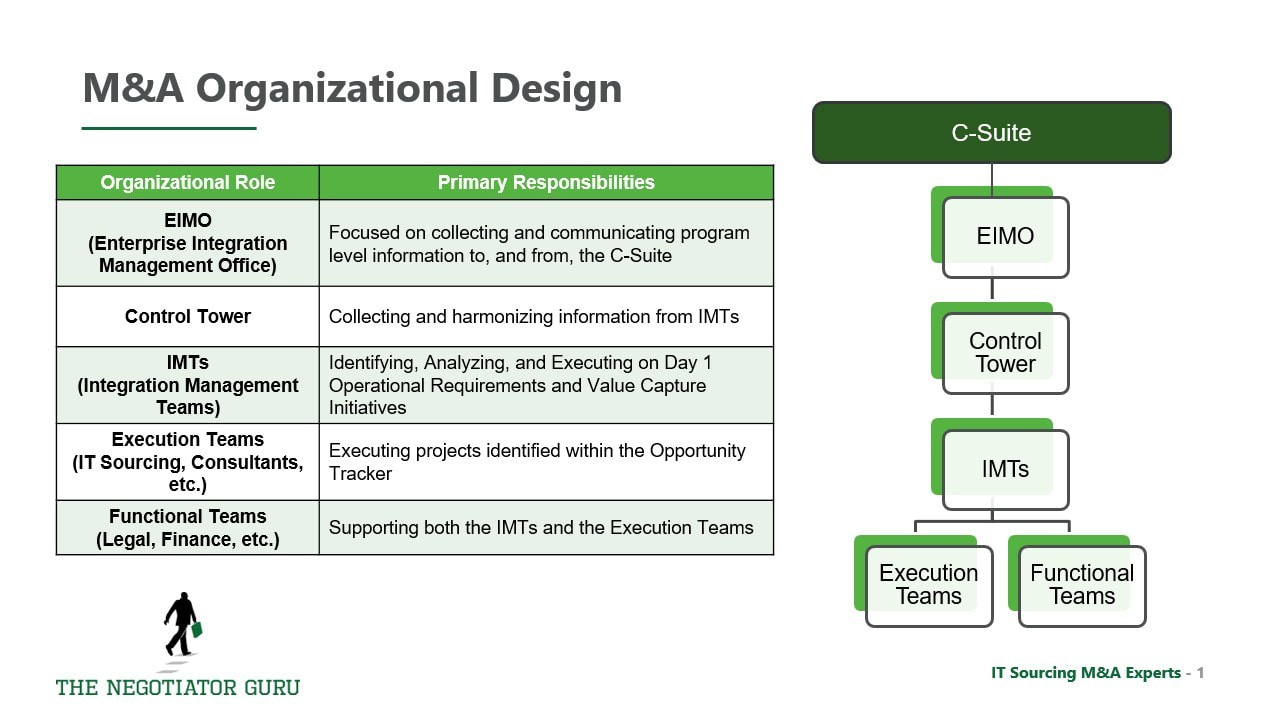
This unit needs to have its own budget. You know that in business, you’re going to have to spend money to make money and this temporary department is no different.
Most companies spend 5% of the new company’s value on M&A services in order to save 40% after the transaction is complete.
In addition to their own budget, your EIMO needs its own targets.
Although it’s not technically making money, it will be saving your company significant sums if organized properly.
Control Tower
Underneath the EIMO, you’ll have a Control Tower.
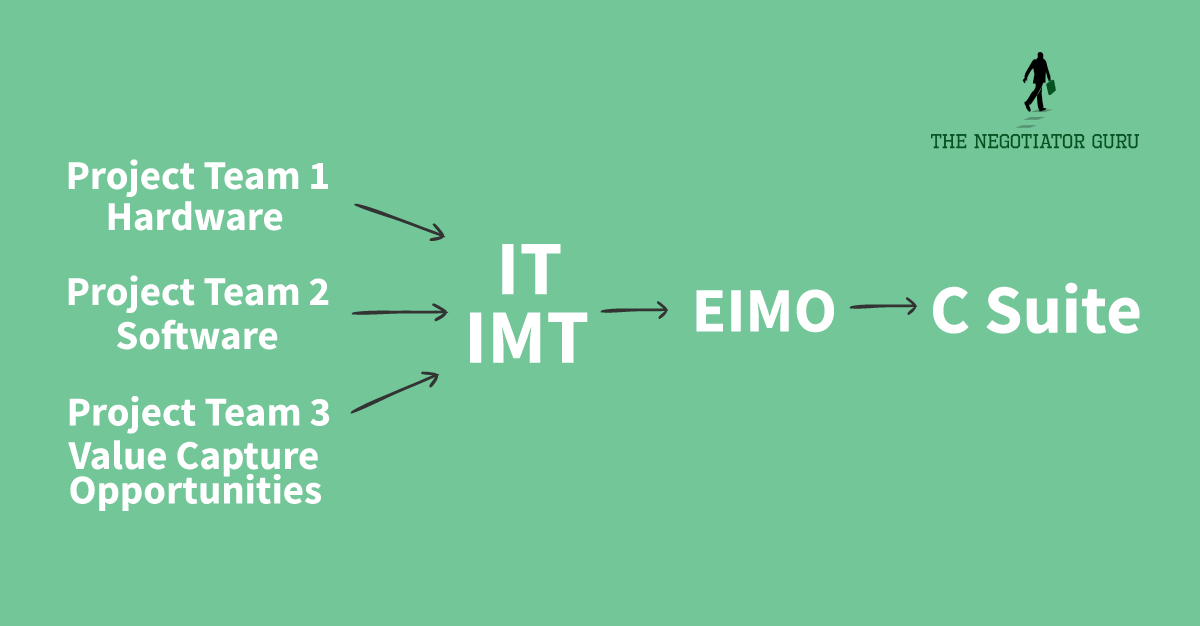
The Control Tower ensures that all of the information that’s coming from the IMTs (and the Functional Teams below them) are being harmonized in a consistent and actionable way. If all of the information is well organized, you’ll be able to make smarter business decisions.
Integration Management Teams & Leads
To properly succeed, you need a dedicated Integration Management Team whose full-time job is to identify synergy opportunities and Day 1 requirements.
This team will have a leader who is accountable for all the activities of the team. Reporting to the leader will be individual owners of specific initiatives or capabilities.
For example, in an IT IMT you’ll have one lead who is responsible for all the activities of the team and the rest of the team will be made up of one person per category of spend. Maybe one person in charge of infrastructure or hardware, another in charge of software, and another in charge of services, etc.
Basically, one person on the team per vertical of how the business operates. These individuals are accountable for identifying Day 1 operational requirements and value capture opportunities for the NewCo.
Functional Teams
While your IMTs are focusing on Day 1 operational requirements, it’s important for your IT Sourcing/Procurement team to work alongside these same teams in the interest of identifying value capture opportunities.
In realistic terms purely based on how large organizations operate, it’s important to recognize that the IMTs will often be more focused on Day 1 operational requirements while your IT Sourcing/Procurement team will be primarily focused on value capture opportunities. This is completely acceptable as long as there is continuous alignment.
Planning Phase
Step 1: Clean Room
During the very beginning of the Planning Phase, you need to set up - either virtually or physically - a Clean Room.
A Clean Room is essentially a quarantined environment where you store and analyze information about the new company you're either acquiring or merging. This information is only available to a handful of individuals within the IT IMT and Functional Teams, and they will be responsible for analyzing data, contracts, etc. in the interest of identifying both Day 1 operational requirements and value capture initiatives.
The room itself can be virtual in nature such as a secure SharePoint or Google Drive. The bifurcation of information from the rest of the organization is important to minimize public perception, as well as operational and regulatory risk. Make sure each individual that has access to this virtual or physical Clean Room signs a separate Confidentiality Agreement to ensure information is not shared with others prior to close.
Obviously, your legal team will be the ultimate determining factor for who should have access and when information can be shared more broadly as each transaction is different.
Most of your value capture initiatives will originate from the Clean Room as these individuals will be able to compare suppliers, contracts, rates, etc. and place them on the Opportunity Tracker.
Step 2: Gather Data
Both companies will upload data and information into the Clean Room.
The company being acquired (or losing CEO status during the merger) needs to upload their data according to the same taxonomy of how the new leading company categorizes their spend.
This is subtle but a very important nuance.
You, the acquiring company, want their data to match up with your spend categories as much as possible so that you can create an accurate analysis.
For example, your spend taxonomy splits categories out by hardware, software, services, mobile telecom infrastructure, etc.
When you acquire data from the other company, map their spend according to your own taxonomy so that you can have a one-to-one relationship between your current contracts and their contracts that will eventually have to become one unified contract. You want to compare apples to apples, not oranges.
Step 3: Analyze
When you have the Clean Room filled up with the data from both your company and the other company, you’ll be able to start analyzing the opportunities available.
This will give you your first look into:
- Combined company spend per category
- Supplier overlap, if any
- Current state rates per supplier/digital capability
With this information, you can start identifying initiatives within your Opportunity Tracker.
If each company has a Microsoft contract, for example, you can start looking at the costs in each of your contracts - who has better rates and how you can negotiate those further with a larger volume, etc.? This is considered a Quick Win opportunity.
If there is no supplier overlap in the same category of spend, then you don’t have a Quick Win opportunity but instead a Sourcing Opportunity. In this case, you can go to market with your new combined spend and do an RFP to move everyone to the same supplier under one contract instead of multiple.
Keep An Eye Out for Contract Risk
As I’ve mentioned before in other posts on IT Software negotiation, it is very common for major software providers to intentionally insert M&A language in their master service agreements and/or order forms that are very ambiguous and open-ended. What remains consistent is that, by default, this inserted language will always be in favor of the software company. Subsequently, they know their primary contacts within the client organization rarely review such language as it’s not top of mind at that point in time.
We find that 2 out of 3 clients entering into an M&A transaction don’t even think to look for contract risk within their existing contracts. Subsequently, we find this same statistic holds true for the number of times we identify risk in those contracts we review on behalf of the client.
One very common example of contractual risk we identify for clients is value-based pricing mechanisms. Specifically, large software companies will include language that indicates “the parties will readdress pricing based on increased customer value extracted from the platform.” We call this commercial risk as it essentially creates an open playing field for renegotiation. Some of our clients actually call this “ransom language” based on software companies being well aware of the cost of change to move off the platform during a very sensitive time. In other words, these suppliers will charge a “ransom” that is just under that of the cost of change baseline, just because they can.
While it may be fair to say the NewCo will achieve greater value from the platform, it’s important to proactively identify and mitigate (to the extent possible) any potential risks (such as commercial risk) to ensure you minimize and value capture slippage.
Other very common questions you should ask yourself during your contract risk assessment include the following:
- Are you allowed to terminate for convenience?
- Are you allowed to use your existing contract with a new subsidiary and/or wholly owned entity?
- Are you able to renegotiate the contract now to avoid any surprises after Day 1 and/or the natural expiration of your current contract?
When you’re doing this assessment, prioritize your time and energy around your largest spend contracts first. Look at your top 20 supplier contracts in terms of spend - no more than that - before you look at all the others.
You don’t have to comb through each of these contracts by hand either. There are software products out there that will do an Optical Character Recognition (OCR) scan for you and isolate contracts that have keyword risk.
Levels of Contract Risk Remediation:
Level 1 - OCR
Once you stand up your Clean Room with your various contracts and documents, you essentially want to run them through some sort of search tool to identify if they have any key topics that might trigger a negotiation event as a result of the transaction.
A few examples of OCR companies include Kronos OCR, Seal OCR, KIR OCR, Vanguard OCR, and a few others can be found here. We have no affiliation with any of these products, we merely want to provide information you may find useful.
Common causes for renegotiation include:
Assignment - Does the contract allow you assign it to another company? You’re buying the company but not all contracts can be assigned during an M&A.
Change of Control - This concept is similar to assignments. Basically, does the contract include continued control language that would allow for a new company to take over said contract?
Governing Law & Dispute Resolution - What state, county, or jurisdiction does this contract live in? Some suppliers don’t want to work in specific jurisdictions because of legal restrictions or political friction.
Limitation of Liability - Your legal team will have language surrounding what kinds of liability guidelines they’re willing to accept, especially with suppliers. During an M&A, you’re acquiring so many new suppliers it’s easy to lose sight of this potential risk, particularly within the R&D field. As contracts naturally expire, you’ll want to align the new suppliers to your standard contract language to minimize risk.
Renewal - Are your contracts set to automatically renew? Are they evergreen?
Restricted Covenants - This language essentially outlines that, in order to receive your pricing today, you basically have to spend a certain amount (or meet certain thresholds) per contract cycle/year. These contracts include Minimum Spend Levels.
Termination - Do the contracts include Termination for Convenience? If they don’t, you need to know the terms of termination and weigh that as a “cost to achieve” within any initiative within the Opportunity Tracker.
These are some of the most common reasons for renegotiation with suppliers. While it’s possible to have human eyes scan contracts for this language, it’s much less expensive to have a software churn this out for you with the intent and understanding that this process will only highlight 75% (at best) of your basic risks.
We always recommend you supplement strategic supplier contract risk assessments (typically your top 10 suppliers by spend) with a Level 2 assessment.
Level 2 – Human Eyes Looking for IT Risks
Level 2 contract risk evaluation is necessary to identify specific and material risks that may adversely impact your company. From a tactical perspective, this requires human review with a specific focus on high impact risks to your organization.
The following risks are typically identified in Level 2 evaluations:
Volume Based Pricing (Data Pulls) - No matter the size of the M&A transaction, you’ll almost always have two different suppliers providing the same or similar service. If you aren’t able to consolidate to one supplier right away, and require data to be pulled/integrated from multiple systems, you have the potential to see volume-based contracts skyrocket for 6-12 months as a result of both companies using both services.
It’s important to remember that volume-based contracts come in all shapes and sizes ranging from raw data consumption to API calls. It’s important to conduct an assessment of your Day 1, 30, and 100 requirements to ensure, at the very least, your most strategic supplier relationships (aka highest cost contracts) are analyzed to proactively identify this situation. Identifying these additional costs on, or around, Day 1 will inform your business case on how quickly you merge systems, processes, etc.
In situations where two companies need to run concurrent systems for quite some time for operational and/or regulatory reasons, it’s very common for this to create a “negative synergy.” In other words, this will be an added expense to the NewCo that will degrade the potential synergy cost savings generated from the transaction.
You need to identify systems/processes that will run concurrently as early as possible within the Planning Phase. The supplier contracts that are governing these systems/processes will need to be analyzed immediately to quickly identify the potential financial impact to the NewCo. Naturally, if you identify a situation that causes you to spend an extra $1 million+ during the transition period, you’ll be more inclined to get it streamlined earlier rather than later.
Pricing Mechanisms tied to moving targets (R&D department spend, annual revenue, etc.) - Almost all software suppliers sell with a “value-based pricing” mindset but only some of these suppliers charge a customer tactically in this manner. Within large organizations, we often find this within supplier contracts supporting the R&D department.
Some software suppliers charge by value obtained while others benchmark the perceived value extracted by utilizing your annual revenue, and/or R&D spend, as a cost metric.
This can be a slippery slope because, for most businesses with an R&D department, your annual spend is going to double. Without the proper protections in place, this potentially equates to your existing contract cost doubling as well.
While contractually this is something they may be allowed to pursue, most strategic suppliers will accept an M&A transaction as a renegotiation event IF you catch this potential risk early.
Yes, we intentionally underlined “IF” within the last sentence. It’s important that you renegotiate these contracts as early as possible before your cost and leverage spin out of control. If properly managed, most savvy software suppliers will accept a decrease in their potential future revenue if they feel comfortable that they will secure a strategic position within the NewCo’s supply base. Again, this needs to be very carefully managed.
License Restrictions - Are there country-specific license agreements? Or are they global in nature?
For example, if a software contract only allows you to use their platform in a specific country, but the NewCo will require employees to access that same platform globally, you could be hit with massive fines for license infringement.
Notice Obligation - Does a contract require explicit notice prior to an acquisition or merger taking place in order to be transferred to the NewCo?
If notice is required, and you don’t provide the same during your Planning Phase, you could find yourself in breach of contract and face heavy fines, a potential lawsuit, or termination of service.
The NewCo Spend Baseline & Supplier List
Just like building a new house, it’s important you build a strong foundation. Your foundation for the NewCo starts with a combined spend baseline and supplier list.
Tactically speaking, this can be achieved through spend visibility tools or by just using a simple Excel Spreadsheet. From a baseline perspective, you will want to create a master list of all your suppliers, which organization they are currently supporting, and the annual spend of each split out by organization (if the supplier is servicing both companies). Data permitting, we also suggest you identify “how” each supplier is supporting each organization by assigning a spend category and/or a digital capability taxonomy code. If you have this level of detail, it will prove to drive efficiencies for downstream analysis activities.
Create your spend/supplier baseline as soon as possible during the Planning Phase. Subsequently, you’ll want to create this baseline before you start identifying any cost savings initiatives no matter how much your organization is pushing for the same. We have seen countless hours wasted when clients, and/or partners, start identifying opportunities before they have built and aligned on, a foundational baseline.
While this may feel like a tactical step, it is extremely important as it creates the foundation for future steps you’ll take.
From this foundational list, you’ll be able to quickly identify, analyze, and execute the following Quick Wins:
- Identify duplicate suppliers providing the same service to both organizations; and,
- Identify overlapping services across multiple suppliers.
IT Sourcing Initiatives Identification
This next step needs to be done in a very coordinated and organized way. For simplicity purposes, we suggest creating a separate Excel Spreadsheet that is purely dedicated to identifying synergy opportunities.
We strongly advise this be a standalone document for quality assurance, data backup, and access control reasons. Within this document, hereby referred to as the “Opportunity Tracker,” you will be proactively identifying your value capture initiatives, stakeholders, synergy targets, etc.
The Opportunity Tracker will serve multiple downstream purposes but most importantly will serve as a single point of truth for synergy planning and execution. It will help you identify prospective value capture (financial opportunity) and the time and resources it will take to achieve them.
The overall guiding principle is that this Opportunity Tracker is going to keep your initiatives straight from a Project Management standpoint and it’s going to help you prioritize what to work on first.
Your Opportunity Tracker should classify opportunities based on:
Initiative Grouping - This is usually based on supplier and/or digital capability. The main priority here is to roll multiple actions with one supplier into a single initiative.
Category of Spend - Categories of spend may include IT Software, Hardware, Mobile Telecom, etc.
Type of Opportunity - There are 3 different types of opportunities (referenced above under “Value Capture Initiatives”): Quick Wins, Strategic Sourcing Events, and Business Transformation.
- Quick Wins are those initiatives that can be done quickly and with very little effort.
- Strategic Sourcing Events are initiatives that require a sourcing professional to source the marketplace to capture the most value for your NewCo. Most commonly, this will include activities such as supplier rationalization.
- Business Transformation initiatives fundamentally change the way you do business. These generally take the longest amount of time, effort, and budget but will return the greatest amount of value to the NewCo. Most commonly, these initiatives will include process changes, etc.
Supplier Impacted - It’s very important to identify which supplier(s) will be impacted by each initiative. You want to be sure to break this out by organization so you can quickly identify the location of the impact.
Stakeholders - In this cell, you need to identify key stakeholders that need to stay aligned and supportive of the initiative. The identification of key stakeholders is very important not only for project tracking purposes but also for tracking change management efforts. Specifically, you’ll want to ensure stakeholders are aligned to the “why” statement of any change so they can proactively act as change catalysts. Other downstream ways to use this data will be to ensure cross-pollination of ideas, identify and proactively prevent burnout, and to enable delegation.
Frequency of Savings - Will tackling this initiative give your company recurring savings or is the value capture a one-time occurrence?
Type of Synergy - There are basically 8 different types of synergy that I’ll go over briefly here:
- Wedding Present - When a supplier gives you cost savings or a concession in the interest of goodwill. They want to be in your good graces during and after the M&A.
- Demand Optimization - When you are lowering demand to use a specific supplier or to use a specific service. Your costs go down because you have fewer licenses, etc.
- Supplier Rationalization - We touched on this briefly in the Strategic Sourcing Events section above. Depending on niche offerings, digital capabilities, rates, etc, you need to deliberately create a supplier strategy that drives the greatest value for your NewCo. This may, or may not, include eliminating duplicate suppliers, etc.
- Process and Specification Rationalization - Takes place when you’re eliminating duplicate processes, etc.
- Payment Term Optimization - This primarily focuses on improving cash flow terms for your NewCo by extending payment terms, net discount rates, etc. This is a very important, but tactical, synergy opportunity that collectively could make a significant net positive impact for the New Co.
- Price Alignment - Quite simply, the process of leveraging an existing contract that secures the best rates with a single supplier.
- Supplier Relationship Management - This is often harder to quantify from a value capture standpoint but often a critical component to strategic suppliers for the NewCo. Identifying an initiative with this classification is a deliberate identification that a supplier relationship needs to be uplifted in order to extract the greatest amount of potential value.
- Volume Consolidation - Last, but certainly not least, this classification focuses on consolidating the volume of spend with suppliers to drive better rates and commercial terms for the NewCo.
Confidence to Achieve - While completely subjective, determining whether you have high, medium, or low confidence in achieving this initiative is still an important consideration for tracking and prioritization purposes.
Time - Identifying the amount of time an initiative will take in order to start achieving the synergy. This is one of several critical variables within the Opportunity Tracker to ensure synergy financial planning and resource allocation alignment. We recommend quantifying this in terms of months.
Resource Requirements - In this section, you outline what resources are required to successfully execute the initiative. This includes both internal and external resources.
Internally, which of your staff will be attached to the execution of this project?
Externally, will you need advisors? Sourcing support? Legal, financial, or PM support? This can come in the form of advisory support to identify “should cost” benchmark rates, management consulting, or sourcing professionals who know how to run sourcing events (ex: RFPs).
You’ll want to establish a baseline cost for each role in order to calculate a “Cost to Achieve” over time. The Cost to Achieve is your gross costs that will be incurred during the Planning and Execution of a specific initiative. In other words, these are negative costs against any specific synergy estimates for a specific initiative. Naturally, you will want to identify and execute those initiatives that have the lowest Cost to Achieve with the greatest synergy potential.
Synergy Estimate - In this cell, you’ll identify the financial value capture target you have identified (by year) for the NewCo. In a perfect world, this should be calculated as the net synergy which contemplates the gross savings potential against your gross Cost to Achieve. In doing so, you’ll be able to better prioritize resources to those initiatives with the greatest potential upside.
One important thing to note about these synergies - each initiative can have more than one synergy opportunity attached to it!
Execution Phase
In order to successfully execute your plan, we recommend focusing on a few foundational concepts that we have found (through client feedback) organically drives downstream efficiency. In the interest of brevity, we have included a basic outline of these best practices below.
Establish Guiding Principles to Prioritize Projects
The first thing you want to do is establish guiding principles around how individual projects will be resourced based on complexity and value capture potential.
It’s critical to align with your internal finance team on a cost-to-achieve metric that is consistent across the organization. You need to have a clear run rate value identified for the several different internal resources types that will be supporting the execution of your projects. At a bare minimum, you need to identify a blended hourly internal resource cost that is all-encompassing.
To drive process efficiency, you may be more inclined to push decision-making authority farther down into the organization and enable project teams to make decisions based on value vs. cost.
This will decrease time to value on your synergy initiatives. It eliminates the need to request resources or approval to hire from the EIMO which would otherwise bottleneck progress.
We recommend allowing Project Teams to make unilateral resourcing decisions if the cost to achieve is 30% or less than the expected value from the project.
For example, if you project to save $100K by completing this initiative, then it’s acceptable for the Project Team to spend $30K to achieve the savings without a need for individual requests for approval.
Internal Alignment is Critical
The most important thing to keep in mind during the M&A Execution Phase is ensuring continuous alignment between Functional Teams, IMTs, and the EIMO.
In order to keep alignment between the teams, you need to leverage the Opportunity Tracker as the single point of truth for all initiatives and their respective synergy targets. The Opportunity Tracker should be accessible by all relevant stakeholders that are looking to consume information about synergy targets, project status, etc. The more you enable a self-service environment the less you’ll need to respond to data requests, etc.
Subsequently, we recommend establishing weekly check-ins with both Project Execution and Leadership Teams to ensure continuous alignment. During these meetings you should also raise any material issues, risks, and/or achievements for immediate recognition and triaging.
With all of this being said, it’s important that you are cognizant of not placing too many meetings on the calendar that may be close to the same purpose. This problem already exists in almost every corporate culture during the normal course of business so please recognize that this problem will exacerbate itself in an M&A environment.
This graphic represents how we believe weekly project alignment should occur:
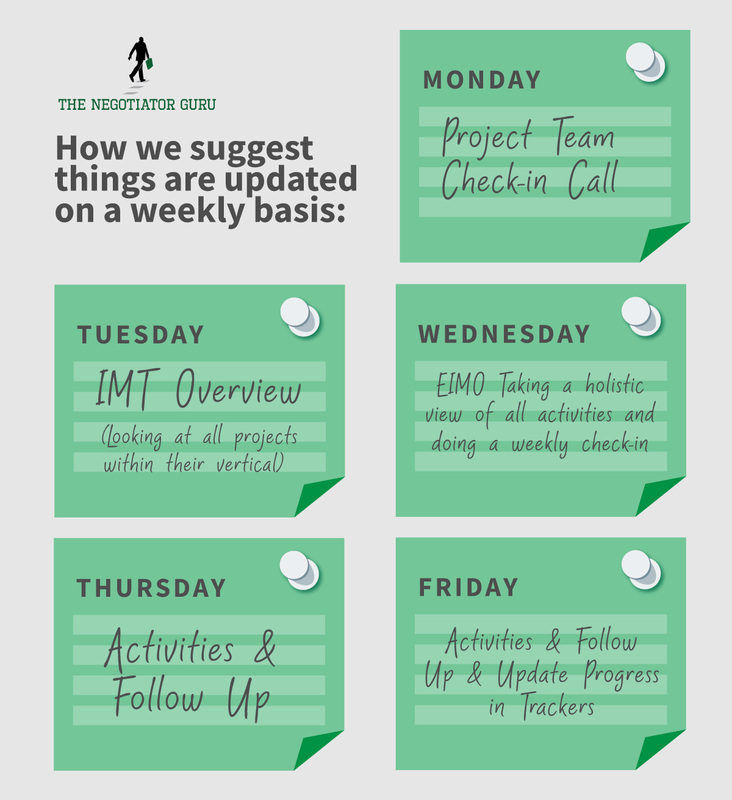
This weekly cadence encourages Project Teams to make substantial forward progress before Friday of each week. In other words, this naturally incentivizes those with a personal drive for success to share actions taken/planned each week.
The Opportunity Tracker (as the single source of truth) will enable Leadership teams to monitor this progress in both a self-serve and meeting environment so they can be prepared to ask and answer questions. As we hope you can now see, the Opportunity Tracker will be the discussion platform of choice during both Planning and Execution Phases as it will be managed and presented on a weekly basis in a multitude of forums.
Don’t forget to include the Finance Department in these weekly updates. By doing so, you’ll eliminate any surprises down the road from a synergy tracking standpoint while also ensuring proper expectations are managed at the C-Suite level.
Build a Control Tower
Leverage a Control Tower framework to ensure information is reported in a clean and consistent manner.
This is especially important when reporting information to the EIMO who is then reporting information to the C-Suite.
The Control Tower should report on the following topics:
Resource Allocation Monitoring - How many resources are being used? Are you overtaxed or undertaxed in certain areas of the organization?
Value Capture Initiative Status - How many projects do you have underway and planned? What does your pipeline look like?
Synergy Target Update vs Actuals - This is an update of the financial synergy targets for planned projects, and the actuals for projects that are underway.
Significant Risks/Issues - These can’t always be predicted ahead of time and should be communicated as they arise.
Each of these topics need to be addressed with each IMT. This information should then be harmonized, prioritized, and presented in a consistent manner to the C-Suite.
Establishing clear lines of communication, decision-making capabilities, and tracking systems combined with weekly alignment meetings will help ensure a smooth and efficient Execution Phase.

My 3 Guiding Principles for The Negotiator Guru
Imagine you are a C-Suite executive and your business is built on a franchise model.
Each franchise branch is owned and managed by a different person but they all use the same ERP and the big corporate umbrella entity that you own pays for all the services.
The individual owners dictate which software and services they use, how many licenses they need, etc.
Your annual bill for all the different contracts comes to $2.5 million.
How would you feel if I looked through your contracts and told you that, based on the prices your peers pay, you should actually be billed closer to $900,000 - a more than 60% savings - for the same host of services?
You’d probably want to flip the table we’re sitting at.
I started The Negotiator Guru because I believe in 3 things:
- Clients should all pay the same price for the same product*
- Clients have the right to know what rates they should be paying in comparison to their peers.
- Clients should know what to look for in software contracts to eliminate potential issues before they arise.
I want to go into each of these beliefs in more detail and give some case study examples to further demonstrate why I think these points are so important.
Clients should all pay the same price for the same product.
It’s common for people to believe the price they’re paying is equal to what their neighbor paid for the same product.
Due to both Master Service and Non-Disclosure Agreements between most software vendors and their customers, companies are not allowed to publicly share what rates they’re paying for their different products/services. Subsequently, software suppliers will almost never advertise a specific price point for enterprise customers but rather indicate “call for details” in the interest of driving the most revenue from the potential relationship.
In other words, in the art of enterprise SaaS sales, you won’t find any published rate information for you to benchmark your contract against. The only way for you to identify whether or not your rates are competitive is to engage a firm that holds that market intelligence as a result of analyzing contracts on a daily basis.
The fact of the matter is: Prices always vary.
No one pays retail as an enterprise customer but some companies achieve significant discounts compared to other similarly-sized operations.
In some cases, you’re getting ripped off if you’re not getting an 80-90% discount off published prices.
It wouldn’t be logical to expect a huge company like Coca-Cola and a small startup to be paying the same price purely based on volume alone. But brands of the same size with similarly-sized contracts (based on annual revenue & annual spend for their contract) should be paying the same price.
I have great respect for wonderful sales executives who sell value to customers, but my company believes the market should dictate a fair price for all IT goods & services (Services, Software, Hardware, etc).
The enterprise sales executive is arguably the greatest asset these IT companies have within their organizations. The good ones truly know how to sell “perceived” value.
Regardless of how personable a sales executive is, we believe the market should dictate what a fair price is - much like buying or selling a home. In order for this work, we believe that rate information should be readily available to customers. In order for this information to be shared legally, we need to enter into a commercial agreement with your company and charge for these advisory services.
Clients have the right to know what rates they should be paying in comparison to their peers.
On a daily basis we see similar-sized clients with similar-sized contracts have a 30 – 60% price variance.
Now, whether this is because some companies didn’t have strong negotiating skills or perhaps they just didn’t know how their contracts compared to the market doesn’t matter. What does matter is that clients know how their contract prices compare so they can make future decisions accordingly.
Ideally, through access to more information regarding IT contract pricing, you’ll be able to secure the best rates for your company. Leveraging this information can significantly impact a company’s bottom line.
But even if you aren’t able to achieve best-in-class pricing, we believe you should know what those rates are to empower decisions on how to work that supplier moving forward.
Often, relationships with IT suppliers run into the roots of your business and once you’re in that deep, it can be hard to break loose to find another vendor.
Even if you can’t get off of a big platform like Salesforce, Oracle or another ERP, you can make better-informed decisions about how you’re going to increase or decrease your use of that platform in the future.
There are a few market intelligence firms out there that supply basic and watered-down pricing information to clients but require a $30,000 per year subscription fee (per seat). This cost to have access to this benchmark data isn’t a feasible or justifiable expense for many companies.
We don’t feel that only Fortune 500 companies should have access to market intelligence firms and benchmark data.
The existing methods used to decide what the best price really is for any given enterprise could be improved. Most market intelligence firms take a general approach to setting correct pricing rather than looking at the specifics of each contract and the unique needs of each company.
For example, these firms will recommend that you should be getting a 60% discount if you’re spending $1 million with a particular IT company as a blanket rule.
Instead, we take into consideration the specific needs of our clients and use a Right Size, Right Price approach within every contract negotiation.
Clients should know what to look for in software contracts to eliminate potential issues before they arise.
Having a deep understanding of the terms of your most expensive contracts will help you save hundreds of thousands of dollars.
Here I want to briefly outline a few common contract issues that I see my clients face:
Price Protection (and not just by SKU)
Price protection generally comes up when you’re signing your first contract with a software provider. IT companies will compete for your business by offering you the lowest prices for their services with the expectation that they’ll be able to raise the rates once you’ve completely adopted the product.
Companies will always try to find ways to increase your annual expense. This is largely due to sales incentive plans in place with their sales development organization. Common tactics used by software companies include random internal audits to monitor usage (overage fees), product lift and shift changes (new SKUs), and service fees (for enhanced customer support).
More often than not our clients are very astute individuals that use their best efforts to price protect their organization’s contract for future years. That being said, it’s unrealistic to think anyone knows how to mitigate all the potential risks unless you do this everyday.
For example, to mitigate against the software companies from simply changing product names (SKUs) to bypass any preexisting price protection you may have on a specific product, we suggest you introduce contract language that protects your company using your total spend (vs a product-specific SKU) as the common denominator.
M&A Language
Make sure you have specific language in your contract about what happens in the case of a merger or acquisition.
Be sure to include language about a Termination for Convenience. This is a provision allowing you to get out of the contract if you acquire, or are acquired by, another company within a certain time frame - usually 90 days to 6 months.
Termination for Convenience eliminates the risk of having duplicate service providers for the same service after the transaction is closed. Without this stipulation, companies can find themselves with millions of dollars in expenses that are avoidable.
Note: In the interest of this article’s brevity we aren’t going to stipulate all the protections you need in an M&A transaction as this will be further explored in a future article. While the guiding principles of what to include within your contracts will remain consistent, client-specific protections will always require advisory services.
Termination for Breach
Termination for Breach language is important information to include in your contracts. In these cases, attorneys have to be involved and mal intent has to be proven by the accusing party.
This rarely ever happens and having the language laid out in the contract incentivizes IT companies to behave their best throughout the contract term.
License Limitations
It’s common to have language surrounding license limitations in your contracts. This basically says that you can use a specific license at a specific site for a specific reason.
These stipulations probably make sense on the surface and won’t alarm the person reading the contract but in most companies, with thousands of employees, not everyone is reading the contract. This could lead employees to inadvertently infringe on how the license may be used.
The best way for most companies to avoid this is to have seat-based pricing attached to specific personas (usage rights) rather than volume-based pricing.
Audit Rights
We’ll go into this further in a future article but I want to point it out here that you should be in control of the audit capabilities - don’t leave that in the hands of the supplier.
When IT companies retain audit rights, they have a Trojan Horse to get inside your company and find more ways to increase your pricing. They already know more about your company than you do - don’t give them the reigns to take over completely.
Roles & Responsibilities (when working with multiple parties)
Establishing clear lines of accountability is incredibly important when you’re working with multiple third parties.
As the owner of Company ABC, you’ve got Supplier X and Supplier Y. In each contract where there are dependencies for another supplier to take action, you will want to include a Roles & Responsibilities Matrix so that all parties are contractually agreeing to the same responsibilities/accountabilities. Conducting this exercise is not only a good way to align parties prior to the start of any project but also contractually protects you from any finger pointing across these same parties which will ultimately cost you time and money.
This Roles and Responsibilities matrix is oftentimes called a “RACI” Matrix - Responsible, Accountable, Consulting, Inform. The example below shows how it is used to clearly define roles and responsibilities across and within parties.
You can clearly see the task at hand, who is responsible for it, who is accountable for it, who needs to be consulted for it, and who is informed by it. Where appropriate we suggest including your internal resources as well as more often than not your suppliers will require your team to take action as well. Our clients use the RACI matrix process within their internal organizations as well to drive alignment and avoid potential issues before they arise.
From a tactical perspective, it’s important that the same RACI matrix is included within each supplier’s contract so that everyone is operating from the same table, terms, and conditions. This often takes some negotiation but with the proper foundation and alignment, you shouldn’t have any pushback from your suppliers. In fact, if you do have a supplier that is heavily pushing back against this exercise we recommend our clients view this as a potential leading indicator for what’s to come with that particular relationship.
With these 3 guiding principles, we ensure our clients are negotiating the best contracts for their needs.
Whether you’re in the process of negotiating your first IT contract or are looking to save big on your next renewal process, we’re here to share our experience and expertise with you.
We want to ensure that you’re paying the right price for the right products.
We want to make sure you have benchmark data to help you make decisions about the future of those contracts.
We want you to avoid contractual pitfalls by including key language around important, often overlooked points.

The Difference Between Gartner & The Negotiator Guru
Gartner, at its core, is a market intelligence firm. It uses a wide-angle lens to give you a big-picture view of market and industry trends. You can use their data as general negotiation guidance and add their toolkits to your own.
There is absolutely value in this broad-stroke model but it can be limiting when it comes to looking for data and resources that more specifically mirror the size and needs of your organization.
In this article, I want to outline the similarities and differences between a simple market intelligence firm approach and a niche service provider approach. There are many reasons you might want to research best practices from a 30,000-foot view as well as dive deeper at a 5,000-foot view.
Many of my clients will use both Gartner’s and The Negotiator Guru’s (TNG) services to achieve the best results for their companies.
The graphic below gives a basic overview of the similarities and differences between our companies and we’ll break each one down in this article.
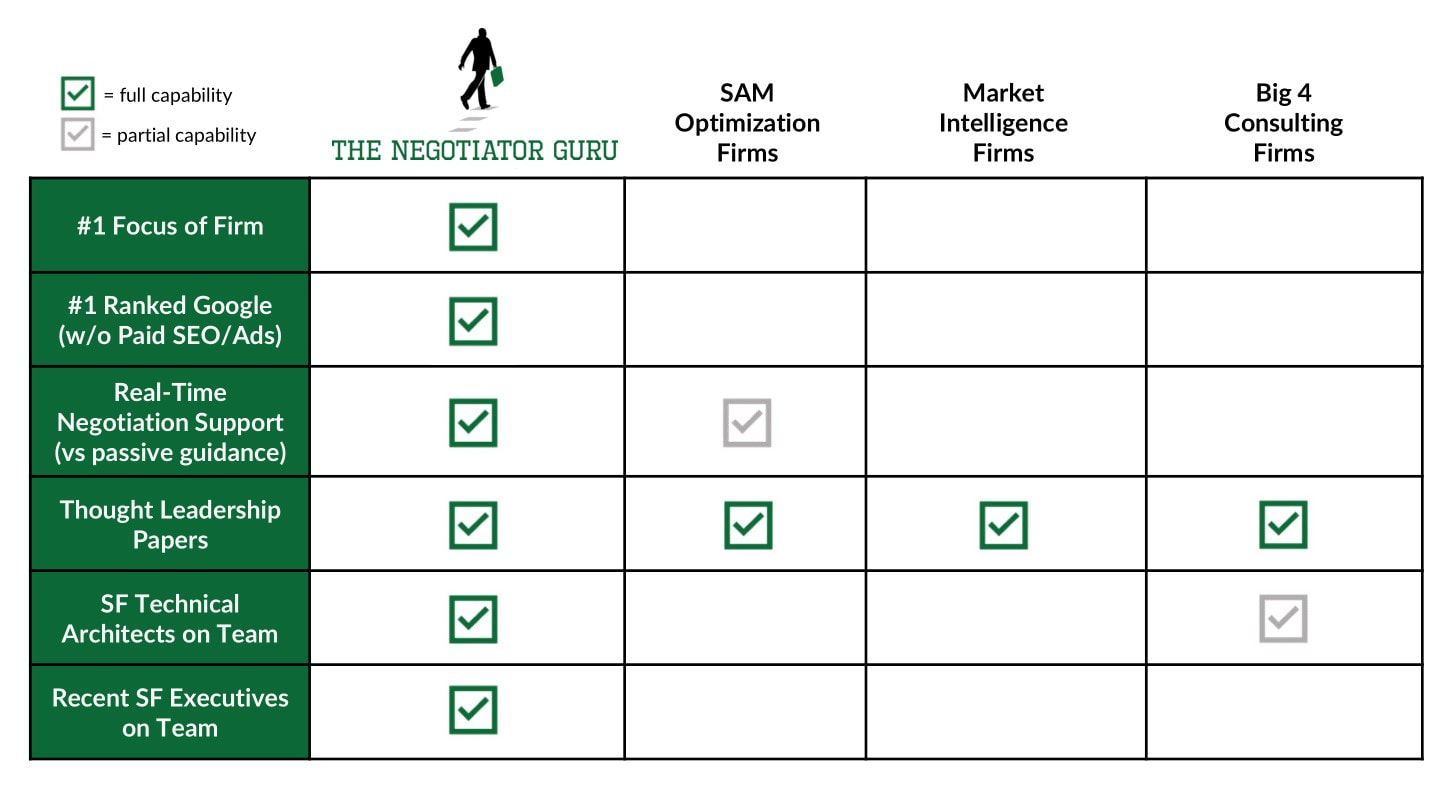
There Are Some Similarities Between Gartner & The Negotiator Guru
Both Gartner and TNG provide information on market and industry trends as well as general guidance on IT Cost Optimization. We have each developed our own toolkits to strategically approach each client’s needs. We overlap when it comes to providing general guidance to CIO’s.
Our companies also both provide rate benchmark data although, as you’ll read below, we go about this in different ways. Gartner has quite a bit of data they provide in aggregated terms which is useful but, without isolating the information by industry or annual spend or similar categories, it can be difficult for CIOs and their supporting functions to narrow down actionable intelligence that is defensible and realistic.
There Are Many Differences Between Gartner & The Negotiator Guru
The keyword I would use to describe the services Gartner and TNG have in common is ‘general.’ Gartner is a great resource for general information across a wide array of topics but rarely provides niche depth that our customers are longing to consume.
In contrast, TNG has a deep and disciplined focus within the IT Software vertical which enables our team to share actionable insights that are localized, specific, and highly relevant to our clients. In fact, it was our early clients that helped shaped this disciplined focus as they made their niche needs clearly known to our team. Due to our outstanding client family, TNG has been on a journey to fill our clients’ market intelligence needs for specific supplier relationships. This has organically driven our firm to be the worldwide leader in Salesforce Contract Negotiation Advisory Services which typically is 80% of our work portfolio at any given time.
With the average cost of a Gartner subscription being $30,000 per seat, plus additional consulting costs in order to receive personalized advisory services, it’s worth your while to be informed on what they can and cannot help you achieve.
Because we provide specialized data and consulting services, we’re able to dig deeper into our clients’ businesses and tailor our process to better achieve the results they’re looking for.
The following are a few of the specific areas The Negotiator Guru differs from Gartner in terms of what services and results we can offer our clients.
Right Size
While Gartner has a wealth of industry data and information, it can be nearly impossible for a client to look at the data and isolate a specific instance to best compare themselves to their peers. This leaves clients feeling informed but uncomfortable about how this information is applicable, and more importantly defensible, within their environment.
In certain circumstances, Gartner will provide “best in class” rates for a specific digital capability or service portfolio. One would argue that this provides directionally correct price targets to use as a market intelligence within their supplier negotiation. We generally agree, however, it’s important to note that your software sales executive (or worse yet your internal colleagues) will very quickly share with you that you don’t fit the profile of those rates for XYZ reason. We know this because we’ve been in these conversations on countless occasions.
In the rare case that you obtain “best in class” rate information for your specific topic of interest, you are still missing a critical piece of knowledge which we call our “Right Size” guidance. Using conservative figures, there is a 15-20% value-capture opportunity just by applying Right Size practices to your research and internal analysis before entering into any IT contract negotiation
Our supplier-specific expertise is one of the biggest contributors to this Right Sizing approach.
Within our Discovery Phase, we take an inventory of your current products and licenses and match them against your actual business needs. Almost always, we find that our clients are over licensed and have shelfware within their environment. This is an example of Right Sizing.
From a Right Pricing standpoint, not only do we understand “best in class” rates, we localize price targets based on industry, client size, and contract value. This enables our clients to feel 100% confident about the market intelligence as we’re benchmarking their rates against that of their likesize industry peers.
To expand upon this difference, we’ll use our expertise in Salesforce as an example.
As raised and validated by leading consulting and intelligence firms, TNG has the most comprehensive database of Salesforce rates in the world. This capability allows our team to quickly and easily perform a price benchmarking exercise for our clients. In many instances, we’ll inform prospective clients that their rates are within an acceptable margin of their “Right Price” benchmark and that the only real opportunity (if any) is to pursue “Right Sizing” inside of their environment. At TNG, our culture and client centric values direct our work and guide us to only accept prospective clients where we know with certainty there is a strong potential to drive huge impact.
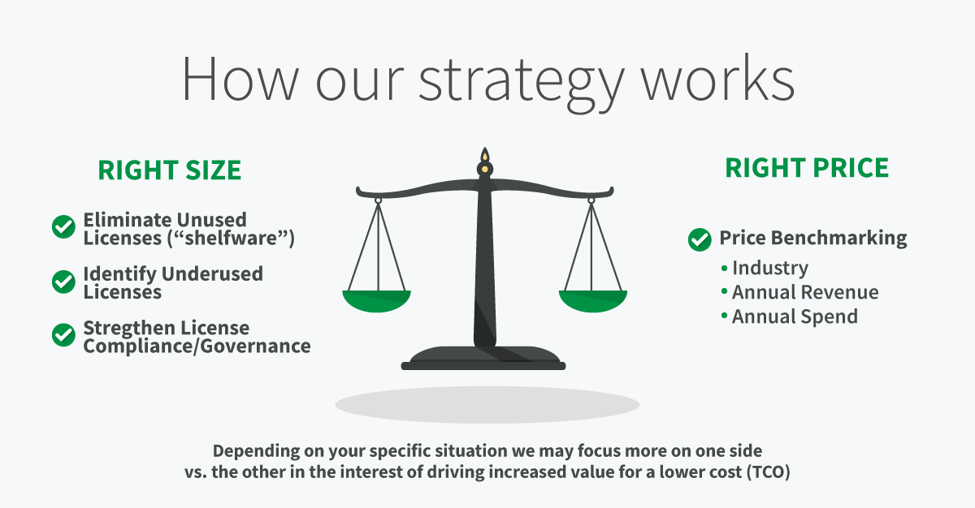
Being able to combine Right Price and Right Size analysis will have a significant impact on the effectiveness of your supplier negotiation strategies.
Contract Language Risks
As a result of our deep supplier-specific expertise, our team on average analyzes 5 - 15 software contracts per day. As a result, we know what’s “normal” with all of the large enterprise software platforms and any common risks that are inserted unbeknownst to our clients. By doing this every single day, our team is easily able to identify commonly-used, ambiguous language that always favors the supplier.
Large software companies know their customers rarely spend time analyzing terms and conditions within their contracts. Furthermore, the widely accepted principle of Software-as-a-Service (SaaS) leads clients to believe the terms are standard and unchangeable.
Unfortunately, this simply isn’t true. As part of our Contract Execution Phase, we conduct a deep dive assessment of our client’s supplier contract as part of our standard service (another major difference from Gartner). To put the impact of this added service into context, our team identifies a unique contractual risk within SaaS contracts alone 33% of the time. If the contract we are analyzing is not a SaaS contract, contractual risks are identified, on average, 85% of the time. Knowing what to look for in each supplier’s contract language helps our clients avoid common pitfalls and supplier-centric renegotiation strategies.
Sales Playbook Coaching
Another key difference between taking a general approach on market intelligence (Gartner) vs. a software specific deep niche (TNG) is the ability to learn and leverage the sales playbook(s) for these large enterprise suppliers. It may not surprise you that within the most successful software sales organizations are repeatable and prescriptive sales playbooks that guide the near robotic actions of their sales representatives.
As a result of learning these sales playbooks we are literally able to tell our clients the moves their suppliers are going to take next. This intelligence allows us to be one step ahead within the negotiation process while leveraging the interests of both parties.
While the art of negotiation is an art and not a science, arming yourself with this intelligence allows you to deploy counterintelligence strategies inside of your organization (to counteract common supplier tactics such as divide and conquer) while also proactively preparing counterpoints to their foreseeable arguments. As a result, our clients commonly tell us that they were the most prepared they have ever been before, during, and after a negotiation.
Advisory and Execution Services
We don’t just tell you what is possible. We help you achieve it.
The biggest criticism most companies have of typical market intelligence and/or management consulting firms is that they’ll tell you what “best in class” looks like but will leave you to figure out how to achieve it within your organization. If they do offer advisory services that help you implement their “best in class” then it will be for additional fees that eat away at the cost savings potential, etc.
We’re a full, beginning-to-end provider who will help you all the way through to the execution of the contract..
At TNG, we not only share a “best in class” picture but also create a realistic future state localized for your business. We help you implement that future state while also limiting risks to your organization long after our engagement ends. This is all part of our standard duty of care for our clients.
4-Step Negotiation Process
Our proprietary 4-step negotiation process allows us to deliver a clear and consistent service to our clients. In the interest of brevity we won’t go into detail of what each step entails, however, please know that within the Discovery and Strategy steps you will walk away with a forward looking roadmap as part of the overall engagement. If even offered, this would be an extra advisory fee from Gartner and/or any other market intelligence and/or management consulting firm.
The graphic below quickly outlines our negotiation process:
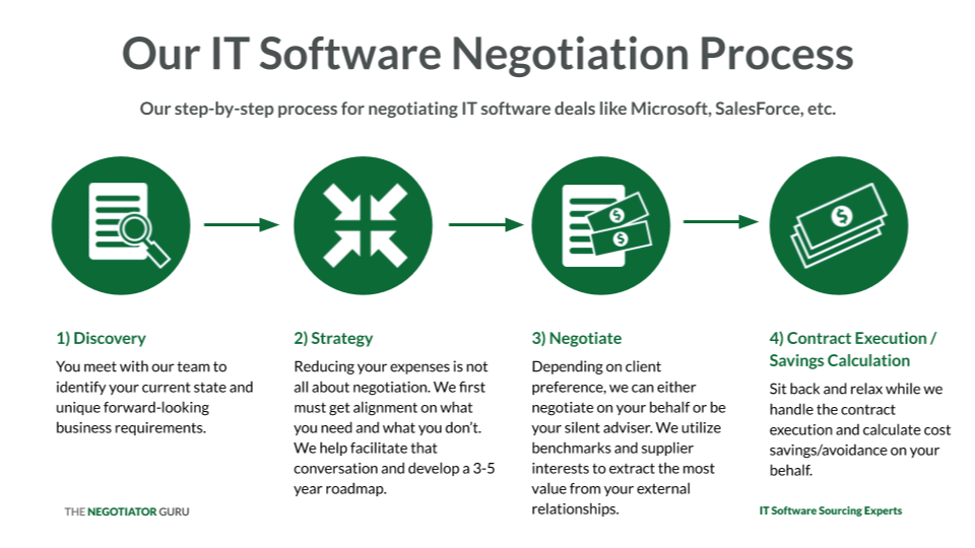
Compensation & Fees
Our compensation for these services is also entirely different from Gartner’s method.
As mentioned above, Gartner’s average subscription rate is $30,000 per person plus any additional consulting fees.
With this package, you have access to their standard publications, toolkits, and potentially a limited number of “analyst calls” which are quick conversations with the author of the publications. Any additional advisory assistance, if even possible, comes as an upcharge. Even with this additional cost, you will be on your own from an execution standpoint.
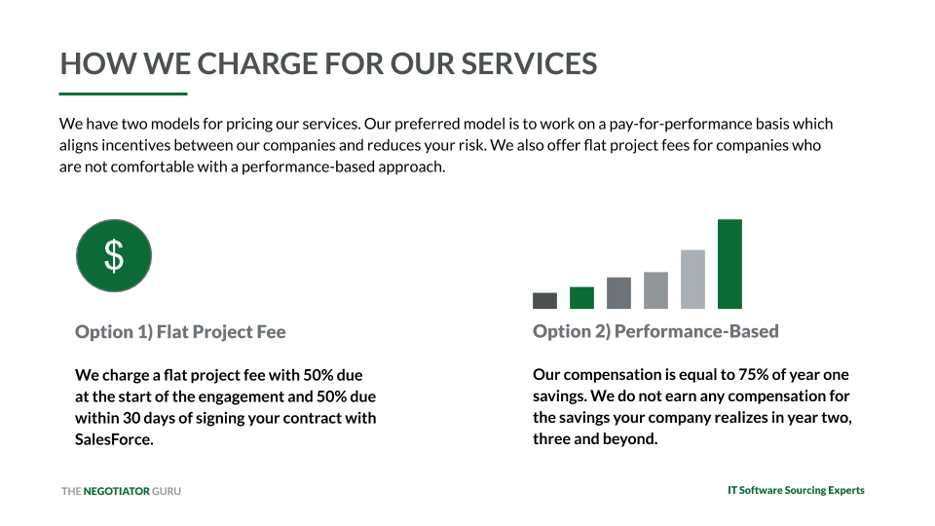
We charge either an Advisory Fee based on annual contract value or we offer a Pay Per Performance option with a simple baseline calculation.
We don’t charge based on a subscription service to our articles, we provide all this information for free.
Our rates contain no hidden charges or surprise upsells. On top of that, we’ll help you execute the strategies we develop with you.
We’re incredibly transparent with how we price our services and our clients never question the value they achieved from engaging with TNG.
Combining a Broad Overview Approach with a Specialized, Niche Consulting Firm is a Winning Equation
One of the questions we hear frequently is whether someone can/should work with both Gartner AND The Negotiator Guru.
The answer is yes!
Gartner provides a lot of good, general information. TNG helps you zoom in on the information that is most relevant to your organization so you can determine which key findings are critical for driving cost savings/avoidance while lowering your contractual risk.
Gartner is a market intelligence research firm that has a very limited advisory component separate from their articles. They do not generally provide execution services.
TNG provides information without a subscription fee and our advisory and execution services are provided in the same package.
Bringing in TNG to help you pinpoint your specific needs, value capture opportunities, and execution strategies will provide immediate and long-term intrinsic value for your organization. Remember, TNG will only accept you as a client if there is clear and distinct net positive impact potential… well, we can’t speak for the other guys.

Quid Pro Quo: Salesforce & Salesforce Consulting Partners
We commonly get asked the following questions in varying forms:
- Is The Negotiator Guru (TNG) a Salesforce Partner? Are you on the AppExchange?
- What are the differences between TNG and a Salesforce Partner?
- Why can’t my Salesforce Partner advise me on the best possible rates/products for my Salesforce environment?
Before we get into the specific answers to the above questions, let us share a brilliant unsolicited quote from one of our recent multinational clients regarding the motivational differences between TNG and a Salesforce Partner:
Expecting a registered Salesforce Partner listed on the AppExchange to give you completely impartial advice on Salesforce pricing is like expecting a court room prosecutor to share their notes with the defense before every trial.
Why, you might ask?
The answer is simple: All Salesforce Consulting Partners have an unavoidable conflict of interest with their clients. Why? Because of the inherent need for these “Partners” to make both their client and Salesforce happy.
In this article we’re going to cover this conflict of interest and why TNG is different.
Salesforce Partners Always Have Two Clients (and one isn’t you)
Salesforce Partners have two customers:
- You the client; and,
- Your Salesforce account management team (hereby collectively referred to as “Salesforce”)
The fact of the matter is that your Salesforce Partner is, by design, incentivized to keep both its client and Salesforce happy. The difficult truth is that you, the customer, are the least important of the two clients. Yes indeed, more often than not, your Salesforce Partner has a greater long-term interest in keeping Salesforce happy. Yes, we know this sounds horrible, but we hope you appreciate our directness here.
Let’s dig into two key, but interrelated, reasons:
1. Business Relationships
Your Salesforce Partner focuses heavily on keeping a strong business relationship with Salesforce. Why? Because Salesforce is their single most effective sales channel to acquire new business. When Salesforce identifies a new or existing client that needs custom development work, they have the entire Salesforce Partner community to consider when providing a recommendation to their customer. Naturally, those Salesforce Partners that are “supportive” to their sales process will be referred more and more business.
2. Money
More referrals = more business = more money.
Back in the 18th century Edmund Burke once said “…never bite the hands that feed you.”
Presenting this differently, if you were a Salesforce Account Executive and you had a Salesforce Partner repeatedly suggest changes to an account that materially decreased your sales compensation revenue, would you continue using that Partner when you have others options available?
To be clear; we are not saying that all Salesforce Account Executives are unethical in how they conduct business. However, we are stating that there is an inherent fundamental conflict of interest for the Salesforce Partner who commercially needs to appease both parties.
The unfortunate situation is that while a Salesforce Partner may know a customer is being sold more products and/or services than they actually need, they rarely speak up for the reasons above. We’ve even been told there is an informal blacklist inside of Salesforce that keeps track of these Partners that raise cost avoidance opportunities during the sales process.
We don’t like writing about this topic but we know every customer wants the truth.
Why TNG is different
Quite simply we are only focused on keeping you, the client, happy. When the firm was founded we only included a “pay for performance” compensation option to ensure our incentives were aligned with the client. Over the years, we added an “advisory fixed fee” option purely based on repeated client requests.
TNG’s Right Size & Right Price Process
Part of our secret sauce is a deep focus and understanding on 1) how Salesforce works, 2) you as a customer, and 3) best practices on how to quickly drive savings in your environment. While strategic negotiation is an art, our Right Size & Right Price process is more of a science based on its repeatability across all industries.
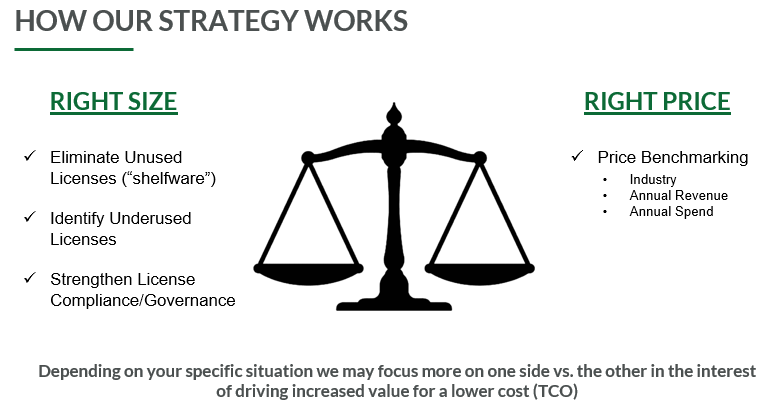
The Right Size process
focuses on identifying consumption based savings opportunities within your organization.
Our three most commonly identified opportunities within this process are:
- “shelfware” elimination
- license optimization
- governance enhancement. On average, we identify 24% savings opportunity within this process alone.
The Right Price process purely focuses on your product and service price points within your specific Salesforce contract. The vast majority of our clients reach out to us for this service alone. Specifically, they want to know how their prices compare to their peers and if they’re getting a “good deal.”
We have the largest database of Salesforce rates in the world and can quite easily identify if there is a price optimization opportunity within your various SKUs. Unlike other large market intelligence firms, we are able to isolate your realistic “should cost” price points based on your industry, annual revenue, and annual contract value. The others simply will share a “best in class” rate which is ambiguous and often self-serving.
On average, we identify a 22% savings opportunity here but your specific opportunity could be as high as 305% (yes, this was a real client).
Fit-for-Purpose Engagement Style
The Founder of TNG, Dan Kelly, feels strongly about providing our clients options on how they engage our firm depending on each individual client’s needs. Some clients want a “negotiation-as-a-service” approach while others simply want the output of our Right Price process to identify target price benchmarks to use within their own negotiations. We welcome you to start a conversation with our firm to determine how we can most effectively and efficiently support you.
Summary
To recap, here are the basic points of what we’ve covered in this article:
- Your Salesforce Partner has motivation to keep both you and Salesforce happy;
- They aren’t able to easily share cost savings opportunities with you in fear of losing future opportunities with other Salesforce customers;
- The Negotiator Guru is only focused on driving cost savings for you by negotiating with Salesforce, the client;
- We have a proprietary negotiation process that includes both the art of negotiation and the science of opportunity creation inside of your Salesforce organization,
- On average, we save clients 20-50% on their Salesforce annual expenses through our Right Size and Right Price process; and,
- On SELA Agreements (Salesforce Enterprise License Agreement), we typically generate a 41.3% savings for our clients.
- We only accept clients within our full negotiation service where we know we can make a huge impact.

What to Look Out for When Negotiating with ERP Providers like Oracle & SAP
Do you know how to protect yourself and stay in the driver’s seat during contract negotiations so that you won’t be held ransom by your ERP provider?
In this article, we’re going to outline the top things you need to take into consideration when negotiating contracts with Oracle, SAP, and any other ERP system.
We’re going to share with you the key terms to clarify in your contracts to avoid extra costs and substantial frustrations down the road.
What to Look for in an ERP
While no company has a crystal ball to know exactly what the future will look like, you do need to identify how you’d like your business to function over the next 10 years.
Why 10 years?
Typical business roadmaps project as far as 3-5 years in the future. Most ERP systems relationships last a minimum of 10 years. You need to know how your business will function in order to know what you’d even need an ERP for and what it would need to do.
You need to be risk-averse in your contract negotiation in order to cover your bases for what could happen.
Once you have your future vision in place, you’ll look at the supplier landscape. Compare what each of the top ERP systems providers offers and how it’ll meet your needs outlined above. Create a Supplier Decision Matrix and stack each contender against it to determine which is the best for your corporation.
Once you know which ERP software is right for your corporation, you’ll need to dig deep to really figure out the total ownership cost. This is the tricky part and is best handled through careful contract negotiation, financial analysis, and service management.
Key Things to Consider When Negotiating an ERP Software Contract
The contract is the most important factor when determining the total cost of ownership of the ERP and there are generally only two triggers for renegotiation once a contract is in place.
These triggers are: mergers & acquisition activity and contract renewals.
Providers know that you don’t read ERP contracts every day. They design contracts in complex and ambiguous ways, which leads to more revenue for them - and more fees for you.
Each of the following points needs to be specifically addressed and outlined in your contract to prevent your ERP from holding you ransom at various times over the course of your relationship.
Pay Attention to Intellectual Property Ownership
Many ERP contracts will state that any systems or processes developed while using the ERP are now Intellectual Property (IP) owned by the ERP provider.
We worked with a customer recently in the manufacturing industry. They had developed a process for creating their materials more efficiently going through the production line. According to their contract with their ERP provider, it shows that any process that you develop using the ERP software can be considered ERP owned IP. As such, we needed to carefully negotiate the situation with the ERP provider so as to not cannibalize the newly found process improvement which led to millions in positive P&L impact (new revenue and cost savings).
In a contract, you need to be very clear who owns the rights of process improvements as far as when it may directly or indirectly utilize an ERP system.
Your ERP is the backbone of your business. As such, if properly set-up and integrated throughout your organization, it touches most if not all aspects of your business. Naturally, this complicates any opportunity to disentangle from that ERP.
If Oracle, SAP or any other provider wanted to play hardball, they could say any process improvement that utilizes an ERP system could be co-owned or sole-owned by that ERP. If this is the case, the provider could take that process and then go sell it.
In fact, one of our recent clients had this happen to them based on not properly reading the contract years ago. They needed to retain our expertise and a major law firm to seek litigation with that specific provider.
Make it very clear who owns what when negotiating your own contract. It needs to be clear that the client owns all IP that are developed for the benefit of their company.
Be Smart About Your License Cost Model
Everyone knows ERPs cost a lot. New contracts with smaller providers will often undercut themselves for the first year or two but will see a massive uptick in years 3-8 because the ERP knows it’s incredibly difficult to leave an ERP once you’re integrated into it.
The cost models of ERPs vary depending on the makeup of the customer’s business and what will be the most profitable for the provider.
Some of the pricing models include:
- Seat-based: Typically the number of humans who log in to the system. These licenses can be either Perpetual or SaaS based.
- Site-based: Number of physical locations, etc.
- Consumption Based: Number of processes, inputs, etc., into the tool.
- Value Based: The newest model within the marketplace and yet the scariest of all. A cost associated with the perceived value of using the platform within your business.
Generally speaking, seat-based pricing is the most cost-effective for companies looking at ERPs, but this depends greatly on what your 5-10 year plan looks like to know which would be the most beneficial to you.
In addition to your unit cost, there could also be annual maintenance expenses. This acts like an annual expense and is generally a percentage of your perpetual license fee/net spend with the ERP.
There are 2 ways to host an ERP system:
- On-premise: Software that is loaded on the servers you’re in control of.
- Software as a Service (SaaS): Software is hosted in the cloud by the provider.
Either way, you need to be careful how you license a product because if you don’t have control of consumption and volume-based metrics, it can skyrocket your costs.
Know Your Audit Rights
This is one that gets people in trouble a lot. Generally speaking, Oracle and SAP will not proactively limit access or connectivity to your ERP. This almost always is the responsibility of their customer, based on their unique needs.
As such, these providers will contractually allow themselves unfettered access to your ERP environment with the intent of auditing the usage of their software.
The most common areas of audit risk are:
- License compliance (Using more seats/volume/etc than you are paying for)
- Architecture compliance (Too many API connections, etc.)
- M&A compliance (Acquisitions, divestiture, subsidiary utilization)
Depending on your unique situation, you may be subject to all three (or more) risk areas. It’s important to know there is intentional ambiguity by the software providers in how one could interpret contract language related to permissible use.
Furthermore, we find that clients have no intention of noncompliance within any area but find it most difficult to monitor and govern the area of architecture compliance. A common example of routine noncompliance when a client links their ERP system to both development and production environments.
Similarly, if an ERP is connected (in anyway) to a client’s CRM system it may also trigger a non-compliance event for both architecture and license compliance due to the fact that a client almost always has more active users within a CRM environment. Those CRM users may be somehow benefiting from the ERP and well, we’ll leave it to your imagination based on what you’ve already learned from this article.
Over the last 10 years, large ERP providers like Oracle and SAP have been focused on audit rights within a client's environment. Specifically, when an ERP is living within a client’s infrastructure (on-premise) it’s technically infeasible for the provider to proactively monitor license compliance.
As such, these providers are inserting audit right language within to client’s contracts (both new and old) providing the legal authority to conduct random audits of a client’s environment. The providers deploy both human and technical based tools. The technical tools include running scripts that “listen” to your environment.
These scripts are developed by the provider themselves and are programmed in a way to identify every single endpoint. The output of the script’s analysis is a single report that identifies ways in which the client is potentially non-compliant. This automatically places the client in a defensive position leading them to try and disprove any sort of non-compliance allegations.
These guys make huge revenue by running these audits and identifying non-compliance. Architecture based non-compliance is most often the most profitable audit for a provider. In addition to what we’ve already stated, another risk area is when your ERP is connected to other systems outside of your current infrastructure.
In a nutshell, every time you make a connection between your ERP and another outside platform (often done through APIs), the ERP provider may identify this as a missed charge and will charge you retroactively since the connection was initiated. This can easily develop into millions of dollars of new revenue for the ERP providers (with very healthy sales commissions).
Not only with the ERP provider monetize the API connection with an API charge but will also try and push value-based pricing.
For example, a client is connecting different systems together (using APIs) - this is the backbone of how their systems work. It is going to help them go to market faster.
The ERP provider is arguing the fact that “you are going to get an extra 20% increase in value from the system now vs what we quoted you. As a result, we are going to increase your fee by 20%.”
Value-based pricing is risky because these providers can charge for new API connections, new acquisitions, product launches, and/or the output of the tool and how it can help you run your business. It’s based on potential and not necessarily even realized revenue!
Don’t let a provider run a script inside your environment. If they don’t have access to your information, you’re in control of it and you remain in the driver’s seat.
Have Clear Merger & Acquisition Language
Put specific clauses in the contract that make it very clear what happens if you are acquired or if you acquire someone else.
More often, it is the provider who offers this language. These companies will put in very loose language to say ‘if this happens, we will talk about it’ which leaves a lot of area for ambiguity.
To best prepare yourself for any situation, we recommend you place specific and measures or language in your contract that outlines the cause and effect for the most common situations.
Specifically, you’ll want to identify what happens if you are acquired or if you acquire a separate entity. Within any of these situations it’s important to have clear legal language regarding the rights of your company. From a commercial perspective this means having specific pricing thresholds.
Simply put, If you are acquired, you take the better of two prices. You take the best price of both until you, as the newly combined customer, want to renegotiate.
If you are acquiring a company, it’s important to insert legal language allowing you to renegotiate the contract immediately or rather simply adding the newly acquired entity into your existing contract with only a reasonable increase in fees. From a commercial perspective it’s important that you outline what (if any) additionally fees would be subject to the transaction.
You want to eliminate ambiguity. From a pricing standpoint, you want to make this as clear as possible.
Set Expectations About Subsidiaries
You also want to know the specific parties of the agreement. A common hiccup for companies is that they don’t have subsidiary language in their ERP contracts. A company like Coca-Cola, where each product line acts as its own subsidiary, could be in default of the contract by letting that subsidiary use your system without proper language.
This is something people don’t think about until your provider comes to you and says, ‘Hey, by the way, your other subsidiaries are using this ERP software. Happy you are doing it, but that is not part of your contract so here is a bill for another million dollars.’
Third parties—suppliers, vendors, non-employees—need to be defined in the contract as well. If third parties are allowed to act on your behalf, there shouldn’t be any additional fees for them to use your system.
Be Sure to Outline Price Protection
Another thing you need to consider when negotiating your contract is price protection. Generally speaking, companies don’t write in any sort of price protection year-over-year.
What that means is that over the contract term, your ERP provider could change the price points of your unit costs at any given time.
It is not just about being clear about locking in your price at contract term, it is also putting a cap on the amount of increase that can happen at the next contract renewal, which needs to be aligned to the Consumer Price Index (CPI).
A general rule of thumb is that the increase shouldn't exceed 3-5% at renewal.
Include Clear Terms Around Your Service Level Agreement (SLA)
An ERP is a critical piece of software for any corporation and yet we often don’t negotiate Service Level Agreements (SLAs). If ERP systems go down, it can shut down governments and grids. It is a critical software within companies for good reason.
Make sure that you have the best service level agreements and governance agreements by specifically outlining them in your contract. Including these will ensure that your provider keeps their service at 99.99% performance.
In addition, there needs to be penalties for an ERP provider not meeting or exceeding their Service Levels that you agreed upon in your contract.
Most contracts will put in language about penalties but most companies don’t catch ERP providers when they are starting to fail. There are hundreds of thousands of dollars left out there because no one said “Hey your service was down over the weekend. That creates a $200k payment because it has been down for X hours.”
If a big company hires an IT governance professional to monitor that, that professional will likely be ROI positive. You pay them $130k salary and then get $250k-400k in fees coming back from the ERP provider.
Along with keeping an eye on the service levels internally, you need to put the ownership on the ERP provider to send you reports of the performance versus making you have to monitor if it was working correctly. You should put the onus on the ERP provider versus on your employees.
The big providers won’t allow this very often but the smaller ones will. Make it the obligation of the ERP provider to know that there has been a breach in the SLA.
The big ones, like SAP and Oracle, will send automated reports and humans have to look into them to see if there is an issue.
Don’t Forget Cybersecurity and Intrusion Detection
You need to be careful that if you get hacked, you don’t owe your ERP provider or are legally obligated in any other way to pay a hacking fee. This is called indemnification.
In matters of cybersecurity and hacking, your contract should stipulate that the ERP provider should be accountable, if possible. There should be financial and legal obligations, and your ERP software provider should be responsible for any sort of intrusion into the system—especially if it’s located in the cloud.
The concept being that if someone hacks your environment, the source code from the ERP could be opened to the black market for rip off and resell.
People don’t look out for this enough and hackers are getting more sophisticated every day.
Know the Rules About Implementation Partners
Implementation partners are third parties that will help develop custom code on top of the ERP system for your business.
Most of the time, your contract states that any implementation partners have to be registered as “Preferred Providers” for your specific ERP software.
You can’t have just anyone build custom code on top of an ERP system, it has to be an approved vendor.
It is a contractual risk to your company if your contractors are not certified by your ERP provider.
Your E-Commerce System Needs to Play Nice
If your company is in eCommerce, you need to make sure that there is an active and working connection between your ERP provider and your eCommerce provider.
Many ERPs will tell you “Don’t worry, we will make a connection.”
What they won’t tell you is that the connection they make will cost YOU more money. Your contract needs to dictate who is accountable for paying for any connections that are required for your eCommerce platform and your ERP system to play nicely together.
We always make the new piece of software that is connected to the ERP system pay for the API. It is the third party’s cost.
We just had a client that we saved about $500k for this very point!
They have an ERP system and they were working on getting set up with an eCommerce platform.
There was one sentence in the contract that made it ambiguous on who pays for the cost of being able to have different systems to talk to one another.
The ERP software provider was planning to charge it back to the client and the client didn’t even assume that would be their cost.
That basic API connection should not be your cost to maintain and pay for - stipulate in the contract who is responsible (ideally the third party) ahead of time so you aren’t stuck with a huge bill.
Make Sure You Have Coterminous Contracts
Another big thing to look out for is coterminous contracts. In most large companies, each department will have separate contracts with an ERP provider and these contracts won’t align on the same termination date.
If you have multiple business units in a company, the provider will often split out their budget and license fees per business unit.
This is the biggest trick in the book and the largest companies in the world forget to do this step.
It creates massive chaos because you can’t get everyone on the same page. This situation forces the client to align internally at multiple times throughout the year in the interest of representing the entire company. Clients typically lose 10 - 20% when they are in a non-coterminous environment. .
If you you are subject to an non-coterminous environment, then the ERP provider is in the driver’s seat. They will divide and conquer you. This is called a split requirement and they will negotiate with each department individually.
In other words, the ERP software provider negotiates at a business unit level versus an enterprise level. At enterprise level, you have volume and leverage to get better terms which typically drives an additional 10-20% in value.
In Conclusion
Whether you’re negotiating an initial contract or a renewal, make sure you develop and maintain a total cost of ownership view.
First, make sure you understand how your business will be growing over the next 10 years.
Then, dissect the contract so that you better understand the unit cost and connection fees.
In the contract, layout all potential possibilities early as opposed to being forced to react to them as they come along. The more prepared you are, the better you’ll be able to handle surprises, pivots, and conflicts.
Make sure that in the contract, each of the specific points outlined above are detailed with zero ambiguity. Hit all these points as a minimum.
The truth of the situation is that the sales representatives at these ERP providers know you aren’t negotiating an ERP contract everyday. While we’re not saying that every ERP sales representative leverages this face in a malicious manner, it’s important to understand how to protect your company.
As you can see, there is a lot to take into consideration when negotiating contracts with ERP providers. Keeping these points in mind will help you to protect yourself and your company. If you need help implementing any of the above, we have the experience and know-how to protect you from being held ransom now and 10 years down the line. Reach out to us, we’re here to help you with negotiating contracts with your ERP provider.

A 3-Step Process to Reduce Your IT Spend 25% Or More
In the latest meeting with your company’s executives, the ultimate goal was the same as ever - increase revenue, decrease spend.
Do more, with less.
Your directive is to find a 10% cost savings in the next year and you are looking for some quick, streamlined ways to achieve that goal.
Have you taken a good look at your current contract situation? Where can you find savings in the software and products you’re already paying for?In this article, I’m going to share how you can create a system to manage and optimize your current (and future) IT contracts. By taking these steps, you'll achieve the best cost savings (often upwards of 25%) for your company.
How do you manage & optimize your current IT contracts?
To optimize your IT spending, you need to get organized. Tons of contracts are flying around and you have to know where you’re starting from today to be able to optimize for the future.
You have multiple contracts with each supplier you work with. Each product you buy from them throughout the year has its own legal commitments: Master Service Agreements (MSA), Statements of Work (SOW), order forms, etc.
Each supplier has a number of IT contracts they use with their clients.
Any of these types of contractual documents probably have different commercial language.
And they all add up to time and money obligations for you.
The worst part? Almost none of these contracts will be co-termed. Regardless of the company they’re with, each contract will have a different term period. Some of them will be for six months, a year, eighteen months, what have you.
This creates mass chaos and it’s all by design.
In order to get out of that chaos, you need to get above it - get a bird’s eye view of the landscape of your IT contracts. This can be a very arduous process but the payoff is huge. Take the time to align each of the contracts so you can properly optimize around them.
Step 1: Create an Asset Inventory List
If you don’t have a contract management system - and most companies don’t, even the biggest ones out there - you need to create an Asset Inventory List.
Basically, list out all your suppliers and all the IT contracts. You need to be clear on what contracts you have with a specific supplier.
You can do this with a fancy Excel spreadsheet like the one I’ve created below. You can download this template for your own use.
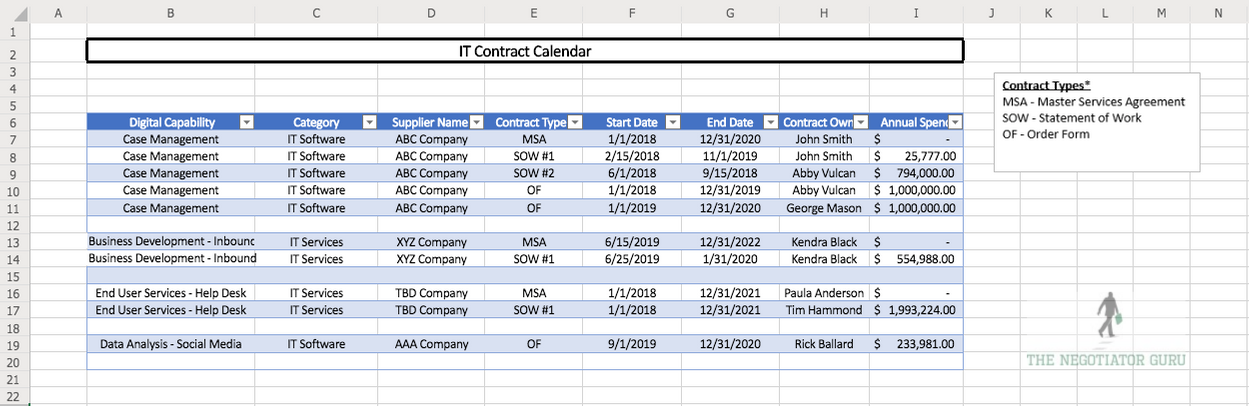
Essentially, this list will have the vendor name, contract type, contract term, and price. Consultant groups charge millions for this fancy spreadsheet but you can create one yourself from my free template.
Through this process, you’ll identify 2 things:
- How much you’re spending every year.
- How many IT contracts you have with each supplier.
With this information, you can tackle the next step. You now know what contracts are coming up for renewal and when. You know the negotiation period and can bring in extra help in advance to work through that process. And finally, you can now work on co-terming all the order forms and SOWs.
hese adjustments create more administrative ease versus the chaotic burden they’re designed to be.
Once you’ve got a survey on your IT contract landscape, you can move on to Step 2.
Step 2: Analyze Each Supplier Against a Right Size/Right Price Matrix
Start with the suppliers that are your biggest spend items. These will most likely be your ERP provider, your Microsoft Office contract, and your CRM software. Do an internal assessment of these suppliers and determine:
- How much you’re spending;
- When you’re going to renew; and,
- What you’re planning to do in the future.
This will help you determine that you are, in fact, only paying for the items that you need versus those that you don’t. All too often companies are paying for products that they aren’t even using because they don’t have a handle on their contracts.
The second thing you’ll be able to keep an eye out for is whether you’re paying for the right license types or not. Challenge your company to look at ways you can downgrade your subscriptions.
The third piece of knowledge you’ll gain from this process is figuring out which business capabilities each supplier is supporting. You’ll be able to see which suppliers are overlapping functionalities.
This overlap is common in decentralized organizations. Each business stakeholder wants to use the software they’re familiar with even though three other companies provide the same capabilities. Your corporation is likely spending way too much on overlapping suppliers that provide the same digital capability.
Paying for software you’re not using is called shelfware. Don’t make the mistake of paying for shelfware.
You need to start this internal assessment process six months before your next contract renewal. If you don’t, you’re going to be playing catch up to these large suppliers because they know more about you than you do.
Step 3: Preparing for negotiation
Create your negotiation team
Your negotiation team should consist of 3 different roles: a business stakeholder, an IT stakeholder, and a negotiator. Sometimes this last role is procurement and sometimes it involves an outside advisor.
Gather benchmark data
In addition to your negotiation team, you’ll need some hard-to-find information. One of the biggest pieces of leverage you can get is benchmark data. This data gives you the prices other firms are paying for the same service. There’s no way your company can know what other businesses are paying unless you bring in an external advisor like The Negotiator Guru.
Create an opportunity analysis
You can analyze your rates against the benchmark to find out how competitive your prices are compared to your industry peers. Similarly, you can analyze your supplier performance metrics, Service Level Agreements, governance process (etc.) against benchmark data to find out how well your suppliers are performing.
And finally, you can analyze your Innovation Quadrant against the benchmark.
How is the supplier driving new ideas, new concepts, process improvements, etc? How are they incentivized to drive cost savings for YOUR company through their relationship with you?
For example:
If you’re using a company like Accenture to run your help desk, there should be a clause in the contract for a 10% target cost savings over the contract term for the services they provide. They do this through process improvements and through automation.
This ensures they are actively working toward providing your company with cost savings to make your business more efficient.
Create a Roadmap of Initiatives
This roadmap has the intent of prioritizing your initiatives to ensure you’re targeting the greatest impact that will take you the least amount of time. Of course, not all initiatives will be easy to achieve but taking a systematic approach to what you work on first is paramount to your success.
To assist with this approach, we suggest categorizing your initiatives so that you can easily sort and isolate the opportunities in front of you. Categories you might consider using include “Quick Win, Strategic Sourcing, and Business Transformational.” Naturally, the progression of cost savings usually increases in scope and impact as you move from Quick Win opportunities to that of Business Transformation.
After you perform your opportunity analysis, get your benchmarks, and create your roadmap of initiatives, you can then pull together a Heat Map. This entails creating a visual graph that clearly identifies the sequencing opportunities.
Here is an example of one of these Heat Maps:
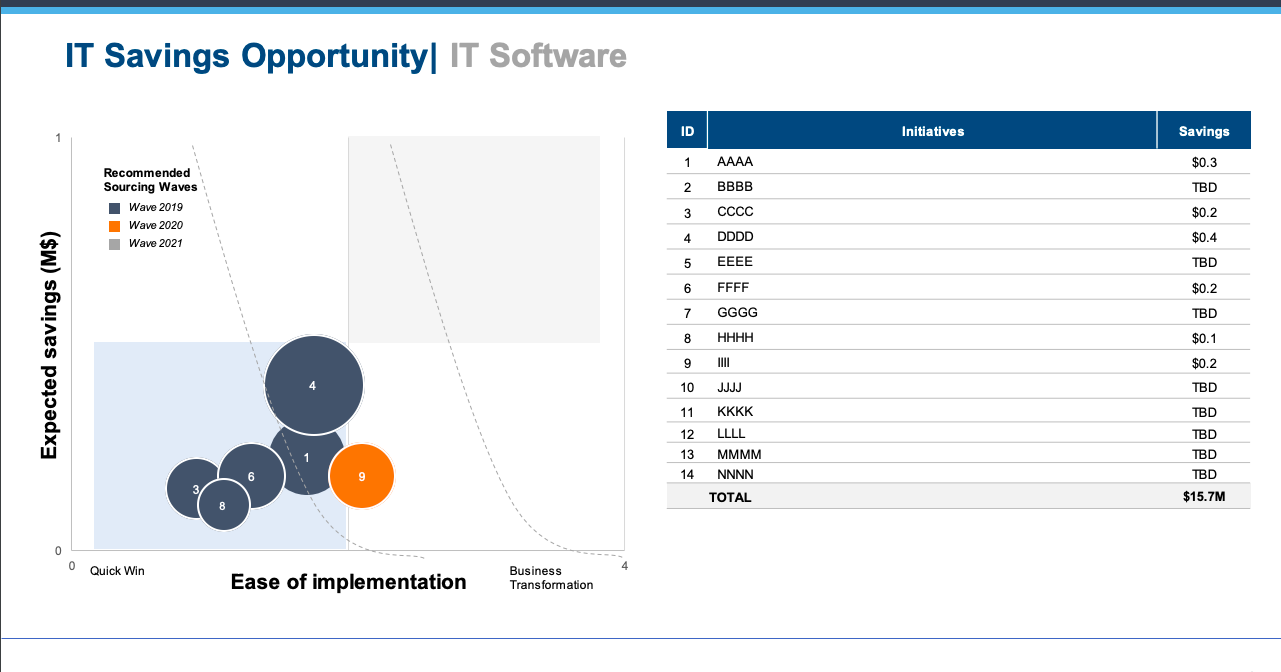
Being proactive with IT contracts can save 25% annually
A stellar negotiation team together with your benchmark data and forward-looking road map will give you a clear direction during the renegotiation process.
Centralizing, and subsequently renegotiating, your contracts with this approach generates on an average 25% P/L cost savings for your company (industry agnostic).
A decentralized company can cost you extra money
If a company has multiple business units and/or sites that are responsible for their own procurement you will undoubtedly have an unstructured supply base. The downstream effects of this situation is that you will have overlap in your supply base, duplicative digital capabilities, and a rats nest of contracts causing incredible inefficiencies and unleveraged spend.
For example, if one branch is using DocuSign for e-signatures and another is using Panda, this is a digital capability overlap that can easily be eliminated.
After your company streamlines your digital capabilities, your company should be able to easily consolidate spend, processes, and contracts. Once you remove the redundancy and get everyone on the same software, you can also negotiate a single contract for your company that drives immediate cost savings and long-term cost avoidance.
IT Contracts create both opportunity and risk in Merger & Acquisition transactions
When combining companies, it’s important to do both a top-down and bottoms-up approach to identifying synergy opportunities within your IT spend.
Top-down approaches involve a lot of financial synergy assumptions based on similar transactions within your industry. These approaches largely identify duplicative roles, processes, etc. and identify a financial target for savings. This approach naturally takes a high-level approach but doesn’t consider the unique needs of your business. To accurately forecast synergy opportunities it should not be the only synergy view to consider.
Bottoms-up approaches, on the other hand, allow you to co-create opportunities with your l business stakeholders that consider business risk, culture, and ease to achieve.
I’ll provide more insight on how to properly prepare for a merger in a future article.
Wrapping It All Up
Follow these steps to properly optimize your current contracts:
- Identify your current state situation.
- Identify your high-spend suppliers.
- Gather benchmark data to see how your contracts stack up.
- Run an Opportunity Analysis to determine overlap and shelfware.
- Create a negotiation team.
- Optimize each contract as its renewal period approaches.

Inc. Magazine Unveils Its First-Ever List of the Midwest’s Fastest-Growing Private Companies— The Inc. 5000 Series: Midwest
The Negotiator Guru Ranks No. 15 on the inaugural 2020 Inc. 5000 Series: Midwest
NEW YORK, March 25, 2020 – Inc. magazine today revealed that The Negotiator Guru is No.15 on its inaugural Inc. 5000 Series: Midwest list, the most prestigious ranking of the fastest-growing private companies in Illinois, Indiana, Iowa, Kansas, Michigan, Minnesota, Missouri, Nebraska, North Dakota, Ohio, South Dakota, and Wisconsin.
Born of the annual Inc. 5000 franchise, this regional list represents a unique look at the most successful companies within the Midwest economy’s most dynamic segment—its independent small businesses.
“We’re honored to be recognized in the Inc. 5000 list as one of the fastest growing private companies in the Midwest,” said Dan Kelly, Founder and Senior Partner. The Negotiator Guru also ranked #2 in the state of Minnesota and #5 in the category of Business Products and Services. “Our success is a direct result of the value we’ve delivered with, and for, our global enterprise client base. Congratulations to the TNG team!”
The companies on this list show stunning rates of growth across all industries in the 12 Midwest states. Between 2016 and 2018, these 250 private companies had an average growth rate of 360 percent and, in 2018 alone, they employed more than 27,000 people and added $13 billion to the Midwest’s economy. Companies based in the Chicago, Detroit, and Cincinnati areas brought in the highest revenue overall. Complete results of the Inc. 5000 Series: Midwest, including company profiles and an interactive database that can be sorted by industry, metro area, and other criteria, can be found here starting March 25, 2020.
“The companies on this list demonstrate just how much the small-business sector impacts the economies of each Midwest state,” says Inc. editor in chief Scott Omelianuk. “Across every single industry, these businesses have posted revenue and growth rates that are beyond impressive, further proving the tenacity of their founders and CEOs.”
About The Negotiator Guru
The Negotiator Guru is the leading advisory firm for Salesforce contract negotiation. Our team of Senior IT Sourcing Experts provides industry leading IT contract negotiation services for a global client base. Clients engage us to source, negotiate, and manage highly complex IT contracts, transactions and suppliers. Through our deep business understanding and senior expert negotiation skills, we work closely with clients to deliver immediate and long-lasting financial impact to all stakeholders.
Founded in 2015, The Negotiator Guru is a private company based in Minneapolis, Minnesota. For more information, visit www.thenegotiator.guru. More about Inc. and the Inc.
5000 Regional Series
Methodology
The 2020 Inc. 5000 Regional Series is ranked according to percentage revenue growth when comparing 2016 and 2018. To qualify, companies must have been founded and generating revenue by March 31, 2016. They had to be U.S.-based, privately held, for profit, and independent—not subsidiaries or divisions of other companies—as of December 31, 2018. (Since then, a number of companies on the list have gone public or been acquired.) The minimum revenue required for 2016 is $100,000; the minimum for 2018 is $1 million. As always, Inc. reserves the right to decline applicants for subjective reasons.
Ready to explore joining the TNG family?
Contact us today to set-up a client intake assessment where we identify your cost savings opportunity for free!
------------------------------------------------------------------
Explore other TNG Featured Articles, Follow The Negotiator Guru on LinkedIn, Follow Dan Kelly on LinkedIn and Twitter. Learn more about What We Do.
About Inc. Media
The world’s most trusted business-media brand, Inc. offers entrepreneurs the knowledge, tools, connections, and community to build great companies. Its award-winning multiplatform content reaches more than 50 million people each month across a variety of channels including websites, newsletters, social media, podcasts, and print. Its prestigious Inc. 5000 list, produced every year since 1982, analyzes company data to recognize the fastest-growing privately held businesses in the United States. The global recognition that comes with inclusion in the 5000 gives the founders of the best businesses an opportunity to engage with an exclusive community of their peers, and the credibility that helps them drive sales and recruit talent. The associated Inc. 5000 Conference is part of a highly acclaimed portfolio of bespoke events produced by Inc. For more information, visit www.inc.com.

5 Tips for Negotiating a Salesforce Extension
In this article we will discuss how to successfully extend your current Salesforce contract in order to create additional time to successfully prepare and negotiate your renewal agreement. For more detail, read our guide on negotiating with Salesforce.
An extension is commonly needed whenever our clients engage us too late (i.e. too close to their contract renewal) and we need time to successfully complete the Discovery and Strategy Phases of our proprietary 4-Step Negotiation Plan.
Tip #1: Be Confident
We find that most of our clients have either rarely or never requested a contract extension with either Salesforce or any other IT Supplier. As such, this very basic concept becomes daunting for the average IT or Procurement leader as they don’t have either the experience, or past playbook, to execute with natural confidence. This sentiment is augmented by the fact that Salesforce will automatically inform you that they never allow extensions. If you’ve read our previous articles, then you’ll know this is yet another canned answer out of their sales playbook. Please know that extensions are granted all the time as long as you know how to ask for them…as such, they are considered the exception vs. the rule.
Tip #2: Focus on the Facts
Share only what is necessary with Salesforce without going into too much detail. You don’t want to expend all of your negotiation equity during this process or you’ll end up hurting yourself down the road. Keep in mind that Salesforce will try and obtain as much information as possible during this stage so they can decide 1) whether or not to grant the extension and 2) to determine how prepared you are as an organization.
Tip #3: Establish the Why
Like any human scenario, it’s always easier to influence people if they understand the intent and context behind any request. This scenario is no different as you’ll want to answer in a way that is authentic to your organization but intentionally vague in material content. Typical responses we find most effective are the following:
- Active interest in exploring new digital capabilities and need time to make internal decisions;
- Internally restructuring the Salesforce relationship accountability;
- Aligning multiple stakeholders within your organization to accurately capture the wants and needs over the next 5 years;
- In the process of obtaining end user feedback and need some additional time to finalize, analyze, and make decisions, etc.
Tip #4: Create a Timeline with Milestones
Salesforce will be far more willing to accept an extension request if they understand the timeline in which you plan on making decisions. This in a sense shows a partnership mentality which is both real and healthy. Develop a basic timeline of when you plan on making internal and external decisions that provides a good amount of cushion in favor of your organization.
Tip #5: Keep your Promises
Constant and honest communication is key. All too often we find individuals/companies making the mistake of playing the power client position. In other words, the client exemplifies a lack of empathy or care for the sales process and holds all information back thinking that they are protecting their position. After years of research and proven experience we have repeatedly disproven that hypothesis. Instead, we find providing regular milestone updates to Salesforce (or any IT supplier) shows a level of commitment to the relationship and will pay dividends at the final negotiated deal. Summary It’s important to recognize that each client scenario offers its unique challenges and opportunity. That being said, the guiding principles laid out above will prove effective no matter your situation. Be confident in your request, focus on the facts of your specific situation, build credibility with Salesforce by providing context into the request, set expectations via timeline with milestones, and deliver on your promises. We use these same effective tactics every day and hope you find them useful in your future endeavors.
Summary
It’s important to recognize that each client scenario offers its unique challenges and opportunity. That being said, the guiding principles laid out above will prove effective no matter your situation. Be confident in your request, focus on the facts of your specific situation, build credibility with Salesforce by providing context into the request, set expectations via timeline with milestones, and deliver on your promises. We use these same effective tactics every day and hope you find them useful in your future endeavors.

Key Points to Remember When Negotiating Your Salesforce Master Subscription
Customer Relationship Management (CRM) has become one of the most expensive IT investments for organizations around the world according to the annual “IT Trends Study” conducted by the Society of Information Management.
This IT investment growth is being fueled by two primary industry drivers:
- Large organizations are both replacing homegrown systems as well as utilizing their CRM platform to further connect their internal and external stakeholders, processes, and communication strategies; and,
- Small to medium-sized organizations are rapidly acquiring this technology to make a positive step-change in their customer interactions and client prospecting.
While there are many Software-as-a-Service (SaaS) CRM platforms to choose from in the marketplace today, Salesforce continues to dominate the space. Subsequently, if you are looking at CRM solutions in the marketplace, you’re likely considering Salesforce as an option.
Why is Salesforce (SFDC) the market leader and what makes it different than the others?
While this article is not intended to be a tactical comparison of CRM solutions available today, our vast experience and focus on Salesforce naturally has revealed a few key points:
- SFDC has been, and continues to be, very strong in outbound and inbound marketing tactics;
- SFDC arguably was the first mover in defining a SaaS CRM solution that is decoupled from any other large enterprise agreement (ex: Microsoft, Oracle, etc.) making it easier to obtain;
- SFDC developed a buying channel that is direct to a business end-user vs. going through a channel partner/value added reseller (VAR);
- SFDC was founded with the intent of truly being a platform where vertical applications could easily connect and integrate (like the Apple App Store); and,
- SFDC has perfected the sales process inside of organizations in a way that their divide and conquer sales tactics commonly identifies continues growth opportunities across the organization.
Why is negotiating a Salesforce agreement so difficult?
The funny thing is that the entire go-to-market model of SFDC makes it very easy to acquire licenses as needed. This is in fact one of the many elements that make negotiating with SFDC difficult. In other words, very often our clients come to us after they have identified SFDC has spread throughout their organization without their knowledge and/or with very little governance. Our clients often describe this situation similar to an “internal virus” (their words, not ours) that spreads organically at a very fast pace. The result of this unmanaged growth can lead to the following (by no means comprehensive):
- Little to no license asset management leading to “shelfware” (acquisition of more licenses than are being used);
- Incorrect license purchase creating higher costs than needed;
- Different monthly subscription fees for the same license type;
- Lack of an enterprise agreement leading to contractual risk (etc.);
- No defined growth or utilization strategy; and;
- A platform that is very difficult to disengage which drastically increases the internal cost of
- change.
CIOs and IT Procurement leaders often find it difficult to negotiate a more favorable agreement when renewing their SFDC agreement.
We find the following to be the primary drivers:
- Like other very well-known and established software companies, SFDC has developed a sales process that is very difficult to crack if you don’t deal with them every day (like we do); Find out more about this here.
- The standard SFDC SaaS contract allows for SFDC to introduce price adjustments at any time;
- If a client is reducing their license count, SFDC’s standard contracts permit higher per unit pricing;
- SFDC sales leadership and staff are highly motivated to continuously drive revenue growth at existing clients;
- To be explicitly clear about this, if a client’s contract is renewed with flat revenue, this is a very negative reflection on your account management team;
- SFDC licenses are constantly changing; and,
- SFDC account management changes (by design) every 6 – 18 months which naturally negates knowledge continuity, etc.

4 Key Steps to Successfully Prepare for a Salesforce Negotiation
Here are a few quick steps to prepare for your Salesforce negotiation:
1. Assemble a best-in-class negotiation team
Including an expert negotiator in your team can help you acquire the most reasonable Salesforce subscription agreement. As discussed in previous articles, Salesforce is an expert at “divide and conquer” sales tactics.
As such, they will be looking to speak with different stakeholders at all levels of your business with the intent of gaining as much intelligence about your needs as possible. To properly prepare for, and counter, these tactics we recommend establishing a negotiation team 6 months prior to any planned contract renewal/execution. Within this team you should include business, souring, and legal stakeholders that have decision-making authority on behalf of your organization.
As part of the planning process, the negotiation team should create a working group of business stakeholders that can provide inputs into the needs and wants of the organization.
2. Perform a thorough review of the current contract prior to renewal
Part of our standard client onboarding process is a meticulous review of their current contract. While this may seem like common sense, it’s amazing how many prospective clients we speak with that never think of conducting this initial due diligence. Since our entire team originated from large organizations, we actually understand why this happens…initiative overload!
Before we accept a new client, we ask them whether or not they have reviewed their current contract to determine if they actually received the products/services that were under contract within the current term. On average, only about 35% actually completed this step prior to engaging our firm. After we conduct the analysis, we on average find that 60% of our clients do not actually receive/activate the products/services that they pre-paid for as part of their original contract negotiation.
Subsequently, we suggest you review all special contract terms that are part of your expiring agreement that may impact your contract renewal (i.e. price protection, etc.).
3. Prepare for a Proactive Negotiation
A proactive negotiation can enhance your leverage with Salesforce. As stated earlier, we recommend a 6-month runway to ensure the most leverage. If you are a renewing customer, Salesforce will generally start engaging your business stakeholders 3-4 months prior to your natural renewal date. Getting ahead of this stakeholder engagement will only help your organization. To ensure organization, we suggest developing a communication plan that directly advises each level of the organization what to expect, what to say, and when to say it.
4. Negotiate a 3-year TCO
Our clients commonly come to us asking about what price they should be paying for a specific product or service. Through years of experience, we advise clients to focus on the Total Cost of Ownership (TCO) for the entire contract instead of becoming fixated on a specific line item on the proposal. Like many other major software companies, Salesforce incentivizes its sales reps differently depending on the product or service. Instead of becoming fixated on a specific price point for a Sales Cloud license we suggest focusing on the net contract value. In other words, identify a TCO that you are comfortable with from a price-to-value standpoint and focus on driving the most value for your needs within that spectrum.
We commonly obtain a 10 – 15% value increase by negotiating a net TCO vs. that of a line item rate basis. This, of course, is easier said than done but we wanted to share this facts-based article for you to consider as you embark on your Salesforce negotiation.

Software Audits from Oracle, SAP, Microsoft, and Salesforce: What You Should Know
Getting an audit notification from your software provider can be nerve-wracking, but after reading this you’ll realize this is less likely due to something you’ve done wrong and more likely a tactic to throw you off-course.
If you’ve never been through an audit before, you don’t know what to expect, what to do, or how to make sure it’s over as quickly as possible with minimal expense to your organization.
In this article, we’re going to make all this crystal clear by outlining the audit processes of large enterprise software providers like Oracle, Salesforce, SAP, and Microsoft. There are a few key things you need to take into account that apply to all of these providers: ● Use your contract as your best weapon to defeat audits. Take action if there is any sort of grey space in terms of what is allowed by the supplier.
- Use your contract as your best weapon to defeat audits. Take action if there is any sort of grey space in terms of what is allowed by the supplier.
- You’ll do best if you bring in outside assistance. An expert who has experience guiding businesses through software audits will be a huge help throughout the process.
- You need to control all the information that is shared with the supplier in your own format and spreadsheets.
- The more you are proactively sharing information with suppliers, the less basis they have to bring up an audit.
- Audits are brought forth to customers for many commercial reasons. The more proactive you (the customer) are with sharing information, addressing audit risks in meetings, and creating a paper trail, the less likely your supplier is to audit you.
What is a Software Audit and How Did Your Company Get Selected for One?
A software audit is both a technical and contractual review of your organization’s use of a specific software platform within your IT environment. Most large enterprise software companies like Oracle and SAP have separate departments that focus purely on license compliance audits. These teams look and feel like a shared service organization inside of a large software company. They work with a customer’s account management team to take an aligned, yet separate and distinct, position on behalf of their software company. We will discuss the similarities and differences between these different teams later in the article.
One common similarity across all of these suppliers is that the audits will compare your usage and processes to any specifications, standards, or contractual agreements in place.
Why your company? Why did you get singled out for an audit?
There are three primary operational/contractual triggers for a software audit:
- If there is any sort of consumption-based pricing in your contract;
- If you have any sort of restricted-use license in which you are only allowed to use a license for certain functionality; or,
- If you have recently acquired or divested a company.
While not mutually exclusive, you’ll also find the timing of these audits is very suspect and robotic in nature. The two primary timing triggers are:
- Anytime a large software company needs to identify “unearned revenue” to meet quarterly revenue targets; and,
- A pending contract renewal.
These large enterprise software companies know that it’s very common for their customers to be out of compliance due to the sheer size and scope of their operations. This is augmented by the fact they know anytime there is employee turnover within a customer’s IT organization (especially their “software asset management” department) the company is susceptible to additional compliance risk as a result of lost tribal knowledge of the environment, past internal audits, etc.
Taking all of this into consideration makes it relatively easy to understand why a company like Oracle can confidently predict net new revenue from their existing client base.
In addition to market pressure for additional revenue, a customer’s upcoming contract renewal also serves as an all too common trigger. The general rule of thumb we tell clients is anytime you have a contract renewal coming up nine to twelve months, your supplier is likely to introduce an audit. Your supplier will use this as an opportunity to distract you and gain the upper hand in an anticipated contract negotiation that hasn’t even started.
Suppliers do this because it automatically puts you in a defensive position. Naturally, you will be forced to concentrate on defeating the audit instead of allocating that same time to figuring out what you need for the upcoming contract renewal. They want to gain as much leverage and understanding of your business as possible before going into a renewal negotiation.
The audit is merely a tactic large software providers use to 1) seek out unearned revenue for their company to meet revenue targets and 2) gain the upper hand in your contract renewal negotiations in the hopes of minimizing any revenue loss from your account.
The fact of the matter is that it’s very common for customers to be unintentionally out of compliance. Knowing this, it’s important you know what to do in order to defend your company from what is potentially a very costly situation.
Here’s an example to help illustrate this tactic
By way of an audit, an ERP provider could discover you are misusing the license, giving the supplier reason to charge you a larger fee. Often, sales revenue targets for these audits are about 30% of your annual maintenance/subscription costs.
Let’s say you are spending $1M on core licenses, the audit will likely lead to around $300k in costs on top of that. If you can defeat the audit and keep your core license costs at $1M, then you will be happy and reward yourself for fending off the extra charges. In reality, the supplier didn’t expect the $300k in the first place, the audit was just a way to distract you from putting time and effort into your upcoming renewal negotiation.
It’s a win-win situation for them - if they win the audit, they put the money towards their sales revenue to meet their quota; if they don't, they’ve distracted you from being prepared to save money on your upcoming contract negotiation.
As a sales rep, finding new business is much harder than auditing an existing customer. Suppliers will target big companies because they don’t have perfect internal controls and mistakes are likely to happen.
What to Do When You Get an Audit from Oracle
When Oracle conducts an audit, they engage their License Management Services (LMS) team to run the process.
The audit process often involves installing software code within your secure environment. It is a listener software that will hit your mainframe servers and figure out how many other systems are connected.
This is important because, historically for this on-premise software, you are licensed based on the interconnectedness of both physical and virtual server environments. Your supplier wants to know how much “value” you are getting from their platform so the software they install provides a report of how many systems are interconnected. In a nutshell, the software delivers a report that illustrates when your technical architecture is in non-compliance. This automatically gives Oracle the upper-hand as it forces the customer to validate the information.
The best tactic to defeat this process is to never allow the software in your environment to begin with.
You have the right to refuse listening software within your Oracle contract.
Unless your contract explicitly calls out installing software, tell Oracle that installing software does not comply with your IT security protocols.
Look to determine if you have audit language specified in your contract. The older the contract you have with Oracle, the more likely you have the right to refuse the audit, or to at least not allow the listener software to be installed within your environment.
If this is the case, tell Oracle that instead of installing the software, you will run the audit yourself using their tools and spreadsheets with no software included. This means you are in control of what information is being shared with Oracle. Controlling the information is incredibly important in any audit, especially when suppliers are involved.
What to do when Salesforce Conducts an Audit
Salesforce audits customers when there is a restricted-use license available. When this happens you need to think critically about negotiating with Salesforce.
Salesforce is Software as a Service (SaaS) in the cloud which means they have more ability to freely monitor your utilization of licenses within your environment and can freely audit for misuse.
When you have a Restricted Use License (RUL), you have permission to use the product for a specific business purpose leveraging a certain number of standard and custom objects. Standard objects are modules within the Salesforce platform, such as contacts, accounts, or prospects. A custom object is something that was built by a Salesforce developer specifically for your company.
The license limitations in an RUL are a contractual limitation, not a technical one. A contractual limitation means there is legal language on your Order Form specifying how the license may use a predetermined number of standard/custom objects even though there is a set quantity limitation, technically there is no way to shut off access to other custom objects for that user.
This license is often in place for a subset of users who only need limited access to your tool. For example, an employee who is only viewing the data and not editing it. If this group starts editing objects, it becomes in and of itself a compliance issue.
Salesforce makes it easy for the end-user to accidentally do this without realizing they are in breach of the license. They will use this opportunity to accuse you of using the license incorrectly and request that your organization upgrade these licenses to full users and will seek compensation since the inception of the misuse. Contractually, Salesforce has the right to charge you full retail price for those non-compliant users.
Another time when Salesforce audits come into play is when a client is on a SELA Agreement (Salesforce Enterprise License Agreement).
How do you get around Salesforce RUL audit problems?
The best thing you can do is to establish quarterly check-ins with your account team at Salesforce. Use these meetings to stay on the same page with your account team and create a paper trail that shows how your users are engaging with the platform.
If you are accused of breaching restricted use, but have established quarterly check-ins with a paper trail, you can respond to Salesforce by saying “We met with your team and they didn’t bring anything up during our meeting so why should we believe you now?” Without quarterly check-ins and a paper trail, you get into a he-said-she-said argument.
Often times, the employee in breach of license may have accessed the wrong objects once or twice throughout the life of an account. Salesforce will create an argument that the license has been systematically misused for a long period of time.
We treat this event like a litigation. If you don’t have a paper trail of record, then you have no legal foundation for a defense. When comparing the perspective outcome of the party that has records and the other that does not, the person with records almost always wins in court.
Keep careful documentation about your interactions with Salesforce, and have open conversations about audit and license use risk. This will build a strong foundation and reduce the risk of an audit.
How to Handle an Audit from SAP
An audit by SAP is very similar to an audit by Oracle in that, historically, their licensing model is primarily “consumption-based.” This means your price is based on your company’s revenue, profit, services used, how many suppliers you have, or any number of a series of variables.
This model falls under the concept of Value-Based Pricing and is a subjective assessment of value captured from the utilization of the software.
SAP will use many of the same tactics as Oracle which we’ve outlined above. One thing to specifically note about SAP is that they very frequently introduce audits during merger & acquisition (M&A) announcements. When supporting clients with M&A IT Sourcing, we commonly tell our clients to “get ready for the ‘ransom letter.’” These aren’t our words but rather those of our clients who received notifications from suppliers such as SAP immediately after announcing a large acquisition to the market.
Want to know if you’re susceptible to these ‘ransom letters?’ Take a look at your contract and keep an eye out for any language within your contract that indicates they will “readdress the terms of the contract if you the customer acquires or divests entities during the term of the contract.” If you have this language within your contract you will more than likely receive a similar notification within 1 month of publicly notifying your M&A intent.
In order to defeat an SAP audit, take the same approach we would take with Oracle and then protect yourself moving forward by changing your pricing model to a fixed baseline model that is attached to the reasonably certain variables in your company such as the number of employees.
What to Do When Microsoft Audits You
Microsoft’s audits vary depending on the products and services within your contract. Similar to Salesforce, Microsoft will commonly focus on those licenses that have restricted use. A very common audit for those clients with perpetual Microsoft Office licenses is the 1-to-1 validation of windows desktop licenses to computers within a customer’s environment. Similarly, for those clients with an active Office 365 subscription, Microsoft will look closely at the utilization of subscriptions that are inherently limited in their intended use. This is augmented by a deep analysis of computers and users in your ecosystem to ensure the capabilities being used are properly licensed.
If you are paying for any physical or virtualized servers from Microsoft within an SCE agreement, you will commonly be audited to ensure your consumption metrics are within your contracted allocation.
Frequently with Microsoft, you are leasing the utilization of servers either on-premise or in the cloud. Generally speaking, if you have a physical piece of hardware from Microsoft on-premise, they will almost certainly conduct an audit at renewal time to monitor utilization as part of their “optimization analysis.” In a nutshell, they will try to move you from an on-premise environment to the cloud.
Conceptually this is fine but they will use that audit as leverage to do a lift and shift into Microsoft Azure.
Microsoft Azure is a very attractive product for the sales team because they are heavily incentivized to get your company into the cloud. The market is looking at how Microsoft’s cloud growth is going year after year and as a result, the company wants to increase its usage.
Essentially, Microsoft will audit to try and sell you on Azure. This isn’t necessarily a bad move to make but knowing key motivators will keep you ahead of the game and alleviate any potentially detrimental surprises.
What Happens Next?
If you’ve been audited by any of your enterprise software providers, we recommend bringing in outside help to guide you through the process. Leveraging their experience and expertise will go a long way to mitigate both short and long term risk that can easily rise into the millions.
Don’t solely believe what your account executive is telling you, oftentimes they don’t have all the information needed and they are heavily incentivized by their employers.
Your outside expert will be able to comb through your contracts, identify risks/opportunities, and drive both cost savings and containment. With the proper assistance, you’ll be able to confidently stand your ground and mitigate risks before they are realized.
Salesforce Renewal Negotiations: 7 Vendor Tactics That Will Cost You Millions (And How to Counter Them)
Let's cut to the chase: Salesforce didn't become a $30+ billion company by accident. They've built a renewal machine that's incredibly effective at extracting maximum value from enterprise customers: often at your expense.
If you're a CIO, CFO, or procurement leader heading into a Salesforce renewal negotiation, you need to understand exactly what you're walking into. Because here's the uncomfortable truth: your Salesforce rep isn't your partner. They're a highly trained professional whose compensation depends on growing your contract value.
We've helped hundreds of enterprises navigate Salesforce contract negotiations, and we've seen every play in their playbook. Here are the seven tactics that cost organizations millions: and exactly how to counter each one.
Tactic #1: The Timing Trap
Salesforce will reach out months before your renewal: not to help you plan, but to control the conversation before you've had time to assess your actual needs. They'll frame this as "getting ahead of things" or "ensuring a smooth renewal."
Meanwhile, they're identifying upsell opportunities, understanding your budget cycle, and positioning themselves to apply pressure when you're most vulnerable.
The Counter-Move: Start your internal renewal planning 6 months before your renewal date. Audit your current usage, assess alternatives, and build executive alignment before Salesforce initiates contact. When you control the timeline, you control the negotiation.

Tactic #2: The Inflated Baseline
Here's a number Salesforce hopes you never discover: their initial renewal quote typically starts around 10% above your current spend: before any "negotiation" even begins.
Some of these increases are obvious (new list prices, added users) while others are buried in contract language and other means. The goal? Anchor the conversation at a higher number so that any "discount" they offer still results in you paying more than you should.
Furthermore, it's important to understand that your Salesforce AE has a 10%+ revenue uplift target at each renewal which creates an automatic conflict when you're trying to save money. If your account is a "flat" renewal from the previous contract year with no sign of new products/licenses/etc. then you'll be handed over to the renewal desk. This team is compensated differently with the ultimate objective of never allowing your account to decrease below your current spend. Naturally, this team is incentivized to ensure there is 5% revenue growth.
The Counter-Move: Conduct a thorough license audit before engaging. Many organizations discover they're paying for Premium editions when Standard would suffice, or carrying licenses for users who left the company years ago. Our Right Price Benchmarking™ service consistently reveals that enterprises overpay by 20-40% simply because they never questioned the baseline.
Tactic #3: The Automatic Uplift Clause
Buried in your Master Service Agreement are automatic renewal and price increase provisions. These clauses can escalate your costs by 3-7% annually: without any renegotiation, without any added value, and often without you even noticing until the invoice arrives.
The Counter-Move: Scrutinize your MSA for these provisions immediately. Calendar your renewal dates with 6-month advance alerts. When you do renegotiate, explicitly address these clauses and push for caps on annual increases or elimination of auto-renewal terms entirely.
Tactic #4: The True-Up Surprise
True-up clauses sound reasonable: you pay for what you actually use. In practice, they're a landmine waiting to explode your budget.
Without careful tracking, you might add users throughout the year thinking you're within your allocation: only to receive a six-figure true-up invoice at renewal. Salesforce counts on organizations losing track of their usage, and they're rarely wrong.
The Counter-Move: Implement quarterly internal audits to track actual usage against your contracted terms. Better yet, negotiate true-down rights into your contract: the ability to reduce licenses if your needs decrease, not just pay more when they increase.
Tactic #5: The Bundle Trap
This is one of Salesforce's most effective plays. Your rep will offer a "significant discount" on your renewal: but only if you bundle it with additional products, users, or support tiers you didn't ask for.
"I can get you 15% off, but only if we include Marketing Cloud in this deal."
Suddenly, your "discounted" renewal costs more than your original contract, and you're locked into products you may never fully deploy.
The Counter-Move: Flip the script. Bundle your own negotiation asks strategically. Combine price discussions with user alignment, unused license returns, true-down rights, and multi-year price caps. When you present a comprehensive counter-proposal, you gain leverage instead of surrendering it.
Tactic #6: The Support Plan Squeeze
After your initial contract term, Salesforce will push hard to maintain: or upgrade: your Premier or Premier+ support plan. They'll cite "business continuity" and "access to expertise" as justifications.
Here's what they won't tell you: most organizations' support needs drop dramatically after the first year. Your admins get trained. Your users figure things out. The urgent tickets become routine questions.
The Counter-Move: Reassess your support plan annually based on actual ticket volume and complexity. Many enterprises can safely downgrade from Premier to Standard support after their initial term, saving significant budget while reducing upsell pressure from the support team.

Tactic #7: The Middleman Mirage
Your Salesforce account executive seems like your advocate. They're friendly, responsive, and always willing to "go to bat for you" on pricing.
Here's the reality: your AE has almost no authority to offer meaningful discounts. Real decisions happen at the SVP & EVP level in conjunction with Salesforce's Business Desk: a team you'll never meet directly. Your rep is an intermediary who controls the flow of information in both directions, and that information asymmetry benefits Salesforce, not you.
The Counter-Move: Develop clear, logical, outcomes-oriented messaging and ensure everyone your rep contacts delivers it consistently. Document everything in writing. When you hit a wall, escalate directly to the Business Desk through formal channels rather than relying on your rep to "see what they can do." This practice is an art and not a science...we have perfected the practice at TNG.
The Preparation Equation
Here's the framework that separates enterprises who get crushed in Salesforce renewal negotiations from those who walk away with favorable terms:
Spend 75% of your time on preparation. Only 25% on the actual negotiation.
That means:
- Building a comprehensive Salesforce CRM Solution Blueprint (specific editions, feature sets, user counts, and measured value for each application)
- Conducting honest internal assessments of what you actually need vs. what you're currently paying for
- Researching competitive alternatives: not necessarily to switch, but to establish credible leverage
- Aligning your executive team on priorities and walk-away points
Without this preparation, you're bringing a spreadsheet to a gunfight.
Why Impartiality Matters
At The Negotiator Guru (TNG), we don't sell Salesforce. We don't resell licenses. We don't take referral fees from vendors. Our only interest is getting you the best possible deal.
That impartiality is why our Right Price Benchmarking™ data is trusted by enterprises across industries. We know what companies like yours actually pay: not what Salesforce says companies pay.
When you walk into a negotiation armed with real benchmark data and proven counter-tactics, the dynamic shifts. Suddenly, you're not reacting to Salesforce's playbook. You're executing your own.
Ready to Take Control of Your Next Renewal?
Salesforce renewal negotiations don't have to be a losing battle. With the right preparation, the right data, and the right strategy, you can counter every tactic in their playbook and protect your organization from unnecessary spend.
If you're facing a Salesforce renewal in the next 6-12 months, now is the time to start preparing. Check out our Salesforce vendor spotlight for more insights, or explore our enterprise contract renewal solutions to see how we can help.
Because in Salesforce contract negotiation, the prepared win. Everyone else just pays the price.
Start with a CIA.
That’s a Client Intake Assessment.
Upload your contract data or schedule a discovery call. If we can’t identify at least a 10%+ from a TNG Right Pricing™ opportunity, we won’t take your money (but we will offer you some free advice!)
