

Guide to Salesforce Pricing: How Much should Salesforce Cost in 2021?
.jpg)

Yes, you can negotiate your contract with Salesforce.
Much like other large IT and SaaS vendors, Salesforce expects you to negotiate. Most customers do not know they can negotiate IT contracts or are hesitant to do so out of fear of compromising the business relationship. Some customers do attempt to negotiate but are largely unsuccessful because they do not know how to navigate the complicated process.
It is possible to achieve a margin of reduction anywhere from 15% to 50% in your Salesforce contracts. In our experience, the most successful negotiations focus on mutual value rather than a lower price.
Salesforce, by design, has developed its sales organization so that the customer-facing account representatives do not fully understand where rates should be per client. These individuals are the clients’ day-to-day contacts and have some local knowledge from their book of business, but they do not always have the full picture.
The sales system runs through a “business desk” or “deal desk.” The business desk is Salesforce’s decision-maker, with the account representative serving as something of a middle-man on your behalf. Read more about the business desk system.
How does Salesforce determine pricing?
First, it is important to clear up misconceptions about seasonal pricing. Many of our clients have been conditioned to believe that you must negotiate with software vendors at the end of the vendor’s fiscal year. They are operating under the assumption that the vendor is hustling to meet its annual or quarterly sales goals and is highly motivated to offer deals. This is an expensive and erroneous assumption. Salesforce, for example, has monthly targets as well; they change depending on how well certain sales verticals are performing and which products are selling.
In general, Salesforce pricing is consistent with most SaaS organizations in that the more volume you have, the lower your price will be. However, there is no standard pricing for Salesforce. There is no “best in class” rate across industries; if another company is paying less than you, that means nothing at face value. In fact, sales teams at Salesforce are trained to rebut those concerns.
In addition to the number of users, Salesforce pricing varies wildly based on three primary variables: industry, annual contract value (the amount of money you pay to Salesforce each year), and the customer’s (your) annual revenue.
Other factors that can lead to additional fees is the number of custom objects, permissions, profiles, developer support, integrations with Outlook or Gmail, dashboard creation, customizable reports, custom objects, external apps, lead scoring, and other additional features.
Consider this example: Two companies, one in manufacturing and one in life sciences, have roughly the same annual revenue and roughly the same annual contract value. The main differentiator is the industry; this could mean price points vary as much as 30% to 40%. Why? Salesforce operates using a type of value-based pricing model, where prices are set based on a customer’s perceived value of the solution. Industries like manufacturing and consumer goods with relatively small profit margins tend to see lower Salesforce costs. It is unlikely an individual sales rep would see this, being siloed into his or her own industry vertical.
What are Salesforce’s prices?
For the most part, Salesforce products are priced on a per user/per month or per digital capability /per month basis, billed annually. Customers who need additional Sandboxes, Shield, Platform Encryption, etc. will also experience variable pricing which is calculated on a percentage basis against a set of core SF products (like Sales/Service Cloud licenses). Salesforce calls this “derived pricing” and, contrary to what your account team will tell you, it’s highly negotiable as it delivers a high commission incentive. Publicly, Salesforce will tell you these products are 30% of net contract value. The “should cost” percentage of these derived products are reliant on the 3 variables described above with a specific emphasis on your product mix and annual contract value with Salesforce.
Below you will find the “list pricing” for Salesforce. On average, through proper negotiation you can save 15-75% off of these list prices.
Salesforce CRM Pricing (See also: add-ons)
Work.com
- Workplace Command Center: $5/user/month. Manage the complex process of opening your business and getting employees back to work safely in the COVID-19 environment
- Emergency Response Management for Public Sector: $300/user/month. Prioritize and mobilize emergency resources
- Emergency Response Management for Public Health: $450/user/month. Protect communities and provide personalized patient care at scale
- Contact Tracing: $200/user/month. Protect your employees and customers from the risk of infection
Small Business Solutions
- Essentials: $25/user/month. All-in-one sales and support app
- Sales/Service Professional: $75/user/month. Complete sales/service solution for any size team
- Pardot Growth: $1,250/org/month. Suite of marketing automation tools for any size team
Salesforce Sales Cloud Pricing
- Salesforce Essentials: $25/user/month billed annually. All-in-one sales and support app
- Lightning Professional Edition: $75/user/month. Complete CRM for any team size
- Lightning Enterprise: $150/user/month. Deeply customizable sales CRM
- Lightning Unlimited: $300/user/month. Unlimited CRM power and support
Salesforce Service Cloud Pricing
- Essentials Edition: $25/user/month billed annually. All-in-one sales and support app
- Professional: $75/user/month. Complete service CRM for any team size
- Enterprise: $150/user/month. Customizable CRM for comprehensive service
- Unlimited: $300/user/month. Unlimited CRM power
Marketing Cloud
- Customer 360 Audiences
- Corporate: $12,500/org/month. Give mid-sized businesses tools to unify and grow data assets
- Enterprise: $50,000/org/month. Help large-scale organizations unify, segment, and activate all data
- Enterprise Plus: $65,000/org/month. Enterprise edition plus Premier Support
- Loyalty Management
- B2B: $30,000/org/month. Incentivize channel partners and distributors with a B2B loyalty program
- B2C: $35,000/org/month. Launch and manage more dynamic and personalized B2C loyalty experiences
- B2C Loyalty Plus: $45,000/org/month. Run multiple loyalty programs on a single platform
- Pardot (up to 10,000 contacts)
- Growth: $1,250/org/month. Fuel growth with marketing automation
- Plus: $2,500/org/month. Dive deeper with marketing automation and analytics
- Advanced: $4,000/org/month. Power innovation with advanced marketing automation and analytics
- Premium: $15,000/org/month. Enterprise-ready features with predictive analytics and support
Email, Mobile, Web Marketing
- Basic: $400+/org/month. Personalized promotional email marketing
- Pro: $1,250+/org/month. Personalized marketing automation with email solutions
- Corporate: $3,750+/org/month. Personalized cross-channel strategic marketing solutions
- Enterprise: Ask for a quote. Sophisticated journeys across channels, brands, and geographies
Social Studio
- Basic: $1,000/org/month. Start your social media marketing journey with listening and engagement
- Pro: $4,000/org/month. Listen, publish, and engage across social networks
- Corporate: $12,000/org/month. Social marketing and social customer service for companies with multiple brands or products
- Enterprise: $40,000/org/month. Maximize results at scale across teams, brands, and geographies
Advertising Studio
- Professional: $2,000+/mo. Power audiences across digital advertising with CRM
Datorama
- Starter: $3,000+/org/month. Begin your marketing intelligence journey and unify, visualize, and activate your marketing data
- Growth: $10,000+/org/month. Grow your marketing intelligence platform across all campaigns, channels, and platforms
- Plus: Ask for a quote. Complete marketing intelligence across regions, brands, and business units
Google Marketing Platform
- Google Analytics 360: $12,500+/org/month. Turn insights into action with Google Analytics 360
- Google Analytics 360 + Optimize 360: $17,500+/month. Test, adapt, and personalize with Optimize 360
Salesforce CMS: $10,000/org/month. Build connected content and digital experiences at scale
Commerce Cloud
- B2B Commerce: Quote request
- B2C Commerce: Quote request
Platform
- Starter: $25/user/month. Build custom apps that fuel sales, service, and marketing productivity
- Platform Plus: $100/user/month. Extend Salesforce to every employee, every department, and transform app dev for your entire organization
How much does a Salesforce implementation cost?
A Salesforce implementation will cost on average 10-30% of your annual spend with Salesforce for a standard implementation. The primary factors that will cause the cost of your Salesforce implementation fees to vary is the amount of custom integrations, configuration services, and custom objects required by your organization.
To learn more read our article about How much does a Salesforce implementation cost?
How do we get a Salesforce discount?
Discounts through organizational growth:
Organizational growth is the greatest leverage a company can have when negotiating discounts. Whether a company grows organically by adding more employees or capabilities, or inorganically through mergers or acquisitions, the need for more user licenses is an excellent starting point for negotiations. When company growth leads to both new users and new products, the opportunity for more extensive discounts increases.
Discounts through product expansion:
Companies that do not have planned organic or inorganic growth can build leverage by opting for some new or trending products.
If you are just purchasing a basic CRM platform for lead, contact, & opportunity management, then you will likely struggle to receive a large discount. Although Salesforce routinely offers discounts on cross-industry platforms such as Einstein for analytics. It is discounted because it has not been widely adopted and few implementations have been successful. When Salesforce is actively pushing Einstein or another specific product, there are massive sales incentives and greater discounts. These discounts can be leveraged to negotiate further discounts in core licenses.
While Einstein is promoted across industries regularly, other industry-specific platforms may be incentivized at different times of the year. Without inside knowledge, it is impossible to predict or know what products will be incentivized at what time. Because we work with Salesforce constantly, The Negotiator Guru has a much clearer picture of the Salesforce landscape. Our active client engagements and professional relationships with former Salesforce employees allow us to work on your behalf to move through the negotiation process.
How do we manage Salesforce cost over time?
Once you have successfully worked with TNG to negotiate your first contract, what happens when renewal time comes around? Clear, established ownership of Salesforce within an organization plays a critical role in managing costs moving forward.
Salesforce’s ideal customer is one with multiple business units where needs and goals are not aligned across functions. No one is leveraging spend or standardizing rates/terms. Salesforce sales reps plan for an annual 10% increase in revenue from every customer, so customers should expect to be presented with the latest and greatest tool or app when sales conversations begin. When each business unit works independently with Salesforce, it is far more likely a company will pay for more software than it needs.
TNG recommends a centralized authority that manages the overall relationship with Salesforce but particularly the tactical management of licenses. An internal Center of Excellence that can manage the entire Salesforce instance from an enterprise perspective, move licenses around as necessary, ensure products are being used appropriately, and continue refining and adjusting the Salesforce roadmap along the way.
Conclusion
Our negotiation process is driven by a simple concept: right size, right price. Similar clients should pay the same price for the same product, know what rates they should be paying in comparison to their peers, and know what to look for in software contracts to eliminate potential issues before they arise. Salesforce has hidden much of this process in the shadows, making it challenging for companies to make informed investments in technologies.
More resources
From Fortune 500 giants to fast-growing innovators, TNG has helped clients save 20% – 40%+ on enterprise software contracts — even when they thought it was impossible

Negotiating with AWS: How Enterprise Teams Cut Cloud Costs Before They Compound
AWS is one of the most under-negotiated enterprise vendors in the market.
That sounds surprising. AWS is often one of the largest technology suppliers in an enterprise portfolio, with annual spend measured in millions, or tens of millions. Yet many organizations approach AWS as if the only available levers are architectural optimization, Savings Plans, and Reserved Instances.
Those tools matter. They are not the whole negotiation.
AWS spend grows organically through consumption rather than seats. New accounts appear. Workloads move into production. Data volumes increase. Development environments multiply. Business units adopt services independently. By the time finance sees the full picture, the organization may already have a substantial AWS run rate, and limited visibility into the commitments supporting it.
That is precisely when a large cloud bill becomes a negotiation opportunity.
The goal is not simply to obtain a larger headline discount. It is to build a commercial structure that aligns with actual consumption, protects flexibility, reduces commitment risk, and preserves leverage for the next renewal.
Why AWS negotiations work differently from SaaS negotiations
Seat-based SaaS contracts usually have a visible commercial unit: users, licenses, modules, or transactions. AWS is different. The bill is a portfolio of variable consumption lines.
AWS pricing can include:
- On-Demand usage
- Savings Plans
- Reserved Instances
- Data transfer and egress
- Storage and requests
- Managed database consumption
- Support fees
- AWS Marketplace purchases
- Promotional credits
- Migration funding
- Enterprise-level private pricing
That creates two common mistakes.
First, teams benchmark the wrong number. They compare the total invoice to public list price without normalizing usage, regions, service mix, pricing model, and credits.
Second, teams negotiate the wrong commitment. They accept a spend target based on an optimistic cloud roadmap rather than a defensible forecast of eligible consumption.
In a seat-based negotiation, unused licenses are visible. In AWS, unused commitment can be buried inside a complicated consumption model and discovered only after the organization has already signed.
The AWS commercial landscape: what can actually be negotiated?
On-Demand pricing
On-Demand is the most flexible AWS pricing model, but generally the least economical for stable workloads. It is also the baseline against which many other discounts are presented.
On-Demand pricing is useful as a reference point, not as a complete benchmark. The real question is:
What effective rate is the enterprise paying for its actual service mix after all discounts, credits, commitments, and exclusions?
Savings Plans
Savings Plans provide discounted rates in exchange for a one- or three-year commitment to a consistent level of eligible compute spend.
Depending on the type, they may apply across services such as:
- Amazon EC2
- AWS Fargate
- AWS Lambda
- Selected database workloads
The tradeoff is flexibility versus discount depth. A Compute Savings Plan can provide broader portability across eligible compute, while an EC2 Instance Savings Plan may offer stronger economics with more constrained coverage.
AWS provides public documentation on how Savings Plans work, but the discount is not automatically a substitute for enterprise negotiation. Savings Plans typically do not address:
- Data transfer out
- AWS Support fees
- Most Marketplace software fees
- Broader enterprise commitment risk
- Contractual protections around future services
Review the official AWS Savings Plans documentation before modeling a proposal.
Reserved Instances
Reserved Instances can reduce the cost of predictable EC2 and database usage, usually in exchange for a defined configuration and term.
They can be attractive when workloads are stable. They can also create avoidable lock-in when a business is changing instance families, regions, operating systems, or deployment patterns.
The right question is not “What is the maximum discount?” It is:
How much of this workload can the business confidently call stable for the full commitment term?
AWS explains the mechanics of Reserved Instances here. Your negotiation should go further by testing whether the commitment is operationally realistic.
EDPs and Private Pricing Agreements
Large AWS customers may negotiate an Enterprise Discount Program, often referred to in current market discussions as a Private Pricing Agreement or PPA.
The basic structure is straightforward:
- The customer commits to a minimum level of eligible AWS consumption.
- AWS provides a negotiated discount across defined eligible usage.
- The agreement runs for a set term, commonly one to five years.
- The customer must manage its usage carefully to avoid falling short.
AWS does not publish a universal public discount schedule for EDPs or PPAs. Rates depend on factors such as:
- Annual committed spend
- Total term value
- Current run rate
- Forecast growth
- Service mix
- Region and account structure
- Competitive alternatives
- Migration or modernization plans
- AWS Marketplace participation
- Timing and internal AWS priorities
Industry-observed ranges are directional rather than official. As a rough negotiating reference, enterprise proposals may fall into bands such as:
| Annual commitment | Directional observed discount range* |
|---|---|
| $1M–$5M | 5%–8% |
| $5M–$10M | 8%–12% |
| $10M–$25M | 10%–15% |
| $25M–$50M | 14%–19% |
| $50M+ | 17%–23% |
*These are market observations, not AWS-published tiers or guaranteed outcomes. A discount is meaningful only when you understand exactly which services, charges, accounts, and commitment calculations it covers.
Do not negotiate on the headline percentage alone. Ask AWS to define:
- Eligible services
- Excluded services
- Treatment of new AWS services
- Treatment of Marketplace spend
- Treatment of support charges
- Credit application order
- Account and region portability
- Ramp mechanics
- Shortfall consequences
- True-up and true-forward provisions
- Renewal and repricing rights

The growth commitment trap
The most dangerous AWS commitment is not necessarily the one with the lowest discount. It is the one based on a forecast that the business cannot reliably achieve.
AWS teams may present a larger commitment as a way to unlock better economics. The logic can be compelling:
- The business is migrating workloads.
- AI and analytics usage will grow.
- New regions are planned.
- More business units will consolidate onto AWS.
- A modernization program will increase consumption.
Some of those assumptions may be correct. The problem is that a forecast is not the same as committed usage.
If actual consumption falls below the commitment, several outcomes are possible depending on the agreement:
- The customer receives less economic value than expected.
- Unused commitment may expire.
- The customer may need to accelerate migrations or shift workloads.
- Finance may face a true-up or shortfall obligation.
- The customer may have less leverage at renewal because it appears to have underperformed against its promise.
A strong AWS negotiation separates three numbers:
- Current run rate: what the company is consuming today.
- Committed base: what the company can defend with high confidence.
- Strategic upside: what may happen if planned migrations and growth materialize.
Only the first two should form the foundation of a hard commitment. Strategic upside should be rewarded through ramps, expansion rights, reopener clauses, or incremental discounts, not automatically converted into a fixed liability.
Committed spend, true-ups, and unused commitment liability
Before signing, model the agreement month by month.
At a minimum, calculate:
- Expected AWS usage by service
- Eligible versus excluded spend
- Existing Savings Plans and Reserved Instances
- Marketplace spend
- Credits and expiration dates
- Support fees
- Migration-related costs
- Seasonality
- Business-unit allocations
- Downside and upside scenarios
Then test three cases:
Base case
The organization follows its current migration and growth plan.
Downside case
Migration is delayed, a major workload remains on-premises, or optimization reduces consumption.
Upside case
AI, data, or application workloads grow faster than expected.
The agreement should not be economically attractive only in the upside case.
Ask for mechanisms that reduce unused commitment liability, including:
- A lower first-year commitment
- Annual ramps rather than a flat commitment
- Carry-forward rights
- Reallocation across accounts and regions
- Broader eligible-service coverage
- The ability to apply certain Marketplace purchases
- A formal review if consumption falls materially
- No automatic conversion of a shortfall into a new long-term commitment
- Clear treatment of credits when calculating commitment attainment

Use AWS Marketplace, credits, and MAP as negotiation levers
AWS Marketplace can be commercially important in two ways.
First, Marketplace may be part of the broader enterprise cloud commitment. If your organization already purchases significant third-party software through AWS Marketplace, ask whether that spend can contribute to commitment attainment. Do not assume it qualifies. Get the treatment documented.
Second, Marketplace can provide a procurement path for third-party software, including negotiated private offers. AWS explains the mechanics of Marketplace private offers.
Credits are another lever, but they should never be treated as equivalent to a permanent price reduction.
Separate:
- AWS promotional credits
- Migration credits
- Marketplace-related credits
- Partner-funded incentives
- MAP funding
- Service-specific discounts
- Contractual PPA discounts
For migration programs, AWS’s Migration Acceleration Program terms should be reviewed carefully. MAP may support migration and modernization activities through funding or credits, but eligibility, included services, timing, and exclusions matter. For example, credits may not cover all data transfer costs or third-party software charges.
Negotiate the value of credits as part of the total economic package, while keeping the underlying price and commitment structure transparent.
Data egress: negotiate it before you need it
Data egress is often treated as an unavoidable technical cost. In a negotiation, it is also a portability and concentration-risk issue.
Your AWS analysis should distinguish between:
- Routine operational egress
- Cross-region replication
- Internet delivery
- Data movement during migration
- Exit-related data transfer
The EU Data Act is changing the discussion. The European Commission states that switching charges, including switching-related data egress, must be eliminated from 12 January 2027, with a transitional cost-based approach before then. The official European Commission explanation of the Data Act provides the relevant context.
That does not mean all ordinary AWS outbound data transfer becomes free. Day-to-day operational egress remains a separate commercial issue.
For a multinational enterprise, negotiate:
- A clear definition of switching-related egress
- Data export assistance
- Migration support obligations
- Advance notice requirements
- Portability of data and metadata
- Treatment of egress outside the EU
- No contractual language that defeats applicable regulatory rights
Support fees are negotiable too
AWS Enterprise Support is generally calculated as a percentage of monthly AWS charges, subject to minimum fees and tiered rates. At large spend levels, even a modest reduction in the effective support rate can produce meaningful savings.
Ask AWS to clarify:
- The exact fee base
- Whether credits reduce the support calculation
- Whether Marketplace charges are included
- Whether support fees increase automatically as usage grows
- Minimum monthly charges
- Enterprise Support versus other support tiers
- Technical Account Manager coverage
- Service-level commitments
- Response-time remedies
Do not accept support as an automatic percentage of every dollar on the invoice without testing the calculation. Support is a distinct commercial line and should be benchmarked separately. Review AWS’s current Support pricing directly, then negotiate the enterprise-specific application.
How to benchmark AWS spend properly
You cannot benchmark AWS effectively by asking whether you received “20% off list price.”
That number may exclude the services where your spend is concentrated. It may also combine different pricing mechanisms and obscure the cost of commitment risk.
A useful AWS benchmark normalizes:
- Service and SKU
- Region
- Usage volume
- Instance family
- Operating system
- Pricing model
- On-Demand equivalent
- Effective unit rate
- Discount off On-Demand
- Savings Plan or Reserved Instance coverage
- PPA/EDP discount
- Credits
- Support fees
- Data transfer
- Marketplace charges
- Term length and commitment
Track at least three measures:
Effective discount rate
The total discount against the relevant On-Demand baseline.
Effective unit rate
The actual price paid per unit of compute, storage, request, transfer, or database capacity.
Net economic rate
The cost after credits, funding, support, and commitment liabilities are included.
This is where Right Price Benchmarking™ adds value. Benchmarking should reveal not just whether the discount looks attractive, but whether the total structure is commercially fair.
The AWS negotiation playbook
1. Start early
Begin at least six to nine months before a major renewal, PPA, or commitment decision. AWS has more flexibility when the customer has time to create alternatives and does not appear trapped by an expiration date.
2. Build an internal fact base
Bring together:
- CIO or CTO
- CFO or finance leader
- Procurement
- Cloud economics or FinOps
- Enterprise architecture
- Legal
- Business-unit owners
Agree on the target architecture, migration timetable, acceptable commitment, walk-away position, and priority terms before engaging AWS.
3. Build competitive pressure
Azure and Google Cloud do not need to replace AWS entirely to create leverage. A credible alternative may include:
- A workload migration
- A regional deployment
- A data and analytics platform
- A disaster recovery environment
- A new AI workload
- A dual-cloud architecture
- A competitive benchmark
The objective is not to threaten a migration the company cannot execute. It is to demonstrate that AWS is competing for future workload allocation.
4. Use timing deliberately
AWS’s fiscal calendar, quarter-end priorities, renewal windows, migration milestones, and internal account planning cycles can affect responsiveness.
Do not wait until AWS presents its final proposal. Establish your economic requirements early, then create a structured process with multiple proposal rounds.
5. Negotiate the complete package
Ask for more than a discount:
- Better PPA or EDP economics
- A defensible ramp
- Carry-forward rights
- Broader eligible spend
- Marketplace treatment
- Credits and MAP funding
- Reduced support fees
- Egress protections
- New-service coverage
- Renewal caps
- Exit and portability language
- Governance and reporting rights
AWS contract traps to review
Before signing, specifically test for:
- Auto-renewal: Does the agreement renew automatically, and how much notice is required to prevent it?
- Term escalators: Can the commitment or support fee increase during the term?
- Service-level carve-outs: Are critical services excluded from meaningful remedies?
- True-forward language: Can a shortfall or added usage create a higher future commitment?
- Repricing risk: Can AWS reprice new services or move them outside the negotiated discount?
- Credit expiration: Do credits expire before planned workloads go live?
- Account restrictions: Can spend move between accounts, regions, and subsidiaries?
- Marketplace exclusions: Does Marketplace spend count toward the commitment?
- Support calculation: Are support fees calculated on gross or discounted usage?
- Change-in-control language: What happens after a merger, divestiture, or acquisition?
- Exit costs: What data, assistance, and egress obligations apply when workloads move?

Key takeaways for CIOs, CFOs, and procurement teams
- AWS is not simply a usage bill. It is a portfolio of pricing models, commitments, credits, support charges, and contractual risks.
- The largest discount is not always the best deal if it requires an unrealistic commitment.
- EDPs and PPAs should be negotiated around eligible spend, flexibility, shortfall protection, and future-service treatment, not just the headline percentage.
- Savings Plans and Reserved Instances optimize specific workloads. They do not replace enterprise-level negotiation.
- Marketplace, MAP, credits, support fees, and egress can materially change the total economics.
- Benchmark effective unit rates and net cost, not just “discount off list.”
- Competitive pressure from Azure and Google Cloud is useful only when it is credible.
- Contract language determines whether savings survive after the signature.
Frequently asked questions
How much discount can an enterprise get from AWS?
There is no universal public AWS discount table. Directional market ranges may vary from single digits for smaller commitments to the high teens or low twenties for very large, well-structured commitments. The actual result depends on spend, term, service mix, growth, competition, and negotiation timing.
Should we commit to all projected AWS growth?
Usually not. Separate current run rate, defensible committed spend, and strategic upside. Use ramps, expansion rights, and review mechanisms to capture upside without turning an uncertain forecast into a fixed liability.
Do Savings Plans replace an AWS EDP or PPA?
No. Savings Plans address eligible compute consumption. An EDP or PPA may provide broader enterprise pricing, but its scope and exclusions must be negotiated. The two mechanisms can coexist.
Can AWS Marketplace spend count toward an enterprise commitment?
Sometimes, depending on the agreement and eligible products. Never rely on a verbal assurance. Require the treatment of Marketplace spend to be stated clearly in the commercial documents.
Is AWS egress now free?
Not generally. Ordinary operational egress remains a cost category. Switching-related charges are subject to evolving regulatory requirements, including the EU Data Act, and AWS has separate policies and eligibility conditions for migration-related transfers.
When should we begin an AWS negotiation?
For a major renewal or enterprise commitment, begin six to nine months ahead where possible. Earlier preparation creates room for benchmarking, competitive pressure, internal alignment, and contract review.
Negotiate AWS before the commitment becomes the constraint
AWS spend compounds quietly. A small pricing gap across thousands of usage lines becomes a major financial issue when consumption grows every month.
The answer is not to avoid cloud commitments altogether. It is to make commitments that reflect reality, reward growth without overpaying for it, and preserve options when the roadmap changes.
The Negotiator Guru is an impartial negotiation firm. We do not accept vendor referral fees, and we operate discreetly as an extension of your team. We have delivered $1.05 billion in total cost impact globally, with average savings of 37% per deal. If we cannot identify at least 10% savings, we do not take the deal.
For a pending AWS negotiation, we can help with:
- Full Negotiation Support: Build the strategy, manage the negotiation, and support your team through every counter.
- Right Price Benchmarking™: Normalize AWS pricing, usage, discounts, credits, and effective rates.
- Contract Risk Review: Identify commitment traps, repricing risk, auto-renewal exposure, and missing protections before you sign.
AWS may control the pricing model. Your team can still control the negotiation.

Workday Benchmark: How to Know If You're Overpaying Before Your Next Renewal (2026 Data)
Workday renewals rarely become expensive because of one obviously unreasonable line item. Overpayment usually accumulates through a combination of inflated headcount assumptions, unused modules, unclear discount structures, automatic escalators, and contract terms that remove flexibility.
That makes one question critical before your next renewal:
Is your Workday agreement priced within a defensible market range: or are you paying a premium because the vendor set the anchor first?
A credible Workday benchmark can answer that question. But benchmarking is not simply comparing your total annual contract value with a number found online. You need to normalize the data, examine your licensing structure, and connect pricing to the terms that determine your future cost.
This guide explains how to diagnose overpayment using 2026 benchmark data, what to measure, and where negotiation leverage is most likely to exist.
Important: Workday does not publish a universal price list. The ranges below are directional benchmarks from independent market research and reported enterprise transactions. Your appropriate target depends on employee count, modules, geography, deployment scope, term, and contract structure.
What a Workday benchmark should measure
A useful benchmark should answer more than “What discount did we receive?”
It should measure your effective cost across several dimensions:
- Per employee per year (PEPY) for workforce-based products
- Per user per month or year for named-user products
- Annual contract value (ACV) by module
- Discount from the relevant commercial baseline
- Annual price escalator
- Headcount commitments and true-up rules
- Unused or underused modules
- Flexibility to reduce, add, or reallocate licenses
- Fees outside the headline subscription price
This matters because a large discount can still produce a poor deal. For example, a 40% discount paired with a 5% annual escalator, fixed headcount commitments, and unused modules may cost more over three years than a smaller discount with better protections.
The right question is not “How much did Workday discount the proposal?”
It is:
What will we pay for the functionality we actually use, over the full term, under realistic workforce conditions?
The 5 diagnostic checks that reveal overpayment
1. Calculate your effective unit price
Start with the simplest calculation:
Effective PEPY = Annual module cost ÷ contracted employee count
For named-user products:
Effective annual user price = Annual module cost ÷ contracted named users
Do this separately for each major component rather than dividing total ACV by total employees. A blended number can hide expensive modules inside a bundle.
One 2026 benchmark set reports the following enterprise-level directional ranges:
| Workday component | Indicative enterprise benchmark |
|---|---|
| Core HCM | $14–$22 per employee per year |
| Payroll | $11–$18 per employee per year |
| Recruiting | $7–$12 per employee per year |
| Talent Management | $6–$10 per employee per year |
| Learning | $4–$8 per employee per year |
| Financial Management | $8–$14 per employee per year |
| Adaptive Planning | $1,400–$2,200 per finance user per year |
These figures come from published 2026 renewal research by WorkdayNegotiations. Other market studies report higher delivered pricing when they measure broader bundles, monthly rates, implementation scope, or more complex enterprise footprints.
That difference is not a contradiction. It demonstrates why benchmark comparisons must be like-for-like.
If your effective rate sits materially above the appropriate range after accounting for scope and complexity, you may have a pricing gap worth pursuing.
2. Separate deployed functionality from purchased functionality
Workday bundles can make unused functionality difficult to see. Review each module against four categories:
- Live and business-critical
- Live but underused
- Purchased but not deployed
- No longer required
Pay particular attention to products bought against future plans. A module that was “planned for phase two” three years ago may still be generating subscription cost without delivering value.
This is especially important for planning products and workflow-based packages. Recent Workday pricing research from Redress Compliance found that customers without documented model and workflow counts can overpay materially because the vendor’s estimate becomes the default sizing assumption.
Before renewal, ask:
- How many users are active?
- How many users are provisioned but inactive?
- Which workflows are live?
- Which modules have not passed deployment milestones?
- Which features are being handled outside Workday?
- What percentage of the purchased footprint is likely to be used in the next 12 months?

3. Challenge the headcount forecast
Workday pricing is often tied to employee or worker populations. That creates a major risk: paying today for growth that may not occur.
Your renewal analysis should distinguish between:
- Employees
- Full-time equivalents
- Part-time employees
- Contractors
- Seasonal workers
- Contingent workers
- Acquired employees
- Divested employees
- Regional populations excluded from the agreement
Then compare your contracted count with actual historical averages and your approved workforce plan.
If you are close to a volume breakpoint, the answer may not be to accept Workday’s proposed band. You may be able to negotiate favorable pricing based on a documented forecast: or negotiate a more flexible true-up structure that adjusts in both directions.
An upward-only true-up means Workday benefits when your workforce grows, while you continue paying for capacity when it shrinks. A stronger position includes:
- Bidirectional true-up rights
- Downward adjustment at renewal
- Protection against automatic band resets
- Credits for material workforce reductions
- Clear treatment of mergers, divestitures, and restructurings
4. Audit the escalator, not just the discount
The annual escalator is one of the most overlooked sources of renewal overpayment.
Published 2026 research indicates that Workday proposals may open with annual increases in the 3%–7% range, while benchmark-informed buyers often target a cap between 0% and 3%, depending on leverage and deal structure. Another independent SaaS benchmark found that Workday increases can reach 10%–16% without effective benchmarking, compared with approximately 0%–5% when customers negotiate from market data.
The exact outcome will vary. The principle does not:
A discount is a one-time reduction. An escalator compounds.
Review whether the cap applies to:
- Subscription fees
- Support fees
- Platform fees
- New or renamed SKUs
- Additional modules
- Services that become mandatory
- Any “then-current pricing” language
The strongest language is an all-in cap that prevents Workday from applying the limit only to one portion of the agreement while increasing other charges outside the cap.
This is where a Contract Risk Review can expose cost increases that are not obvious from the order form.
5. Compare your term against your flexibility needs
A longer term can create pricing leverage, but it can also lock in overpayment.
Some 2026 benchmark data reports additional discounts for three-, five-, and longer-term commitments. That may be attractive if Workday is deeply embedded in your operating model and your workforce is stable.
But a longer term is dangerous when:
- Your organization is restructuring
- Headcount is falling
- A merger or divestiture is likely
- Certain modules have not been deployed
- Your transformation roadmap is uncertain
- You lack true-down rights
- Escalators are not capped
Do not trade flexibility for a headline discount without modeling the total cost under multiple scenarios.
How to build a defensible 2026 Workday benchmark
A credible benchmark has four stages.
Stage 1: Normalize the commercial data
Collect the current agreement, order forms, amendments, invoices, usage data, employee counts, and renewal proposal.
Normalize:
- Currency
- Contract term
- Billing frequency
- Employee or user definitions
- Module scope
- Included services
- Implementation or support charges
- One-time credits
- Renewal escalators
Stage 2: Benchmark at the SKU and module level
Compare each component against relevant market data: not just the total contract value.
The Right Price Benchmarking™ service from The Negotiator Guru triangulates pricing using factors such as industry, annual contract value, company revenue, and license footprint. That produces a more useful view than a generic “average Workday customer” number.
Stage 3: Model the full-term cost
Create at least three scenarios:
- Vendor proposal: the renewal as presented
- Defensible target: benchmark-aligned pricing and terms
- Downside case: headcount decline, delayed deployment, or module reduction
Model the impact over the full term, including escalators and true-up mechanics. A $500,000 annual improvement is not the same as a $500,000 one-time credit if the recurring baseline remains inflated.

Stage 4: Translate the data into negotiation asks
Benchmark data is valuable only when it changes your position.
Your asks may include:
- Lower effective PEPY
- Removal of unused modules
- Reallocation rights
- Bidirectional true-up
- A lower annual escalator
- An all-in price cap
- Protection for renamed or replaced SKUs
- Credits for delayed deployment
- Fixed pricing for future roadmap modules
- Renewal flexibility after a merger or divestiture
Use the data internally to set targets, reservation points, and walk-away conditions. In the negotiation, lead with specific commercial requests rather than handing over a generic benchmark report.
When to start planning for a Workday renewal
Begin at least six months before renewal. Earlier is better when the agreement is complex or the annual spend is significant.
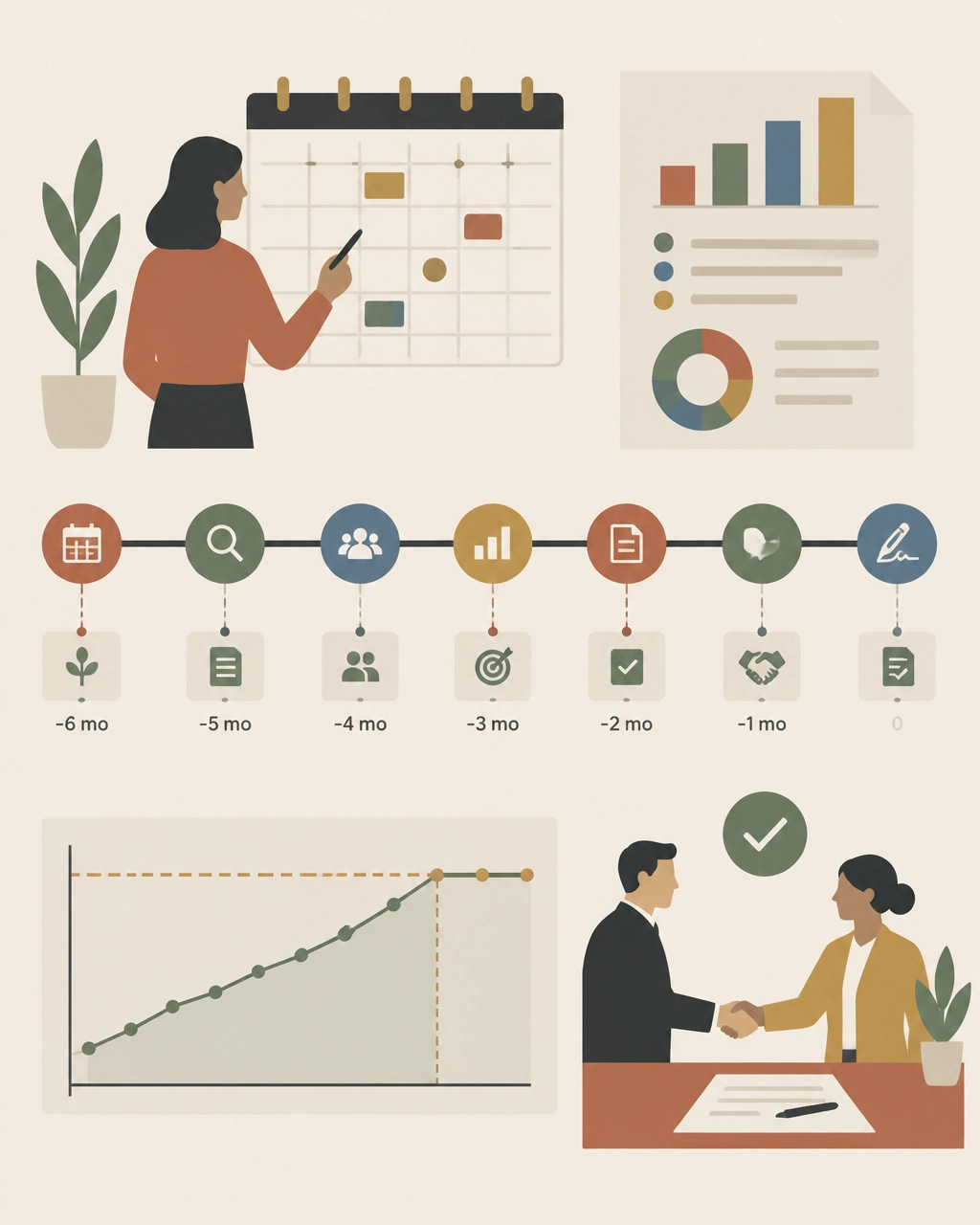
A practical timeline:
- 9–12 months out: collect contract, usage, headcount, and invoice data
- 6–9 months out: complete the benchmark and identify scope changes
- 4–6 months out: set targets, prepare alternatives, and begin formal discussions
- 2–4 months out: negotiate pricing, escalators, true-ups, and risk terms
- 30–60 days out: finalize redlines and verify the commercial model
By the time the vendor presents a renewal quote, your internal target should already be set.
What 2026 buyers should watch closely
Three issues deserve special attention in the next renewal cycle:
AI and new product add-ons
New AI capabilities may be introduced as separate paid products, premium tiers, or expanded bundles. Benchmark them independently. Do not allow “new functionality” to obscure an increase in the effective cost of your existing deployment.
Phased roadmaps
If you plan to add modules later, negotiate future pricing now. Otherwise, you may lose the consolidation economics available when multiple modules are purchased together.
Contract flexibility
Workforce volatility, M&A, and budget pressure make true-down rights and reallocation provisions more valuable than ever. The cheapest contract is not always the one with the largest initial discount. It is the one that remains financially defensible when business conditions change.
Find out whether your Workday deal is above market
You do not need to wait for Workday’s renewal proposal to discover overpayment.
The Negotiator Guru helps enterprise teams benchmark every relevant SKU, expose unused or inflated scope, review contract risk, and build a negotiation strategy before the vendor sets the anchor. Our Workday negotiation specialists operate discreetly as an extension of your team.
With Right Price Benchmarking™, we identify what your agreement should cost and where the savings opportunity exists. If the contract warrants broader support, our Full Negotiation Support team can help plan, pressure, and execute the renewal.
We have delivered $1.05 billion in total cost impact globally, with average savings of 37% per deal. And if we cannot identify at least 10% savings, we do not take the deal.
Before your next Workday renewal, benchmark the agreement you have: not the proposal you are given. Start your assessment with The Negotiator Guru.

How to Negotiate with Salesforce: A Step-by-Step Playbook for Enterprise Leaders
For enterprise leaders managing multi-million-dollar technology budgets, few vendor renewals carry the complexity, pressure, and financial weight of a Salesforce Enterprise License Agreement (SELA) or Master Subscription Agreement (MSA). Whether you lead an IT organization as a CIO, oversee financial strategy as a CFO, or direct sourcing operations as a Procurement Leader, approaching a Salesforce renewal without a rigorous playbook is a recipe for inflated costs and rigid contract terms.
At The Negotiator Guru, we have helped global enterprises navigate high-stakes enterprise contract renewals, achieving a cumulative $1.05 billion in total cost impact globally with an average savings of 37% per deal. Unlike traditional brokerages or vendor referral partners, we operate with absolute impartiality. We sit strictly on your side of the table, backed by our 10% savings guarantee: if we don't secure at least 10% in hard savings, we don't take the fee.
This comprehensive, step-by-step playbook is designed for Fortune 500 decision-makers looking to master salesforce contract negotiation, eliminate shelfware, leverage precise market intelligence, and execute a winning renewal strategy.
Step 1: Pre-Renewal Groundwork : Timing and Internal Data Gathering
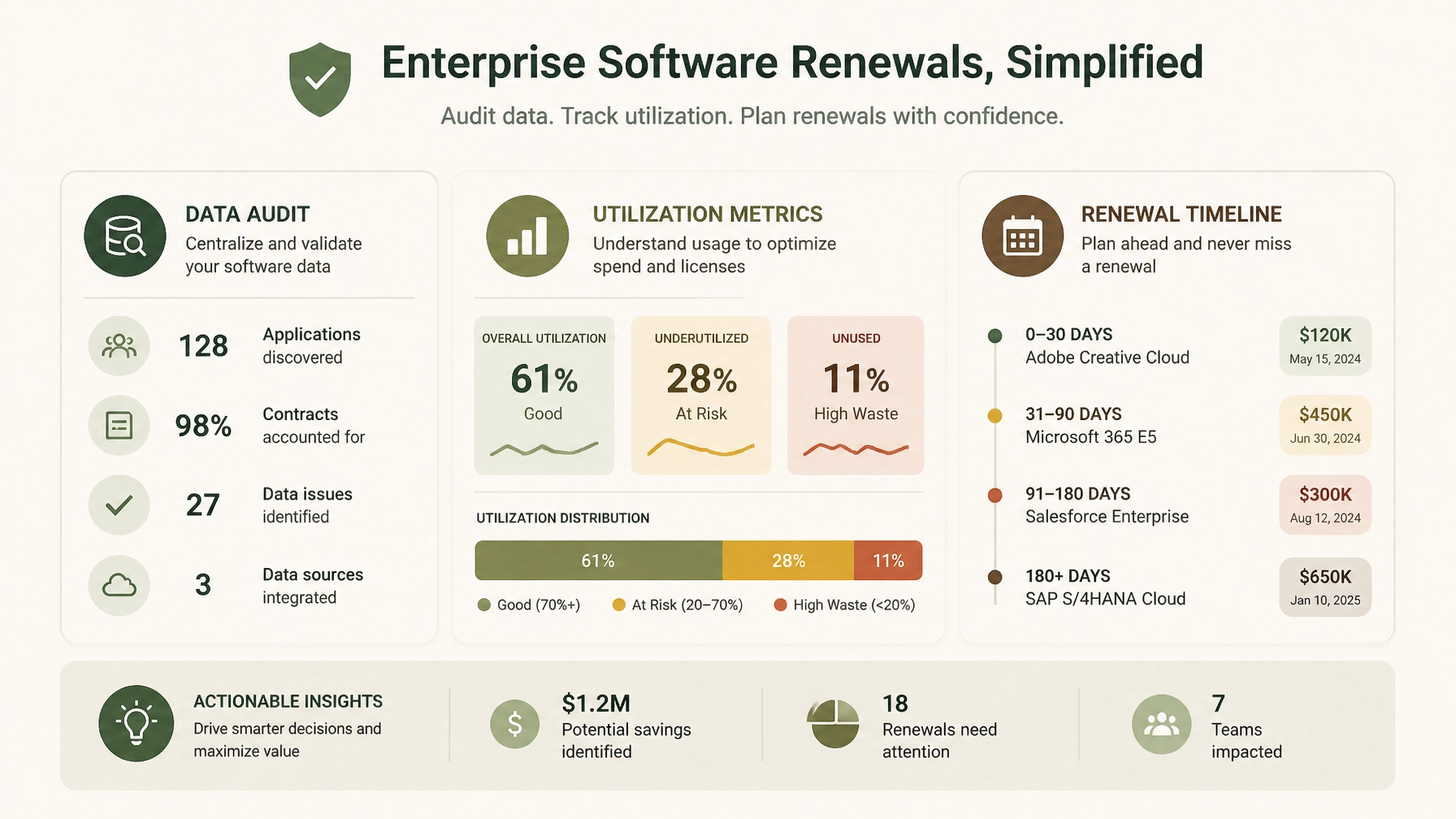
Successful salesforce renewal negotiations are won long before you ever step into a meeting room with your Salesforce account executive. In enterprise vendor negotiations, 75% of your success is determined during preparation, while only 25% occurs at the bargaining table.
Establish the Right Timeline
Salesforce sales teams operate on strict quarterly and annual fiscal cycles (typically ending January 31st). They rely on urgency to push enterprise buyers into rushed decisions. To neutralize this pressure:
- Start 6 months out: For SELA-scale agreements ($5M to $15M+ annual spend), your internal preparation must begin at least 6 months before expiration.
- Review notice periods: Check your contract for required non-renewal notice windows. Timely notification preserves your right to walk away or renegotiate from a position of strength, preventing automatic rollovers into unfavorable terms.
Conduct a Rigorous Utilization Audit
Salesforce will push you to expand your user counts and add-on suites based on historical licensing rather than actual consumption. Ninety days prior to renewal, execute a comprehensive internal audit across all clouds (Sales Cloud, Service Cloud, Marketing Cloud, Data Cloud, Einstein/AI add-ons, and MuleSoft):
- Active vs. Licensed Users: Compare active logins against provisioned licenses. Identify dormant, departed, or under-utilized users (shelfware).
- Feature Adoption: Audit which specialized features and add-ons are actively driving business outcomes versus those gathering digital dust.
- Departmental Silos: Consolidate usage data across business units. Fragmented buying often hides enterprise-wide redundancy.
By aligning with CIOs & IT Leaders and CFOs & Finance Leaders, you can eliminate waste before Salesforce ever evaluates your baseline.
Step 2: Mastering Salesforce SKU and License Benchmarking
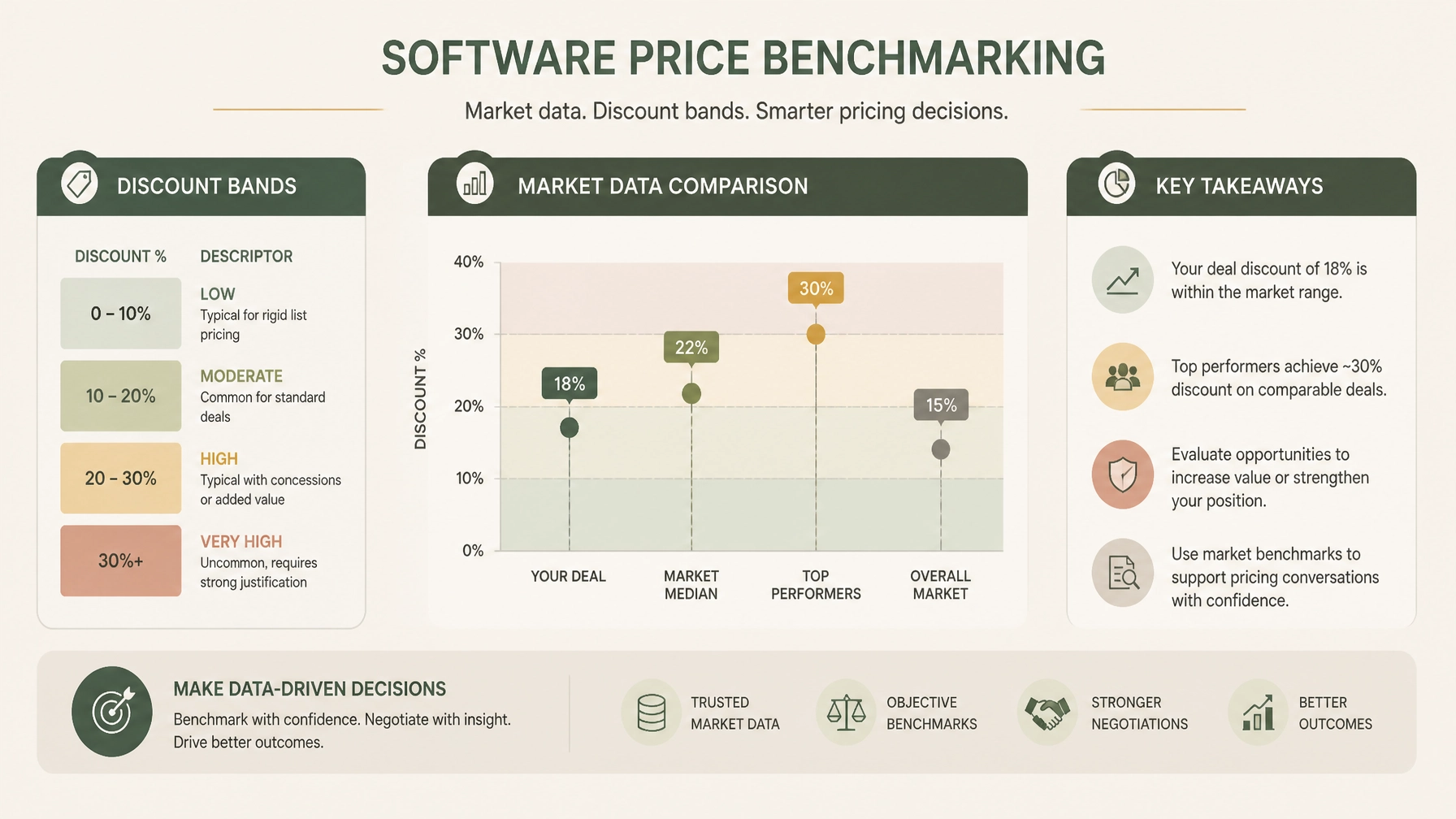
Salesforce’s list prices are designed to act as artificial anchors. Vendor sales reps will often present a proposed discount that looks generous on paper, but when compared against actual enterprise market data, you may still be paying significantly above peer averages. This is where salesforce benchmarking becomes your primary lever.
Moving Beyond List Price
Enterprise buyers must replace Salesforce list prices with empirical market data. Through our specialized Right Price Benchmarking™ service, we map every SKU, license tier, and volume break against recent Fortune 500 deal points:
- Discount Bands by Annual Contract Value (ACV): Enterprise discount percentages scale with ACV. For instance, at $1.5M–$5M ACV, robust negotiations typically yield 26–38% on Sales Cloud and 28–40% on Service Cloud, while $5M–$15M ACV deals command even deeper tiering.
- Net Price per User: Break down the cost per active user by product rather than accepting bundled pricing obfuscation.
- Add-On Unit Economics: Scrutinize high-margin add-ons such as Data Cloud data volume consumption, Marketing Cloud contact tiers, and API call allowances.
When you present data showing that your net pricing sits outside upper-quartile peer benchmarks, you dismantle Salesforce's narrative that "this is our best possible price."
Step 3: Recognizing and Countering Salesforce Negotiating Tactics
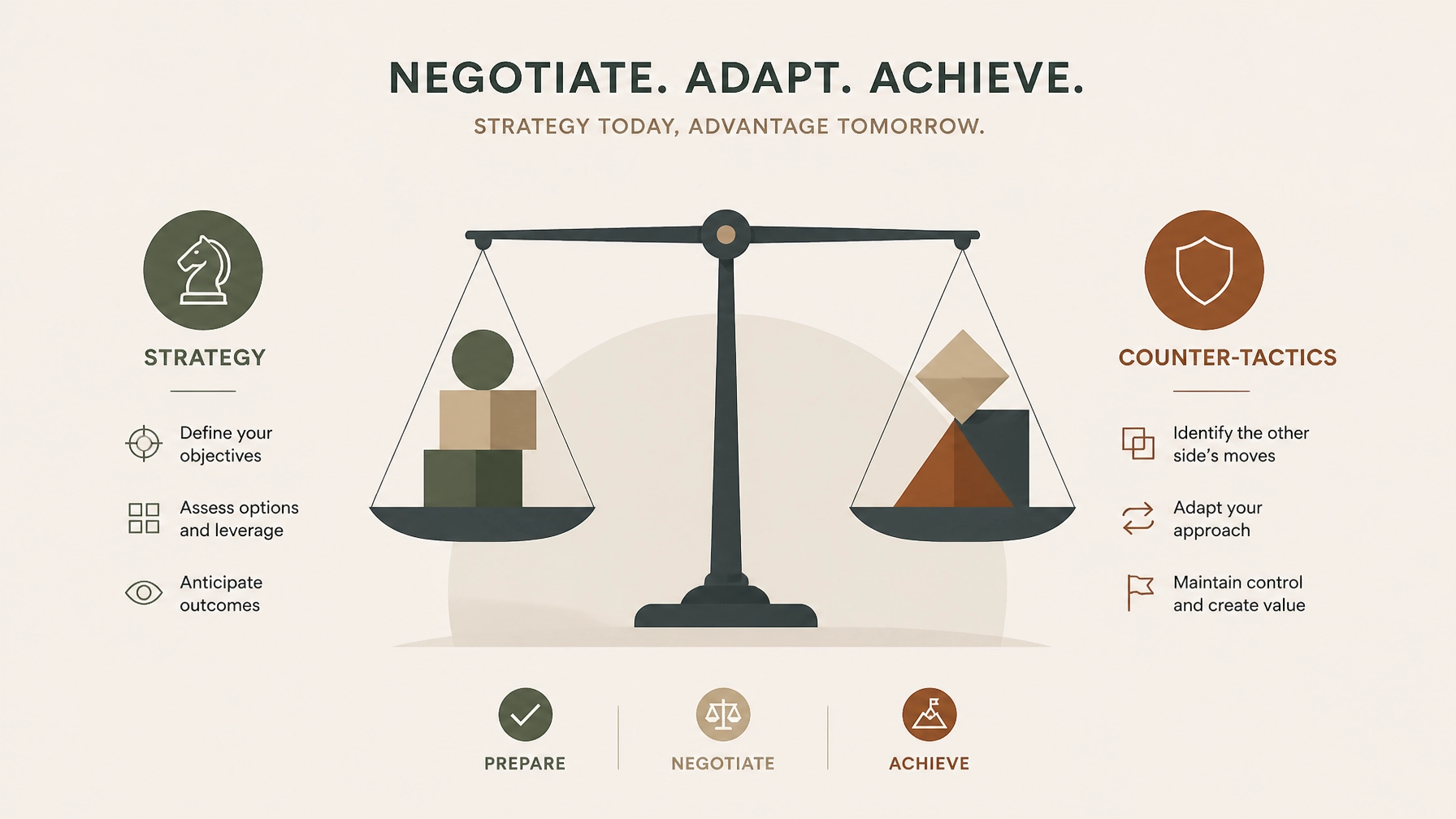
Salesforce employs sophisticated, highly rehearsed enterprise negotiation playbooks. Recognizing these plays in real-time allows Procurement Teams to counter them effectively.
1. The "Good Cop / Bad Cop" Play
- The Play: Your Account Executive acts as your collaborative friend who desperately wants to help you get internal executive approval, while their Sales Director or VP steps in later as the immovable authority figure who claims, "My hands are tied; corporate won't approve this discount without a multi-year expansion."
- The Counter: Maintain strict organizational escalation discipline. Do not let emotional rapport dictate commercial terms. Respond to the escalation with in-kind escalation and formal objective data: "We appreciate leadership review, but our benchmark data indicates this net pricing does not reflect current enterprise market realities. Let's focus on what aligns with peer valuations."
2. The "Use It or Lose It" Budget & Quota Pressure
- The Play: Salesforce reps create artificial scarcity as fiscal year-ends approach, warning that special discounting, free pilots, or promotional credits will evaporate at midnight on January 31st.
- The Counter: Recognize that software vendors have quarterly quotas every 90 days. Rushed deals invariably contain hidden liabilities and missed cost-reduction opportunities. True enterprise leverage stems from your willingness to maintain your current run-rate or evaluate alternative architectures if terms are unacceptable.
3. The "New SKU" and Bundle Confusion
- The Play: As Salesforce expands into Data Cloud, AI (Einstein 1), and industry-specific clouds, reps bundle legacy essentials with expensive new SKUs, making it difficult to audit individual product pricing or discount transparency.
- The Counter: Demand unbundled pricing transparency. Insist that every new SKU be evaluated on its own standalone ROI and market benchmark before inclusion in any enterprise agreement.
Step 4: Navigating Key Contract Traps in Salesforce Enterprise License Agreements (SELA)
A successful salesforce enterprise license agreement is defined just as much by its protective clauses as its headline pricing. Through our Contract Risk Review & Mitigation service, we routinely expose dangerous contract traps embedded in legacy agreements:
- Uncapped Annual Price Escalators: Standard Salesforce agreement templates often include automatic annual price uplifts (frequently 5% to 7%). Enterprise buyers must negotiate hard caps limiting annual renewals to 0% to 4%, protecting long-term budget predictability.
- Restrictive Co-Terming and Cross-Penalties: Beware of clauses that penalize you for reducing user counts mid-term or bundling unrelated business units under restrictive cross-default conditions.
- Audit and True-Up Vulnerabilities: Vague language around license deployment and environment tracking can expose your organization to aggressive compliance audits. Ensure clear definitions of authorized use, non-production environments, and notification windows.
Step 5: Structuring the Deal for Long-Term Value and Flexibility
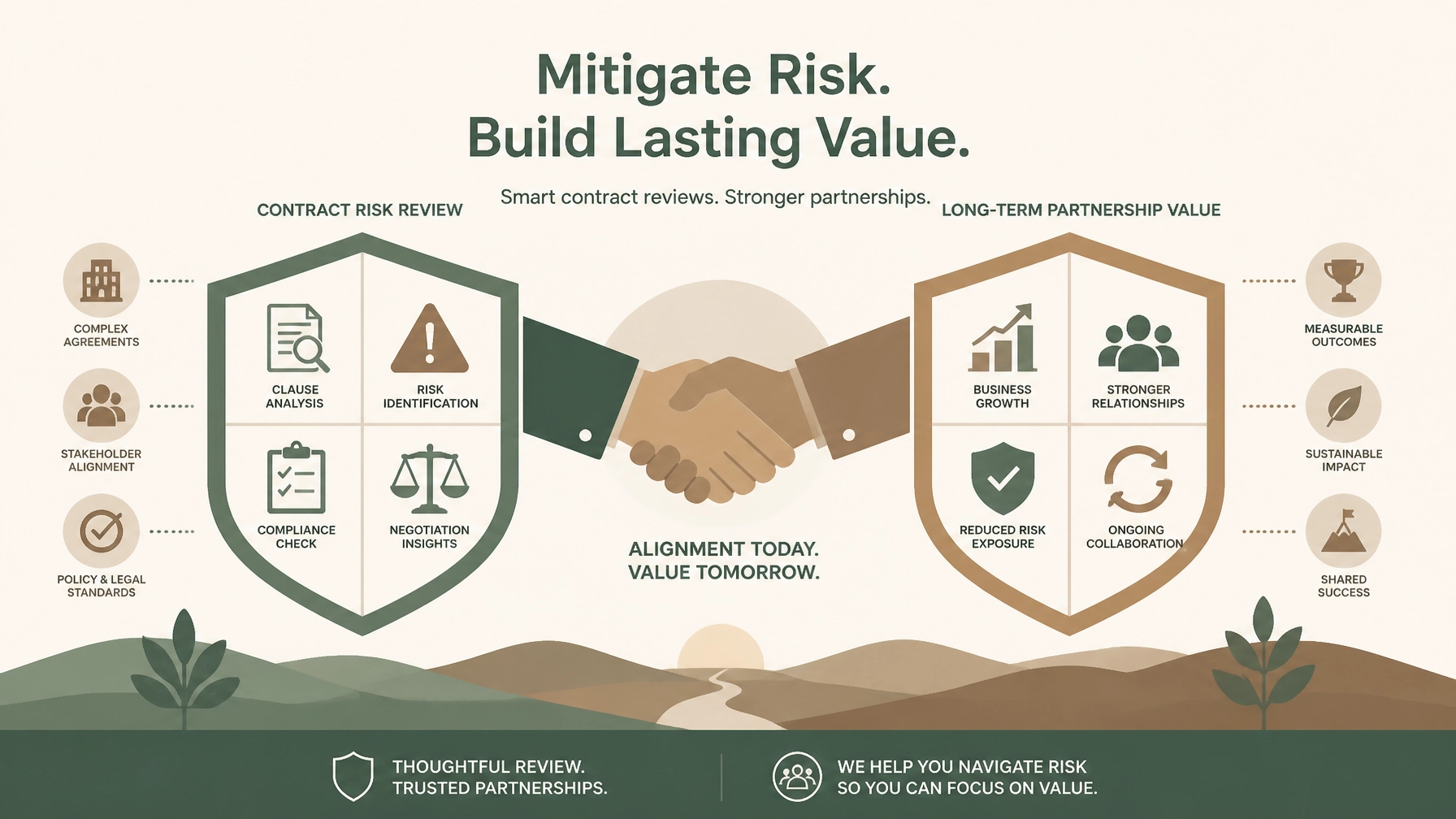
Enterprise negotiations should not merely solve this year's budget shortfall; they must establish a sustainable, flexible commercial framework for the future.
- Ramp-Up Structures: Instead of paying for peak projected license counts on day one, negotiate a staged ramp schedule that aligns financial commitments with actual adoption milestones.
- License Swap and Flex Rights: Secure contractual rights to reallocate license types (e.g., swapping Sales Cloud Enterprise seats for Service Cloud or Platform licenses) as your operational priorities shift.
- Performance and Adoption Protections: Tie future expansions to verified business value realization rather than blanket vendor commitments.
Secure Your Enterprise Savings with Full Negotiation Support
Navigating a complex Salesforce renewal while managing day-to-day IT operations and financial governance is a formidable challenge. Salesforce has thousands of negotiations under its belt; your team likely handles this cycle once every few years.
That is why leading Fortune 500 enterprises partner with The Negotiator Guru.
Our Full Negotiation Support service provides end-to-end guidance: from roadmap planning and right-price benchmarking to real-time counter-tactics at the bargaining table. Because we operate with complete impartiality and back our work with a 10% savings guarantee, your success is our sole priority.
Contact our team today to schedule a confidential consultation and discover how we can secure superior pricing, watertight terms, and lasting value for your next Salesforce enterprise negotiation.
Start with a CIA.
That’s a Client Intake Assessment.
Upload your contract data or schedule a discovery call. If we can’t identify at least a 10%+ from a TNG Right Pricing™ opportunity, we won’t take your money (but we will offer you some free advice!)
