

Negotiating with AWS: How Enterprise Teams Cut Cloud Costs Before They Compound


AWS is one of the most under-negotiated enterprise vendors in the market.
That sounds surprising. AWS is often one of the largest technology suppliers in an enterprise portfolio, with annual spend measured in millions, or tens of millions. Yet many organizations approach AWS as if the only available levers are architectural optimization, Savings Plans, and Reserved Instances.
Those tools matter. They are not the whole negotiation.
AWS spend grows organically through consumption rather than seats. New accounts appear. Workloads move into production. Data volumes increase. Development environments multiply. Business units adopt services independently. By the time finance sees the full picture, the organization may already have a substantial AWS run rate, and limited visibility into the commitments supporting it.
That is precisely when a large cloud bill becomes a negotiation opportunity.
The goal is not simply to obtain a larger headline discount. It is to build a commercial structure that aligns with actual consumption, protects flexibility, reduces commitment risk, and preserves leverage for the next renewal.
Why AWS negotiations work differently from SaaS negotiations
Seat-based SaaS contracts usually have a visible commercial unit: users, licenses, modules, or transactions. AWS is different. The bill is a portfolio of variable consumption lines.
AWS pricing can include:
- On-Demand usage
- Savings Plans
- Reserved Instances
- Data transfer and egress
- Storage and requests
- Managed database consumption
- Support fees
- AWS Marketplace purchases
- Promotional credits
- Migration funding
- Enterprise-level private pricing
That creates two common mistakes.
First, teams benchmark the wrong number. They compare the total invoice to public list price without normalizing usage, regions, service mix, pricing model, and credits.
Second, teams negotiate the wrong commitment. They accept a spend target based on an optimistic cloud roadmap rather than a defensible forecast of eligible consumption.
In a seat-based negotiation, unused licenses are visible. In AWS, unused commitment can be buried inside a complicated consumption model and discovered only after the organization has already signed.
The AWS commercial landscape: what can actually be negotiated?
On-Demand pricing
On-Demand is the most flexible AWS pricing model, but generally the least economical for stable workloads. It is also the baseline against which many other discounts are presented.
On-Demand pricing is useful as a reference point, not as a complete benchmark. The real question is:
What effective rate is the enterprise paying for its actual service mix after all discounts, credits, commitments, and exclusions?
Savings Plans
Savings Plans provide discounted rates in exchange for a one- or three-year commitment to a consistent level of eligible compute spend.
Depending on the type, they may apply across services such as:
- Amazon EC2
- AWS Fargate
- AWS Lambda
- Selected database workloads
The tradeoff is flexibility versus discount depth. A Compute Savings Plan can provide broader portability across eligible compute, while an EC2 Instance Savings Plan may offer stronger economics with more constrained coverage.
AWS provides public documentation on how Savings Plans work, but the discount is not automatically a substitute for enterprise negotiation. Savings Plans typically do not address:
- Data transfer out
- AWS Support fees
- Most Marketplace software fees
- Broader enterprise commitment risk
- Contractual protections around future services
Review the official AWS Savings Plans documentation before modeling a proposal.
Reserved Instances
Reserved Instances can reduce the cost of predictable EC2 and database usage, usually in exchange for a defined configuration and term.
They can be attractive when workloads are stable. They can also create avoidable lock-in when a business is changing instance families, regions, operating systems, or deployment patterns.
The right question is not “What is the maximum discount?” It is:
How much of this workload can the business confidently call stable for the full commitment term?
AWS explains the mechanics of Reserved Instances here. Your negotiation should go further by testing whether the commitment is operationally realistic.
EDPs and Private Pricing Agreements
Large AWS customers may negotiate an Enterprise Discount Program, often referred to in current market discussions as a Private Pricing Agreement or PPA.
The basic structure is straightforward:
- The customer commits to a minimum level of eligible AWS consumption.
- AWS provides a negotiated discount across defined eligible usage.
- The agreement runs for a set term, commonly one to five years.
- The customer must manage its usage carefully to avoid falling short.
AWS does not publish a universal public discount schedule for EDPs or PPAs. Rates depend on factors such as:
- Annual committed spend
- Total term value
- Current run rate
- Forecast growth
- Service mix
- Region and account structure
- Competitive alternatives
- Migration or modernization plans
- AWS Marketplace participation
- Timing and internal AWS priorities
Industry-observed ranges are directional rather than official. As a rough negotiating reference, enterprise proposals may fall into bands such as:
| Annual commitment | Directional observed discount range* |
|---|---|
| $1M–$5M | 5%–8% |
| $5M–$10M | 8%–12% |
| $10M–$25M | 10%–15% |
| $25M–$50M | 14%–19% |
| $50M+ | 17%–23% |
*These are market observations, not AWS-published tiers or guaranteed outcomes. A discount is meaningful only when you understand exactly which services, charges, accounts, and commitment calculations it covers.
Do not negotiate on the headline percentage alone. Ask AWS to define:
- Eligible services
- Excluded services
- Treatment of new AWS services
- Treatment of Marketplace spend
- Treatment of support charges
- Credit application order
- Account and region portability
- Ramp mechanics
- Shortfall consequences
- True-up and true-forward provisions
- Renewal and repricing rights

The growth commitment trap
The most dangerous AWS commitment is not necessarily the one with the lowest discount. It is the one based on a forecast that the business cannot reliably achieve.
AWS teams may present a larger commitment as a way to unlock better economics. The logic can be compelling:
- The business is migrating workloads.
- AI and analytics usage will grow.
- New regions are planned.
- More business units will consolidate onto AWS.
- A modernization program will increase consumption.
Some of those assumptions may be correct. The problem is that a forecast is not the same as committed usage.
If actual consumption falls below the commitment, several outcomes are possible depending on the agreement:
- The customer receives less economic value than expected.
- Unused commitment may expire.
- The customer may need to accelerate migrations or shift workloads.
- Finance may face a true-up or shortfall obligation.
- The customer may have less leverage at renewal because it appears to have underperformed against its promise.
A strong AWS negotiation separates three numbers:
- Current run rate: what the company is consuming today.
- Committed base: what the company can defend with high confidence.
- Strategic upside: what may happen if planned migrations and growth materialize.
Only the first two should form the foundation of a hard commitment. Strategic upside should be rewarded through ramps, expansion rights, reopener clauses, or incremental discounts, not automatically converted into a fixed liability.
Committed spend, true-ups, and unused commitment liability
Before signing, model the agreement month by month.
At a minimum, calculate:
- Expected AWS usage by service
- Eligible versus excluded spend
- Existing Savings Plans and Reserved Instances
- Marketplace spend
- Credits and expiration dates
- Support fees
- Migration-related costs
- Seasonality
- Business-unit allocations
- Downside and upside scenarios
Then test three cases:
Base case
The organization follows its current migration and growth plan.
Downside case
Migration is delayed, a major workload remains on-premises, or optimization reduces consumption.
Upside case
AI, data, or application workloads grow faster than expected.
The agreement should not be economically attractive only in the upside case.
Ask for mechanisms that reduce unused commitment liability, including:
- A lower first-year commitment
- Annual ramps rather than a flat commitment
- Carry-forward rights
- Reallocation across accounts and regions
- Broader eligible-service coverage
- The ability to apply certain Marketplace purchases
- A formal review if consumption falls materially
- No automatic conversion of a shortfall into a new long-term commitment
- Clear treatment of credits when calculating commitment attainment

Use AWS Marketplace, credits, and MAP as negotiation levers
AWS Marketplace can be commercially important in two ways.
First, Marketplace may be part of the broader enterprise cloud commitment. If your organization already purchases significant third-party software through AWS Marketplace, ask whether that spend can contribute to commitment attainment. Do not assume it qualifies. Get the treatment documented.
Second, Marketplace can provide a procurement path for third-party software, including negotiated private offers. AWS explains the mechanics of Marketplace private offers.
Credits are another lever, but they should never be treated as equivalent to a permanent price reduction.
Separate:
- AWS promotional credits
- Migration credits
- Marketplace-related credits
- Partner-funded incentives
- MAP funding
- Service-specific discounts
- Contractual PPA discounts
For migration programs, AWS’s Migration Acceleration Program terms should be reviewed carefully. MAP may support migration and modernization activities through funding or credits, but eligibility, included services, timing, and exclusions matter. For example, credits may not cover all data transfer costs or third-party software charges.
Negotiate the value of credits as part of the total economic package, while keeping the underlying price and commitment structure transparent.
Data egress: negotiate it before you need it
Data egress is often treated as an unavoidable technical cost. In a negotiation, it is also a portability and concentration-risk issue.
Your AWS analysis should distinguish between:
- Routine operational egress
- Cross-region replication
- Internet delivery
- Data movement during migration
- Exit-related data transfer
The EU Data Act is changing the discussion. The European Commission states that switching charges, including switching-related data egress, must be eliminated from 12 January 2027, with a transitional cost-based approach before then. The official European Commission explanation of the Data Act provides the relevant context.
That does not mean all ordinary AWS outbound data transfer becomes free. Day-to-day operational egress remains a separate commercial issue.
For a multinational enterprise, negotiate:
- A clear definition of switching-related egress
- Data export assistance
- Migration support obligations
- Advance notice requirements
- Portability of data and metadata
- Treatment of egress outside the EU
- No contractual language that defeats applicable regulatory rights
Support fees are negotiable too
AWS Enterprise Support is generally calculated as a percentage of monthly AWS charges, subject to minimum fees and tiered rates. At large spend levels, even a modest reduction in the effective support rate can produce meaningful savings.
Ask AWS to clarify:
- The exact fee base
- Whether credits reduce the support calculation
- Whether Marketplace charges are included
- Whether support fees increase automatically as usage grows
- Minimum monthly charges
- Enterprise Support versus other support tiers
- Technical Account Manager coverage
- Service-level commitments
- Response-time remedies
Do not accept support as an automatic percentage of every dollar on the invoice without testing the calculation. Support is a distinct commercial line and should be benchmarked separately. Review AWS’s current Support pricing directly, then negotiate the enterprise-specific application.
How to benchmark AWS spend properly
You cannot benchmark AWS effectively by asking whether you received “20% off list price.”
That number may exclude the services where your spend is concentrated. It may also combine different pricing mechanisms and obscure the cost of commitment risk.
A useful AWS benchmark normalizes:
- Service and SKU
- Region
- Usage volume
- Instance family
- Operating system
- Pricing model
- On-Demand equivalent
- Effective unit rate
- Discount off On-Demand
- Savings Plan or Reserved Instance coverage
- PPA/EDP discount
- Credits
- Support fees
- Data transfer
- Marketplace charges
- Term length and commitment
Track at least three measures:
Effective discount rate
The total discount against the relevant On-Demand baseline.
Effective unit rate
The actual price paid per unit of compute, storage, request, transfer, or database capacity.
Net economic rate
The cost after credits, funding, support, and commitment liabilities are included.
This is where Right Price Benchmarking™ adds value. Benchmarking should reveal not just whether the discount looks attractive, but whether the total structure is commercially fair.
The AWS negotiation playbook
1. Start early
Begin at least six to nine months before a major renewal, PPA, or commitment decision. AWS has more flexibility when the customer has time to create alternatives and does not appear trapped by an expiration date.
2. Build an internal fact base
Bring together:
- CIO or CTO
- CFO or finance leader
- Procurement
- Cloud economics or FinOps
- Enterprise architecture
- Legal
- Business-unit owners
Agree on the target architecture, migration timetable, acceptable commitment, walk-away position, and priority terms before engaging AWS.
3. Build competitive pressure
Azure and Google Cloud do not need to replace AWS entirely to create leverage. A credible alternative may include:
- A workload migration
- A regional deployment
- A data and analytics platform
- A disaster recovery environment
- A new AI workload
- A dual-cloud architecture
- A competitive benchmark
The objective is not to threaten a migration the company cannot execute. It is to demonstrate that AWS is competing for future workload allocation.
4. Use timing deliberately
AWS’s fiscal calendar, quarter-end priorities, renewal windows, migration milestones, and internal account planning cycles can affect responsiveness.
Do not wait until AWS presents its final proposal. Establish your economic requirements early, then create a structured process with multiple proposal rounds.
5. Negotiate the complete package
Ask for more than a discount:
- Better PPA or EDP economics
- A defensible ramp
- Carry-forward rights
- Broader eligible spend
- Marketplace treatment
- Credits and MAP funding
- Reduced support fees
- Egress protections
- New-service coverage
- Renewal caps
- Exit and portability language
- Governance and reporting rights
AWS contract traps to review
Before signing, specifically test for:
- Auto-renewal: Does the agreement renew automatically, and how much notice is required to prevent it?
- Term escalators: Can the commitment or support fee increase during the term?
- Service-level carve-outs: Are critical services excluded from meaningful remedies?
- True-forward language: Can a shortfall or added usage create a higher future commitment?
- Repricing risk: Can AWS reprice new services or move them outside the negotiated discount?
- Credit expiration: Do credits expire before planned workloads go live?
- Account restrictions: Can spend move between accounts, regions, and subsidiaries?
- Marketplace exclusions: Does Marketplace spend count toward the commitment?
- Support calculation: Are support fees calculated on gross or discounted usage?
- Change-in-control language: What happens after a merger, divestiture, or acquisition?
- Exit costs: What data, assistance, and egress obligations apply when workloads move?
Key takeaways for CIOs, CFOs, and procurement teams
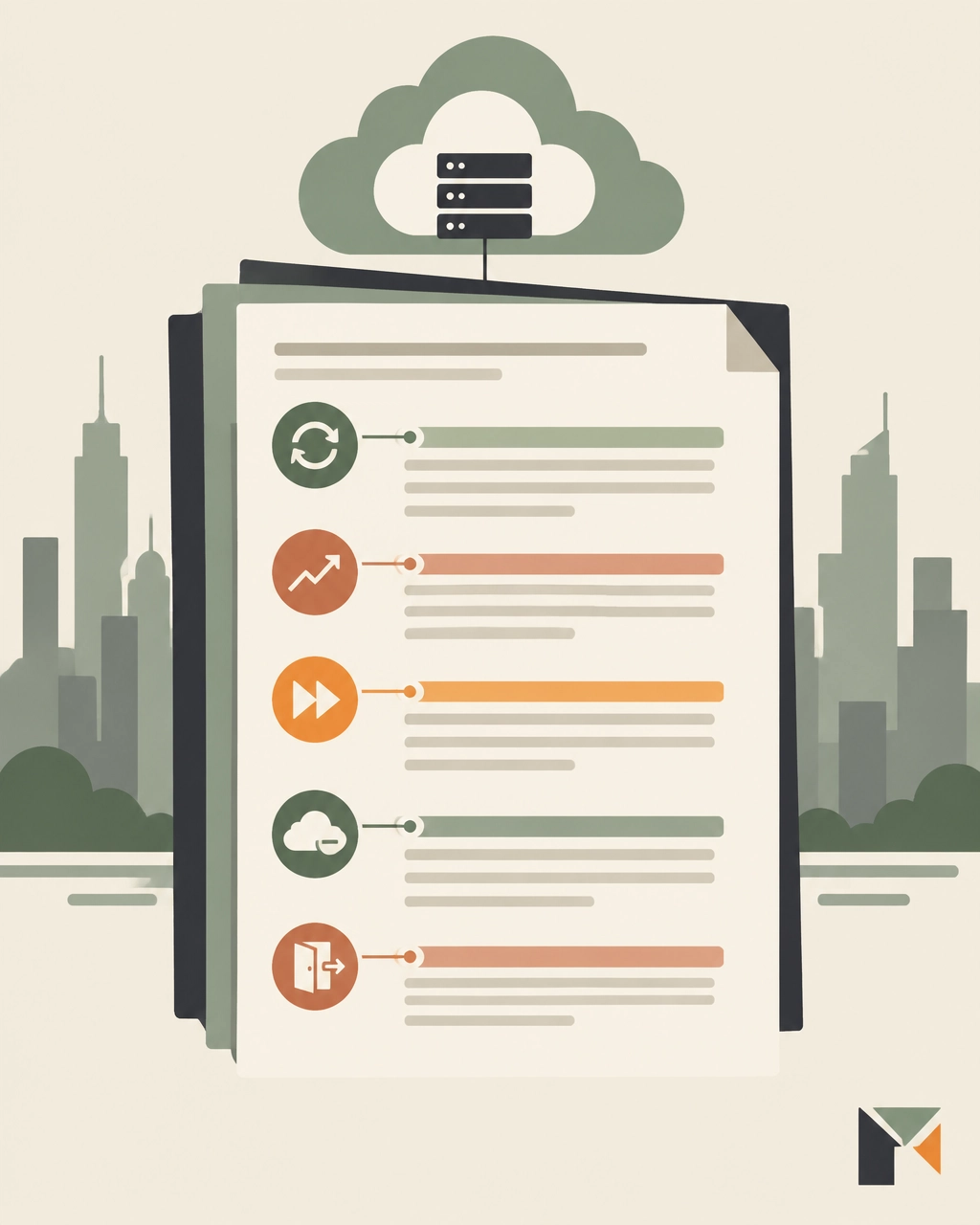
- AWS is not simply a usage bill. It is a portfolio of pricing models, commitments, credits, support charges, and contractual risks.
- The largest discount is not always the best deal if it requires an unrealistic commitment.
- EDPs and PPAs should be negotiated around eligible spend, flexibility, shortfall protection, and future-service treatment, not just the headline percentage.
- Savings Plans and Reserved Instances optimize specific workloads. They do not replace enterprise-level negotiation.
- Marketplace, MAP, credits, support fees, and egress can materially change the total economics.
- Benchmark effective unit rates and net cost, not just “discount off list.”
- Competitive pressure from Azure and Google Cloud is useful only when it is credible.
- Contract language determines whether savings survive after the signature.
Frequently asked questions
How much discount can an enterprise get from AWS?
There is no universal public AWS discount table. Directional market ranges may vary from single digits for smaller commitments to the high teens or low twenties for very large, well-structured commitments. The actual result depends on spend, term, service mix, growth, competition, and negotiation timing.
Should we commit to all projected AWS growth?
Usually not. Separate current run rate, defensible committed spend, and strategic upside. Use ramps, expansion rights, and review mechanisms to capture upside without turning an uncertain forecast into a fixed liability.
Do Savings Plans replace an AWS EDP or PPA?
No. Savings Plans address eligible compute consumption. An EDP or PPA may provide broader enterprise pricing, but its scope and exclusions must be negotiated. The two mechanisms can coexist.
Can AWS Marketplace spend count toward an enterprise commitment?
Sometimes, depending on the agreement and eligible products. Never rely on a verbal assurance. Require the treatment of Marketplace spend to be stated clearly in the commercial documents.
Is AWS egress now free?
Not generally. Ordinary operational egress remains a cost category. Switching-related charges are subject to evolving regulatory requirements, including the EU Data Act, and AWS has separate policies and eligibility conditions for migration-related transfers.
When should we begin an AWS negotiation?
For a major renewal or enterprise commitment, begin six to nine months ahead where possible. Earlier preparation creates room for benchmarking, competitive pressure, internal alignment, and contract review.
Negotiate AWS before the commitment becomes the constraint
AWS spend compounds quietly. A small pricing gap across thousands of usage lines becomes a major financial issue when consumption grows every month.
The answer is not to avoid cloud commitments altogether. It is to make commitments that reflect reality, reward growth without overpaying for it, and preserve options when the roadmap changes.
The Negotiator Guru is an impartial negotiation firm. We do not accept vendor referral fees, and we operate discreetly as an extension of your team. We have delivered $1.05 billion in total cost impact globally, with average savings of 37% per deal. If we cannot identify at least 10% savings, we do not take the deal.
For a pending AWS negotiation, we can help with:
- Full Negotiation Support: Build the strategy, manage the negotiation, and support your team through every counter.
- Right Price Benchmarking™: Normalize AWS pricing, usage, discounts, credits, and effective rates.
- Contract Risk Review: Identify commitment traps, repricing risk, auto-renewal exposure, and missing protections before you sign.
AWS may control the pricing model. Your team can still control the negotiation.
More resources
From Fortune 500 giants to fast-growing innovators, TNG has helped clients save 20% – 40%+ on enterprise software contracts — even when they thought it was impossible

How Much Does a Salesforce Implementation Cost?
The Salesforce implementation phase can make or break a SaaS platform’s adoption rate and effective use for months and years to come.
Resistance to change is to be expected, but companies need their employees to go all-in on understanding the tech, establishing new processes, and eliminating workarounds and legacy behaviors.
Salesforce implementation costs vary widely depending on the size of the implementation partner (if you choose one), your total Salesforce spend, and how many custom features and processes are required. Implementation costs also vary based on whether you are migrating from an existing platform(s) or starting fresh. If you plan to implement an off-the-shelf instance with few customizations, average costs range from 10-30% of your total annual spend. On the other hand, a large company with extensive customization could pay as much as 50% of their annual spend. Integrating multiple disparate systems after a merger or acquisition can drive the price even higher.
Start with Your Salesforce Roadmap
We recommend our clients begin building out a Salesforce roadmap six to nine months before negotiations. This process helps document necessary functionality, gain buy-in from internal stakeholders, and control the direction of negotiations from the beginning.
The Salesforce roadmap can also serve as a guide during the implementation process. It represents the project’s top priorities in terms of users, functionalities, and expectations; it sets the stage for a successful rollout.
What if we are an existing company migrating to Salesforce from one or more platforms?
If you are implementing Salesforce to replace existing technology (“lift-and-shift”), the roadmap is more defined at the outset. Many processes are already in place, users have certain expectations about how their work should be done, and stakeholders know what outcomes to expect from these efforts.
A successful implementation should do more than replicate existing processes. Users should expect to adapt processes and habits to fit the new platform and achieve the desired outcomes more efficiently. (If not, why did we switch platforms at all?)
“Lift-and-shift” implementations almost always cost the most, take the longest, and have the most risks involved. Implementation partners must be experts on Salesforce and any legacy platforms.
What if we are a new company or startup with no CRM?
New companies are challenged to build a roadmap with more limited information. Depending on the age and history of the company, it can take weeks or months to really understand what it needs from a technological standpoint. Strategies fluctuate; in many startups, marketing and IT departments do not exist as standalone functions yet.
These companies must define critical needs quickly, but they have one cost-saving advantage—they can build out business processes based on existing Salesforce functionality. There are no “bad habits” to accommodate that require custom development.
Regardless of whether you are implementing Salesforce for the first time or as a replacement, there are five important ways to keep implementation costs down.
5 Steps to Reducing Salesforce Implementation Costs
1. Build your Salesforce Roadmap
Your Salesforce roadmap contains two basic pieces of information: what you plan to buy and when you plan to buy it. It is your guide for negotiating and will become your guide for implementation as well.
In many organizations, one individual serves as the Salesforce “project manager” leading this effort. This person could have any role in the organization, from Salesforce admin to CIO, but is the primary point of contact for the Salesforce rep. This does not stop the rep from reaching out to the C-Suite and VP-level leaders to build better relationships.
The roadmap helps project managers achieve the internal alignment necessary to fend off Salesforce reps who contact multiple organizational stakeholders in hopes of influencing buying decisions. It empowers the Salesforce project manager and stakeholders to present a united front regarding what to buy right now, keeping negotiations focused on costs and business value rather than product.
2. Your Introductory Rates Matter
Your initial negotiations with Salesforce will determine your rates forever. The rate you start with will be the benchmark for all future negotiations, a boon for sales reps who will jump at the chance to sell seats and modules you do not need yet.
Without a clear roadmap that identifies the types of platforms your company needs (Sales Cloud, Marketing Cloud, industry-specific clouds, etc.), the sales rep will take the opportunity to build a roadmap for you that best serves their sales and revenue objectives. To drive first-year revenue as high as possible, it will likely include many features and benefits you need, along with quite a few that you do not.
Features and benefits that are not business-critical as defined in the roadmap inflate your base price, affecting future negotiations. They will also inflate third-party implementation costs, regardless of whether you plan to use all the functionality at the time of implementation or not. Unnecessary features still take time and resources to implement, potentially deterring those resources from more important projects. Many Salesforce implementation firms bill by the hour, so every hour they spend on non-critical functionality is money wasted.
3. Avoid Buying “Shelfware”
“Shelfware” is a term that describes software or licenses a company purchases but never uses. Software becomes shelfware in several ways. Perhaps someone saw a “cool” platform at a trade show, bought it, but never adopted or used it. Some companies buy software licenses at a volume discount rather than for an actual number of users. It is an outcome of classic price psychology—if you buy one, you get one more at 50% off. If you do not need two, is the half-off price as valuable as it looks? Rarely.
Salesforce account reps know how appealing a discount is, especially when they know their points of contact must get buy-in from multiple stakeholders. As mentioned above, Salesforce reps are highly motivated to maximize first-year revenue from new clients. They may drive the conversation by offering a bundled selection of platforms at some discounted rate. There is no rhyme or reason behind these discounts. They can be invented on the spot.
New companies are especially susceptible to paying for shelfware. When business processes are still evolving and companies are still working out best practices, it might make sense to license another platform or add a few more user seats in anticipation of future growth. It is certainly easier to do so in a room with an account rep; project managers must be proactive in sticking to the roadmap and focusing on immediate, defined technological needs. Companies must be intentional and specific when negotiating quantities, types of licenses, and the associated costs to keep initial spends reasonable, weed out upselling, and avoid wasting resources implementing unnecessary technologies. At the same time, Salesforce customers should take advantage of free trials, proofs of concept, and demonstrations to explore new technologies before buying.
4. Require Clarity on Pricing Structures
Bundled pricing leads to shelfware which leads to wasted time and money. Salesforce has several tricks up its sleeve to create highly variable pricing structures across industries and company sizes. Your company’s annual revenue and annual Salesforce spend also influence pricing, but there is no way of knowing to what degree. There are no “best in class” rates; sales reps are trained to rebut these inquiries.
To avoid unnecessary costs, companies must require itemized pricing. Recently, we are seeing more and more deals that boil down to Salesforce offering X, Y, and Z for one discounted fee. This number does not necessarily represent anything; Salesforce uses a value-based pricing model where prices are set based on your perceived value of the solution.
Third-party rate data can help you better understand whether your rates are comparable to similar companies. Some Salesforce consulting firms have price calculators on their websites, but they are generally built on base rates as listed on the Salesforce website. Firms like TNG compile this data based on years of experience negotiating contracts.
5. Keep it Simple
All SaaS implementation efforts have one thing in common—customizations equal cost.
This simple fact requires stakeholders to think carefully and critically about existing business processes and expected outcomes. The more your business can align processes with Salesforce capabilities out of the box, the lower implementation costs will be.
In many cases, companies fall into the trap of extensive customization. They create technical debt; more custom features require more internal and external resources to support Customization is not necessarily a bad thing, but many small- to mid-sized organizations do not need as much custom development as they believe. A thorough business process analysis in the beginning stages can help avoid costly customizations in the future.
Stakeholders and project managers must also take into consideration the employees working with these systems daily, how changes might impact the workflow, and how human elements of change management factor in. End users must be on board with the change; stakeholders must be sure that customization requests solve a business problem rather than accommodating a user’s (or department’s) preferences.
Do I need a third-party Salesforce implementation consultant?
Organizations must decide whether they want to launch the platform themselves, add Salesforce’s implementation and customer success services to their deal, or hire a third-party consultancy. All have pros and cons.
A typical Salesforce implementation process includes business process analysis, data transfer from previous systems, custom development (if applicable), user testing and quality assurance, deployment, and ongoing user training and support. It is a heavy lift, even for large organizations.
If you choose to partner with a vendor, it is critical to find the right vendor for your needs. Large vendors may not provide small companies with the level of service or talent necessary to get the job done. While it makes sense for large companies to evaluate the big-name firms, they should prepare for higher costs with no relative increase in quality.
If you already have a consulting partner like Accenture or Deloitte working with your organization, they are strong choices for Salesforce implementation as well—they understand your business and already have strong relationships with stakeholders. Levering these existing relationships can ease the change management process.
Beyond technical proficiency, third-party firms help you manage the human element. They can help secure buy-in, speed up adoption rates and time to proficiency, and help you design workflows that optimize the use of the platform. They also optimize the use of human resources, allowing internal employees to engage with the process as needed without affecting day-to-day responsibilities.
For those who want to partner with a third party, we advocate for mid-sized implementation firms. They are large enough to provide the critical talent necessary for a successful deployment but small enough to prioritize the client-partner relationship and drive mutual success.
You can search Salesforce’s database of implementation specialists here. Brief pricing information is available below.
Conclusion
Numerous variables affect Salesforce implementation costs. At TNG, we believe companies need a clearly defined roadmap that aligns stakeholder needs and expectations before ever opening discussions with a Salesforce rep. The roadmap drives the negotiation process which ultimately drives implementation costs and time frames.

Negotiating with Salesforce - Seven things you need to know about how Salesforce looks at a deal
Salesforce is good at negotiating. So your chances of getting a good deal are enhanced by understanding how they look at a deal and their goals. Your Salesforce Account Executive will lead the team you are negotiating with, in close coordination with his or her manager. This team is your path to getting the best overall deal. And while they are trained to maximize Salesforce revenue, they won’t get paid unless you make a purchase. So if you ask the right questions, and provide information that can help them get to a discount level you are comfortable with, this is the win-win situation all are striving for.
The remainder of this article provides some guidelines and background that will help you to get there.
1. Salesforce sales teams earn commissions on incremental revenue
Account Executives (also called “reps”) and their management are paid based on incremental revenue, not total revenue. If you don't buy additional licenses (or spend additional money), they don't earn commissions. More specifically, if your total spend this year is not more than last year’s, they don’t earn commissions this year. They are indifferent to whether you purchase licenses for more users, add-ons licenses for existing users, or you swap out one type of license for another, as long as the total spend is more. This is actually a good thing for the customer because it gives you more leverage and allows you to adjust your purchasing to your needs.
2. Salesforce AE’s are paid when the deal is signed
SF reps and management are paid in advance for the 12-month value of whatever you are deploying now. While they will ask for a longer contract such as three or five years, they are open to a shorter term, since most, if not all of their commissions are based on first-year revenue only. This varies from year to year, but the first year is always more important.
3. Timing matters
Salesforce's fiscal year ends in January. While this may seem strange, it is actually quite intentional. They can work with a customer the entire year to justify a new purchase, and wait until that customer's new fiscal year starts in January when the budget becomes available. And since the sales team gets paid on an annual quota they are quite happy with January deals. This often leads to very large February commission checks!
But it's not only the end of the year that matters, as management and reps are often encouraged through bonus payments to close deals at the end of a quarter.
Customers can take advantage of this quarter and year-end effect by asking for and often getting discounts that would otherwise not be available.
4. Discount authority is distributed
There are many articles in the public realm indicating that the rep has no power, and all of the decision-making lies with a special team that has the authority. This is not quite correct. Your rep has access to a discount/approval matrix indicating what level of discount is available, by license and quantity, and what organizational level is needed to approve it. They know how much of a discount they can get approval for, and whom they need to get that approval from.
In general, each level of management has a specific level of discount they can approve. So for example, for a given size deal, your rep may be able to offer you a 10% discount without additional approval. His manager may be able to approve an additional 5%, and each level of management above can offer some additional discounting. The special approvals team is involved only when a deal requires additional discounting, beyond what a given size of deal and management level can approve. A good rep knows how to work this structure, and will do so to get you the best deal they believe they need to have to get your signature.
So while the rep doesn't necessarily have the authority to grant you the discount you might want, they are your advocate and absolutely control the path to get you a better deal. So keep pushing and asking for more - as you get closer to year-end or quarter-end, more of the management will be interested in helping your rep get you a bigger discount. And it is highly likely that your rep’s manager (Salesforce calls the first-line sales manager a “Regional Vice President”, or “RVP”) is fully knowledgeable about every deal, so going above the rep does not necessarily get you better discounts.
5. Discounts depend on both deal size and customer size
Larger deals and larger customers generally get larger discounts. The combination of order size and customer spend leads to the discount they might offer you for a particular purchase. For example, a $100k purchase from a customer spending $2M annually will likely get a larger discount than that same $100k purchase from a customer spending $500k annually.
Conversely, a $2M customer making a $10k purchase may get a larger discount than a $100K purchase made by a new customer.
While deal size determines the discount level, customer size determines where the discount level for the deal starts.
6. Consolidating purchases increase your discount
Salesforce loves it when you make lots of little purchases. Each one is considered as if it were the only purchase you are making, and thus separate individual purchases lead to higher overall spend (see #5). When you are about to make a purchase, be sure to consider if any other groups in your organization are doing the same, as well as purchases you might be making in the short term future. If you can consolidate the orders into a single request, your deal size goes up, and your discount level will likely improve.
7. Consider near term future demand in your current purchase
As an extension to the previous point to consolidate your purchases, this can be extended to include purchases that will likely be made in the next few months or even the next year. Providing this to the account team will allow them to provide several options to you, and you will be able to see larger discount levels that might be available to you. This will likely include making the full year’s purchase upfront, which will lower your cost per license, but potentially increase your short-term spend.
The downside of advancing purchases before you need them is that there will be licenses that are unused for part of the contract term. You can then compare which is better for you, both in the short term and the long term, since your renewals will start from a lower price per user. You may find that even though some licenses are unused for a time, your overall cost is lower, especially when you consider the cost of several years in the future. Most good account teams will be able to provide you sufficiently better deals to make this worthwhile for you to make the purchase up front. And since you have already paid for the licenses, the faster you can deploy them, the more you will benefit, without incurring additional costs.
Bonus - Not all licenses need to be activated concurrently
Let's say you are planning on deploying 900 licenses in the next 12 months, with a schedule of 300 in month 1, 300 in month 4, and 300 in month 7.
You will almost always get a better price if you purchase all 900 at once, rather than 3 purchases of 300, but you will end up with licenses that you are paying for and not using for some of this time. Conversely, if you make three purchases, you are not paying for anything prior to actually deploying them, but the cost per license will be higher.
A better option is often available that combines the best of both. You can agree to purchase the 900 licenses in a single order but delay the activation dates for the licenses you will not be activating in the next few months. Your order form will have three line items, one for each activation date. But since your discount will be based on the full 900 license purchase, they will all be less expensive, and you are not paying prior to when you need them! Salesforce calls this a “staggered deal” structure.
Ready to explore joining the TNG family? Contact us today to set-up a client intake assessment where we identify your cost savings opportunity for free!

Guide to Salesforce Pricing: How Much should Salesforce Cost in 2021?
Yes, you can negotiate your contract with Salesforce.
Much like other large IT and SaaS vendors, Salesforce expects you to negotiate. Most customers do not know they can negotiate IT contracts or are hesitant to do so out of fear of compromising the business relationship. Some customers do attempt to negotiate but are largely unsuccessful because they do not know how to navigate the complicated process.
It is possible to achieve a margin of reduction anywhere from 15% to 50% in your Salesforce contracts. In our experience, the most successful negotiations focus on mutual value rather than a lower price.
Salesforce, by design, has developed its sales organization so that the customer-facing account representatives do not fully understand where rates should be per client. These individuals are the clients’ day-to-day contacts and have some local knowledge from their book of business, but they do not always have the full picture.
The sales system runs through a “business desk” or “deal desk.” The business desk is Salesforce’s decision-maker, with the account representative serving as something of a middle-man on your behalf. Read more about the business desk system.
How does Salesforce determine pricing?
First, it is important to clear up misconceptions about seasonal pricing. Many of our clients have been conditioned to believe that you must negotiate with software vendors at the end of the vendor’s fiscal year. They are operating under the assumption that the vendor is hustling to meet its annual or quarterly sales goals and is highly motivated to offer deals. This is an expensive and erroneous assumption. Salesforce, for example, has monthly targets as well; they change depending on how well certain sales verticals are performing and which products are selling.
In general, Salesforce pricing is consistent with most SaaS organizations in that the more volume you have, the lower your price will be. However, there is no standard pricing for Salesforce. There is no “best in class” rate across industries; if another company is paying less than you, that means nothing at face value. In fact, sales teams at Salesforce are trained to rebut those concerns.
In addition to the number of users, Salesforce pricing varies wildly based on three primary variables: industry, annual contract value (the amount of money you pay to Salesforce each year), and the customer’s (your) annual revenue.
Other factors that can lead to additional fees is the number of custom objects, permissions, profiles, developer support, integrations with Outlook or Gmail, dashboard creation, customizable reports, custom objects, external apps, lead scoring, and other additional features.
Consider this example: Two companies, one in manufacturing and one in life sciences, have roughly the same annual revenue and roughly the same annual contract value. The main differentiator is the industry; this could mean price points vary as much as 30% to 40%. Why? Salesforce operates using a type of value-based pricing model, where prices are set based on a customer’s perceived value of the solution. Industries like manufacturing and consumer goods with relatively small profit margins tend to see lower Salesforce costs. It is unlikely an individual sales rep would see this, being siloed into his or her own industry vertical.
What are Salesforce’s prices?
For the most part, Salesforce products are priced on a per user/per month or per digital capability /per month basis, billed annually. Customers who need additional Sandboxes, Shield, Platform Encryption, etc. will also experience variable pricing which is calculated on a percentage basis against a set of core SF products (like Sales/Service Cloud licenses). Salesforce calls this “derived pricing” and, contrary to what your account team will tell you, it’s highly negotiable as it delivers a high commission incentive. Publicly, Salesforce will tell you these products are 30% of net contract value. The “should cost” percentage of these derived products are reliant on the 3 variables described above with a specific emphasis on your product mix and annual contract value with Salesforce.
Below you will find the “list pricing” for Salesforce. On average, through proper negotiation you can save 15-75% off of these list prices.
Salesforce CRM Pricing (See also: add-ons)
Work.com
- Workplace Command Center: $5/user/month. Manage the complex process of opening your business and getting employees back to work safely in the COVID-19 environment
- Emergency Response Management for Public Sector: $300/user/month. Prioritize and mobilize emergency resources
- Emergency Response Management for Public Health: $450/user/month. Protect communities and provide personalized patient care at scale
- Contact Tracing: $200/user/month. Protect your employees and customers from the risk of infection
Small Business Solutions
- Essentials: $25/user/month. All-in-one sales and support app
- Sales/Service Professional: $75/user/month. Complete sales/service solution for any size team
- Pardot Growth: $1,250/org/month. Suite of marketing automation tools for any size team
Salesforce Sales Cloud Pricing
- Salesforce Essentials: $25/user/month billed annually. All-in-one sales and support app
- Lightning Professional Edition: $75/user/month. Complete CRM for any team size
- Lightning Enterprise: $150/user/month. Deeply customizable sales CRM
- Lightning Unlimited: $300/user/month. Unlimited CRM power and support
Salesforce Service Cloud Pricing
- Essentials Edition: $25/user/month billed annually. All-in-one sales and support app
- Professional: $75/user/month. Complete service CRM for any team size
- Enterprise: $150/user/month. Customizable CRM for comprehensive service
- Unlimited: $300/user/month. Unlimited CRM power
Marketing Cloud
- Customer 360 Audiences
- Corporate: $12,500/org/month. Give mid-sized businesses tools to unify and grow data assets
- Enterprise: $50,000/org/month. Help large-scale organizations unify, segment, and activate all data
- Enterprise Plus: $65,000/org/month. Enterprise edition plus Premier Support
- Loyalty Management
- B2B: $30,000/org/month. Incentivize channel partners and distributors with a B2B loyalty program
- B2C: $35,000/org/month. Launch and manage more dynamic and personalized B2C loyalty experiences
- B2C Loyalty Plus: $45,000/org/month. Run multiple loyalty programs on a single platform
- Pardot (up to 10,000 contacts)
- Growth: $1,250/org/month. Fuel growth with marketing automation
- Plus: $2,500/org/month. Dive deeper with marketing automation and analytics
- Advanced: $4,000/org/month. Power innovation with advanced marketing automation and analytics
- Premium: $15,000/org/month. Enterprise-ready features with predictive analytics and support
Email, Mobile, Web Marketing
- Basic: $400+/org/month. Personalized promotional email marketing
- Pro: $1,250+/org/month. Personalized marketing automation with email solutions
- Corporate: $3,750+/org/month. Personalized cross-channel strategic marketing solutions
- Enterprise: Ask for a quote. Sophisticated journeys across channels, brands, and geographies
Social Studio
- Basic: $1,000/org/month. Start your social media marketing journey with listening and engagement
- Pro: $4,000/org/month. Listen, publish, and engage across social networks
- Corporate: $12,000/org/month. Social marketing and social customer service for companies with multiple brands or products
- Enterprise: $40,000/org/month. Maximize results at scale across teams, brands, and geographies
Advertising Studio
- Professional: $2,000+/mo. Power audiences across digital advertising with CRM
Datorama
- Starter: $3,000+/org/month. Begin your marketing intelligence journey and unify, visualize, and activate your marketing data
- Growth: $10,000+/org/month. Grow your marketing intelligence platform across all campaigns, channels, and platforms
- Plus: Ask for a quote. Complete marketing intelligence across regions, brands, and business units
Google Marketing Platform
- Google Analytics 360: $12,500+/org/month. Turn insights into action with Google Analytics 360
- Google Analytics 360 + Optimize 360: $17,500+/month. Test, adapt, and personalize with Optimize 360
Salesforce CMS: $10,000/org/month. Build connected content and digital experiences at scale
Commerce Cloud
- B2B Commerce: Quote request
- B2C Commerce: Quote request
Platform
- Starter: $25/user/month. Build custom apps that fuel sales, service, and marketing productivity
- Platform Plus: $100/user/month. Extend Salesforce to every employee, every department, and transform app dev for your entire organization
How much does a Salesforce implementation cost?
A Salesforce implementation will cost on average 10-30% of your annual spend with Salesforce for a standard implementation. The primary factors that will cause the cost of your Salesforce implementation fees to vary is the amount of custom integrations, configuration services, and custom objects required by your organization.
To learn more read our article about How much does a Salesforce implementation cost?
How do we get a Salesforce discount?
Discounts through organizational growth:
Organizational growth is the greatest leverage a company can have when negotiating discounts. Whether a company grows organically by adding more employees or capabilities, or inorganically through mergers or acquisitions, the need for more user licenses is an excellent starting point for negotiations. When company growth leads to both new users and new products, the opportunity for more extensive discounts increases.
Discounts through product expansion:
Companies that do not have planned organic or inorganic growth can build leverage by opting for some new or trending products.
If you are just purchasing a basic CRM platform for lead, contact, & opportunity management, then you will likely struggle to receive a large discount. Although Salesforce routinely offers discounts on cross-industry platforms such as Einstein for analytics. It is discounted because it has not been widely adopted and few implementations have been successful. When Salesforce is actively pushing Einstein or another specific product, there are massive sales incentives and greater discounts. These discounts can be leveraged to negotiate further discounts in core licenses.
While Einstein is promoted across industries regularly, other industry-specific platforms may be incentivized at different times of the year. Without inside knowledge, it is impossible to predict or know what products will be incentivized at what time. Because we work with Salesforce constantly, The Negotiator Guru has a much clearer picture of the Salesforce landscape. Our active client engagements and professional relationships with former Salesforce employees allow us to work on your behalf to move through the negotiation process.
How do we manage Salesforce cost over time?
Once you have successfully worked with TNG to negotiate your first contract, what happens when renewal time comes around? Clear, established ownership of Salesforce within an organization plays a critical role in managing costs moving forward.
Salesforce’s ideal customer is one with multiple business units where needs and goals are not aligned across functions. No one is leveraging spend or standardizing rates/terms. Salesforce sales reps plan for an annual 10% increase in revenue from every customer, so customers should expect to be presented with the latest and greatest tool or app when sales conversations begin. When each business unit works independently with Salesforce, it is far more likely a company will pay for more software than it needs.
TNG recommends a centralized authority that manages the overall relationship with Salesforce but particularly the tactical management of licenses. An internal Center of Excellence that can manage the entire Salesforce instance from an enterprise perspective, move licenses around as necessary, ensure products are being used appropriately, and continue refining and adjusting the Salesforce roadmap along the way.
Conclusion
Our negotiation process is driven by a simple concept: right size, right price. Similar clients should pay the same price for the same product, know what rates they should be paying in comparison to their peers, and know what to look for in software contracts to eliminate potential issues before they arise. Salesforce has hidden much of this process in the shadows, making it challenging for companies to make informed investments in technologies.
Start with a CIA.
That’s a Client Intake Assessment.
Upload your contract data or schedule a discovery call. If we can’t identify at least a 10%+ from a TNG Right Pricing™ opportunity, we won’t take your money (but we will offer you some free advice!)
