

Workday Benchmark: How to Know If You're Overpaying Before Your Next Renewal (2026 Data)


Workday renewals rarely become expensive because of one obviously unreasonable line item. Overpayment usually accumulates through a combination of inflated headcount assumptions, unused modules, unclear discount structures, automatic escalators, and contract terms that remove flexibility.
That makes one question critical before your next renewal:
Is your Workday agreement priced within a defensible market range: or are you paying a premium because the vendor set the anchor first?
A credible Workday benchmark can answer that question. But benchmarking is not simply comparing your total annual contract value with a number found online. You need to normalize the data, examine your licensing structure, and connect pricing to the terms that determine your future cost.
This guide explains how to diagnose overpayment using 2026 benchmark data, what to measure, and where negotiation leverage is most likely to exist.
Important: Workday does not publish a universal price list. The ranges below are directional benchmarks from independent market research and reported enterprise transactions. Your appropriate target depends on employee count, modules, geography, deployment scope, term, and contract structure.
What a Workday benchmark should measure
A useful benchmark should answer more than “What discount did we receive?”
It should measure your effective cost across several dimensions:
- Per employee per year (PEPY) for workforce-based products
- Per user per month or year for named-user products
- Annual contract value (ACV) by module
- Discount from the relevant commercial baseline
- Annual price escalator
- Headcount commitments and true-up rules
- Unused or underused modules
- Flexibility to reduce, add, or reallocate licenses
- Fees outside the headline subscription price
This matters because a large discount can still produce a poor deal. For example, a 40% discount paired with a 5% annual escalator, fixed headcount commitments, and unused modules may cost more over three years than a smaller discount with better protections.
The right question is not “How much did Workday discount the proposal?”
It is:
What will we pay for the functionality we actually use, over the full term, under realistic workforce conditions?
The 5 diagnostic checks that reveal overpayment
1. Calculate your effective unit price
Start with the simplest calculation:
Effective PEPY = Annual module cost ÷ contracted employee count
For named-user products:
Effective annual user price = Annual module cost ÷ contracted named users
Do this separately for each major component rather than dividing total ACV by total employees. A blended number can hide expensive modules inside a bundle.
One 2026 benchmark set reports the following enterprise-level directional ranges:
| Workday component | Indicative enterprise benchmark |
|---|---|
| Core HCM | $14–$22 per employee per year |
| Payroll | $11–$18 per employee per year |
| Recruiting | $7–$12 per employee per year |
| Talent Management | $6–$10 per employee per year |
| Learning | $4–$8 per employee per year |
| Financial Management | $8–$14 per employee per year |
| Adaptive Planning | $1,400–$2,200 per finance user per year |
These figures come from published 2026 renewal research by WorkdayNegotiations. Other market studies report higher delivered pricing when they measure broader bundles, monthly rates, implementation scope, or more complex enterprise footprints.
That difference is not a contradiction. It demonstrates why benchmark comparisons must be like-for-like.
If your effective rate sits materially above the appropriate range after accounting for scope and complexity, you may have a pricing gap worth pursuing.
2. Separate deployed functionality from purchased functionality
Workday bundles can make unused functionality difficult to see. Review each module against four categories:
- Live and business-critical
- Live but underused
- Purchased but not deployed
- No longer required
Pay particular attention to products bought against future plans. A module that was “planned for phase two” three years ago may still be generating subscription cost without delivering value.
This is especially important for planning products and workflow-based packages. Recent Workday pricing research from Redress Compliance found that customers without documented model and workflow counts can overpay materially because the vendor’s estimate becomes the default sizing assumption.
Before renewal, ask:
- How many users are active?
- How many users are provisioned but inactive?
- Which workflows are live?
- Which modules have not passed deployment milestones?
- Which features are being handled outside Workday?
- What percentage of the purchased footprint is likely to be used in the next 12 months?

3. Challenge the headcount forecast
Workday pricing is often tied to employee or worker populations. That creates a major risk: paying today for growth that may not occur.
Your renewal analysis should distinguish between:
- Employees
- Full-time equivalents
- Part-time employees
- Contractors
- Seasonal workers
- Contingent workers
- Acquired employees
- Divested employees
- Regional populations excluded from the agreement
Then compare your contracted count with actual historical averages and your approved workforce plan.
If you are close to a volume breakpoint, the answer may not be to accept Workday’s proposed band. You may be able to negotiate favorable pricing based on a documented forecast: or negotiate a more flexible true-up structure that adjusts in both directions.
An upward-only true-up means Workday benefits when your workforce grows, while you continue paying for capacity when it shrinks. A stronger position includes:
- Bidirectional true-up rights
- Downward adjustment at renewal
- Protection against automatic band resets
- Credits for material workforce reductions
- Clear treatment of mergers, divestitures, and restructurings
4. Audit the escalator, not just the discount
The annual escalator is one of the most overlooked sources of renewal overpayment.
Published 2026 research indicates that Workday proposals may open with annual increases in the 3%–7% range, while benchmark-informed buyers often target a cap between 0% and 3%, depending on leverage and deal structure. Another independent SaaS benchmark found that Workday increases can reach 10%–16% without effective benchmarking, compared with approximately 0%–5% when customers negotiate from market data.
The exact outcome will vary. The principle does not:
A discount is a one-time reduction. An escalator compounds.
Review whether the cap applies to:
- Subscription fees
- Support fees
- Platform fees
- New or renamed SKUs
- Additional modules
- Services that become mandatory
- Any “then-current pricing” language
The strongest language is an all-in cap that prevents Workday from applying the limit only to one portion of the agreement while increasing other charges outside the cap.
This is where a Contract Risk Review can expose cost increases that are not obvious from the order form.
5. Compare your term against your flexibility needs
A longer term can create pricing leverage, but it can also lock in overpayment.
Some 2026 benchmark data reports additional discounts for three-, five-, and longer-term commitments. That may be attractive if Workday is deeply embedded in your operating model and your workforce is stable.
But a longer term is dangerous when:
- Your organization is restructuring
- Headcount is falling
- A merger or divestiture is likely
- Certain modules have not been deployed
- Your transformation roadmap is uncertain
- You lack true-down rights
- Escalators are not capped
Do not trade flexibility for a headline discount without modeling the total cost under multiple scenarios.
How to build a defensible 2026 Workday benchmark
A credible benchmark has four stages.
Stage 1: Normalize the commercial data
Collect the current agreement, order forms, amendments, invoices, usage data, employee counts, and renewal proposal.
Normalize:
- Currency
- Contract term
- Billing frequency
- Employee or user definitions
- Module scope
- Included services
- Implementation or support charges
- One-time credits
- Renewal escalators
Stage 2: Benchmark at the SKU and module level
Compare each component against relevant market data: not just the total contract value.
The Right Price Benchmarking™ service from The Negotiator Guru triangulates pricing using factors such as industry, annual contract value, company revenue, and license footprint. That produces a more useful view than a generic “average Workday customer” number.
Stage 3: Model the full-term cost
Create at least three scenarios:
- Vendor proposal: the renewal as presented
- Defensible target: benchmark-aligned pricing and terms
- Downside case: headcount decline, delayed deployment, or module reduction
Model the impact over the full term, including escalators and true-up mechanics. A $500,000 annual improvement is not the same as a $500,000 one-time credit if the recurring baseline remains inflated.

Stage 4: Translate the data into negotiation asks
Benchmark data is valuable only when it changes your position.
Your asks may include:
- Lower effective PEPY
- Removal of unused modules
- Reallocation rights
- Bidirectional true-up
- A lower annual escalator
- An all-in price cap
- Protection for renamed or replaced SKUs
- Credits for delayed deployment
- Fixed pricing for future roadmap modules
- Renewal flexibility after a merger or divestiture
Use the data internally to set targets, reservation points, and walk-away conditions. In the negotiation, lead with specific commercial requests rather than handing over a generic benchmark report.
When to start planning for a Workday renewal
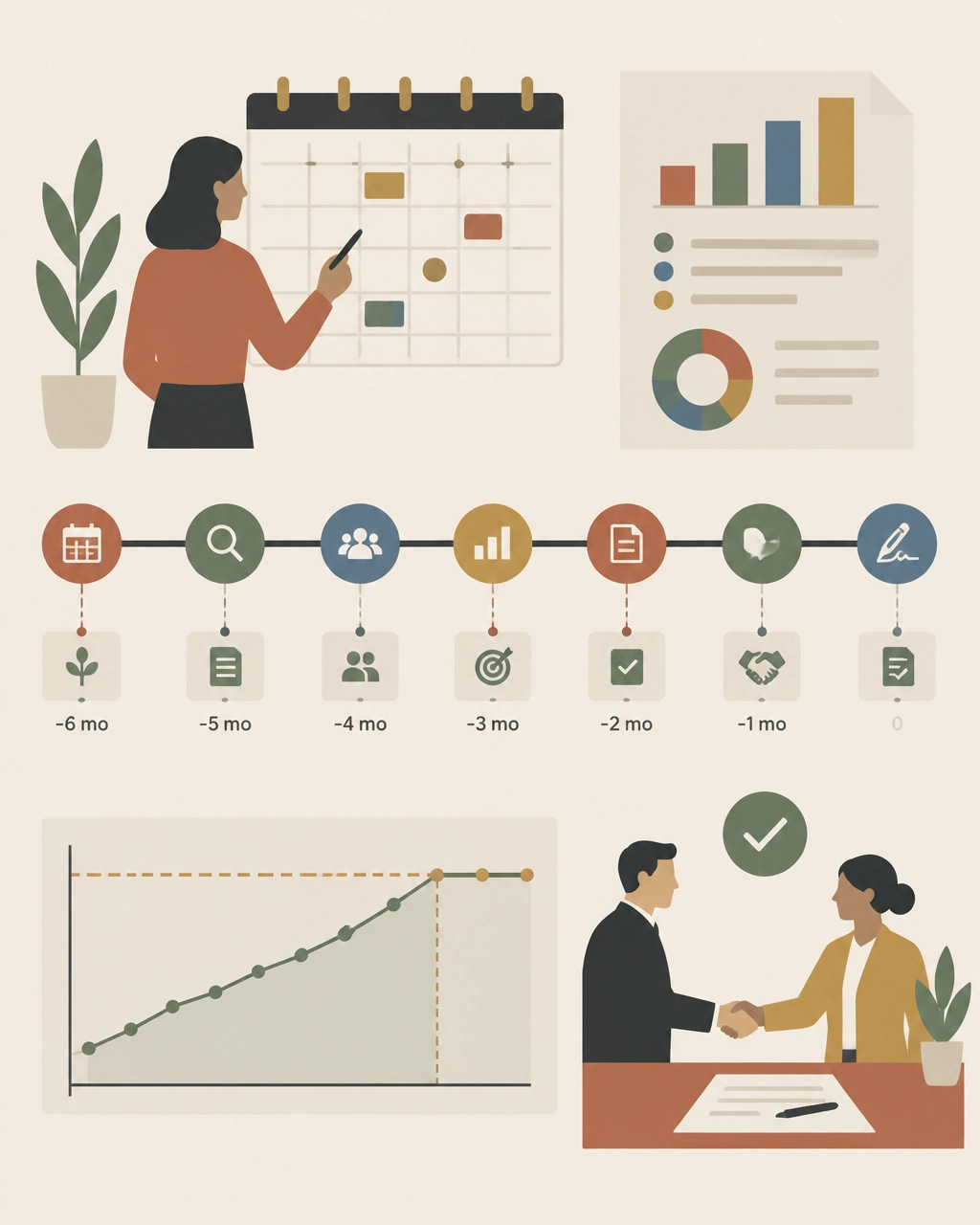
Begin at least six months before renewal. Earlier is better when the agreement is complex or the annual spend is significant.
A practical timeline:
- 9–12 months out: collect contract, usage, headcount, and invoice data
- 6–9 months out: complete the benchmark and identify scope changes
- 4–6 months out: set targets, prepare alternatives, and begin formal discussions
- 2–4 months out: negotiate pricing, escalators, true-ups, and risk terms
- 30–60 days out: finalize redlines and verify the commercial model
By the time the vendor presents a renewal quote, your internal target should already be set.
What 2026 buyers should watch closely
Three issues deserve special attention in the next renewal cycle:
AI and new product add-ons
New AI capabilities may be introduced as separate paid products, premium tiers, or expanded bundles. Benchmark them independently. Do not allow “new functionality” to obscure an increase in the effective cost of your existing deployment.
Phased roadmaps
If you plan to add modules later, negotiate future pricing now. Otherwise, you may lose the consolidation economics available when multiple modules are purchased together.
Contract flexibility
Workforce volatility, M&A, and budget pressure make true-down rights and reallocation provisions more valuable than ever. The cheapest contract is not always the one with the largest initial discount. It is the one that remains financially defensible when business conditions change.
Find out whether your Workday deal is above market
You do not need to wait for Workday’s renewal proposal to discover overpayment.
The Negotiator Guru helps enterprise teams benchmark every relevant SKU, expose unused or inflated scope, review contract risk, and build a negotiation strategy before the vendor sets the anchor. Our Workday negotiation specialists operate discreetly as an extension of your team.
With Right Price Benchmarking™, we identify what your agreement should cost and where the savings opportunity exists. If the contract warrants broader support, our Full Negotiation Support team can help plan, pressure, and execute the renewal.
We have delivered $1.05 billion in total cost impact globally, with average savings of 37% per deal. And if we cannot identify at least 10% savings, we do not take the deal.
Before your next Workday renewal, benchmark the agreement you have: not the proposal you are given. Start your assessment with The Negotiator Guru.
More resources
From Fortune 500 giants to fast-growing innovators, TNG has helped clients save 20% – 40%+ on enterprise software contracts — even when they thought it was impossible

Software Audits from Oracle, SAP, Microsoft, and Salesforce: What You Should Know
Getting an audit notification from your software provider can be nerve-wracking, but after reading this you’ll realize this is less likely due to something you’ve done wrong and more likely a tactic to throw you off-course.
If you’ve never been through an audit before, you don’t know what to expect, what to do, or how to make sure it’s over as quickly as possible with minimal expense to your organization.
In this article, we’re going to make all this crystal clear by outlining the audit processes of large enterprise software providers like Oracle, Salesforce, SAP, and Microsoft. There are a few key things you need to take into account that apply to all of these providers: ● Use your contract as your best weapon to defeat audits. Take action if there is any sort of grey space in terms of what is allowed by the supplier.
- Use your contract as your best weapon to defeat audits. Take action if there is any sort of grey space in terms of what is allowed by the supplier.
- You’ll do best if you bring in outside assistance. An expert who has experience guiding businesses through software audits will be a huge help throughout the process.
- You need to control all the information that is shared with the supplier in your own format and spreadsheets.
- The more you are proactively sharing information with suppliers, the less basis they have to bring up an audit.
- Audits are brought forth to customers for many commercial reasons. The more proactive you (the customer) are with sharing information, addressing audit risks in meetings, and creating a paper trail, the less likely your supplier is to audit you.
What is a Software Audit and How Did Your Company Get Selected for One?
A software audit is both a technical and contractual review of your organization’s use of a specific software platform within your IT environment. Most large enterprise software companies like Oracle and SAP have separate departments that focus purely on license compliance audits. These teams look and feel like a shared service organization inside of a large software company. They work with a customer’s account management team to take an aligned, yet separate and distinct, position on behalf of their software company. We will discuss the similarities and differences between these different teams later in the article.
One common similarity across all of these suppliers is that the audits will compare your usage and processes to any specifications, standards, or contractual agreements in place.
Why your company? Why did you get singled out for an audit?
There are three primary operational/contractual triggers for a software audit:
- If there is any sort of consumption-based pricing in your contract;
- If you have any sort of restricted-use license in which you are only allowed to use a license for certain functionality; or,
- If you have recently acquired or divested a company.
While not mutually exclusive, you’ll also find the timing of these audits is very suspect and robotic in nature. The two primary timing triggers are:
- Anytime a large software company needs to identify “unearned revenue” to meet quarterly revenue targets; and,
- A pending contract renewal.
These large enterprise software companies know that it’s very common for their customers to be out of compliance due to the sheer size and scope of their operations. This is augmented by the fact they know anytime there is employee turnover within a customer’s IT organization (especially their “software asset management” department) the company is susceptible to additional compliance risk as a result of lost tribal knowledge of the environment, past internal audits, etc.
Taking all of this into consideration makes it relatively easy to understand why a company like Oracle can confidently predict net new revenue from their existing client base.
In addition to market pressure for additional revenue, a customer’s upcoming contract renewal also serves as an all too common trigger. The general rule of thumb we tell clients is anytime you have a contract renewal coming up nine to twelve months, your supplier is likely to introduce an audit. Your supplier will use this as an opportunity to distract you and gain the upper hand in an anticipated contract negotiation that hasn’t even started.
Suppliers do this because it automatically puts you in a defensive position. Naturally, you will be forced to concentrate on defeating the audit instead of allocating that same time to figuring out what you need for the upcoming contract renewal. They want to gain as much leverage and understanding of your business as possible before going into a renewal negotiation.
The audit is merely a tactic large software providers use to 1) seek out unearned revenue for their company to meet revenue targets and 2) gain the upper hand in your contract renewal negotiations in the hopes of minimizing any revenue loss from your account.
The fact of the matter is that it’s very common for customers to be unintentionally out of compliance. Knowing this, it’s important you know what to do in order to defend your company from what is potentially a very costly situation.
Here’s an example to help illustrate this tactic
By way of an audit, an ERP provider could discover you are misusing the license, giving the supplier reason to charge you a larger fee. Often, sales revenue targets for these audits are about 30% of your annual maintenance/subscription costs.
Let’s say you are spending $1M on core licenses, the audit will likely lead to around $300k in costs on top of that. If you can defeat the audit and keep your core license costs at $1M, then you will be happy and reward yourself for fending off the extra charges. In reality, the supplier didn’t expect the $300k in the first place, the audit was just a way to distract you from putting time and effort into your upcoming renewal negotiation.
It’s a win-win situation for them - if they win the audit, they put the money towards their sales revenue to meet their quota; if they don't, they’ve distracted you from being prepared to save money on your upcoming contract negotiation.
As a sales rep, finding new business is much harder than auditing an existing customer. Suppliers will target big companies because they don’t have perfect internal controls and mistakes are likely to happen.
What to Do When You Get an Audit from Oracle
When Oracle conducts an audit, they engage their License Management Services (LMS) team to run the process.
The audit process often involves installing software code within your secure environment. It is a listener software that will hit your mainframe servers and figure out how many other systems are connected.
This is important because, historically for this on-premise software, you are licensed based on the interconnectedness of both physical and virtual server environments. Your supplier wants to know how much “value” you are getting from their platform so the software they install provides a report of how many systems are interconnected. In a nutshell, the software delivers a report that illustrates when your technical architecture is in non-compliance. This automatically gives Oracle the upper-hand as it forces the customer to validate the information.
The best tactic to defeat this process is to never allow the software in your environment to begin with.
You have the right to refuse listening software within your Oracle contract.
Unless your contract explicitly calls out installing software, tell Oracle that installing software does not comply with your IT security protocols.
Look to determine if you have audit language specified in your contract. The older the contract you have with Oracle, the more likely you have the right to refuse the audit, or to at least not allow the listener software to be installed within your environment.
If this is the case, tell Oracle that instead of installing the software, you will run the audit yourself using their tools and spreadsheets with no software included. This means you are in control of what information is being shared with Oracle. Controlling the information is incredibly important in any audit, especially when suppliers are involved.
What to do when Salesforce Conducts an Audit
Salesforce audits customers when there is a restricted-use license available. When this happens you need to think critically about negotiating with Salesforce.
Salesforce is Software as a Service (SaaS) in the cloud which means they have more ability to freely monitor your utilization of licenses within your environment and can freely audit for misuse.
When you have a Restricted Use License (RUL), you have permission to use the product for a specific business purpose leveraging a certain number of standard and custom objects. Standard objects are modules within the Salesforce platform, such as contacts, accounts, or prospects. A custom object is something that was built by a Salesforce developer specifically for your company.
The license limitations in an RUL are a contractual limitation, not a technical one. A contractual limitation means there is legal language on your Order Form specifying how the license may use a predetermined number of standard/custom objects even though there is a set quantity limitation, technically there is no way to shut off access to other custom objects for that user.
This license is often in place for a subset of users who only need limited access to your tool. For example, an employee who is only viewing the data and not editing it. If this group starts editing objects, it becomes in and of itself a compliance issue.
Salesforce makes it easy for the end-user to accidentally do this without realizing they are in breach of the license. They will use this opportunity to accuse you of using the license incorrectly and request that your organization upgrade these licenses to full users and will seek compensation since the inception of the misuse. Contractually, Salesforce has the right to charge you full retail price for those non-compliant users.
Another time when Salesforce audits come into play is when a client is on a SELA Agreement (Salesforce Enterprise License Agreement).
How do you get around Salesforce RUL audit problems?
The best thing you can do is to establish quarterly check-ins with your account team at Salesforce. Use these meetings to stay on the same page with your account team and create a paper trail that shows how your users are engaging with the platform.
If you are accused of breaching restricted use, but have established quarterly check-ins with a paper trail, you can respond to Salesforce by saying “We met with your team and they didn’t bring anything up during our meeting so why should we believe you now?” Without quarterly check-ins and a paper trail, you get into a he-said-she-said argument.
Often times, the employee in breach of license may have accessed the wrong objects once or twice throughout the life of an account. Salesforce will create an argument that the license has been systematically misused for a long period of time.
We treat this event like a litigation. If you don’t have a paper trail of record, then you have no legal foundation for a defense. When comparing the perspective outcome of the party that has records and the other that does not, the person with records almost always wins in court.
Keep careful documentation about your interactions with Salesforce, and have open conversations about audit and license use risk. This will build a strong foundation and reduce the risk of an audit.
How to Handle an Audit from SAP
An audit by SAP is very similar to an audit by Oracle in that, historically, their licensing model is primarily “consumption-based.” This means your price is based on your company’s revenue, profit, services used, how many suppliers you have, or any number of a series of variables.
This model falls under the concept of Value-Based Pricing and is a subjective assessment of value captured from the utilization of the software.
SAP will use many of the same tactics as Oracle which we’ve outlined above. One thing to specifically note about SAP is that they very frequently introduce audits during merger & acquisition (M&A) announcements. When supporting clients with M&A IT Sourcing, we commonly tell our clients to “get ready for the ‘ransom letter.’” These aren’t our words but rather those of our clients who received notifications from suppliers such as SAP immediately after announcing a large acquisition to the market.
Want to know if you’re susceptible to these ‘ransom letters?’ Take a look at your contract and keep an eye out for any language within your contract that indicates they will “readdress the terms of the contract if you the customer acquires or divests entities during the term of the contract.” If you have this language within your contract you will more than likely receive a similar notification within 1 month of publicly notifying your M&A intent.
In order to defeat an SAP audit, take the same approach we would take with Oracle and then protect yourself moving forward by changing your pricing model to a fixed baseline model that is attached to the reasonably certain variables in your company such as the number of employees.
What to Do When Microsoft Audits You
Microsoft’s audits vary depending on the products and services within your contract. Similar to Salesforce, Microsoft will commonly focus on those licenses that have restricted use. A very common audit for those clients with perpetual Microsoft Office licenses is the 1-to-1 validation of windows desktop licenses to computers within a customer’s environment. Similarly, for those clients with an active Office 365 subscription, Microsoft will look closely at the utilization of subscriptions that are inherently limited in their intended use. This is augmented by a deep analysis of computers and users in your ecosystem to ensure the capabilities being used are properly licensed.
If you are paying for any physical or virtualized servers from Microsoft within an SCE agreement, you will commonly be audited to ensure your consumption metrics are within your contracted allocation.
Frequently with Microsoft, you are leasing the utilization of servers either on-premise or in the cloud. Generally speaking, if you have a physical piece of hardware from Microsoft on-premise, they will almost certainly conduct an audit at renewal time to monitor utilization as part of their “optimization analysis.” In a nutshell, they will try to move you from an on-premise environment to the cloud.
Conceptually this is fine but they will use that audit as leverage to do a lift and shift into Microsoft Azure.
Microsoft Azure is a very attractive product for the sales team because they are heavily incentivized to get your company into the cloud. The market is looking at how Microsoft’s cloud growth is going year after year and as a result, the company wants to increase its usage.
Essentially, Microsoft will audit to try and sell you on Azure. This isn’t necessarily a bad move to make but knowing key motivators will keep you ahead of the game and alleviate any potentially detrimental surprises.
What Happens Next?
If you’ve been audited by any of your enterprise software providers, we recommend bringing in outside help to guide you through the process. Leveraging their experience and expertise will go a long way to mitigate both short and long term risk that can easily rise into the millions.
Don’t solely believe what your account executive is telling you, oftentimes they don’t have all the information needed and they are heavily incentivized by their employers.
Your outside expert will be able to comb through your contracts, identify risks/opportunities, and drive both cost savings and containment. With the proper assistance, you’ll be able to confidently stand your ground and mitigate risks before they are realized.

3 Strategies to Elevate Your Software Supplier Relationship
Over the years, our TNG client family has requested more and more guidance related to managing and elevating their commercial supplier relationships. Within this article, you’ll find our top 3 proven strategies to transform IT supplier relationships from tactical to strategic.
Strategy #1 – Control the Flow
When we say “control the flow”, we’re referring to conversation, meeting, and engagement flow.
When prospective clients reach out to TNG, they almost always have the complaint that the supplier knows more about the “needs” of their organization than they do. This most typically is due to the internal lack of time and/or resources to focus on a specific supplier or digital capability. On the other hand, the supplier’s sales team is laser focused on opportunities to grow their business inside of your organization. Immediately, this creates an unfair environment for all parties involved.
You may be thinking that this only creates an unfair advantage for you, the customer. Well, in most situations that’s true. However, it should also be noted that in some circumstances, the supplier’s sales team may be operating with good intentions and simply answering your internal stakeholder’s demand for attention. In short, when one side knows more than the other, it creates an uncomfortable situation for at least one party.
As our team brings 100+ years of collective experience, we have seen just about everything. Most of TNG’s clients are very well-established companies that have $5 billion+ in annual revenue. These companies typically have a “center of excellence (COE)” and/or a “software asset management (SAM)” team. While the overall intent is good, we typically see only about 10% of our clients leveraging these teams of resources correctly.
What happens to the other 90%? Well, one of the most classic inside sales techniques is for a supplier’s sales team member to establish, chair, and/or participate in a COE with a specific focus on their software and its many digital capabilities. This type of group typically meets either monthly or quarterly and is sold as a way in which the sales team member can “inform” the COE/SAM team members of the “demand” coming from inside of the organization. The reality is that the “demand” is often created by the sales team member who has been pushing a land-and-expand strategy inside of the organization.
The easiest way to not only level the playing field with your software suppliers, but also elevate the relationship from tactical to strategic, is to set up strict governance around the overall engagement. Every supplier engagement is slightly unique, but we recommend focusing on the following core tenants:
- Focus your efforts on your Top 10 software suppliers.
- Develop a steering team of executive IT leaders that are in control of the Digital Capability strategy for your company.
- Develop an internal COE for each of your Top 10 suppliers. The size and scope of them should proportionally match the importance of the supplier’s impact on your business.
- Identify and assign clear roles & responsibilities for each employee team member that is part of their performance objectives.
- Do not allow supplier sales team members to be a member of the core team but rather serve as an invited guest on a routine cadence.
This is about the time where traditional sales team members will indicate that this approach will slow down process, innovation, growth, etc. The reality is quite the opposite when properly set up and managed. The primary outcomes you want to achieve are the following:
- Shift the communication paradigm from outside-in to inside-out. This allows the company to ideate, contemplate, and organically socialize a software roadmap (vs. constantly asking the supplier for a list of their asset inventory).
- Share information with suppliers only when it has been fully vetted and approved as a sanctioned project or approved proof of concept. If done properly, this drastically decreases the chance of duplicate purchasing, split requirements, and/or random unwarranted proof of concepts (that usually turn into shelfware) around the enterprise.
- Allow everyone to be more efficient and structured with their time by eliminating the need for follow-up meetings, etc. In other words, engaging suppliers only after decisions have been made internally by the COE will enable the COE to be treated as a true authoritative entity vs a “check the box” exercise.
- Provide opportunities for suppliers to suggest innovative solutions in a fully committed environment.
We find that our TNG clients save an average of 26% annually by deploying this strategy alone (with our help, of course).
Strategy #2 – Manage Upwards
Anyone who knows the basics of selling understands that the easiest way to make a sale is to identify and influence the decision-maker directly. For large enterprise sales teams who are managing multi-million-dollar contracts, that decision-maker is very often an executive leader within the company. Far too often, we find that organizations provide unfettered access to executives without reason. This, in short, usually enables a very unhealthy and complacent comfort for the supplier sales team that (if not properly managed) rarely produces intrinsic value for the company.
By far one of the most effective ways to elevate your supplier relationship is to set up strategic business discussions between company and supplier executives. The key here is to establish equal representation on both sides and ensure there is proper attention and respect established between both companies. Access to your company’s executives should largely be restricted to these meetings which, where possible, should be set up by the COE/SAM teams mentioned in Strategy #1.
Subsequently, it’s important to know that you can leverage access to your executives to exemplify to a new supplier that any new proof of concept, tool, etc. will be given the highest level of attention and visibility. This means a lot for any supplier (new or existing) as it ensures the right eyes are engaged.
Strategy #3 – Set Realistic Milestones that are Mutually Achievable
Just as employees like to understand their performance objectives for each year, it has been proven by TNG that suppliers who understand what “great looks like” outperform those that are not given clear business objectives. Nearly everyone in the business world understands the concept of milestones; however, the implementation of the methodology is highly inconsistent.
One of the many mistakes companies make when establishing a milestone-based contract is they make the actual milestones either ambiguous or unrealistic. Both are equally as dangerous. Ambiguity allows everyone to be right and wrong at the same time. Unrealistic milestones, if accepted by the supplier, often induce unhealthy behaviors by those chartered with meeting or exceeding the same. It doesn’t take much to set a once “strategic” relationship on a path to implosion with either of these scenarios.
Establishing realistic milestones is important for your suppliers. Everyone, at every age, enjoys accomplishing a goal. It’s important to recognize this fact since at the end of the day, as this is a human reaction, and well, we’re all human.
To learn how to properly set up a milestone plan and/or implement any other strategies mentioned above that drive performance for both the company and the supplier, here’s a hint: It’s not just the supplier that has performance milestones!
Start with a CIA.
That’s a Client Intake Assessment.
Upload your contract data or schedule a discovery call. If we can’t identify at least a 10%+ from a TNG Right Pricing™ opportunity, we won’t take your money (but we will offer you some free advice!)
