

Software Audits from Oracle, SAP, Microsoft, and Salesforce: What You Should Know


Getting an audit notification from your software provider can be nerve-wracking, but after reading this you’ll realize this is less likely due to something you’ve done wrong and more likely a tactic to throw you off-course.
If you’ve never been through an audit before, you don’t know what to expect, what to do, or how to make sure it’s over as quickly as possible with minimal expense to your organization.
In this article, we’re going to make all this crystal clear by outlining the audit processes of large enterprise software providers like Oracle, Salesforce, SAP, and Microsoft. There are a few key things you need to take into account that apply to all of these providers: ● Use your contract as your best weapon to defeat audits. Take action if there is any sort of grey space in terms of what is allowed by the supplier.
- Use your contract as your best weapon to defeat audits. Take action if there is any sort of grey space in terms of what is allowed by the supplier.
- You’ll do best if you bring in outside assistance. An expert who has experience guiding businesses through software audits will be a huge help throughout the process.
- You need to control all the information that is shared with the supplier in your own format and spreadsheets.
- The more you are proactively sharing information with suppliers, the less basis they have to bring up an audit.
- Audits are brought forth to customers for many commercial reasons. The more proactive you (the customer) are with sharing information, addressing audit risks in meetings, and creating a paper trail, the less likely your supplier is to audit you.
What is a Software Audit and How Did Your Company Get Selected for One?
A software audit is both a technical and contractual review of your organization’s use of a specific software platform within your IT environment. Most large enterprise software companies like Oracle and SAP have separate departments that focus purely on license compliance audits. These teams look and feel like a shared service organization inside of a large software company. They work with a customer’s account management team to take an aligned, yet separate and distinct, position on behalf of their software company. We will discuss the similarities and differences between these different teams later in the article.
One common similarity across all of these suppliers is that the audits will compare your usage and processes to any specifications, standards, or contractual agreements in place.
Why your company? Why did you get singled out for an audit?
There are three primary operational/contractual triggers for a software audit:
- If there is any sort of consumption-based pricing in your contract;
- If you have any sort of restricted-use license in which you are only allowed to use a license for certain functionality; or,
- If you have recently acquired or divested a company.
While not mutually exclusive, you’ll also find the timing of these audits is very suspect and robotic in nature. The two primary timing triggers are:
- Anytime a large software company needs to identify “unearned revenue” to meet quarterly revenue targets; and,
- A pending contract renewal.
These large enterprise software companies know that it’s very common for their customers to be out of compliance due to the sheer size and scope of their operations. This is augmented by the fact they know anytime there is employee turnover within a customer’s IT organization (especially their “software asset management” department) the company is susceptible to additional compliance risk as a result of lost tribal knowledge of the environment, past internal audits, etc.
Taking all of this into consideration makes it relatively easy to understand why a company like Oracle can confidently predict net new revenue from their existing client base.
In addition to market pressure for additional revenue, a customer’s upcoming contract renewal also serves as an all too common trigger. The general rule of thumb we tell clients is anytime you have a contract renewal coming up nine to twelve months, your supplier is likely to introduce an audit. Your supplier will use this as an opportunity to distract you and gain the upper hand in an anticipated contract negotiation that hasn’t even started.
Suppliers do this because it automatically puts you in a defensive position. Naturally, you will be forced to concentrate on defeating the audit instead of allocating that same time to figuring out what you need for the upcoming contract renewal. They want to gain as much leverage and understanding of your business as possible before going into a renewal negotiation.
The audit is merely a tactic large software providers use to 1) seek out unearned revenue for their company to meet revenue targets and 2) gain the upper hand in your contract renewal negotiations in the hopes of minimizing any revenue loss from your account.
The fact of the matter is that it’s very common for customers to be unintentionally out of compliance. Knowing this, it’s important you know what to do in order to defend your company from what is potentially a very costly situation.
Here’s an example to help illustrate this tactic
By way of an audit, an ERP provider could discover you are misusing the license, giving the supplier reason to charge you a larger fee. Often, sales revenue targets for these audits are about 30% of your annual maintenance/subscription costs.
Let’s say you are spending $1M on core licenses, the audit will likely lead to around $300k in costs on top of that. If you can defeat the audit and keep your core license costs at $1M, then you will be happy and reward yourself for fending off the extra charges. In reality, the supplier didn’t expect the $300k in the first place, the audit was just a way to distract you from putting time and effort into your upcoming renewal negotiation.
It’s a win-win situation for them - if they win the audit, they put the money towards their sales revenue to meet their quota; if they don't, they’ve distracted you from being prepared to save money on your upcoming contract negotiation.
As a sales rep, finding new business is much harder than auditing an existing customer. Suppliers will target big companies because they don’t have perfect internal controls and mistakes are likely to happen.
What to Do When You Get an Audit from Oracle
When Oracle conducts an audit, they engage their License Management Services (LMS) team to run the process.
The audit process often involves installing software code within your secure environment. It is a listener software that will hit your mainframe servers and figure out how many other systems are connected.
This is important because, historically for this on-premise software, you are licensed based on the interconnectedness of both physical and virtual server environments. Your supplier wants to know how much “value” you are getting from their platform so the software they install provides a report of how many systems are interconnected. In a nutshell, the software delivers a report that illustrates when your technical architecture is in non-compliance. This automatically gives Oracle the upper-hand as it forces the customer to validate the information.
The best tactic to defeat this process is to never allow the software in your environment to begin with.
You have the right to refuse listening software within your Oracle contract.
Unless your contract explicitly calls out installing software, tell Oracle that installing software does not comply with your IT security protocols.
Look to determine if you have audit language specified in your contract. The older the contract you have with Oracle, the more likely you have the right to refuse the audit, or to at least not allow the listener software to be installed within your environment.
If this is the case, tell Oracle that instead of installing the software, you will run the audit yourself using their tools and spreadsheets with no software included. This means you are in control of what information is being shared with Oracle. Controlling the information is incredibly important in any audit, especially when suppliers are involved.
What to do when Salesforce Conducts an Audit
Salesforce audits customers when there is a restricted-use license available. When this happens you need to think critically about negotiating with Salesforce.
Salesforce is Software as a Service (SaaS) in the cloud which means they have more ability to freely monitor your utilization of licenses within your environment and can freely audit for misuse.
When you have a Restricted Use License (RUL), you have permission to use the product for a specific business purpose leveraging a certain number of standard and custom objects. Standard objects are modules within the Salesforce platform, such as contacts, accounts, or prospects. A custom object is something that was built by a Salesforce developer specifically for your company.
The license limitations in an RUL are a contractual limitation, not a technical one. A contractual limitation means there is legal language on your Order Form specifying how the license may use a predetermined number of standard/custom objects even though there is a set quantity limitation, technically there is no way to shut off access to other custom objects for that user.
This license is often in place for a subset of users who only need limited access to your tool. For example, an employee who is only viewing the data and not editing it. If this group starts editing objects, it becomes in and of itself a compliance issue.
Salesforce makes it easy for the end-user to accidentally do this without realizing they are in breach of the license. They will use this opportunity to accuse you of using the license incorrectly and request that your organization upgrade these licenses to full users and will seek compensation since the inception of the misuse. Contractually, Salesforce has the right to charge you full retail price for those non-compliant users.
Another time when Salesforce audits come into play is when a client is on a SELA Agreement (Salesforce Enterprise License Agreement).
How do you get around Salesforce RUL audit problems?
The best thing you can do is to establish quarterly check-ins with your account team at Salesforce. Use these meetings to stay on the same page with your account team and create a paper trail that shows how your users are engaging with the platform.
If you are accused of breaching restricted use, but have established quarterly check-ins with a paper trail, you can respond to Salesforce by saying “We met with your team and they didn’t bring anything up during our meeting so why should we believe you now?” Without quarterly check-ins and a paper trail, you get into a he-said-she-said argument.
Often times, the employee in breach of license may have accessed the wrong objects once or twice throughout the life of an account. Salesforce will create an argument that the license has been systematically misused for a long period of time.
We treat this event like a litigation. If you don’t have a paper trail of record, then you have no legal foundation for a defense. When comparing the perspective outcome of the party that has records and the other that does not, the person with records almost always wins in court.
Keep careful documentation about your interactions with Salesforce, and have open conversations about audit and license use risk. This will build a strong foundation and reduce the risk of an audit.
How to Handle an Audit from SAP
An audit by SAP is very similar to an audit by Oracle in that, historically, their licensing model is primarily “consumption-based.” This means your price is based on your company’s revenue, profit, services used, how many suppliers you have, or any number of a series of variables.
This model falls under the concept of Value-Based Pricing and is a subjective assessment of value captured from the utilization of the software.
SAP will use many of the same tactics as Oracle which we’ve outlined above. One thing to specifically note about SAP is that they very frequently introduce audits during merger & acquisition (M&A) announcements. When supporting clients with M&A IT Sourcing, we commonly tell our clients to “get ready for the ‘ransom letter.’” These aren’t our words but rather those of our clients who received notifications from suppliers such as SAP immediately after announcing a large acquisition to the market.
Want to know if you’re susceptible to these ‘ransom letters?’ Take a look at your contract and keep an eye out for any language within your contract that indicates they will “readdress the terms of the contract if you the customer acquires or divests entities during the term of the contract.” If you have this language within your contract you will more than likely receive a similar notification within 1 month of publicly notifying your M&A intent.
In order to defeat an SAP audit, take the same approach we would take with Oracle and then protect yourself moving forward by changing your pricing model to a fixed baseline model that is attached to the reasonably certain variables in your company such as the number of employees.
What to Do When Microsoft Audits You
Microsoft’s audits vary depending on the products and services within your contract. Similar to Salesforce, Microsoft will commonly focus on those licenses that have restricted use. A very common audit for those clients with perpetual Microsoft Office licenses is the 1-to-1 validation of windows desktop licenses to computers within a customer’s environment. Similarly, for those clients with an active Office 365 subscription, Microsoft will look closely at the utilization of subscriptions that are inherently limited in their intended use. This is augmented by a deep analysis of computers and users in your ecosystem to ensure the capabilities being used are properly licensed.
If you are paying for any physical or virtualized servers from Microsoft within an SCE agreement, you will commonly be audited to ensure your consumption metrics are within your contracted allocation.
Frequently with Microsoft, you are leasing the utilization of servers either on-premise or in the cloud. Generally speaking, if you have a physical piece of hardware from Microsoft on-premise, they will almost certainly conduct an audit at renewal time to monitor utilization as part of their “optimization analysis.” In a nutshell, they will try to move you from an on-premise environment to the cloud.
Conceptually this is fine but they will use that audit as leverage to do a lift and shift into Microsoft Azure.
Microsoft Azure is a very attractive product for the sales team because they are heavily incentivized to get your company into the cloud. The market is looking at how Microsoft’s cloud growth is going year after year and as a result, the company wants to increase its usage.
Essentially, Microsoft will audit to try and sell you on Azure. This isn’t necessarily a bad move to make but knowing key motivators will keep you ahead of the game and alleviate any potentially detrimental surprises.
What Happens Next?
If you’ve been audited by any of your enterprise software providers, we recommend bringing in outside help to guide you through the process. Leveraging their experience and expertise will go a long way to mitigate both short and long term risk that can easily rise into the millions.
Don’t solely believe what your account executive is telling you, oftentimes they don’t have all the information needed and they are heavily incentivized by their employers.
Your outside expert will be able to comb through your contracts, identify risks/opportunities, and drive both cost savings and containment. With the proper assistance, you’ll be able to confidently stand your ground and mitigate risks before they are realized.
More resources
From Fortune 500 giants to fast-growing innovators, TNG has helped clients save 20% – 40%+ on enterprise software contracts — even when they thought it was impossible

How to Negotiate with Salesforce: A Step-by-Step Playbook for Enterprise Leaders
For enterprise leaders managing multi-million-dollar technology budgets, few vendor renewals carry the complexity, pressure, and financial weight of a Salesforce Enterprise License Agreement (SELA) or Master Subscription Agreement (MSA). Whether you lead an IT organization as a CIO, oversee financial strategy as a CFO, or direct sourcing operations as a Procurement Leader, approaching a Salesforce renewal without a rigorous playbook is a recipe for inflated costs and rigid contract terms.
At The Negotiator Guru, we have helped global enterprises navigate high-stakes enterprise contract renewals, achieving a cumulative $1.05 billion in total cost impact globally with an average savings of 37% per deal. Unlike traditional brokerages or vendor referral partners, we operate with absolute impartiality. We sit strictly on your side of the table, backed by our 10% savings guarantee: if we don't secure at least 10% in hard savings, we don't take the fee.
This comprehensive, step-by-step playbook is designed for Fortune 500 decision-makers looking to master salesforce contract negotiation, eliminate shelfware, leverage precise market intelligence, and execute a winning renewal strategy.
Step 1: Pre-Renewal Groundwork : Timing and Internal Data Gathering
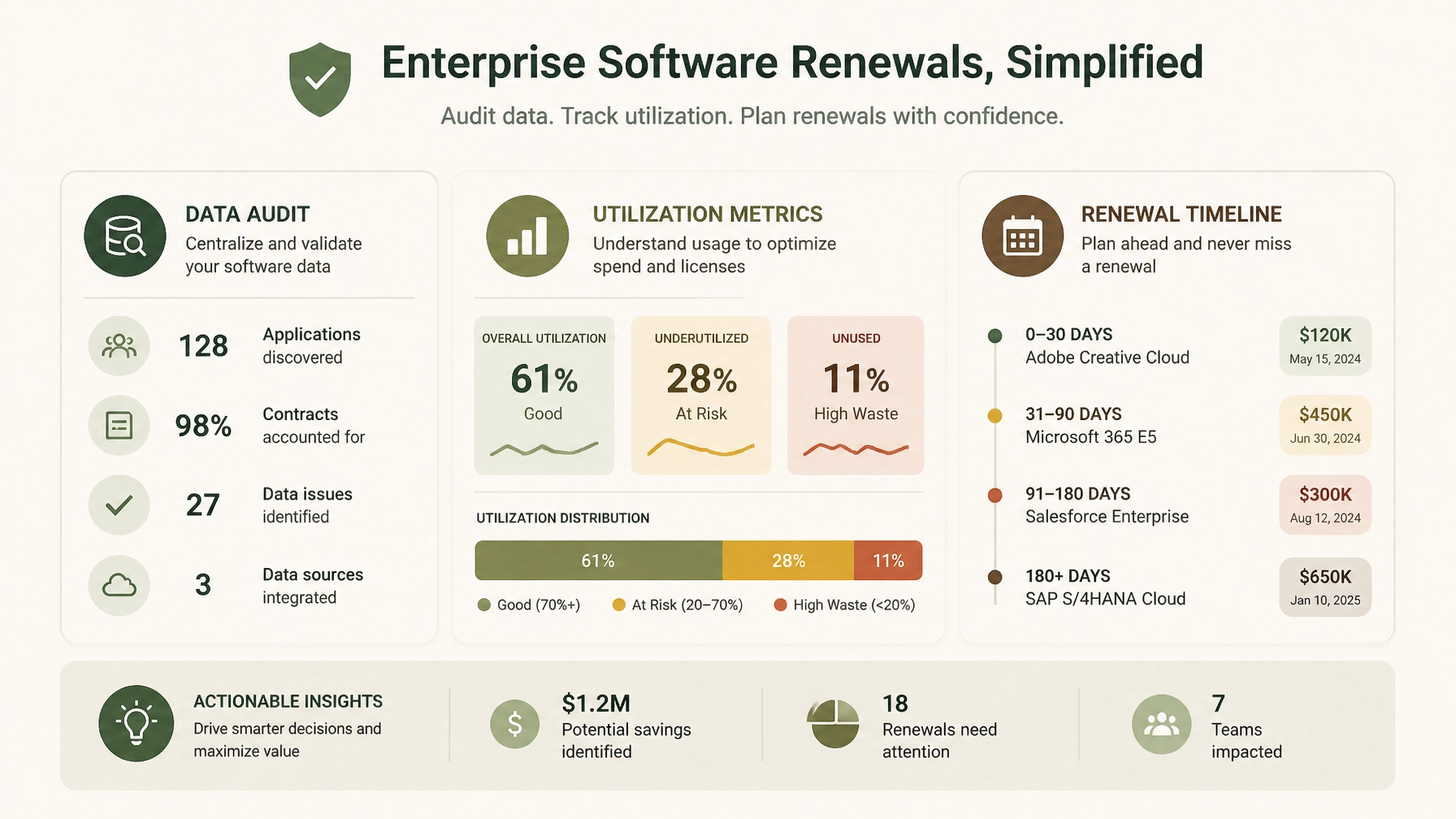
Successful salesforce renewal negotiations are won long before you ever step into a meeting room with your Salesforce account executive. In enterprise vendor negotiations, 75% of your success is determined during preparation, while only 25% occurs at the bargaining table.
Establish the Right Timeline
Salesforce sales teams operate on strict quarterly and annual fiscal cycles (typically ending January 31st). They rely on urgency to push enterprise buyers into rushed decisions. To neutralize this pressure:
- Start 6 months out: For SELA-scale agreements ($5M to $15M+ annual spend), your internal preparation must begin at least 6 months before expiration.
- Review notice periods: Check your contract for required non-renewal notice windows. Timely notification preserves your right to walk away or renegotiate from a position of strength, preventing automatic rollovers into unfavorable terms.
Conduct a Rigorous Utilization Audit
Salesforce will push you to expand your user counts and add-on suites based on historical licensing rather than actual consumption. Ninety days prior to renewal, execute a comprehensive internal audit across all clouds (Sales Cloud, Service Cloud, Marketing Cloud, Data Cloud, Einstein/AI add-ons, and MuleSoft):
- Active vs. Licensed Users: Compare active logins against provisioned licenses. Identify dormant, departed, or under-utilized users (shelfware).
- Feature Adoption: Audit which specialized features and add-ons are actively driving business outcomes versus those gathering digital dust.
- Departmental Silos: Consolidate usage data across business units. Fragmented buying often hides enterprise-wide redundancy.
By aligning with CIOs & IT Leaders and CFOs & Finance Leaders, you can eliminate waste before Salesforce ever evaluates your baseline.
Step 2: Mastering Salesforce SKU and License Benchmarking
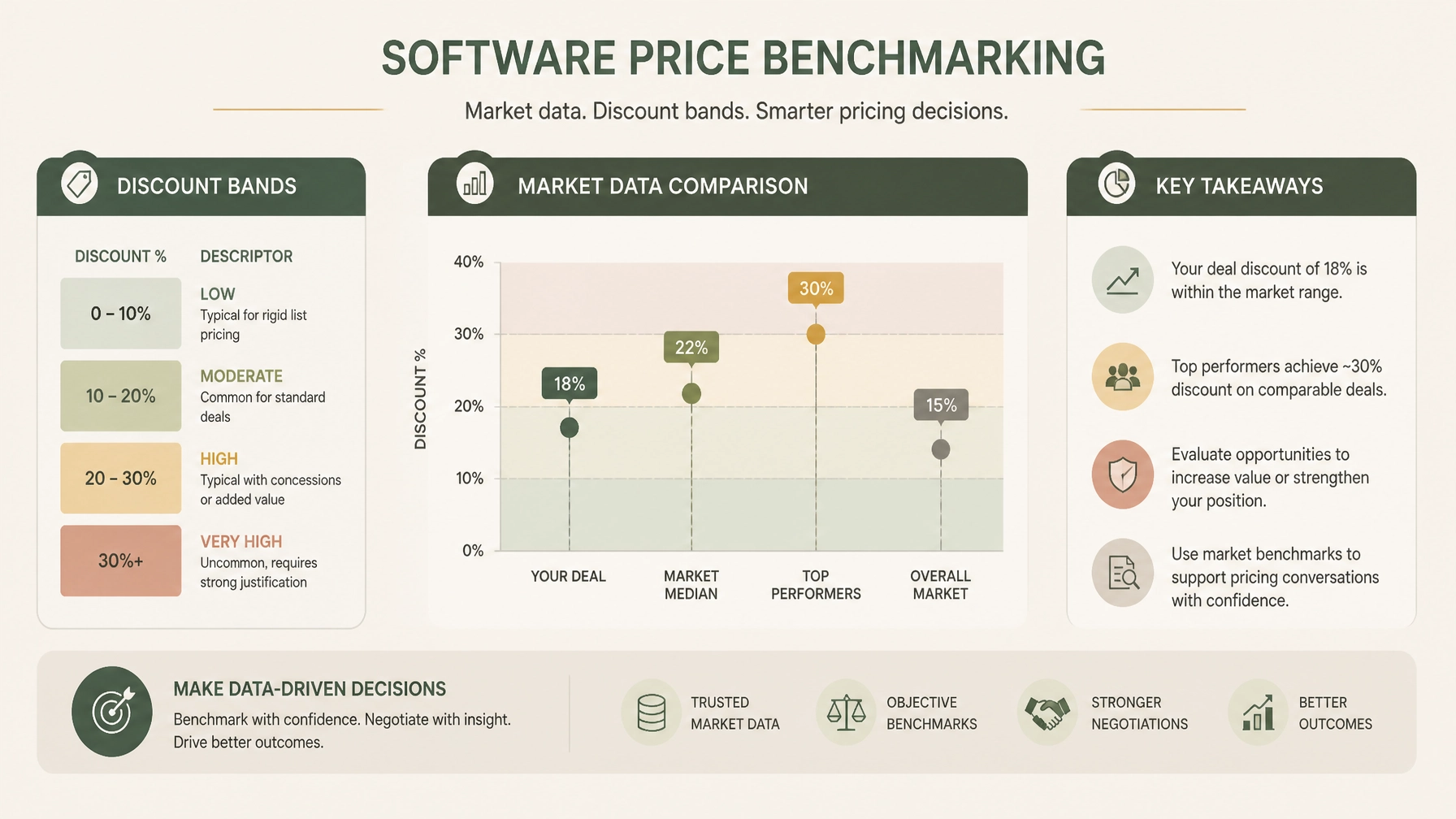
Salesforce’s list prices are designed to act as artificial anchors. Vendor sales reps will often present a proposed discount that looks generous on paper, but when compared against actual enterprise market data, you may still be paying significantly above peer averages. This is where salesforce benchmarking becomes your primary lever.
Moving Beyond List Price
Enterprise buyers must replace Salesforce list prices with empirical market data. Through our specialized Right Price Benchmarking™ service, we map every SKU, license tier, and volume break against recent Fortune 500 deal points:
- Discount Bands by Annual Contract Value (ACV): Enterprise discount percentages scale with ACV. For instance, at $1.5M–$5M ACV, robust negotiations typically yield 26–38% on Sales Cloud and 28–40% on Service Cloud, while $5M–$15M ACV deals command even deeper tiering.
- Net Price per User: Break down the cost per active user by product rather than accepting bundled pricing obfuscation.
- Add-On Unit Economics: Scrutinize high-margin add-ons such as Data Cloud data volume consumption, Marketing Cloud contact tiers, and API call allowances.
When you present data showing that your net pricing sits outside upper-quartile peer benchmarks, you dismantle Salesforce's narrative that "this is our best possible price."
Step 3: Recognizing and Countering Salesforce Negotiating Tactics
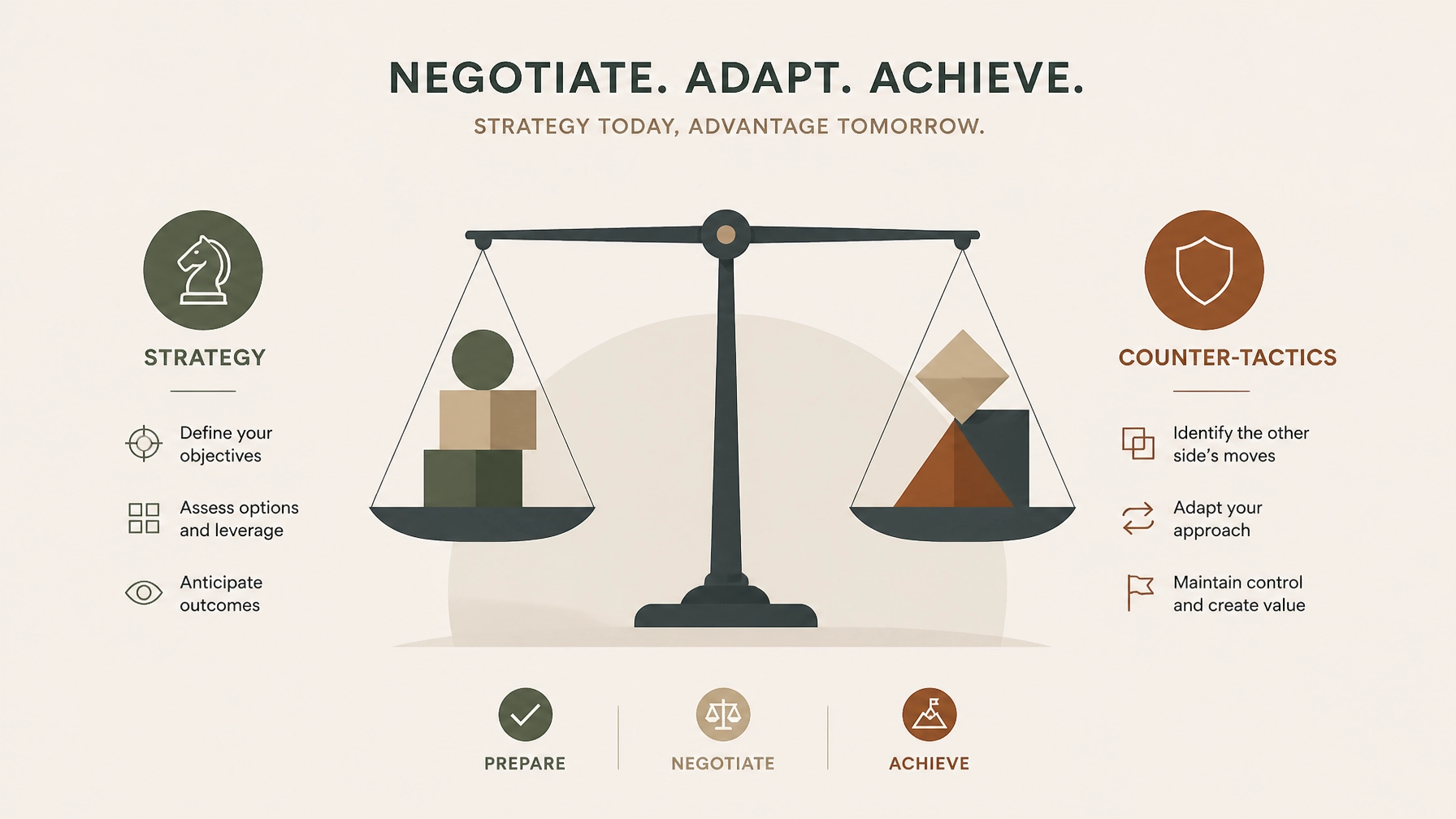
Salesforce employs sophisticated, highly rehearsed enterprise negotiation playbooks. Recognizing these plays in real-time allows Procurement Teams to counter them effectively.
1. The "Good Cop / Bad Cop" Play
- The Play: Your Account Executive acts as your collaborative friend who desperately wants to help you get internal executive approval, while their Sales Director or VP steps in later as the immovable authority figure who claims, "My hands are tied; corporate won't approve this discount without a multi-year expansion."
- The Counter: Maintain strict organizational escalation discipline. Do not let emotional rapport dictate commercial terms. Respond to the escalation with in-kind escalation and formal objective data: "We appreciate leadership review, but our benchmark data indicates this net pricing does not reflect current enterprise market realities. Let's focus on what aligns with peer valuations."
2. The "Use It or Lose It" Budget & Quota Pressure
- The Play: Salesforce reps create artificial scarcity as fiscal year-ends approach, warning that special discounting, free pilots, or promotional credits will evaporate at midnight on January 31st.
- The Counter: Recognize that software vendors have quarterly quotas every 90 days. Rushed deals invariably contain hidden liabilities and missed cost-reduction opportunities. True enterprise leverage stems from your willingness to maintain your current run-rate or evaluate alternative architectures if terms are unacceptable.
3. The "New SKU" and Bundle Confusion
- The Play: As Salesforce expands into Data Cloud, AI (Einstein 1), and industry-specific clouds, reps bundle legacy essentials with expensive new SKUs, making it difficult to audit individual product pricing or discount transparency.
- The Counter: Demand unbundled pricing transparency. Insist that every new SKU be evaluated on its own standalone ROI and market benchmark before inclusion in any enterprise agreement.
Step 4: Navigating Key Contract Traps in Salesforce Enterprise License Agreements (SELA)
A successful salesforce enterprise license agreement is defined just as much by its protective clauses as its headline pricing. Through our Contract Risk Review & Mitigation service, we routinely expose dangerous contract traps embedded in legacy agreements:
- Uncapped Annual Price Escalators: Standard Salesforce agreement templates often include automatic annual price uplifts (frequently 5% to 7%). Enterprise buyers must negotiate hard caps limiting annual renewals to 0% to 4%, protecting long-term budget predictability.
- Restrictive Co-Terming and Cross-Penalties: Beware of clauses that penalize you for reducing user counts mid-term or bundling unrelated business units under restrictive cross-default conditions.
- Audit and True-Up Vulnerabilities: Vague language around license deployment and environment tracking can expose your organization to aggressive compliance audits. Ensure clear definitions of authorized use, non-production environments, and notification windows.
Step 5: Structuring the Deal for Long-Term Value and Flexibility
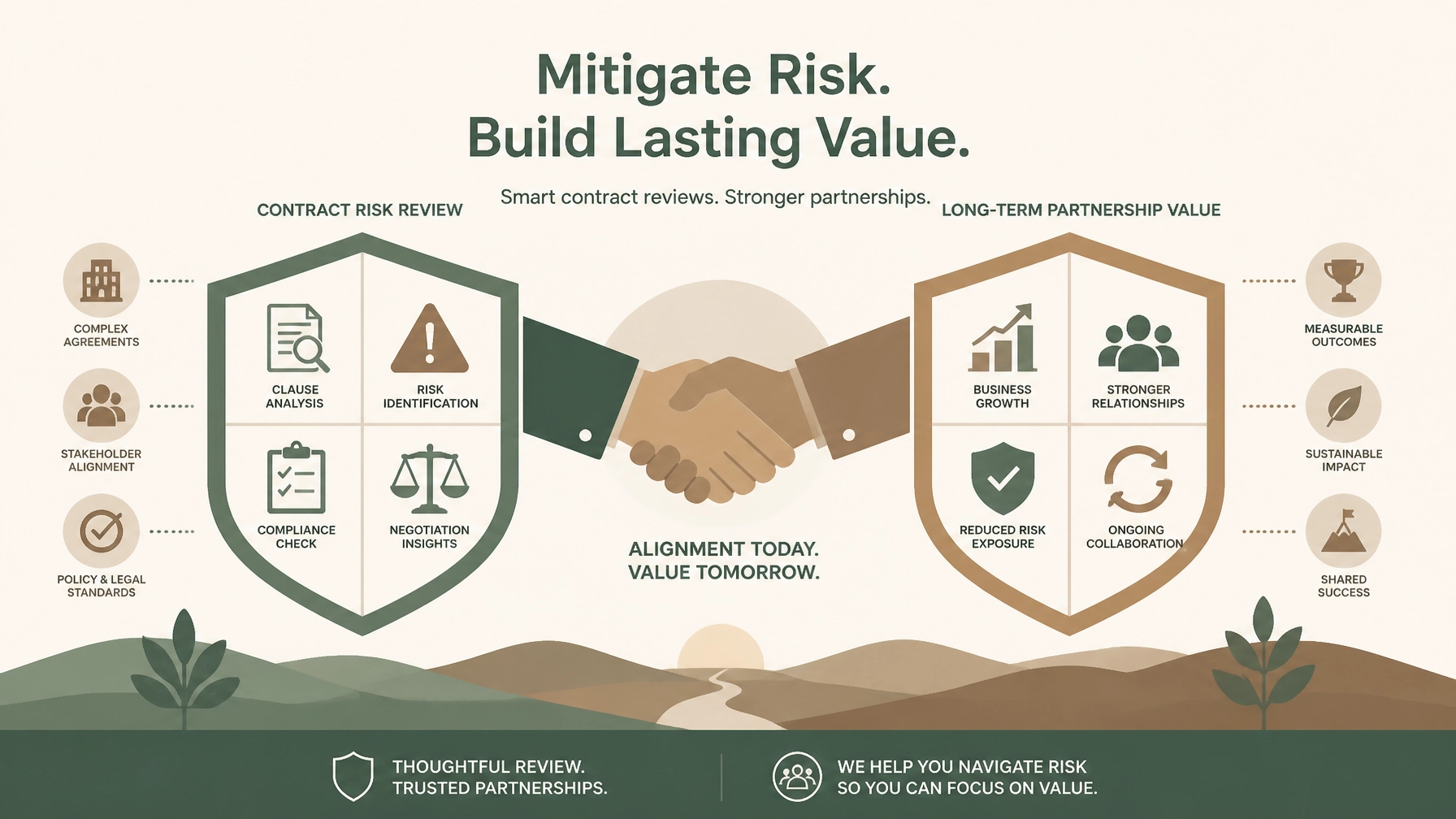
Enterprise negotiations should not merely solve this year's budget shortfall; they must establish a sustainable, flexible commercial framework for the future.
- Ramp-Up Structures: Instead of paying for peak projected license counts on day one, negotiate a staged ramp schedule that aligns financial commitments with actual adoption milestones.
- License Swap and Flex Rights: Secure contractual rights to reallocate license types (e.g., swapping Sales Cloud Enterprise seats for Service Cloud or Platform licenses) as your operational priorities shift.
- Performance and Adoption Protections: Tie future expansions to verified business value realization rather than blanket vendor commitments.
Secure Your Enterprise Savings with Full Negotiation Support
Navigating a complex Salesforce renewal while managing day-to-day IT operations and financial governance is a formidable challenge. Salesforce has thousands of negotiations under its belt; your team likely handles this cycle once every few years.
That is why leading Fortune 500 enterprises partner with The Negotiator Guru.
Our Full Negotiation Support service provides end-to-end guidance: from roadmap planning and right-price benchmarking to real-time counter-tactics at the bargaining table. Because we operate with complete impartiality and back our work with a 10% savings guarantee, your success is our sole priority.
Contact our team today to schedule a confidential consultation and discover how we can secure superior pricing, watertight terms, and lasting value for your next Salesforce enterprise negotiation.
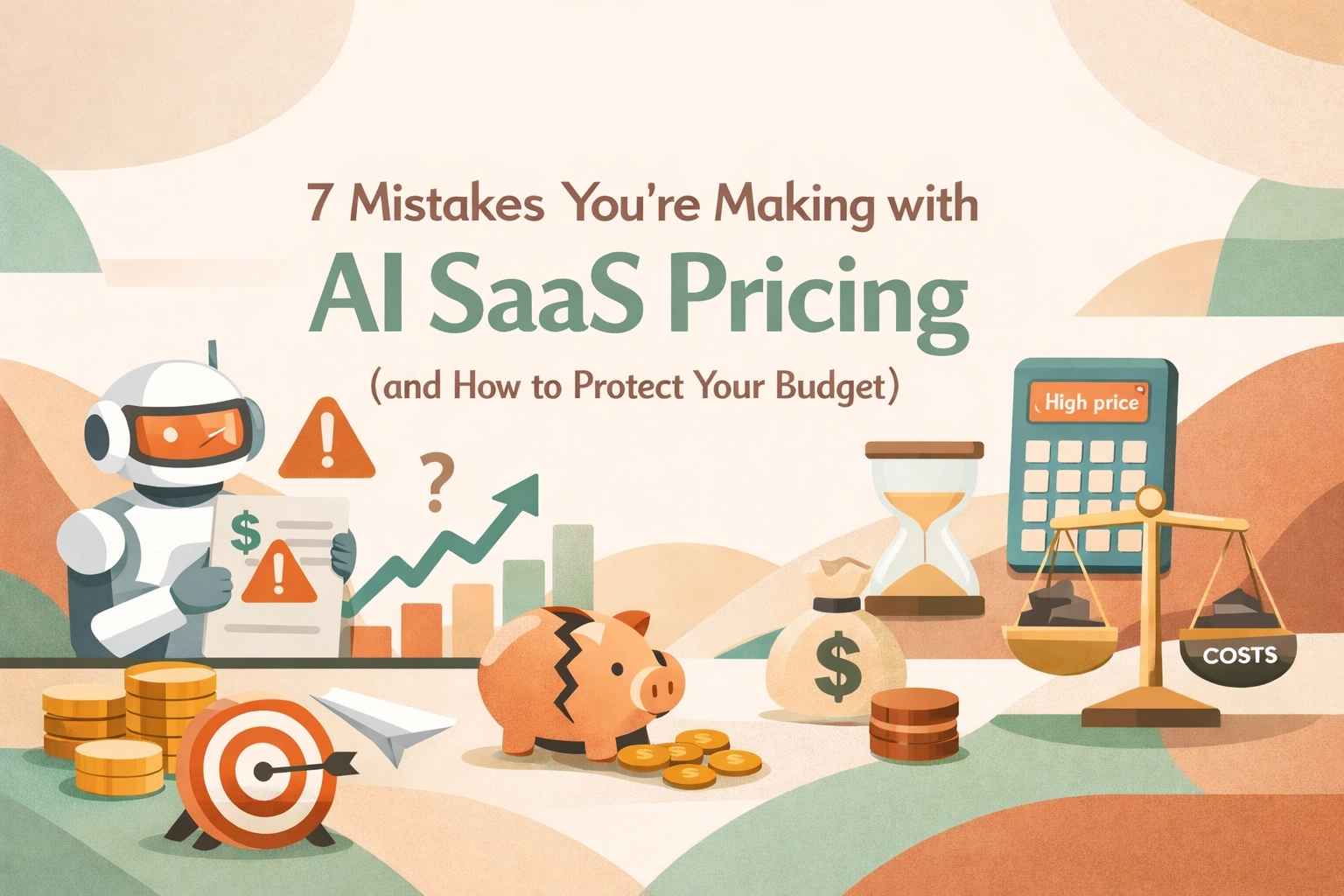
7 Mistakes You’re Making with AI SaaS Pricing (and How to Protect Your Budget)
Look, we all know AI is the shiny new toy in every C-suite's budget right now. Every vendor from Salesforce to Microsoft is slapping an "AI-powered" label on their modules and telling you it’s going to revolutionize your workflow. And maybe it will. But here’s the reality from the trenches: most enterprise leaders are walking into these AI negotiations blindfolded.
In the world of SaaS Negotiation Consulting, we’re seeing a massive shift. The old days of simple per-user pricing are dying. In their place, we have "tokens," "credits," "agentic steps," and "compute-based tiers." If you try to negotiate a 2026 AI contract using a 2018 playbook, you’re going to get crushed.
At The Negotiator Guru (TNG), we’ve been deep in the weeds of these renewals. If you want to protect your budget, stop making these seven common mistakes.
1. Buying the "Credit Pile" Before You Have the Proof
The most common mistake we see right now? Overcommitting on AI credits. Vendors love this because it locks in revenue for them while you take all the risk. They’ll tell you, "Buy 1,000,000 Agentforce credits now at a 40% discount, or pay retail later."
CIOs often bite because they don’t want to be the bottleneck for innovation. But here’s the kicker: most AI initiatives start slow. You might only use 10% of those credits in the first year. Since these credits rarely roll over, you’re essentially donating money to the vendor. Before you sign off on a massive credit commitment, you need a contract risk review to ensure you have clawback provisions or the ability to scale up: not just scale down.
2. Ignoring "Meter Anxiety" and Its Impact on ROI
When you move to usage-based pricing, your employees start acting differently. This is what we call "meter anxiety." If your team knows that every time they ask an AI agent to summarize a meeting it costs the company $0.50, they might stop using it.
The mistake here is choosing a pricing model that punishes experimentation. If you're negotiating for Microsoft Copilot or a similar tool, you need to understand how the pricing affects user behavior. If your goal is broad adoption, a pure usage-based model is your worst enemy. You’re better off fighting for a flat-fee "innovation sandbox" period where usage is uncapped until you establish a baseline.

3. Failing to Benchmark AI SKUs (Because You Think You Can’t)
"It’s a new product, there is no benchmark data yet."
That’s what the sales reps will tell you. Don't believe them. While AI SKUs are evolving rapidly, we are already seeing patterns in the market. Whether it’s Salesforce Agentforce or AI-add-ons for ServiceNow, there is always a baseline.
If you aren't using right-price benchmarking, you’re essentially letting the vendor set the market price based on your perceived "willingness to pay." We’ve seen price variations of over 50% for the exact same AI capabilities across different enterprise accounts. Don't be the one paying the "pioneer tax."
4. Treating AI Pricing as a Marketing Decision, Not System Architecture
This is a technical trap that Procurement leaders often miss. AI costs aren't static. The cost to a vendor for running a simple GPT-3.5 query is vastly different than a complex, multi-step "agentic" workflow using a high-reasoning model.
If you don't know the top two variance drivers of your AI tool: is it the number of steps? The volume of data processed? The frequency of real-time requests?: you aren't ready to sign the contract. A mistake here means that as your data grows or your workflows get more complex, your costs could scale exponentially while your budget stays linear. This is where full negotiation support becomes vital to ensure the technical architecture of the pricing matches your actual use case.
5. Overlooking the "Transparency Gap" in Usage Reporting
How do you know you’re actually using the credits you’re paying for? In many AI contracts, the vendor is the one holding the stopwatch and the measuring tape.
Many enterprise teams sign AI contracts without demanding a seat at the dashboard. You need real-time, granular visibility into how AI credits are being consumed. If the vendor can't provide a dashboard that shows usage by department, user, or project, walk away. Without transparency, you can’t perform a proper software audit later to see if you're getting a return on your investment.
6. Blind Faith in "Unlimited" Bundles
We’ve seen it before with cloud storage, and we’re seeing it now with AI. A vendor offers an "Unlimited AI" tier to get you to upgrade your entire ELA (Enterprise License Agreement).
Here’s the catch: "Unlimited" almost always has a "Fair Use Policy" buried in the fine print. These policies often give the vendor the right to throttle your performance or move you to a higher tier if your usage becomes "atypical." In the AI world, what is "typical" is changing every month. If you’re a CIO, you need to ensure your enterprise contract renewals explicitly define what "fair use" means in quantifiable terms. Otherwise, "unlimited" is just a marketing term for "we’ll bill you more later."
7. Not Negotiating the "Exit Ramp" for AI
AI is moving fast. The "must-have" tool you’re buying today might be obsolete in 18 months. The biggest mistake is locking yourself into a three-year or five-year deal with no flexibility to swap AI SKUs or reduce spend if the technology doesn't pan out.
Your contract should include "exchange rights." If you commit $500k to an AI module that your team hates, you should have the right to move that spend to other core licenses. Vendors hate this because it hurts their "AI growth" metrics, but for a Procurement leader, it’s the only way to hedge your bets in a volatile market.
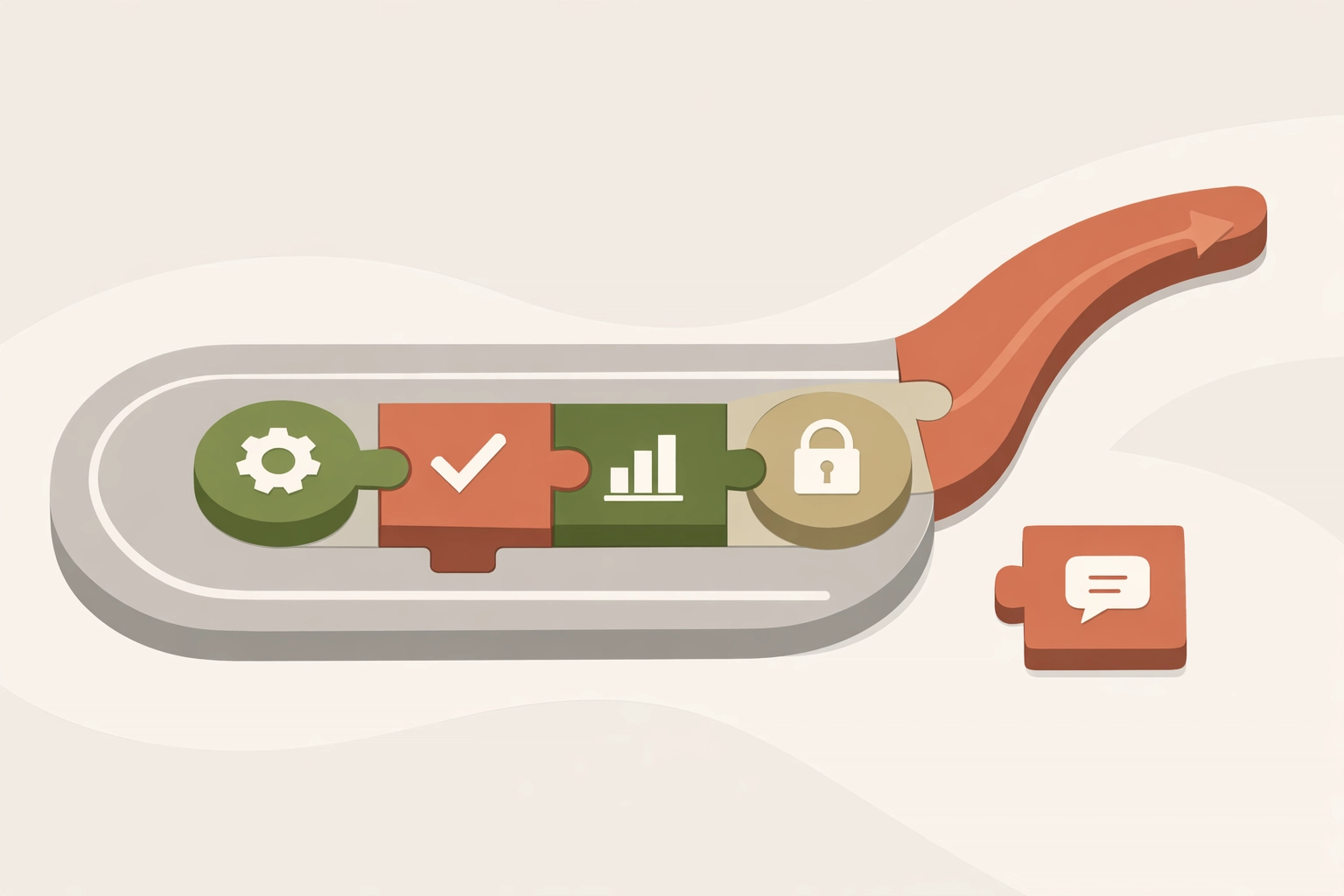
How to Protect Your Budget Today
The AI hype train is moving fast, but that doesn't mean you have to jump on without a ticket. If you're facing a renewal or a new AI purchase, here’s your checklist:
Negotiating AI isn't just about getting a discount; it's about mitigating the massive risks that come with unpredictable, usage-based models. If you're worried about your next big AI spend, don't wing it. Reach out for a contract review and let’s make sure you aren’t overpaying for the hype.
The tech is new, but the game is the same. Stay confident, stay skeptical, and always check the meter.
Need help navigating your next AI renewal? At The Negotiator Guru, we specialize in SaaS negotiation consulting that saves enterprises millions. Contact us today to see how we can protect your bottom line.
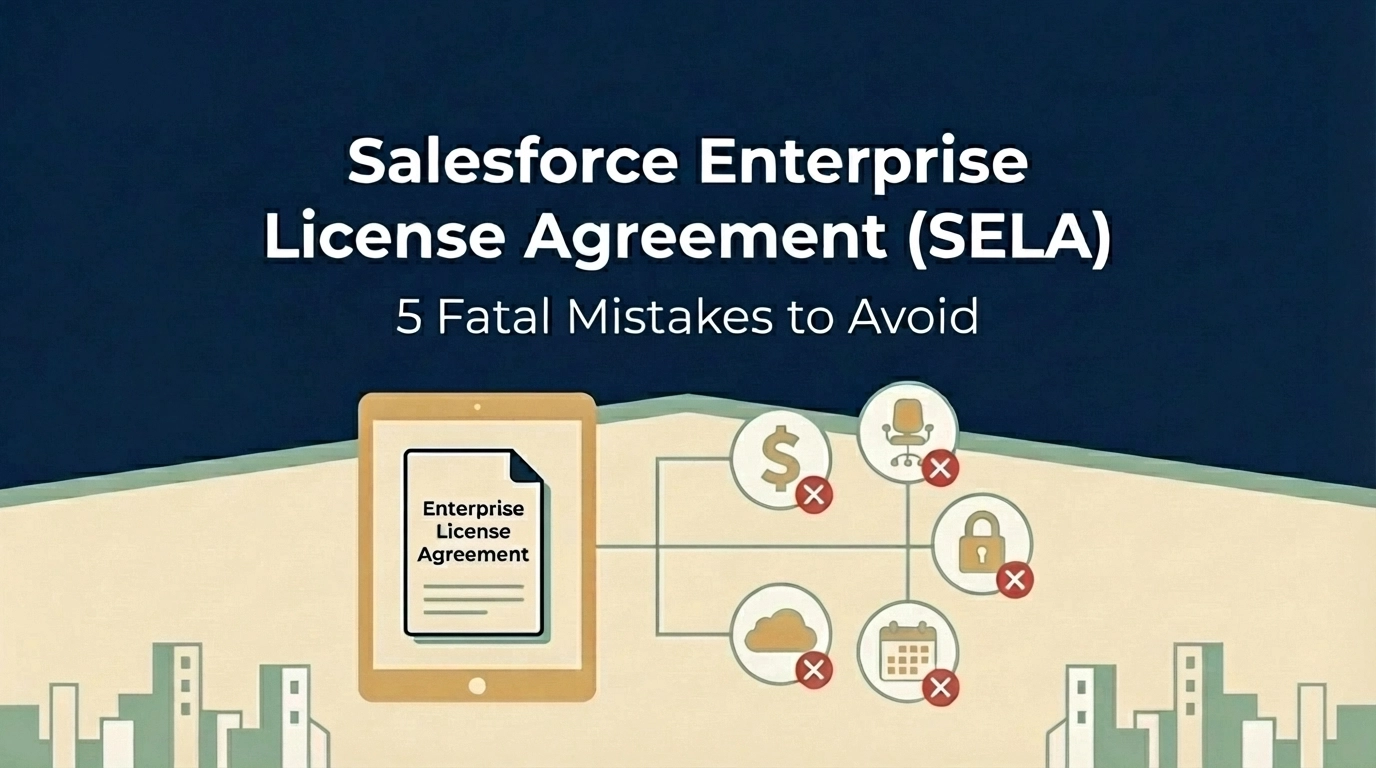
Are You Making These 5 Fatal Mistakes with Your Salesforce Enterprise License Agreement?
Your Salesforce Enterprise License Agreement (SELA) could be costing you millions more than it should. While these multi-year deals promise predictable pricing and enterprise-grade support, they're riddled with traps that can drain your IT budget faster than you can say "CRM transformation."
As someone who's seen countless enterprises stumble through salesforce renewal negotiations, I can tell you that most organizations make the same critical mistakes, and pay dearly for them. Whether you're a CIO planning your next renewal or a CFO trying to control spiraling software costs, these five fatal errors could be sabotaging your bottom line.
Mistake #1: The Baseline Trap, Overcommitting Based on Inflated Projections
Here's how it usually goes: Salesforce looks at your current usage, adds a "growth buffer," and locks you into user counts that seem reasonable today but become millstones tomorrow. This baseline trap is the most expensive mistake you can make in salesforce contract negotiation.
The problem? You're committing to licenses you may never use, and your per-user pricing gets locked at rates based on inflated projections. I've seen companies commit to 2,000 users when they realistically need 1,200, just because their sales rep painted a rosy picture of "inevitable growth."
The Fix: Negotiate growth as an option, not a requirement. Structure your SELA so you commit to baseline usage (say, 1,000 users in Year 1) with optional tiers that trigger only when specific business events occur: like a new subsidiary acquisition or product launch.
For example: "Client commits to 1,000 users in Year 1. If the European expansion launches by Q2, user count increases to 1,200. Otherwise, Year 2 renews at 1,000 users with the same discount structure."

Mistake #2: Ignoring Overage Penalties and Price Escalations
Most executives focus on the upfront discount and completely overlook two budget killers hiding in their SELA: overage fees and automatic price increases.
Salesforce charges overage fees at current retail pricing: often 2-3x your negotiated rates. Exceed your licensed user count by just 10%? You're paying full retail for those extra seats. Meanwhile, most SELAs include automatic 7% annual price increases that compound over multi-year terms.
I recently worked with a Fortune 500 company that discovered they were paying $400,000 annually in overage fees: money that could have funded their entire digital transformation initiative.
The Fix:
Mistake #3: Accepting Zero Transparency in Pricing
Traditional Salesforce agreements show line-item pricing for each product. SELAs? They bundle everything into a fixed-fee structure that makes it nearly impossible to understand what you're actually paying for.
This lack of transparency isn't accidental: it makes price manipulation during renewals much easier. Without clear visibility into per-product costs, your procurement team can't effectively benchmark pricing or negotiate specific components.
The Fix: Demand a comprehensive License Entitlement Matrix upfront that includes:
Don't accept vague product bundles. If Salesforce won't provide transparency, that's a red flag that their pricing isn't competitive.

Mistake #4: Signing Away All Contractual Flexibility
SELAs are rigid by design. Once signed, you cannot scale down user counts, change product mixes, or adjust to business realities. If your company decides mid-contract that you only need 500 licenses instead of 1,000, tough luck: you're paying for all 1,000 until renewal.
This inflexibility becomes especially problematic during economic downturns, restructurings, or strategic pivots. I've watched companies pay for thousands of unused Salesforce licenses while laying off employees.
The Fix:
Mistake #5: Falling Into Product Bundling Traps
Salesforce loves bundling products together to justify bigger discounts, but these bundles create dangerous dependencies. Your contract might stipulate that dropping Tableau causes your Sales Cloud discount to revert from 50% to 30%. Every product becomes intertwined, making optimization nearly impossible.
I've seen companies stuck paying for Marketing Cloud licenses they never use because unbundling would eliminate their discount on Service Cloud: creating a perpetual cycle of waste.
The Fix:
The Documentation Mistake That Costs Millions
Here's a bonus mistake that underlies all the others: relying on verbal promises from Salesforce sales reps.
"We usually don't enforce that clause." "We'll work with you if that situation comes up." "Trust me, we're flexible on overages."
If it's not written in your contract or order form, it doesn't exist. Period.
The Fix: Demand that every concession, promise, and "understanding" be documented in writing. If your sales rep claims flexibility exists, prove it by adding contract language that guarantees it.
Taking Control of Your Salesforce Investment
These mistakes aren't inevitable: they're the result of approaching salesforce enterprise license agreement negotiations without proper preparation and expertise. The key is treating your SELA like the multi-million dollar strategic decision it is, not just another software renewal.
Before your next negotiation:
Remember, Salesforce's sales team negotiates these deals every day. You might do it once every three years. The playing field isn't level unless you have the right strategy and support.
Your SELA should be a strategic enabler, not a financial anchor. By avoiding these five fatal mistakes, you can maintain the predictability and enterprise features you need while protecting your organization from unnecessary costs and inflexible terms.
The stakes are too high to get this wrong. Make sure your next Salesforce negotiation puts your organization in the driver's seat, not the passenger seat.
Need help navigating your Salesforce renewal? Our enterprise contract renewal specialists have saved organizations millions in unnecessary software costs. Learn more about our saas negotiation consulting services.
Start with a CIA.
That’s a Client Intake Assessment.
Upload your contract data or schedule a discovery call. If we can’t identify at least a 10%+ from a TNG Right Pricing™ opportunity, we won’t take your money (but we will offer you some free advice!)
