

7 Mistakes You’re Making with AI SaaS Pricing (and How to Protect Your Budget)

Look, we all know AI is the shiny new toy in every C-suite's budget right now. Every vendor from Salesforce to Microsoft is slapping an "AI-powered" label on their modules and telling you it’s going to revolutionize your workflow. And maybe it will. But here’s the reality from the trenches: most enterprise leaders are walking into these AI negotiations blindfolded.
In the world of SaaS Negotiation Consulting, we’re seeing a massive shift. The old days of simple per-user pricing are dying. In their place, we have "tokens," "credits," "agentic steps," and "compute-based tiers." If you try to negotiate a 2026 AI contract using a 2018 playbook, you’re going to get crushed.
At The Negotiator Guru (TNG), we’ve been deep in the weeds of these renewals. If you want to protect your budget, stop making these seven common mistakes.
1. Buying the "Credit Pile" Before You Have the Proof
The most common mistake we see right now? Overcommitting on AI credits. Vendors love this because it locks in revenue for them while you take all the risk. They’ll tell you, "Buy 1,000,000 Agentforce credits now at a 40% discount, or pay retail later."
CIOs often bite because they don’t want to be the bottleneck for innovation. But here’s the kicker: most AI initiatives start slow. You might only use 10% of those credits in the first year. Since these credits rarely roll over, you’re essentially donating money to the vendor. Before you sign off on a massive credit commitment, you need a contract risk review to ensure you have clawback provisions or the ability to scale up: not just scale down.
2. Ignoring "Meter Anxiety" and Its Impact on ROI
When you move to usage-based pricing, your employees start acting differently. This is what we call "meter anxiety." If your team knows that every time they ask an AI agent to summarize a meeting it costs the company $0.50, they might stop using it.
The mistake here is choosing a pricing model that punishes experimentation. If you're negotiating for Microsoft Copilot or a similar tool, you need to understand how the pricing affects user behavior. If your goal is broad adoption, a pure usage-based model is your worst enemy. You’re better off fighting for a flat-fee "innovation sandbox" period where usage is uncapped until you establish a baseline.

3. Failing to Benchmark AI SKUs (Because You Think You Can’t)
"It’s a new product, there is no benchmark data yet."
That’s what the sales reps will tell you. Don't believe them. While AI SKUs are evolving rapidly, we are already seeing patterns in the market. Whether it’s Salesforce Agentforce or AI-add-ons for ServiceNow, there is always a baseline.
If you aren't using right-price benchmarking, you’re essentially letting the vendor set the market price based on your perceived "willingness to pay." We’ve seen price variations of over 50% for the exact same AI capabilities across different enterprise accounts. Don't be the one paying the "pioneer tax."
4. Treating AI Pricing as a Marketing Decision, Not System Architecture
This is a technical trap that Procurement leaders often miss. AI costs aren't static. The cost to a vendor for running a simple GPT-3.5 query is vastly different than a complex, multi-step "agentic" workflow using a high-reasoning model.
If you don't know the top two variance drivers of your AI tool: is it the number of steps? The volume of data processed? The frequency of real-time requests?: you aren't ready to sign the contract. A mistake here means that as your data grows or your workflows get more complex, your costs could scale exponentially while your budget stays linear. This is where full negotiation support becomes vital to ensure the technical architecture of the pricing matches your actual use case.
5. Overlooking the "Transparency Gap" in Usage Reporting
How do you know you’re actually using the credits you’re paying for? In many AI contracts, the vendor is the one holding the stopwatch and the measuring tape.
Many enterprise teams sign AI contracts without demanding a seat at the dashboard. You need real-time, granular visibility into how AI credits are being consumed. If the vendor can't provide a dashboard that shows usage by department, user, or project, walk away. Without transparency, you can’t perform a proper software audit later to see if you're getting a return on your investment.

6. Blind Faith in "Unlimited" Bundles
We’ve seen it before with cloud storage, and we’re seeing it now with AI. A vendor offers an "Unlimited AI" tier to get you to upgrade your entire ELA (Enterprise License Agreement).
Here’s the catch: "Unlimited" almost always has a "Fair Use Policy" buried in the fine print. These policies often give the vendor the right to throttle your performance or move you to a higher tier if your usage becomes "atypical." In the AI world, what is "typical" is changing every month. If you’re a CIO, you need to ensure your enterprise contract renewals explicitly define what "fair use" means in quantifiable terms. Otherwise, "unlimited" is just a marketing term for "we’ll bill you more later."
7. Not Negotiating the "Exit Ramp" for AI
AI is moving fast. The "must-have" tool you’re buying today might be obsolete in 18 months. The biggest mistake is locking yourself into a three-year or five-year deal with no flexibility to swap AI SKUs or reduce spend if the technology doesn't pan out.
Your contract should include "exchange rights." If you commit $500k to an AI module that your team hates, you should have the right to move that spend to other core licenses. Vendors hate this because it hurts their "AI growth" metrics, but for a Procurement leader, it’s the only way to hedge your bets in a volatile market.

How to Protect Your Budget Today
The AI hype train is moving fast, but that doesn't mean you have to jump on without a ticket. If you're facing a renewal or a new AI purchase, here’s your checklist:
Negotiating AI isn't just about getting a discount; it's about mitigating the massive risks that come with unpredictable, usage-based models. If you're worried about your next big AI spend, don't wing it. Reach out for a contract review and let’s make sure you aren’t overpaying for the hype.
The tech is new, but the game is the same. Stay confident, stay skeptical, and always check the meter.
Need help navigating your next AI renewal? At The Negotiator Guru, we specialize in SaaS negotiation consulting that saves enterprises millions. Contact us today to see how we can protect your bottom line.
More resources
From Fortune 500 giants to fast-growing innovators, TNG has helped clients save 20% – 40%+ on enterprise software contracts — even when they thought it was impossible

Negotiating with Oracle: 7 Contract Terms to Review Before You Commit to Another Renewal
An Oracle renewal is not just a pricing event. It can reset the economics and risk of your software estate for years, especially when license definitions, support policies, and technical architecture intersect.
Before you commit, review the documents that actually govern your deal: the executed order, applicable master agreement and schedules, and any policies or definitions incorporated into them. Oracle’s published licensing materials are useful reference points, but they may not be contractual terms. Oracle’s Software Licensing Basics itself says it is informational and may not be incorporated into a contract.
Here are seven areas CIOs, CFOs, and procurement teams should examine when negotiating with Oracle.
1. Audit rights, evidence, and time to cure
Start with the audit clause. Check who can initiate an audit, how much notice Oracle must provide, how often it can occur, what information you must supply, and whether the process can disrupt operations. Also look for what happens if Oracle identifies use beyond your licensed rights: the fees, payment deadline, and any right to suspend or terminate licenses or services.
A publicly available Oracle agreement is one example of how specific these provisions can be, but it should not be treated as a universal Oracle term. Your signed documents control. Seek reasonable notice, limits on frequency and scope, confidentiality protections, a written explanation of findings, and a practical period to investigate and remediate before additional remedies apply.
Prepare before a dispute arises. Keep an inventory of deployments, users, processors, options, and relevant architecture records. The goal is to turn a broad audit right into a controlled, evidence-based process.

2. License metrics, minimums, and the products covered
Confirm that every Oracle product in the order has a clearly stated metric, quantity, and applicable minimum. “Processor” and “Named User Plus” are not interchangeable measures. Oracle’s licensing material describes the Processor metric in relation to processors where programs are installed and/or running; Named User Plus can include people and non-human-operated devices, with minimums applying to some products.
The details can vary by product and agreement. Check the applicable definitions, core-factor rules, options, prerequisites, affiliates, and permitted environments. Also review whether development, testing, disaster recovery, and non-production deployments are covered, or require separate rights.
Ask for an order exhibit that lists each product, metric, quantity, minimum, and the assumptions behind the count. If an Oracle proposal uses a label that your teams understand differently, resolve the definition in writing before signing.
3. Virtualization, partitioning, and mobility
Virtualization is a major area of potential exposure. Oracle’s published licensing basics says virtualized environments are generally treated as soft partitioning, which does not necessarily limit the number of licenses required. It lists certain exceptions and approved approaches, but eligibility depends on the technology and configuration.
For example, Oracle’s Oracle Linux KVM hard-partitioning guide describes CPU pinning requirements and notes that live migration of pinned virtual machines is not permitted under that policy. A change in workload placement or cluster design can therefore affect the licensing analysis.
Before renewal, map the actual environment: hosts, clusters, CPU allocation, pinning, failover, live migration, cloud deployments, and planned hardware changes. Ask Oracle to confirm in writing how the specific topology will be treated, and identify which policy version governs. Do not assume a cap based only on the number of virtual CPUs or on a general understanding of virtualization.
4. Support renewal fees and the basis for increases
Support can be a significant and recurring cost. Review the support renewal order alongside Oracle’s Technical Support Policies. Check the support period, fee calculation, service level, and any rules that affect renewals when licenses or products change.
Do not rely on an assumed industry-standard uplift or a verbal assurance about future pricing. Negotiate an explicit cap and define its basis: Does it apply to the prior year’s net fee, a list price, or another amount? Does it cover the whole support renewal or only specified products? What happens if the currency, service level, or scope changes?
Ask for advance written notice of any increase and make sure the agreed cap appears in the order or amendment, not just in a proposal or email.
5. License reductions and support repricing
A decision to reduce unused licenses can have consequences beyond the immediate quantity change. Before cutting licenses, find out whether the remaining products must maintain matching support levels, whether support can be reduced proportionally, and whether a change to one product affects the pricing of another.
Model the renewal both before and after the proposed reduction. Compare the savings from removing licenses with any change to the support fee for the licenses you retain. Ask Oracle to document the resulting quantities, support levels, and fees in the renewal paperwork.
This is also a good time to separate genuine business requirements from shelfware. A license inventory and a support inventory may tell different stories, and both matter to the renewal decision.
6. Auto-renewal and the notice deadline
Identify whether the agreement or order renews automatically, what the notice deadline is, and how notice must be delivered. Make the deadline visible in your contract calendar and assign an owner. A missed date can reduce your options even if you are still negotiating.
Where possible, request renewal only with affirmative written approval. If automatic renewal remains, ask for one clear deadline, advance reminders to named procurement and legal contacts, and a short cure period for administrative errors. Confirm whether the clause concerns cloud services, support, or both; renewal mechanics may differ.
Oracle’s Support Renewals help center describes an operational process for support renewals. Treat that as a process reference, not a substitute for the notice terms in your executed agreement.

7. Price escalation, scope changes, and renewal flexibility
Review every clause that can change the renewal price, including fixed annual escalators, list-price resets, currency provisions, and increases triggered by changes in products or quantities. Ask whether the increase applies to the full order or only to affected items, and whether it can stack with other adjustments.
Negotiate a clear ceiling and a defined calculation. Protect your ability to reduce quantities or remove products at renewal without triggering an unexpected repricing of the remaining estate. For multi-year commitments, spell out the price for each year and the conditions under which Oracle can change it.
A useful renewal schedule should make the outcome predictable: term length, product scope, quantities, net fees, permitted adjustments, notice dates, and renewal conditions. If the commercial language says “current rates” or “then-current pricing,” clarify what those phrases mean before you commit.
Make the renewal a decision, not a deadline
The strongest Oracle renewal position starts with evidence: your contract stack, license footprint, support spend, architecture, and realistic business demand. Bring IT, procurement, finance, and legal together early enough to challenge assumptions and make trade-offs deliberately.
The Negotiator Guru works as a discreet extension of enterprise teams through high-stakes software negotiations. Our services include Right Price Benchmarking™, Contract Risk Review, and Full Negotiation Support. We are an impartial firm, not a vendor referral partner, and have delivered $1.05 billion in total cost impact globally, with average savings of 37% per deal. If we cannot identify at least 10% savings, we do not take the deal.
A renewal should earn your commitment. Review the terms, test the numbers, and secure the protections your organization needs before signing.

Negotiating with AWS: How Enterprise Teams Cut Cloud Costs Before They Compound
AWS is one of the most under-negotiated enterprise vendors in the market.
That sounds surprising. AWS is often one of the largest technology suppliers in an enterprise portfolio, with annual spend measured in millions, or tens of millions. Yet many organizations approach AWS as if the only available levers are architectural optimization, Savings Plans, and Reserved Instances.
Those tools matter. They are not the whole negotiation.
AWS spend grows organically through consumption rather than seats. New accounts appear. Workloads move into production. Data volumes increase. Development environments multiply. Business units adopt services independently. By the time finance sees the full picture, the organization may already have a substantial AWS run rate, and limited visibility into the commitments supporting it.
That is precisely when a large cloud bill becomes a negotiation opportunity.
The goal is not simply to obtain a larger headline discount. It is to build a commercial structure that aligns with actual consumption, protects flexibility, reduces commitment risk, and preserves leverage for the next renewal.
Why AWS negotiations work differently from SaaS negotiations
Seat-based SaaS contracts usually have a visible commercial unit: users, licenses, modules, or transactions. AWS is different. The bill is a portfolio of variable consumption lines.
AWS pricing can include:
- On-Demand usage
- Savings Plans
- Reserved Instances
- Data transfer and egress
- Storage and requests
- Managed database consumption
- Support fees
- AWS Marketplace purchases
- Promotional credits
- Migration funding
- Enterprise-level private pricing
That creates two common mistakes.
First, teams benchmark the wrong number. They compare the total invoice to public list price without normalizing usage, regions, service mix, pricing model, and credits.
Second, teams negotiate the wrong commitment. They accept a spend target based on an optimistic cloud roadmap rather than a defensible forecast of eligible consumption.
In a seat-based negotiation, unused licenses are visible. In AWS, unused commitment can be buried inside a complicated consumption model and discovered only after the organization has already signed.
The AWS commercial landscape: what can actually be negotiated?
On-Demand pricing
On-Demand is the most flexible AWS pricing model, but generally the least economical for stable workloads. It is also the baseline against which many other discounts are presented.
On-Demand pricing is useful as a reference point, not as a complete benchmark. The real question is:
What effective rate is the enterprise paying for its actual service mix after all discounts, credits, commitments, and exclusions?
Savings Plans
Savings Plans provide discounted rates in exchange for a one- or three-year commitment to a consistent level of eligible compute spend.
Depending on the type, they may apply across services such as:
- Amazon EC2
- AWS Fargate
- AWS Lambda
- Selected database workloads
The tradeoff is flexibility versus discount depth. A Compute Savings Plan can provide broader portability across eligible compute, while an EC2 Instance Savings Plan may offer stronger economics with more constrained coverage.
AWS provides public documentation on how Savings Plans work, but the discount is not automatically a substitute for enterprise negotiation. Savings Plans typically do not address:
- Data transfer out
- AWS Support fees
- Most Marketplace software fees
- Broader enterprise commitment risk
- Contractual protections around future services
Review the official AWS Savings Plans documentation before modeling a proposal.
Reserved Instances
Reserved Instances can reduce the cost of predictable EC2 and database usage, usually in exchange for a defined configuration and term.
They can be attractive when workloads are stable. They can also create avoidable lock-in when a business is changing instance families, regions, operating systems, or deployment patterns.
The right question is not “What is the maximum discount?” It is:
How much of this workload can the business confidently call stable for the full commitment term?
AWS explains the mechanics of Reserved Instances here. Your negotiation should go further by testing whether the commitment is operationally realistic.
EDPs and Private Pricing Agreements
Large AWS customers may negotiate an Enterprise Discount Program, often referred to in current market discussions as a Private Pricing Agreement or PPA.
The basic structure is straightforward:
- The customer commits to a minimum level of eligible AWS consumption.
- AWS provides a negotiated discount across defined eligible usage.
- The agreement runs for a set term, commonly one to five years.
- The customer must manage its usage carefully to avoid falling short.
AWS does not publish a universal public discount schedule for EDPs or PPAs. Rates depend on factors such as:
- Annual committed spend
- Total term value
- Current run rate
- Forecast growth
- Service mix
- Region and account structure
- Competitive alternatives
- Migration or modernization plans
- AWS Marketplace participation
- Timing and internal AWS priorities
Industry-observed ranges are directional rather than official. As a rough negotiating reference, enterprise proposals may fall into bands such as:
| Annual commitment | Directional observed discount range* |
|---|---|
| $1M–$5M | 5%–8% |
| $5M–$10M | 8%–12% |
| $10M–$25M | 10%–15% |
| $25M–$50M | 14%–19% |
| $50M+ | 17%–23% |
*These are market observations, not AWS-published tiers or guaranteed outcomes. A discount is meaningful only when you understand exactly which services, charges, accounts, and commitment calculations it covers.
Do not negotiate on the headline percentage alone. Ask AWS to define:
- Eligible services
- Excluded services
- Treatment of new AWS services
- Treatment of Marketplace spend
- Treatment of support charges
- Credit application order
- Account and region portability
- Ramp mechanics
- Shortfall consequences
- True-up and true-forward provisions
- Renewal and repricing rights

The growth commitment trap
The most dangerous AWS commitment is not necessarily the one with the lowest discount. It is the one based on a forecast that the business cannot reliably achieve.
AWS teams may present a larger commitment as a way to unlock better economics. The logic can be compelling:
- The business is migrating workloads.
- AI and analytics usage will grow.
- New regions are planned.
- More business units will consolidate onto AWS.
- A modernization program will increase consumption.
Some of those assumptions may be correct. The problem is that a forecast is not the same as committed usage.
If actual consumption falls below the commitment, several outcomes are possible depending on the agreement:
- The customer receives less economic value than expected.
- Unused commitment may expire.
- The customer may need to accelerate migrations or shift workloads.
- Finance may face a true-up or shortfall obligation.
- The customer may have less leverage at renewal because it appears to have underperformed against its promise.
A strong AWS negotiation separates three numbers:
- Current run rate: what the company is consuming today.
- Committed base: what the company can defend with high confidence.
- Strategic upside: what may happen if planned migrations and growth materialize.
Only the first two should form the foundation of a hard commitment. Strategic upside should be rewarded through ramps, expansion rights, reopener clauses, or incremental discounts, not automatically converted into a fixed liability.
Committed spend, true-ups, and unused commitment liability
Before signing, model the agreement month by month.
At a minimum, calculate:
- Expected AWS usage by service
- Eligible versus excluded spend
- Existing Savings Plans and Reserved Instances
- Marketplace spend
- Credits and expiration dates
- Support fees
- Migration-related costs
- Seasonality
- Business-unit allocations
- Downside and upside scenarios
Then test three cases:
Base case
The organization follows its current migration and growth plan.
Downside case
Migration is delayed, a major workload remains on-premises, or optimization reduces consumption.
Upside case
AI, data, or application workloads grow faster than expected.
The agreement should not be economically attractive only in the upside case.
Ask for mechanisms that reduce unused commitment liability, including:
- A lower first-year commitment
- Annual ramps rather than a flat commitment
- Carry-forward rights
- Reallocation across accounts and regions
- Broader eligible-service coverage
- The ability to apply certain Marketplace purchases
- A formal review if consumption falls materially
- No automatic conversion of a shortfall into a new long-term commitment
- Clear treatment of credits when calculating commitment attainment

Use AWS Marketplace, credits, and MAP as negotiation levers
AWS Marketplace can be commercially important in two ways.
First, Marketplace may be part of the broader enterprise cloud commitment. If your organization already purchases significant third-party software through AWS Marketplace, ask whether that spend can contribute to commitment attainment. Do not assume it qualifies. Get the treatment documented.
Second, Marketplace can provide a procurement path for third-party software, including negotiated private offers. AWS explains the mechanics of Marketplace private offers.
Credits are another lever, but they should never be treated as equivalent to a permanent price reduction.
Separate:
- AWS promotional credits
- Migration credits
- Marketplace-related credits
- Partner-funded incentives
- MAP funding
- Service-specific discounts
- Contractual PPA discounts
For migration programs, AWS’s Migration Acceleration Program terms should be reviewed carefully. MAP may support migration and modernization activities through funding or credits, but eligibility, included services, timing, and exclusions matter. For example, credits may not cover all data transfer costs or third-party software charges.
Negotiate the value of credits as part of the total economic package, while keeping the underlying price and commitment structure transparent.
Data egress: negotiate it before you need it
Data egress is often treated as an unavoidable technical cost. In a negotiation, it is also a portability and concentration-risk issue.
Your AWS analysis should distinguish between:
- Routine operational egress
- Cross-region replication
- Internet delivery
- Data movement during migration
- Exit-related data transfer
The EU Data Act is changing the discussion. The European Commission states that switching charges, including switching-related data egress, must be eliminated from 12 January 2027, with a transitional cost-based approach before then. The official European Commission explanation of the Data Act provides the relevant context.
That does not mean all ordinary AWS outbound data transfer becomes free. Day-to-day operational egress remains a separate commercial issue.
For a multinational enterprise, negotiate:
- A clear definition of switching-related egress
- Data export assistance
- Migration support obligations
- Advance notice requirements
- Portability of data and metadata
- Treatment of egress outside the EU
- No contractual language that defeats applicable regulatory rights
Support fees are negotiable too
AWS Enterprise Support is generally calculated as a percentage of monthly AWS charges, subject to minimum fees and tiered rates. At large spend levels, even a modest reduction in the effective support rate can produce meaningful savings.
Ask AWS to clarify:
- The exact fee base
- Whether credits reduce the support calculation
- Whether Marketplace charges are included
- Whether support fees increase automatically as usage grows
- Minimum monthly charges
- Enterprise Support versus other support tiers
- Technical Account Manager coverage
- Service-level commitments
- Response-time remedies
Do not accept support as an automatic percentage of every dollar on the invoice without testing the calculation. Support is a distinct commercial line and should be benchmarked separately. Review AWS’s current Support pricing directly, then negotiate the enterprise-specific application.
How to benchmark AWS spend properly
You cannot benchmark AWS effectively by asking whether you received “20% off list price.”
That number may exclude the services where your spend is concentrated. It may also combine different pricing mechanisms and obscure the cost of commitment risk.
A useful AWS benchmark normalizes:
- Service and SKU
- Region
- Usage volume
- Instance family
- Operating system
- Pricing model
- On-Demand equivalent
- Effective unit rate
- Discount off On-Demand
- Savings Plan or Reserved Instance coverage
- PPA/EDP discount
- Credits
- Support fees
- Data transfer
- Marketplace charges
- Term length and commitment
Track at least three measures:
Effective discount rate
The total discount against the relevant On-Demand baseline.
Effective unit rate
The actual price paid per unit of compute, storage, request, transfer, or database capacity.
Net economic rate
The cost after credits, funding, support, and commitment liabilities are included.
This is where Right Price Benchmarking™ adds value. Benchmarking should reveal not just whether the discount looks attractive, but whether the total structure is commercially fair.
The AWS negotiation playbook
1. Start early
Begin at least six to nine months before a major renewal, PPA, or commitment decision. AWS has more flexibility when the customer has time to create alternatives and does not appear trapped by an expiration date.
2. Build an internal fact base
Bring together:
- CIO or CTO
- CFO or finance leader
- Procurement
- Cloud economics or FinOps
- Enterprise architecture
- Legal
- Business-unit owners
Agree on the target architecture, migration timetable, acceptable commitment, walk-away position, and priority terms before engaging AWS.
3. Build competitive pressure
Azure and Google Cloud do not need to replace AWS entirely to create leverage. A credible alternative may include:
- A workload migration
- A regional deployment
- A data and analytics platform
- A disaster recovery environment
- A new AI workload
- A dual-cloud architecture
- A competitive benchmark
The objective is not to threaten a migration the company cannot execute. It is to demonstrate that AWS is competing for future workload allocation.
4. Use timing deliberately
AWS’s fiscal calendar, quarter-end priorities, renewal windows, migration milestones, and internal account planning cycles can affect responsiveness.
Do not wait until AWS presents its final proposal. Establish your economic requirements early, then create a structured process with multiple proposal rounds.
5. Negotiate the complete package
Ask for more than a discount:
- Better PPA or EDP economics
- A defensible ramp
- Carry-forward rights
- Broader eligible spend
- Marketplace treatment
- Credits and MAP funding
- Reduced support fees
- Egress protections
- New-service coverage
- Renewal caps
- Exit and portability language
- Governance and reporting rights
AWS contract traps to review
Before signing, specifically test for:
- Auto-renewal: Does the agreement renew automatically, and how much notice is required to prevent it?
- Term escalators: Can the commitment or support fee increase during the term?
- Service-level carve-outs: Are critical services excluded from meaningful remedies?
- True-forward language: Can a shortfall or added usage create a higher future commitment?
- Repricing risk: Can AWS reprice new services or move them outside the negotiated discount?
- Credit expiration: Do credits expire before planned workloads go live?
- Account restrictions: Can spend move between accounts, regions, and subsidiaries?
- Marketplace exclusions: Does Marketplace spend count toward the commitment?
- Support calculation: Are support fees calculated on gross or discounted usage?
- Change-in-control language: What happens after a merger, divestiture, or acquisition?
- Exit costs: What data, assistance, and egress obligations apply when workloads move?

Key takeaways for CIOs, CFOs, and procurement teams
- AWS is not simply a usage bill. It is a portfolio of pricing models, commitments, credits, support charges, and contractual risks.
- The largest discount is not always the best deal if it requires an unrealistic commitment.
- EDPs and PPAs should be negotiated around eligible spend, flexibility, shortfall protection, and future-service treatment, not just the headline percentage.
- Savings Plans and Reserved Instances optimize specific workloads. They do not replace enterprise-level negotiation.
- Marketplace, MAP, credits, support fees, and egress can materially change the total economics.
- Benchmark effective unit rates and net cost, not just “discount off list.”
- Competitive pressure from Azure and Google Cloud is useful only when it is credible.
- Contract language determines whether savings survive after the signature.
Frequently asked questions
How much discount can an enterprise get from AWS?
There is no universal public AWS discount table. Directional market ranges may vary from single digits for smaller commitments to the high teens or low twenties for very large, well-structured commitments. The actual result depends on spend, term, service mix, growth, competition, and negotiation timing.
Should we commit to all projected AWS growth?
Usually not. Separate current run rate, defensible committed spend, and strategic upside. Use ramps, expansion rights, and review mechanisms to capture upside without turning an uncertain forecast into a fixed liability.
Do Savings Plans replace an AWS EDP or PPA?
No. Savings Plans address eligible compute consumption. An EDP or PPA may provide broader enterprise pricing, but its scope and exclusions must be negotiated. The two mechanisms can coexist.
Can AWS Marketplace spend count toward an enterprise commitment?
Sometimes, depending on the agreement and eligible products. Never rely on a verbal assurance. Require the treatment of Marketplace spend to be stated clearly in the commercial documents.
Is AWS egress now free?
Not generally. Ordinary operational egress remains a cost category. Switching-related charges are subject to evolving regulatory requirements, including the EU Data Act, and AWS has separate policies and eligibility conditions for migration-related transfers.
When should we begin an AWS negotiation?
For a major renewal or enterprise commitment, begin six to nine months ahead where possible. Earlier preparation creates room for benchmarking, competitive pressure, internal alignment, and contract review.
Negotiate AWS before the commitment becomes the constraint
AWS spend compounds quietly. A small pricing gap across thousands of usage lines becomes a major financial issue when consumption grows every month.
The answer is not to avoid cloud commitments altogether. It is to make commitments that reflect reality, reward growth without overpaying for it, and preserve options when the roadmap changes.
The Negotiator Guru is an impartial negotiation firm. We do not accept vendor referral fees, and we operate discreetly as an extension of your team. We have delivered $1.05 billion in total cost impact globally, with average savings of 37% per deal. If we cannot identify at least 10% savings, we do not take the deal.
For a pending AWS negotiation, we can help with:
- Full Negotiation Support: Build the strategy, manage the negotiation, and support your team through every counter.
- Right Price Benchmarking™: Normalize AWS pricing, usage, discounts, credits, and effective rates.
- Contract Risk Review: Identify commitment traps, repricing risk, auto-renewal exposure, and missing protections before you sign.
AWS may control the pricing model. Your team can still control the negotiation.

Workday Benchmark: How to Know If You're Overpaying Before Your Next Renewal (2026 Data)
Workday renewals rarely become expensive because of one obviously unreasonable line item. Overpayment usually accumulates through a combination of inflated headcount assumptions, unused modules, unclear discount structures, automatic escalators, and contract terms that remove flexibility.
That makes one question critical before your next renewal:
Is your Workday agreement priced within a defensible market range: or are you paying a premium because the vendor set the anchor first?
A credible Workday benchmark can answer that question. But benchmarking is not simply comparing your total annual contract value with a number found online. You need to normalize the data, examine your licensing structure, and connect pricing to the terms that determine your future cost.
This guide explains how to diagnose overpayment using 2026 benchmark data, what to measure, and where negotiation leverage is most likely to exist.
Workday does not publish a universal price list. The ranges below are directional benchmarks from independent market research and reported enterprise transactions. Your appropriate target depends on employee count, modules, geography, deployment scope, term, and contract structure.
What a Workday benchmark should measure
A useful benchmark should answer more than “What discount did we receive?”
It should measure your effective cost across several dimensions:
This matters because a large discount can still produce a poor deal. For example, a 40% discount paired with a 5% annual escalator, fixed headcount commitments, and unused modules may cost more over three years than a smaller discount with better protections.
The right question is not “How much did Workday discount the proposal?”
It is:
What will we pay for the functionality we actually use, over the full term, under realistic workforce conditions?
The 5 diagnostic checks that reveal overpayment
1. Calculate your effective unit price
Start with the simplest calculation:
Effective PEPY = Annual module cost ÷ contracted employee count
For named-user products:
Effective annual user price = Annual module cost ÷ contracted named users
Do this separately for each major component rather than dividing total ACV by total employees. A blended number can hide expensive modules inside a bundle.
One 2026 benchmark set reports the following enterprise-level directional ranges:
Workday componentIndicative enterprise benchmarkCore HCM$14–$22 per employee per yearPayroll$11–$18 per employee per yearRecruiting$7–$12 per employee per yearTalent Management$6–$10 per employee per yearLearning$4–$8 per employee per yearFinancial Management$8–$14 per employee per yearAdaptive Planning$1,400–$2,200 per finance user per year
These figures come from published 2026 renewal research by WorkdayNegotiations. Other market studies report higher delivered pricing when they measure broader bundles, monthly rates, implementation scope, or more complex enterprise footprints.
That difference is not a contradiction. It demonstrates why benchmark comparisons must be like-for-like.
If your effective rate sits materially above the appropriate range after accounting for scope and complexity, you may have a pricing gap worth pursuing.
2. Separate deployed functionality from purchased functionality
Workday bundles can make unused functionality difficult to see. Review each module against four categories:
Pay particular attention to products bought against future plans. A module that was “planned for phase two” three years ago may still be generating subscription cost without delivering value.
This is especially important for planning products and workflow-based packages. Recent Workday pricing research from Redress Compliance found that customers without documented model and workflow counts can overpay materially because the vendor’s estimate becomes the default sizing assumption.
Before renewal, ask:

3. Challenge the headcount forecast
Workday pricing is often tied to employee or worker populations. That creates a major risk: paying today for growth that may not occur.
Your renewal analysis should distinguish between:
Then compare your contracted count with actual historical averages and your approved workforce plan.
If you are close to a volume breakpoint, the answer may not be to accept Workday’s proposed band. You may be able to negotiate favorable pricing based on a documented forecast: or negotiate a more flexible true-up structure that adjusts in both directions.
An upward-only true-up means Workday benefits when your workforce grows, while you continue paying for capacity when it shrinks. A stronger position includes:
4. Audit the escalator, not just the discount
The annual escalator is one of the most overlooked sources of renewal overpayment.
Published 2026 research indicates that Workday proposals may open with annual increases in the 3%–7% range, while benchmark-informed buyers often target a cap between 0% and 3%, depending on leverage and deal structure. Another independent SaaS benchmark found that Workday increases can reach 10%–16% without effective benchmarking, compared with approximately 0%–5% when customers negotiate from market data.
The exact outcome will vary. The principle does not:
A discount is a one-time reduction. An escalator compounds.
Review whether the cap applies to:
The strongest language is an all-in cap that prevents Workday from applying the limit only to one portion of the agreement while increasing other charges outside the cap.
This is where a Contract Risk Review can expose cost increases that are not obvious from the order form.
5. Compare your term against your flexibility needs
A longer term can create pricing leverage, but it can also lock in overpayment.
Some 2026 benchmark data reports additional discounts for three-, five-, and longer-term commitments. That may be attractive if Workday is deeply embedded in your operating model and your workforce is stable.
But a longer term is dangerous when:
Do not trade flexibility for a headline discount without modeling the total cost under multiple scenarios.
How to build a defensible 2026 Workday benchmark
A credible benchmark has four stages.
Stage 1: Normalize the commercial data
Collect the current agreement, order forms, amendments, invoices, usage data, employee counts, and renewal proposal.
Normalize:
Stage 2: Benchmark at the SKU and module level
Compare each component against relevant market data: not just the total contract value.
The Right Price Benchmarking™ service from The Negotiator Guru triangulates pricing using factors such as industry, annual contract value, company revenue, and license footprint. That produces a more useful view than a generic “average Workday customer” number.
Stage 3: Model the full-term cost
Create at least three scenarios:
Model the impact over the full term, including escalators and true-up mechanics. A $500,000 annual improvement is not the same as a $500,000 one-time credit if the recurring baseline remains inflated.

Stage 4: Translate the data into negotiation asks
Benchmark data is valuable only when it changes your position.
Your asks may include:
Use the data internally to set targets, reservation points, and walk-away conditions. In the negotiation, lead with specific commercial requests rather than handing over a generic benchmark report.
When to start planning for a Workday renewal
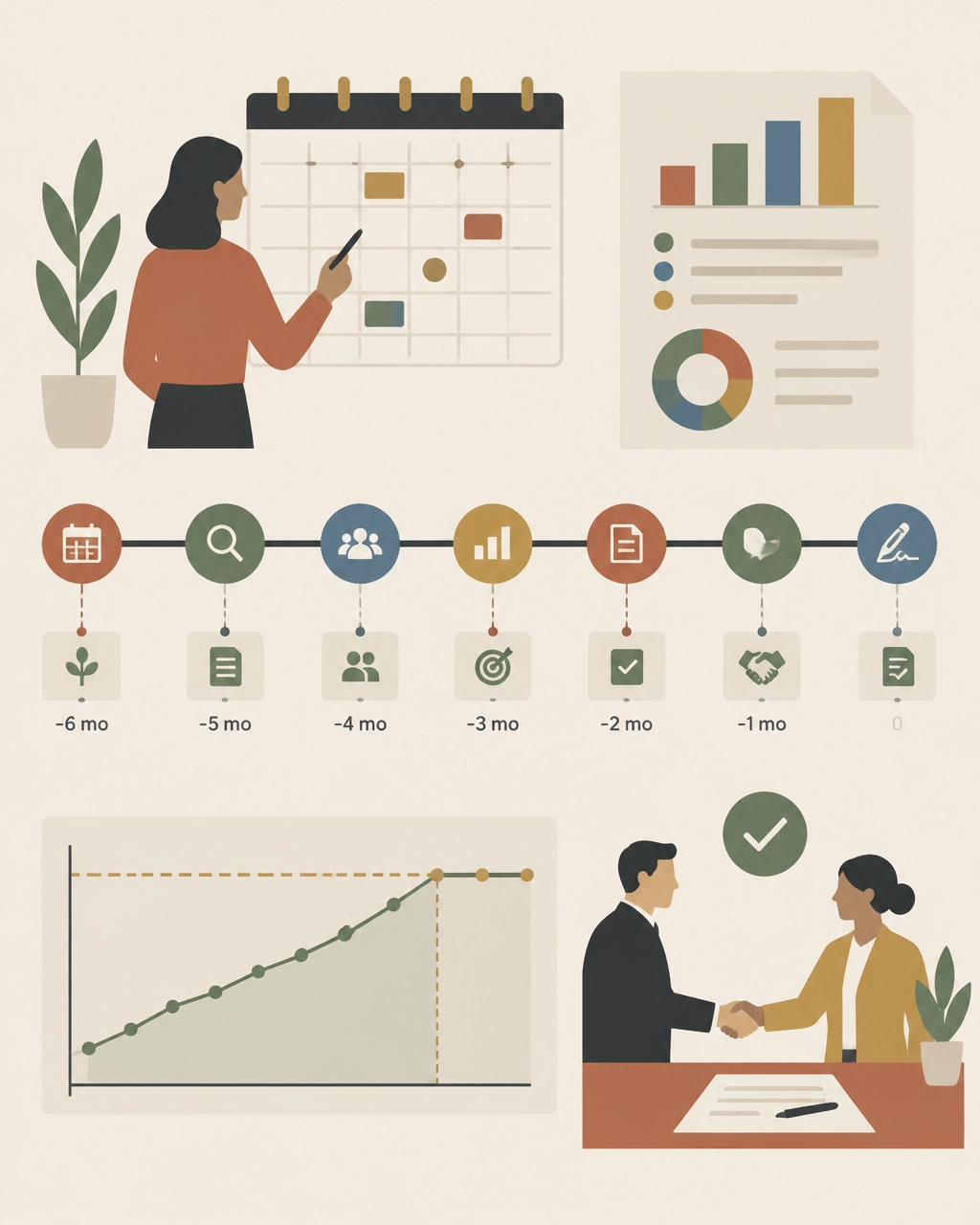
Begin at least six months before renewal. Earlier is better when the agreement is complex or the annual spend is significant.
A practical timeline:
By the time the vendor presents a renewal quote, your internal target should already be set.
What 2026 buyers should watch closely
Three issues deserve special attention in the next renewal cycle:
AI and new product add-ons
New AI capabilities may be introduced as separate paid products, premium tiers, or expanded bundles. Benchmark them independently. Do not allow “new functionality” to obscure an increase in the effective cost of your existing deployment.
Phased roadmaps
If you plan to add modules later, negotiate future pricing now. Otherwise, you may lose the consolidation economics available when multiple modules are purchased together.
Contract flexibility
Workforce volatility, M&A, and budget pressure make true-down rights and reallocation provisions more valuable than ever. The cheapest contract is not always the one with the largest initial discount. It is the one that remains financially defensible when business conditions change.
Find out whether your Workday deal is above market
You do not need to wait for Workday’s renewal proposal to discover overpayment.
The Negotiator Guru helps enterprise teams benchmark every relevant SKU, expose unused or inflated scope, review contract risk, and build a negotiation strategy before the vendor sets the anchor. Our Workday negotiation specialists operate discreetly as an extension of your team.
With Right Price Benchmarking™, we identify what your agreement should cost and where the savings opportunity exists. If the contract warrants broader support, our Full Negotiation Support team can help plan, pressure, and execute the renewal.
We have delivered $1.05 billion in total cost impact globally, with average savings of 37% per deal. And if we cannot identify at least 10% savings, we do not take the deal.
Before your next Workday renewal, benchmark the agreement you have: not the proposal you are given. Start your assessment with The Negotiator Guru.
Start with a CIA.
That’s a Client Intake Assessment.
Upload your contract data or schedule a discovery call. If we can’t identify at least a 10%+ from a TNG Right Pricing™ opportunity, we won’t take your money (but we will offer you some free advice!)
