

4 Key Steps to Successfully Prepare for a Salesforce Negotiation


Here are a few quick steps to prepare for your Salesforce negotiation:
1. Assemble a best-in-class negotiation team
Including an expert negotiator in your team can help you acquire the most reasonable Salesforce subscription agreement. As discussed in previous articles, Salesforce is an expert at “divide and conquer” sales tactics.
As such, they will be looking to speak with different stakeholders at all levels of your business with the intent of gaining as much intelligence about your needs as possible. To properly prepare for, and counter, these tactics we recommend establishing a negotiation team 6 months prior to any planned contract renewal/execution. Within this team you should include business, souring, and legal stakeholders that have decision-making authority on behalf of your organization.
As part of the planning process, the negotiation team should create a working group of business stakeholders that can provide inputs into the needs and wants of the organization.
2. Perform a thorough review of the current contract prior to renewal
Part of our standard client onboarding process is a meticulous review of their current contract. While this may seem like common sense, it’s amazing how many prospective clients we speak with that never think of conducting this initial due diligence. Since our entire team originated from large organizations, we actually understand why this happens…initiative overload!
Before we accept a new client, we ask them whether or not they have reviewed their current contract to determine if they actually received the products/services that were under contract within the current term. On average, only about 35% actually completed this step prior to engaging our firm. After we conduct the analysis, we on average find that 60% of our clients do not actually receive/activate the products/services that they pre-paid for as part of their original contract negotiation.
Subsequently, we suggest you review all special contract terms that are part of your expiring agreement that may impact your contract renewal (i.e. price protection, etc.).
3. Prepare for a Proactive Negotiation
A proactive negotiation can enhance your leverage with Salesforce. As stated earlier, we recommend a 6-month runway to ensure the most leverage. If you are a renewing customer, Salesforce will generally start engaging your business stakeholders 3-4 months prior to your natural renewal date. Getting ahead of this stakeholder engagement will only help your organization. To ensure organization, we suggest developing a communication plan that directly advises each level of the organization what to expect, what to say, and when to say it.
4. Negotiate a 3-year TCO
Our clients commonly come to us asking about what price they should be paying for a specific product or service. Through years of experience, we advise clients to focus on the Total Cost of Ownership (TCO) for the entire contract instead of becoming fixated on a specific line item on the proposal. Like many other major software companies, Salesforce incentivizes its sales reps differently depending on the product or service. Instead of becoming fixated on a specific price point for a Sales Cloud license we suggest focusing on the net contract value. In other words, identify a TCO that you are comfortable with from a price-to-value standpoint and focus on driving the most value for your needs within that spectrum.
We commonly obtain a 10 – 15% value increase by negotiating a net TCO vs. that of a line item rate basis. This, of course, is easier said than done but we wanted to share this facts-based article for you to consider as you embark on your Salesforce negotiation.
More resources
From Fortune 500 giants to fast-growing innovators, TNG has helped clients save 20% – 40%+ on enterprise software contracts — even when they thought it was impossible

Negotiating with Oracle: 7 Contract Terms to Review Before You Commit to Another Renewal
An Oracle renewal is not just a pricing event. It can reset the economics and risk of your software estate for years, especially when license definitions, support policies, and technical architecture intersect.
Before you commit, review the documents that actually govern your deal: the executed order, applicable master agreement and schedules, and any policies or definitions incorporated into them. Oracle’s published licensing materials are useful reference points, but they may not be contractual terms. Oracle’s Software Licensing Basics itself says it is informational and may not be incorporated into a contract.
Here are seven areas CIOs, CFOs, and procurement teams should examine when negotiating with Oracle.
1. Audit rights, evidence, and time to cure
Start with the audit clause. Check who can initiate an audit, how much notice Oracle must provide, how often it can occur, what information you must supply, and whether the process can disrupt operations. Also look for what happens if Oracle identifies use beyond your licensed rights: the fees, payment deadline, and any right to suspend or terminate licenses or services.
A publicly available Oracle agreement is one example of how specific these provisions can be, but it should not be treated as a universal Oracle term. Your signed documents control. Seek reasonable notice, limits on frequency and scope, confidentiality protections, a written explanation of findings, and a practical period to investigate and remediate before additional remedies apply.
Prepare before a dispute arises. Keep an inventory of deployments, users, processors, options, and relevant architecture records. The goal is to turn a broad audit right into a controlled, evidence-based process.

2. License metrics, minimums, and the products covered
Confirm that every Oracle product in the order has a clearly stated metric, quantity, and applicable minimum. “Processor” and “Named User Plus” are not interchangeable measures. Oracle’s licensing material describes the Processor metric in relation to processors where programs are installed and/or running; Named User Plus can include people and non-human-operated devices, with minimums applying to some products.
The details can vary by product and agreement. Check the applicable definitions, core-factor rules, options, prerequisites, affiliates, and permitted environments. Also review whether development, testing, disaster recovery, and non-production deployments are covered, or require separate rights.
Ask for an order exhibit that lists each product, metric, quantity, minimum, and the assumptions behind the count. If an Oracle proposal uses a label that your teams understand differently, resolve the definition in writing before signing.
3. Virtualization, partitioning, and mobility
Virtualization is a major area of potential exposure. Oracle’s published licensing basics says virtualized environments are generally treated as soft partitioning, which does not necessarily limit the number of licenses required. It lists certain exceptions and approved approaches, but eligibility depends on the technology and configuration.
For example, Oracle’s Oracle Linux KVM hard-partitioning guide describes CPU pinning requirements and notes that live migration of pinned virtual machines is not permitted under that policy. A change in workload placement or cluster design can therefore affect the licensing analysis.
Before renewal, map the actual environment: hosts, clusters, CPU allocation, pinning, failover, live migration, cloud deployments, and planned hardware changes. Ask Oracle to confirm in writing how the specific topology will be treated, and identify which policy version governs. Do not assume a cap based only on the number of virtual CPUs or on a general understanding of virtualization.
4. Support renewal fees and the basis for increases
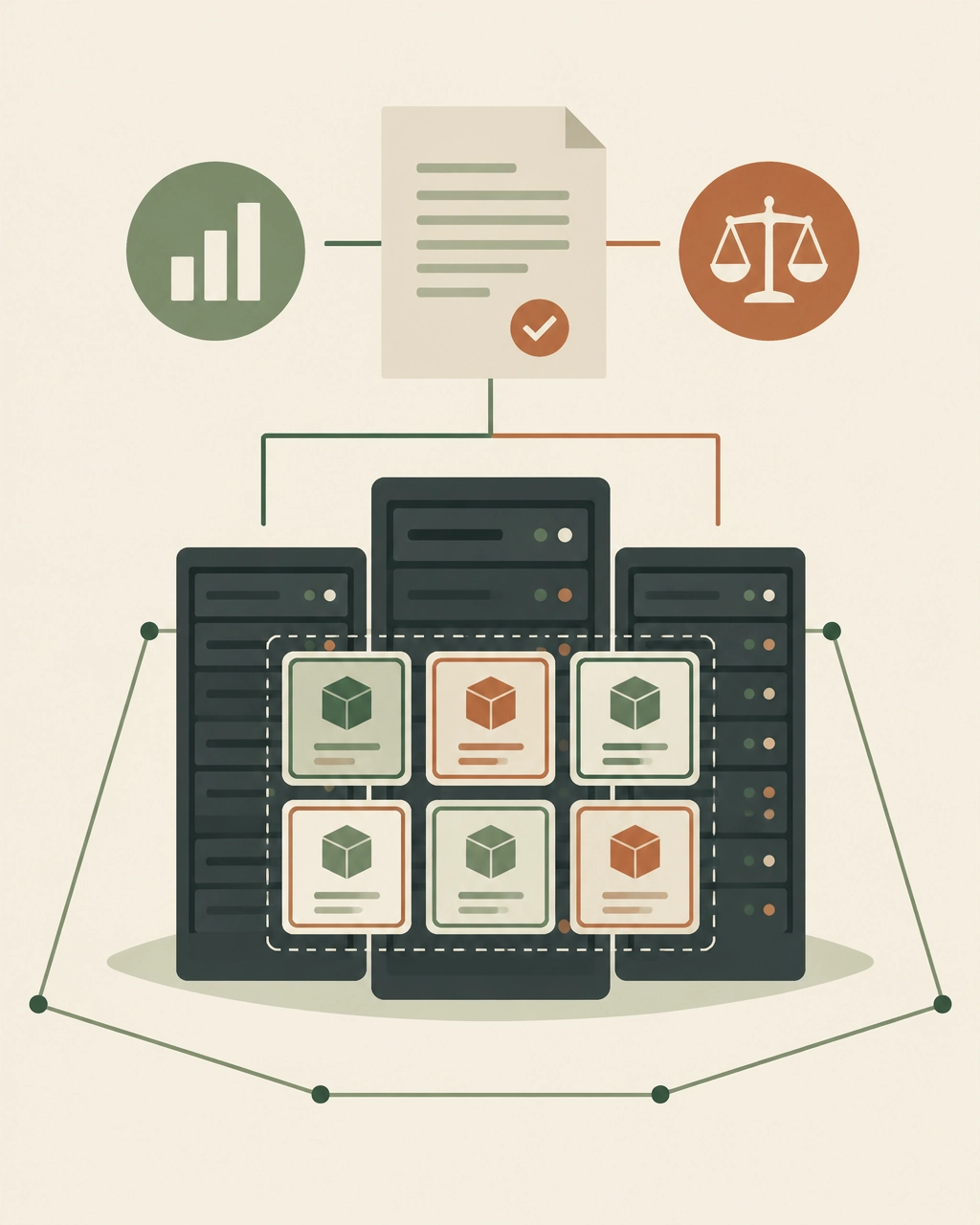
Support can be a significant and recurring cost. Review the support renewal order alongside Oracle’s Technical Support Policies. Check the support period, fee calculation, service level, and any rules that affect renewals when licenses or products change.
Do not rely on an assumed industry-standard uplift or a verbal assurance about future pricing. Negotiate an explicit cap and define its basis: Does it apply to the prior year’s net fee, a list price, or another amount? Does it cover the whole support renewal or only specified products? What happens if the currency, service level, or scope changes?
Ask for advance written notice of any increase and make sure the agreed cap appears in the order or amendment, not just in a proposal or email.
5. License reductions and support repricing
A decision to reduce unused licenses can have consequences beyond the immediate quantity change. Before cutting licenses, find out whether the remaining products must maintain matching support levels, whether support can be reduced proportionally, and whether a change to one product affects the pricing of another.
Model the renewal both before and after the proposed reduction. Compare the savings from removing licenses with any change to the support fee for the licenses you retain. Ask Oracle to document the resulting quantities, support levels, and fees in the renewal paperwork.
This is also a good time to separate genuine business requirements from shelfware. A license inventory and a support inventory may tell different stories, and both matter to the renewal decision.
6. Auto-renewal and the notice deadline
Identify whether the agreement or order renews automatically, what the notice deadline is, and how notice must be delivered. Make the deadline visible in your contract calendar and assign an owner. A missed date can reduce your options even if you are still negotiating.
Where possible, request renewal only with affirmative written approval. If automatic renewal remains, ask for one clear deadline, advance reminders to named procurement and legal contacts, and a short cure period for administrative errors. Confirm whether the clause concerns cloud services, support, or both; renewal mechanics may differ.
Oracle’s Support Renewals help center describes an operational process for support renewals. Treat that as a process reference, not a substitute for the notice terms in your executed agreement.

7. Price escalation, scope changes, and renewal flexibility
Review every clause that can change the renewal price, including fixed annual escalators, list-price resets, currency provisions, and increases triggered by changes in products or quantities. Ask whether the increase applies to the full order or only to affected items, and whether it can stack with other adjustments.
Negotiate a clear ceiling and a defined calculation. Protect your ability to reduce quantities or remove products at renewal without triggering an unexpected repricing of the remaining estate. For multi-year commitments, spell out the price for each year and the conditions under which Oracle can change it.
A useful renewal schedule should make the outcome predictable: term length, product scope, quantities, net fees, permitted adjustments, notice dates, and renewal conditions. If the commercial language says “current rates” or “then-current pricing,” clarify what those phrases mean before you commit.
Make the renewal a decision, not a deadline
The strongest Oracle renewal position starts with evidence: your contract stack, license footprint, support spend, architecture, and realistic business demand. Bring IT, procurement, finance, and legal together early enough to challenge assumptions and make trade-offs deliberately.
The Negotiator Guru works as a discreet extension of enterprise teams through high-stakes software negotiations. Our services include Right Price Benchmarking™, Contract Risk Review, and Full Negotiation Support. We are an impartial firm, not a vendor referral partner, and have delivered $1.05 billion in total cost impact globally, with average savings of 37% per deal. If we cannot identify at least 10% savings, we do not take the deal.
A renewal should earn your commitment. Review the terms, test the numbers, and secure the protections your organization needs before signing.

Negotiating with AWS: How Enterprise Teams Cut Cloud Costs Before They Compound
AWS is one of the most under-negotiated enterprise vendors in the market.
That sounds surprising. AWS is often one of the largest technology suppliers in an enterprise portfolio, with annual spend measured in millions, or tens of millions. Yet many organizations approach AWS as if the only available levers are architectural optimization, Savings Plans, and Reserved Instances.
Those tools matter. They are not the whole negotiation.
AWS spend grows organically through consumption rather than seats. New accounts appear. Workloads move into production. Data volumes increase. Development environments multiply. Business units adopt services independently. By the time finance sees the full picture, the organization may already have a substantial AWS run rate, and limited visibility into the commitments supporting it.
That is precisely when a large cloud bill becomes a negotiation opportunity.
The goal is not simply to obtain a larger headline discount. It is to build a commercial structure that aligns with actual consumption, protects flexibility, reduces commitment risk, and preserves leverage for the next renewal.
Why AWS negotiations work differently from SaaS negotiations
Seat-based SaaS contracts usually have a visible commercial unit: users, licenses, modules, or transactions. AWS is different. The bill is a portfolio of variable consumption lines.
AWS pricing can include:
- On-Demand usage
- Savings Plans
- Reserved Instances
- Data transfer and egress
- Storage and requests
- Managed database consumption
- Support fees
- AWS Marketplace purchases
- Promotional credits
- Migration funding
- Enterprise-level private pricing
That creates two common mistakes.
First, teams benchmark the wrong number. They compare the total invoice to public list price without normalizing usage, regions, service mix, pricing model, and credits.
Second, teams negotiate the wrong commitment. They accept a spend target based on an optimistic cloud roadmap rather than a defensible forecast of eligible consumption.
In a seat-based negotiation, unused licenses are visible. In AWS, unused commitment can be buried inside a complicated consumption model and discovered only after the organization has already signed.
The AWS commercial landscape: what can actually be negotiated?
On-Demand pricing
On-Demand is the most flexible AWS pricing model, but generally the least economical for stable workloads. It is also the baseline against which many other discounts are presented.
On-Demand pricing is useful as a reference point, not as a complete benchmark. The real question is:
What effective rate is the enterprise paying for its actual service mix after all discounts, credits, commitments, and exclusions?
Savings Plans
Savings Plans provide discounted rates in exchange for a one- or three-year commitment to a consistent level of eligible compute spend.
Depending on the type, they may apply across services such as:
- Amazon EC2
- AWS Fargate
- AWS Lambda
- Selected database workloads
The tradeoff is flexibility versus discount depth. A Compute Savings Plan can provide broader portability across eligible compute, while an EC2 Instance Savings Plan may offer stronger economics with more constrained coverage.
AWS provides public documentation on how Savings Plans work, but the discount is not automatically a substitute for enterprise negotiation. Savings Plans typically do not address:
- Data transfer out
- AWS Support fees
- Most Marketplace software fees
- Broader enterprise commitment risk
- Contractual protections around future services
Review the official AWS Savings Plans documentation before modeling a proposal.
Reserved Instances
Reserved Instances can reduce the cost of predictable EC2 and database usage, usually in exchange for a defined configuration and term.
They can be attractive when workloads are stable. They can also create avoidable lock-in when a business is changing instance families, regions, operating systems, or deployment patterns.
The right question is not “What is the maximum discount?” It is:
How much of this workload can the business confidently call stable for the full commitment term?
AWS explains the mechanics of Reserved Instances here. Your negotiation should go further by testing whether the commitment is operationally realistic.
EDPs and Private Pricing Agreements
Large AWS customers may negotiate an Enterprise Discount Program, often referred to in current market discussions as a Private Pricing Agreement or PPA.
The basic structure is straightforward:
- The customer commits to a minimum level of eligible AWS consumption.
- AWS provides a negotiated discount across defined eligible usage.
- The agreement runs for a set term, commonly one to five years.
- The customer must manage its usage carefully to avoid falling short.
AWS does not publish a universal public discount schedule for EDPs or PPAs. Rates depend on factors such as:
- Annual committed spend
- Total term value
- Current run rate
- Forecast growth
- Service mix
- Region and account structure
- Competitive alternatives
- Migration or modernization plans
- AWS Marketplace participation
- Timing and internal AWS priorities
Industry-observed ranges are directional rather than official. As a rough negotiating reference, enterprise proposals may fall into bands such as:
| Annual commitment | Directional observed discount range* |
|---|---|
| $1M–$5M | 5%–8% |
| $5M–$10M | 8%–12% |
| $10M–$25M | 10%–15% |
| $25M–$50M | 14%–19% |
| $50M+ | 17%–23% |
*These are market observations, not AWS-published tiers or guaranteed outcomes. A discount is meaningful only when you understand exactly which services, charges, accounts, and commitment calculations it covers.
Do not negotiate on the headline percentage alone. Ask AWS to define:
- Eligible services
- Excluded services
- Treatment of new AWS services
- Treatment of Marketplace spend
- Treatment of support charges
- Credit application order
- Account and region portability
- Ramp mechanics
- Shortfall consequences
- True-up and true-forward provisions
- Renewal and repricing rights

The growth commitment trap
The most dangerous AWS commitment is not necessarily the one with the lowest discount. It is the one based on a forecast that the business cannot reliably achieve.
AWS teams may present a larger commitment as a way to unlock better economics. The logic can be compelling:
- The business is migrating workloads.
- AI and analytics usage will grow.
- New regions are planned.
- More business units will consolidate onto AWS.
- A modernization program will increase consumption.
Some of those assumptions may be correct. The problem is that a forecast is not the same as committed usage.
If actual consumption falls below the commitment, several outcomes are possible depending on the agreement:
- The customer receives less economic value than expected.
- Unused commitment may expire.
- The customer may need to accelerate migrations or shift workloads.
- Finance may face a true-up or shortfall obligation.
- The customer may have less leverage at renewal because it appears to have underperformed against its promise.
A strong AWS negotiation separates three numbers:
- Current run rate: what the company is consuming today.
- Committed base: what the company can defend with high confidence.
- Strategic upside: what may happen if planned migrations and growth materialize.
Only the first two should form the foundation of a hard commitment. Strategic upside should be rewarded through ramps, expansion rights, reopener clauses, or incremental discounts, not automatically converted into a fixed liability.
Committed spend, true-ups, and unused commitment liability
Before signing, model the agreement month by month.
At a minimum, calculate:
- Expected AWS usage by service
- Eligible versus excluded spend
- Existing Savings Plans and Reserved Instances
- Marketplace spend
- Credits and expiration dates
- Support fees
- Migration-related costs
- Seasonality
- Business-unit allocations
- Downside and upside scenarios
Then test three cases:
Base case
The organization follows its current migration and growth plan.
Downside case
Migration is delayed, a major workload remains on-premises, or optimization reduces consumption.
Upside case
AI, data, or application workloads grow faster than expected.
The agreement should not be economically attractive only in the upside case.
Ask for mechanisms that reduce unused commitment liability, including:
- A lower first-year commitment
- Annual ramps rather than a flat commitment
- Carry-forward rights
- Reallocation across accounts and regions
- Broader eligible-service coverage
- The ability to apply certain Marketplace purchases
- A formal review if consumption falls materially
- No automatic conversion of a shortfall into a new long-term commitment
- Clear treatment of credits when calculating commitment attainment

Use AWS Marketplace, credits, and MAP as negotiation levers
AWS Marketplace can be commercially important in two ways.
First, Marketplace may be part of the broader enterprise cloud commitment. If your organization already purchases significant third-party software through AWS Marketplace, ask whether that spend can contribute to commitment attainment. Do not assume it qualifies. Get the treatment documented.
Second, Marketplace can provide a procurement path for third-party software, including negotiated private offers. AWS explains the mechanics of Marketplace private offers.
Credits are another lever, but they should never be treated as equivalent to a permanent price reduction.
Separate:
- AWS promotional credits
- Migration credits
- Marketplace-related credits
- Partner-funded incentives
- MAP funding
- Service-specific discounts
- Contractual PPA discounts
For migration programs, AWS’s Migration Acceleration Program terms should be reviewed carefully. MAP may support migration and modernization activities through funding or credits, but eligibility, included services, timing, and exclusions matter. For example, credits may not cover all data transfer costs or third-party software charges.
Negotiate the value of credits as part of the total economic package, while keeping the underlying price and commitment structure transparent.
Data egress: negotiate it before you need it
Data egress is often treated as an unavoidable technical cost. In a negotiation, it is also a portability and concentration-risk issue.
Your AWS analysis should distinguish between:
- Routine operational egress
- Cross-region replication
- Internet delivery
- Data movement during migration
- Exit-related data transfer
The EU Data Act is changing the discussion. The European Commission states that switching charges, including switching-related data egress, must be eliminated from 12 January 2027, with a transitional cost-based approach before then. The official European Commission explanation of the Data Act provides the relevant context.
That does not mean all ordinary AWS outbound data transfer becomes free. Day-to-day operational egress remains a separate commercial issue.
For a multinational enterprise, negotiate:
- A clear definition of switching-related egress
- Data export assistance
- Migration support obligations
- Advance notice requirements
- Portability of data and metadata
- Treatment of egress outside the EU
- No contractual language that defeats applicable regulatory rights
Support fees are negotiable too
AWS Enterprise Support is generally calculated as a percentage of monthly AWS charges, subject to minimum fees and tiered rates. At large spend levels, even a modest reduction in the effective support rate can produce meaningful savings.
Ask AWS to clarify:
- The exact fee base
- Whether credits reduce the support calculation
- Whether Marketplace charges are included
- Whether support fees increase automatically as usage grows
- Minimum monthly charges
- Enterprise Support versus other support tiers
- Technical Account Manager coverage
- Service-level commitments
- Response-time remedies
Do not accept support as an automatic percentage of every dollar on the invoice without testing the calculation. Support is a distinct commercial line and should be benchmarked separately. Review AWS’s current Support pricing directly, then negotiate the enterprise-specific application.
How to benchmark AWS spend properly
You cannot benchmark AWS effectively by asking whether you received “20% off list price.”
That number may exclude the services where your spend is concentrated. It may also combine different pricing mechanisms and obscure the cost of commitment risk.
A useful AWS benchmark normalizes:
- Service and SKU
- Region
- Usage volume
- Instance family
- Operating system
- Pricing model
- On-Demand equivalent
- Effective unit rate
- Discount off On-Demand
- Savings Plan or Reserved Instance coverage
- PPA/EDP discount
- Credits
- Support fees
- Data transfer
- Marketplace charges
- Term length and commitment
Track at least three measures:
Effective discount rate
The total discount against the relevant On-Demand baseline.
Effective unit rate
The actual price paid per unit of compute, storage, request, transfer, or database capacity.
Net economic rate
The cost after credits, funding, support, and commitment liabilities are included.
This is where Right Price Benchmarking™ adds value. Benchmarking should reveal not just whether the discount looks attractive, but whether the total structure is commercially fair.
The AWS negotiation playbook
1. Start early
Begin at least six to nine months before a major renewal, PPA, or commitment decision. AWS has more flexibility when the customer has time to create alternatives and does not appear trapped by an expiration date.
2. Build an internal fact base
Bring together:
- CIO or CTO
- CFO or finance leader
- Procurement
- Cloud economics or FinOps
- Enterprise architecture
- Legal
- Business-unit owners
Agree on the target architecture, migration timetable, acceptable commitment, walk-away position, and priority terms before engaging AWS.
3. Build competitive pressure
Azure and Google Cloud do not need to replace AWS entirely to create leverage. A credible alternative may include:
- A workload migration
- A regional deployment
- A data and analytics platform
- A disaster recovery environment
- A new AI workload
- A dual-cloud architecture
- A competitive benchmark
The objective is not to threaten a migration the company cannot execute. It is to demonstrate that AWS is competing for future workload allocation.
4. Use timing deliberately
AWS’s fiscal calendar, quarter-end priorities, renewal windows, migration milestones, and internal account planning cycles can affect responsiveness.
Do not wait until AWS presents its final proposal. Establish your economic requirements early, then create a structured process with multiple proposal rounds.
5. Negotiate the complete package
Ask for more than a discount:
- Better PPA or EDP economics
- A defensible ramp
- Carry-forward rights
- Broader eligible spend
- Marketplace treatment
- Credits and MAP funding
- Reduced support fees
- Egress protections
- New-service coverage
- Renewal caps
- Exit and portability language
- Governance and reporting rights
AWS contract traps to review
Before signing, specifically test for:
- Auto-renewal: Does the agreement renew automatically, and how much notice is required to prevent it?
- Term escalators: Can the commitment or support fee increase during the term?
- Service-level carve-outs: Are critical services excluded from meaningful remedies?
- True-forward language: Can a shortfall or added usage create a higher future commitment?
- Repricing risk: Can AWS reprice new services or move them outside the negotiated discount?
- Credit expiration: Do credits expire before planned workloads go live?
- Account restrictions: Can spend move between accounts, regions, and subsidiaries?
- Marketplace exclusions: Does Marketplace spend count toward the commitment?
- Support calculation: Are support fees calculated on gross or discounted usage?
- Change-in-control language: What happens after a merger, divestiture, or acquisition?
- Exit costs: What data, assistance, and egress obligations apply when workloads move?

Key takeaways for CIOs, CFOs, and procurement teams
- AWS is not simply a usage bill. It is a portfolio of pricing models, commitments, credits, support charges, and contractual risks.
- The largest discount is not always the best deal if it requires an unrealistic commitment.
- EDPs and PPAs should be negotiated around eligible spend, flexibility, shortfall protection, and future-service treatment, not just the headline percentage.
- Savings Plans and Reserved Instances optimize specific workloads. They do not replace enterprise-level negotiation.
- Marketplace, MAP, credits, support fees, and egress can materially change the total economics.
- Benchmark effective unit rates and net cost, not just “discount off list.”
- Competitive pressure from Azure and Google Cloud is useful only when it is credible.
- Contract language determines whether savings survive after the signature.
Frequently asked questions
How much discount can an enterprise get from AWS?
There is no universal public AWS discount table. Directional market ranges may vary from single digits for smaller commitments to the high teens or low twenties for very large, well-structured commitments. The actual result depends on spend, term, service mix, growth, competition, and negotiation timing.
Should we commit to all projected AWS growth?
Usually not. Separate current run rate, defensible committed spend, and strategic upside. Use ramps, expansion rights, and review mechanisms to capture upside without turning an uncertain forecast into a fixed liability.
Do Savings Plans replace an AWS EDP or PPA?
No. Savings Plans address eligible compute consumption. An EDP or PPA may provide broader enterprise pricing, but its scope and exclusions must be negotiated. The two mechanisms can coexist.
Can AWS Marketplace spend count toward an enterprise commitment?
Sometimes, depending on the agreement and eligible products. Never rely on a verbal assurance. Require the treatment of Marketplace spend to be stated clearly in the commercial documents.
Is AWS egress now free?
Not generally. Ordinary operational egress remains a cost category. Switching-related charges are subject to evolving regulatory requirements, including the EU Data Act, and AWS has separate policies and eligibility conditions for migration-related transfers.
When should we begin an AWS negotiation?
For a major renewal or enterprise commitment, begin six to nine months ahead where possible. Earlier preparation creates room for benchmarking, competitive pressure, internal alignment, and contract review.
Negotiate AWS before the commitment becomes the constraint
AWS spend compounds quietly. A small pricing gap across thousands of usage lines becomes a major financial issue when consumption grows every month.
The answer is not to avoid cloud commitments altogether. It is to make commitments that reflect reality, reward growth without overpaying for it, and preserve options when the roadmap changes.
The Negotiator Guru is an impartial negotiation firm. We do not accept vendor referral fees, and we operate discreetly as an extension of your team. We have delivered $1.05 billion in total cost impact globally, with average savings of 37% per deal. If we cannot identify at least 10% savings, we do not take the deal.
For a pending AWS negotiation, we can help with:
- Full Negotiation Support: Build the strategy, manage the negotiation, and support your team through every counter.
- Right Price Benchmarking™: Normalize AWS pricing, usage, discounts, credits, and effective rates.
- Contract Risk Review: Identify commitment traps, repricing risk, auto-renewal exposure, and missing protections before you sign.
AWS may control the pricing model. Your team can still control the negotiation.

Workday Benchmark: How to Know If You're Overpaying Before Your Next Renewal (2026 Data)
Workday renewals rarely become expensive because of one obviously unreasonable line item. Overpayment usually accumulates through a combination of inflated headcount assumptions, unused modules, unclear discount structures, automatic escalators, and contract terms that remove flexibility.
That makes one question critical before your next renewal:
Is your Workday agreement priced within a defensible market range: or are you paying a premium because the vendor set the anchor first?
A credible Workday benchmark can answer that question. But benchmarking is not simply comparing your total annual contract value with a number found online. You need to normalize the data, examine your licensing structure, and connect pricing to the terms that determine your future cost.
This guide explains how to diagnose overpayment using 2026 benchmark data, what to measure, and where negotiation leverage is most likely to exist.
Workday does not publish a universal price list. The ranges below are directional benchmarks from independent market research and reported enterprise transactions. Your appropriate target depends on employee count, modules, geography, deployment scope, term, and contract structure.
What a Workday benchmark should measure
A useful benchmark should answer more than “What discount did we receive?”
It should measure your effective cost across several dimensions:
This matters because a large discount can still produce a poor deal. For example, a 40% discount paired with a 5% annual escalator, fixed headcount commitments, and unused modules may cost more over three years than a smaller discount with better protections.
The right question is not “How much did Workday discount the proposal?”
It is:
What will we pay for the functionality we actually use, over the full term, under realistic workforce conditions?
The 5 diagnostic checks that reveal overpayment
1. Calculate your effective unit price
Start with the simplest calculation:
Effective PEPY = Annual module cost ÷ contracted employee count
For named-user products:
Effective annual user price = Annual module cost ÷ contracted named users
Do this separately for each major component rather than dividing total ACV by total employees. A blended number can hide expensive modules inside a bundle.
One 2026 benchmark set reports the following enterprise-level directional ranges:
Workday componentIndicative enterprise benchmarkCore HCM$14–$22 per employee per yearPayroll$11–$18 per employee per yearRecruiting$7–$12 per employee per yearTalent Management$6–$10 per employee per yearLearning$4–$8 per employee per yearFinancial Management$8–$14 per employee per yearAdaptive Planning$1,400–$2,200 per finance user per year
These figures come from published 2026 renewal research by WorkdayNegotiations. Other market studies report higher delivered pricing when they measure broader bundles, monthly rates, implementation scope, or more complex enterprise footprints.
That difference is not a contradiction. It demonstrates why benchmark comparisons must be like-for-like.
If your effective rate sits materially above the appropriate range after accounting for scope and complexity, you may have a pricing gap worth pursuing.
2. Separate deployed functionality from purchased functionality
Workday bundles can make unused functionality difficult to see. Review each module against four categories:
Pay particular attention to products bought against future plans. A module that was “planned for phase two” three years ago may still be generating subscription cost without delivering value.
This is especially important for planning products and workflow-based packages. Recent Workday pricing research from Redress Compliance found that customers without documented model and workflow counts can overpay materially because the vendor’s estimate becomes the default sizing assumption.
Before renewal, ask:

3. Challenge the headcount forecast
Workday pricing is often tied to employee or worker populations. That creates a major risk: paying today for growth that may not occur.
Your renewal analysis should distinguish between:
Then compare your contracted count with actual historical averages and your approved workforce plan.
If you are close to a volume breakpoint, the answer may not be to accept Workday’s proposed band. You may be able to negotiate favorable pricing based on a documented forecast: or negotiate a more flexible true-up structure that adjusts in both directions.
An upward-only true-up means Workday benefits when your workforce grows, while you continue paying for capacity when it shrinks. A stronger position includes:
4. Audit the escalator, not just the discount
The annual escalator is one of the most overlooked sources of renewal overpayment.
Published 2026 research indicates that Workday proposals may open with annual increases in the 3%–7% range, while benchmark-informed buyers often target a cap between 0% and 3%, depending on leverage and deal structure. Another independent SaaS benchmark found that Workday increases can reach 10%–16% without effective benchmarking, compared with approximately 0%–5% when customers negotiate from market data.
The exact outcome will vary. The principle does not:
A discount is a one-time reduction. An escalator compounds.
Review whether the cap applies to:
The strongest language is an all-in cap that prevents Workday from applying the limit only to one portion of the agreement while increasing other charges outside the cap.
This is where a Contract Risk Review can expose cost increases that are not obvious from the order form.
5. Compare your term against your flexibility needs
A longer term can create pricing leverage, but it can also lock in overpayment.
Some 2026 benchmark data reports additional discounts for three-, five-, and longer-term commitments. That may be attractive if Workday is deeply embedded in your operating model and your workforce is stable.
But a longer term is dangerous when:
Do not trade flexibility for a headline discount without modeling the total cost under multiple scenarios.
How to build a defensible 2026 Workday benchmark
A credible benchmark has four stages.
Stage 1: Normalize the commercial data
Collect the current agreement, order forms, amendments, invoices, usage data, employee counts, and renewal proposal.
Normalize:
Stage 2: Benchmark at the SKU and module level
Compare each component against relevant market data: not just the total contract value.
The Right Price Benchmarking™ service from The Negotiator Guru triangulates pricing using factors such as industry, annual contract value, company revenue, and license footprint. That produces a more useful view than a generic “average Workday customer” number.
Stage 3: Model the full-term cost
Create at least three scenarios:
Model the impact over the full term, including escalators and true-up mechanics. A $500,000 annual improvement is not the same as a $500,000 one-time credit if the recurring baseline remains inflated.

Stage 4: Translate the data into negotiation asks
Benchmark data is valuable only when it changes your position.
Your asks may include:
Use the data internally to set targets, reservation points, and walk-away conditions. In the negotiation, lead with specific commercial requests rather than handing over a generic benchmark report.
When to start planning for a Workday renewal
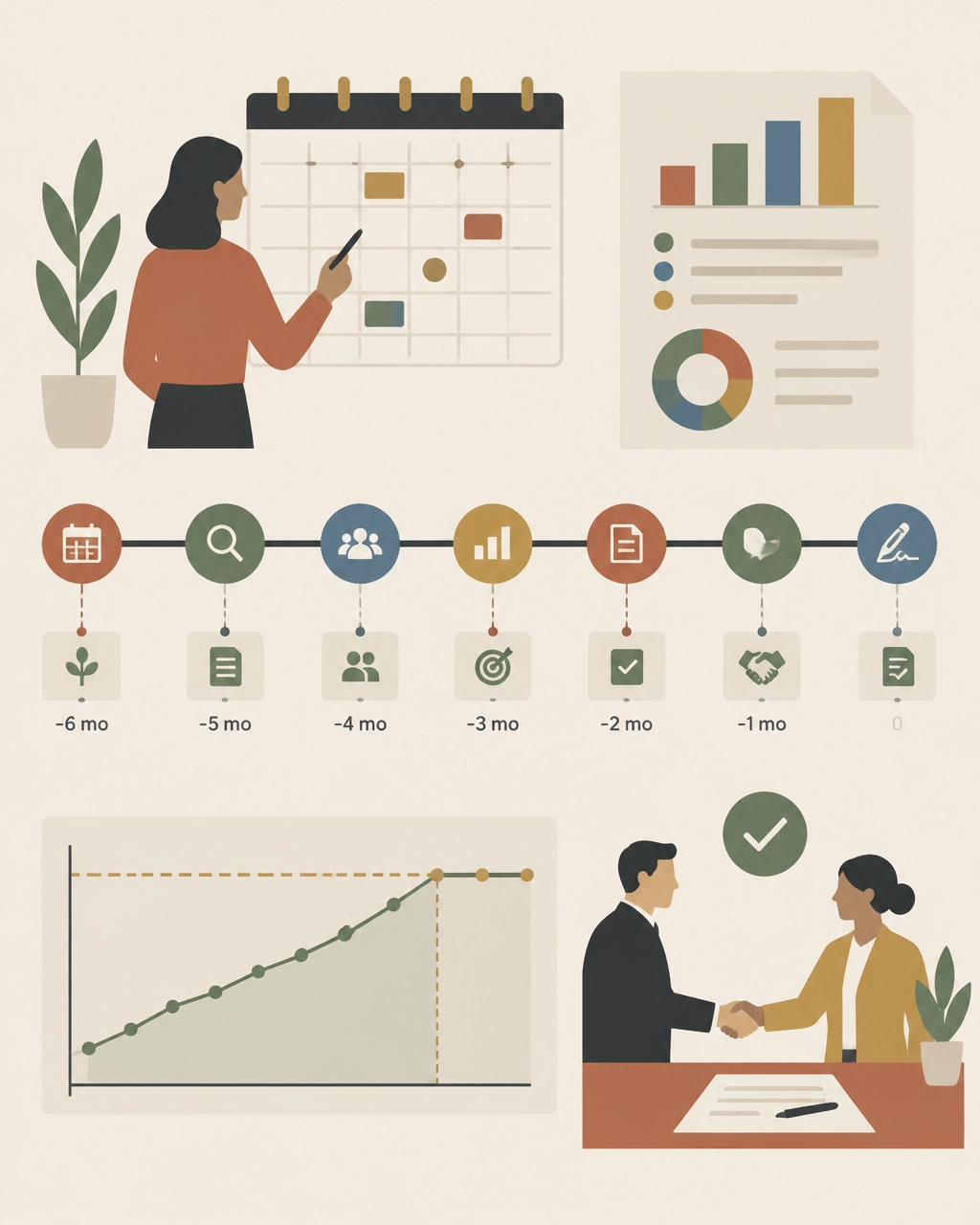
Begin at least six months before renewal. Earlier is better when the agreement is complex or the annual spend is significant.
A practical timeline:
By the time the vendor presents a renewal quote, your internal target should already be set.
What 2026 buyers should watch closely
Three issues deserve special attention in the next renewal cycle:
AI and new product add-ons
New AI capabilities may be introduced as separate paid products, premium tiers, or expanded bundles. Benchmark them independently. Do not allow “new functionality” to obscure an increase in the effective cost of your existing deployment.
Phased roadmaps
If you plan to add modules later, negotiate future pricing now. Otherwise, you may lose the consolidation economics available when multiple modules are purchased together.
Contract flexibility
Workforce volatility, M&A, and budget pressure make true-down rights and reallocation provisions more valuable than ever. The cheapest contract is not always the one with the largest initial discount. It is the one that remains financially defensible when business conditions change.
Find out whether your Workday deal is above market
You do not need to wait for Workday’s renewal proposal to discover overpayment.
The Negotiator Guru helps enterprise teams benchmark every relevant SKU, expose unused or inflated scope, review contract risk, and build a negotiation strategy before the vendor sets the anchor. Our Workday negotiation specialists operate discreetly as an extension of your team.
With Right Price Benchmarking™, we identify what your agreement should cost and where the savings opportunity exists. If the contract warrants broader support, our Full Negotiation Support team can help plan, pressure, and execute the renewal.
We have delivered $1.05 billion in total cost impact globally, with average savings of 37% per deal. And if we cannot identify at least 10% savings, we do not take the deal.
Before your next Workday renewal, benchmark the agreement you have: not the proposal you are given. Start your assessment with The Negotiator Guru.
Start with a CIA.
That’s a Client Intake Assessment.
Upload your contract data or schedule a discovery call. If we can’t identify at least a 10%+ from a TNG Right Pricing™ opportunity, we won’t take your money (but we will offer you some free advice!)
